
Customers today expect answers instantly, with a personal touch. But support teams are often swamped with the same questions over and over, which stops them from getting to the tricky problems where they’re really needed.
It’s a tough situation, but this is where AI customer service tools can make a real difference. They provide round-the-clock support, solve common questions on the spot, and help the whole operation run more smoothly.
The market offers many AI-powered tools, and it can be challenging to distinguish between basic chatbots and more advanced conversational AI platforms that are quick to implement.
This guide provides a straightforward review of the 13 best AI customer service tools available in 2026: eesel AI, Zendesk AI, Salesforce Service Cloud (Agentforce), Gorgias, Ada, Forethought, Freshdesk (Freddy AI), HubSpot Service Hub (Breeze), Kustomer, Help Scout, Zoho Desk (Zia), Sierra, and Decagon. We'll look at their features, pricing, and who they're best for, so you can find the right one for your team. If you want the category explained before the shortlist, our glossary entry on AI customer service covers how it works and what it costs.
Short answer
There's no single best AI customer service tool. If you want to keep your current help desk and add AI on top, eesel AI is the fastest start, with a free plan and one fixed monthly price. If you'd rather have AI built into one platform, Zendesk AI, Salesforce Service Cloud (Agentforce), and Gorgias lead for their own audiences, while Ada and Forethought suit large teams that want a dedicated AI agent.
Which AI customer service tool fits you?
- You already use a help desk and want AI on top of it: eesel AI
- You run everything on Zendesk: Zendesk AI
- You're an enterprise on the Salesforce CRM: Salesforce Service Cloud (Agentforce)
- You sell on Shopify or another ecommerce platform: Gorgias
- You handle very high volumes across chat, email, and voice: Ada
- You want enterprise AI agents that work across help desks: Forethought
- You want an affordable help desk with AI built in: Freshdesk (Freddy AI)
- Your sales and marketing already live in HubSpot: HubSpot Service Hub (Breeze)
- You run high-volume retail support with a CRM-style help desk: Kustomer
- You want the simplest shared inbox with AI built in: Help Scout
- Your company already runs on Zoho apps: Zoho Desk (Zia)
- You're a large consumer brand that wants one branded AI agent on every channel: Sierra
- You want your CX team to write the AI agent's workflows in plain language: Decagon
Comparison of the top AI customer service tools in 2026
Here's a side-by-side look at who each tool fits, how strong its AI is, and how it charges.
| Tool | Best fit | AI strength | Pricing | Setup |
|---|---|---|---|---|
| eesel AI | Teams that want AI on top of the help desk they already use | AI agent, copilot, and triage trained on past tickets and docs; test on past tickets before launch | From $299/mo for 500 tickets (1 credit per ticket or chat), no seat fees; free plan with 100 credits | Minutes (one-click integrations) |
| Zendesk AI | Large support teams already on Zendesk | AI agents, triage, and Copilot inside one full help desk | From $19/agent/mo (Support Team, annual); AI agents $1.50 to $2.00 per automated resolution past the included allowance; Copilot +$50/agent/mo | Comprehensive (designed for scale) |
| Salesforce Service Cloud (Agentforce) | Enterprises on the Salesforce CRM | Agentforce agents that use full CRM data and take actions | From $25/user/mo (Starter Suite); Agentforce $2 per conversation or Flex Credits; Max edition $550/user/mo includes Agentforce | Complex (usually a project with partners) |
| Gorgias | Ecommerce brands on Shopify | AI Agent that reads and edits live orders | From $10/mo for 50 tickets; AI Agent $0.85 to $1.00 per automated interaction | Easy (deep Shopify focus) |
| Ada | Large companies with very high conversation volume | AI agent across chat, email, SMS, social, and voice | Custom pricing (contact sales) | Sales-led rollout |
| Forethought | Enterprises that want AI agents across help desks | Multi-agent system that resolves, triages, and assists | Custom pricing (contact sales): platform fee plus outcome-based fee | Sales-led, Proof of Value instead of a trial |
| Freshdesk (Freddy AI) | Small and mid-sized teams that want AI in an affordable help desk | Freddy AI Agent for customers, Freddy Copilot for agents | From $19/agent/mo (Growth, annual); 500 AI Agent sessions included, then $49 per 100 | Moderate |
| HubSpot Service Hub (Breeze) | Teams whose sales and marketing run on HubSpot | Breeze Customer Agent with CRM context | Free for 2 users; Customer Agent from $90/seat/mo (Professional, annual) + $0.50 per resolved conversation | Moderate (onboarding fee on paid tiers) |
| Kustomer | High-volume retail teams that want a CRM-style help desk | AI agents fueled by one timeline per customer | Custom pricing (contact sales) + $0.60 per engaged AI conversation | Moderate to complex |
| Help Scout | Small teams that want a simple shared inbox | AI Answers for customers plus drafting and summaries for agents | Free for 5 users; from $25/user/mo (Standard, annual) + $0.75 per AI Answers resolution | Easy |
| Zoho Desk (Zia) | Cost-conscious teams already on Zoho apps | Zia triage, reply suggestions, and custom AI agents | Free for 3 users; from $7/agent/mo (Express, annual); Zia from Professional at $23/agent/mo | Easy to moderate |
| Sierra | Large consumer brands that want one branded AI agent | AI agent across chat, SMS, WhatsApp, email, voice, and ChatGPT, built in no-code Agent Studio | Custom pricing (contact sales), outcome-based | Sales-led, delivered with Sierra's team |
| Decagon | Enterprises that want CX teams to own agent workflows | AI agent across chat, email, and voice, run by plain-language AOPs | Custom pricing (contact sales): per conversation or per resolution | Sales-led (demo first) |
What are the top AI customer service tools?
Forget those old-school, rule-based chatbots that only worked if you typed the perfect keyword. Today's AI customer service tools are in a different league. They use generative AI and machine learning to understand what customers are actually asking, hold a normal conversation, and even automate tasks that used to take a human agent forever.
They generally fall into three main categories:
-
Intelligent self-service and autonomous agents: This is your frontline. Think of a customer-facing AI agent, like the eesel AI Agent, that can manage a support ticket from beginning to end without any human help. It figures out the problem, finds the answer, and closes the ticket.
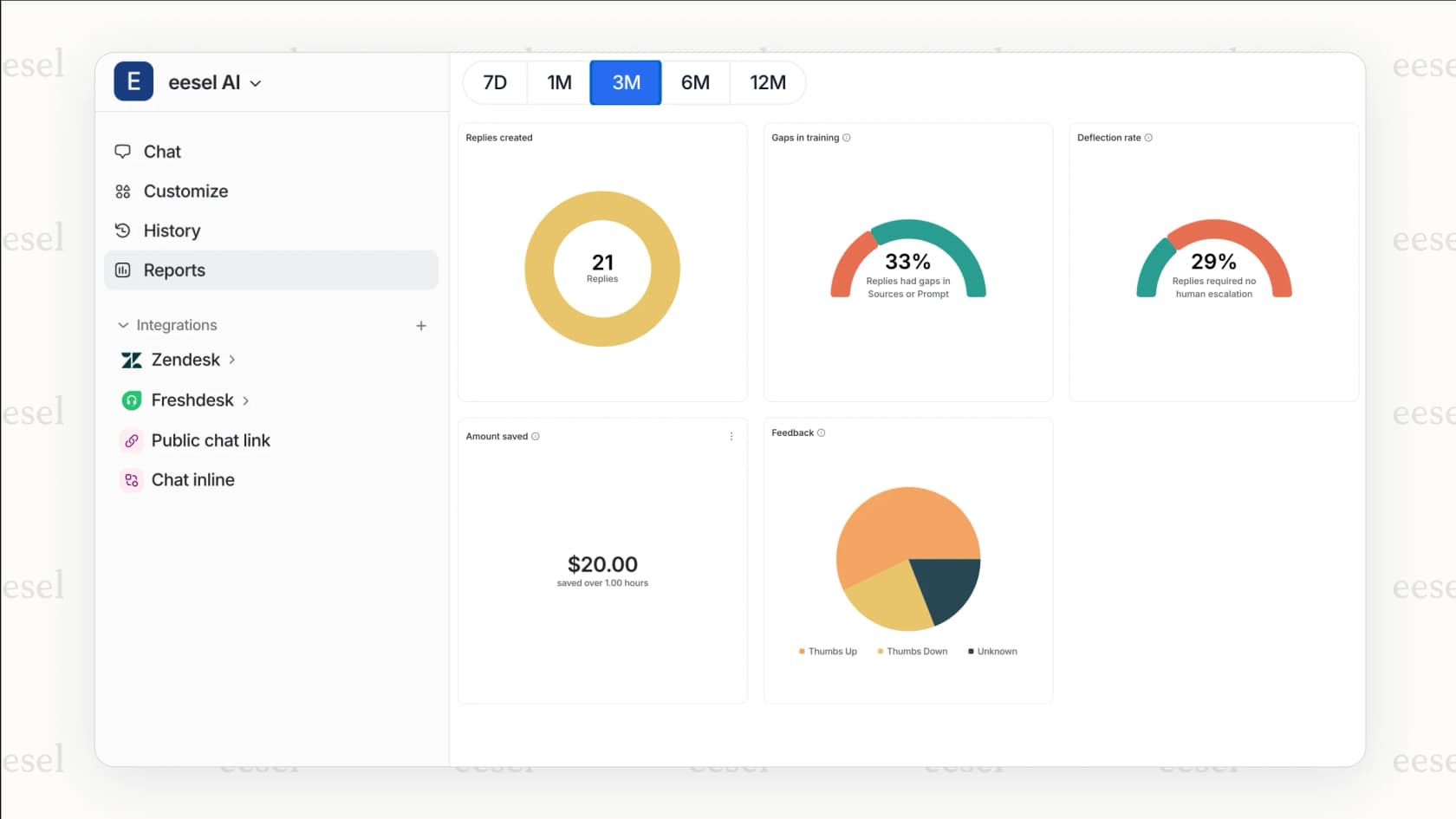
An example of the eesel AI Agent, one of the top AI customer service tools for autonomous support. -
AI agent assistance (Copilot): These tools act like a sidekick for your agents. An AI Copilot works with your team to draft replies, summarize long conversations, and find the right information to help them solve problems much faster.
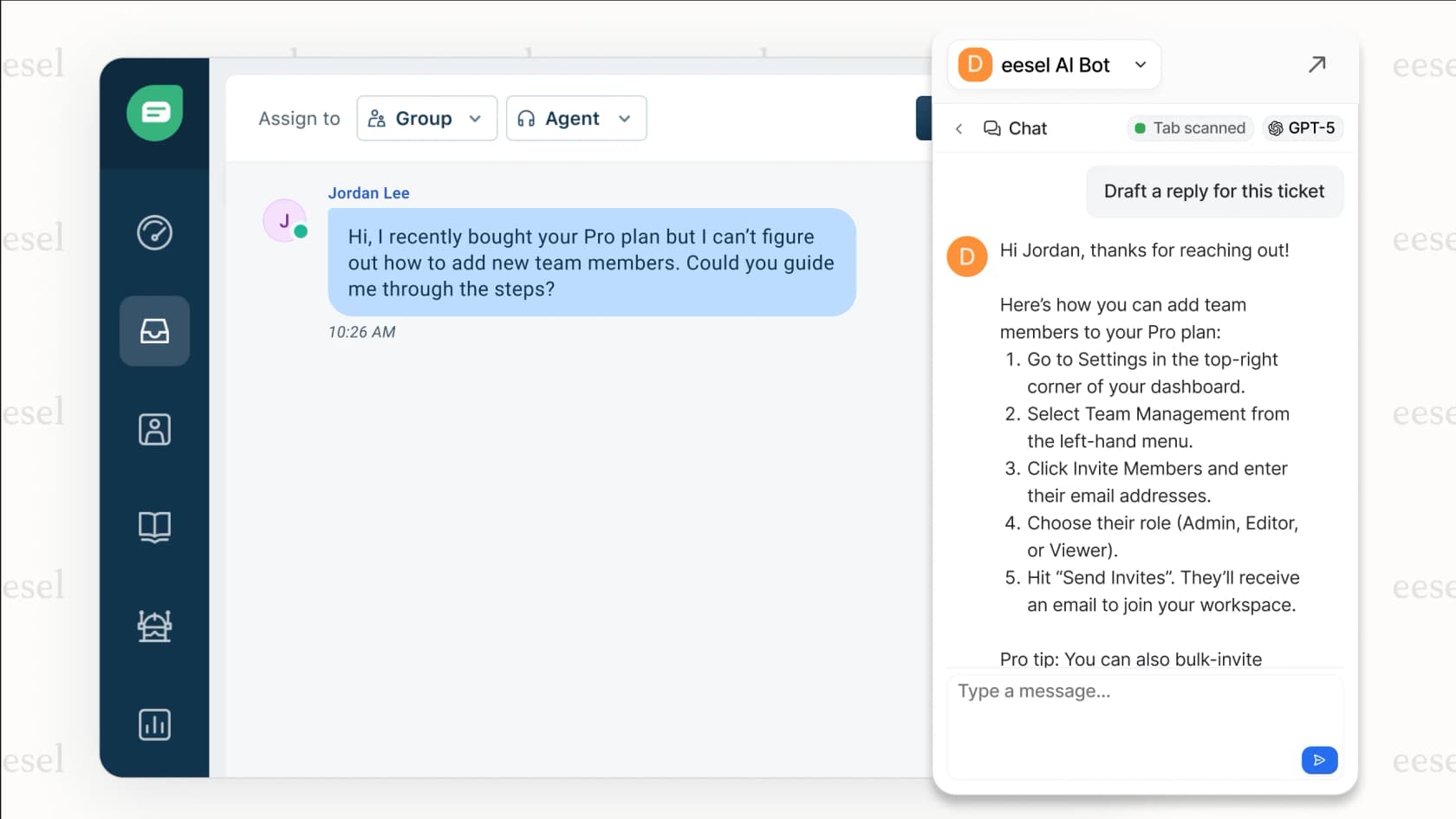
The eesel AI Copilot, one of the top AI customer service tools for agent assistance. -
Behind-the-scenes automation (AI triage): This is the AI that handles all the thankless operational tasks. It automatically tags tickets, routes them to the right person, and gets rid of spam or simple "thank you" messages cluttering the queue. We call this AI triage.
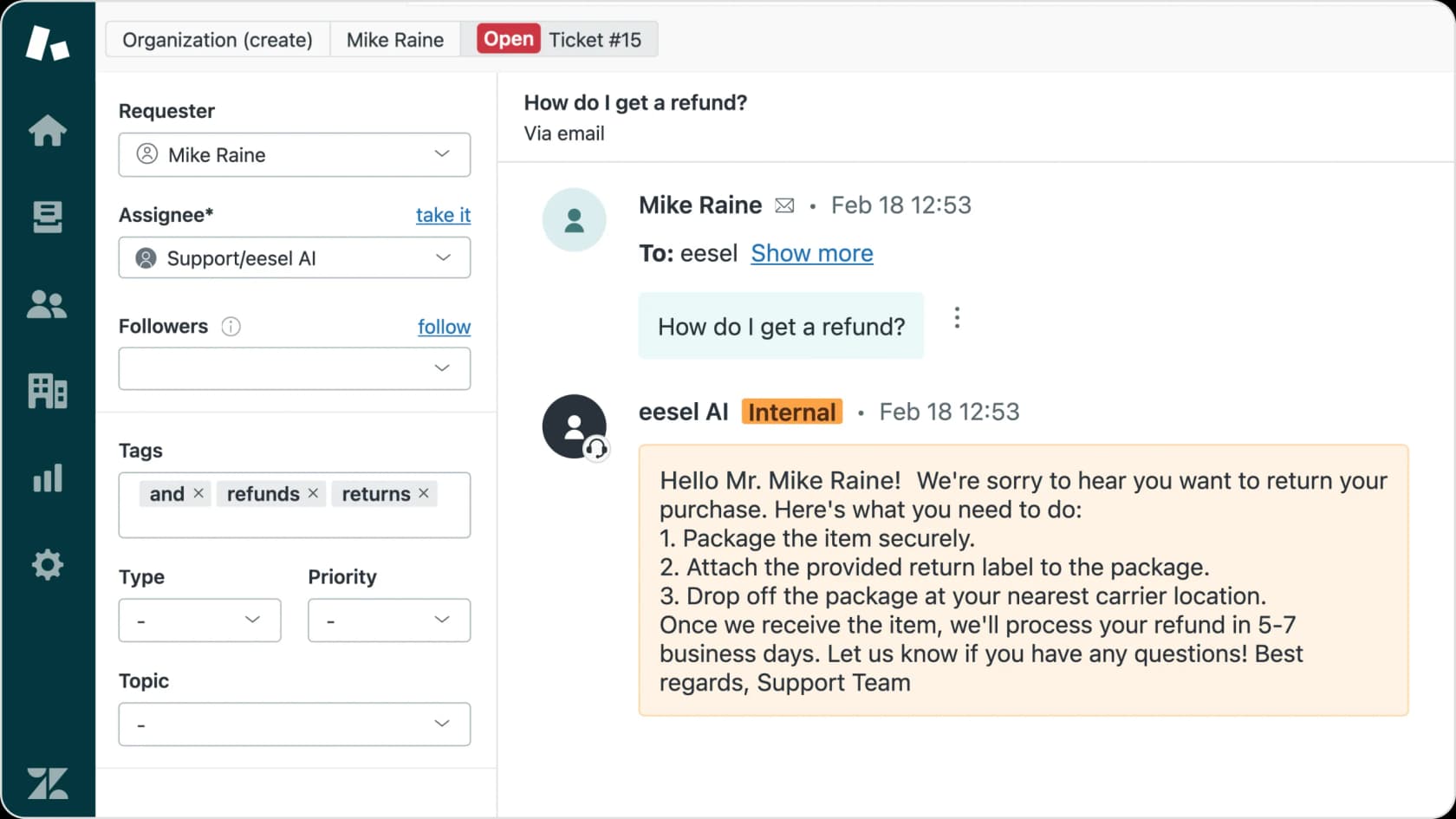
A demonstration of AI Triage, a feature of top AI customer service tools that automates ticket management.
Our criteria for the top AI customer service tools
To create this list, we focused on what actually matters to a support team: how useful it is, how fast you can get it working, and what it's going to cost. We ignored the hype and looked at the features that make a real impact.
- Ease of setup and training: How quickly can you start using it? Does the AI learn from your existing help center and past tickets with a simple click, or will you need a developer and a six-month project plan?
- Automation depth: Can it only answer simple questions, or can it actually do things? We're talking about performing actions like processing a refund, checking an order status in Shopify, or creating a ticket in Jira.
- Agent assistance: How much does it really help your human agents? Does it offer useful drafts and summaries, or just generic, robotic suggestions?
- Integration capabilities: How well does it connect with the tools you already use? We checked for smooth connections to popular help desks like Zendesk or Freshdesk, knowledge bases like Confluence, and e-commerce platforms.
- Customization and control: Can you easily tell the AI what to do and when to pass a ticket to a human, using simple, no-code written instructions? Or are you stuck with clunky, old-fashioned workflow builders?
- Pricing you can check: We used each vendor's own pricing page and noted where prices are only available through sales.
The 13 top AI customer service tools in 2026
Here’s our breakdown of each tool, what it does well, what it costs, and where it falls short.
1. eesel AI: best for adding AI to the help desk you already use
eesel AI positions its AI as a "teammate" you onboard, not a tool you set up. Instead of a complicated process, you just connect it to your help desk (like Zendesk or Freshdesk) and knowledge sources (Confluence, Google Docs) with a single click. It then reads all your past tickets, help articles, and internal docs to learn your business in minutes.
Why we chose it: You don't have to move help desks to use it. eesel connects to 1,000+ tools, and you can roll it out gradually. Begin with eesel as an AI Copilot that drafts replies for your agents. Once you're happy with its performance, you can "promote" it to a fully autonomous AI Agent, and add AI triage to tag and route tickets.
Pricing:
eesel AI's pricing is one fixed monthly price sized by credits. One ticket or one chat is 1 credit, however long it runs.
- Free: 100 credits to try every feature and integration, no card needed.
- Teammate plan: 500 credits for $299/month, 1,000 for $499, 1,500 for $699, 2,500 for $999, 3,500 for $1,349, or 5,000 for $1,899. Past 5,000 credits, talk to the team.
- No seat or platform fees. Your whole team can use it.
- Optional overage: extra credits cost $0.80 each, up to a monthly cap you set.
- Annual billing: pay a year upfront and get two months free.
Pros:
- It's fast to set up without needing a developer.
- You can safely test the AI on past tickets before it talks to a real customer.
- You set rules and hand-off points with simple written instructions.
- The price stays the same each month, with no per-agent fees.
Cons:
- It's a dedicated AI layer, so it doesn't have the built-in workforce management or advanced native reporting you'd find in a huge, all-in-one suite like Zendesk.
- Every ticket the AI works on uses a credit, whether or not it fully resolves it.
2. Zendesk AI: best for large support teams already on Zendesk
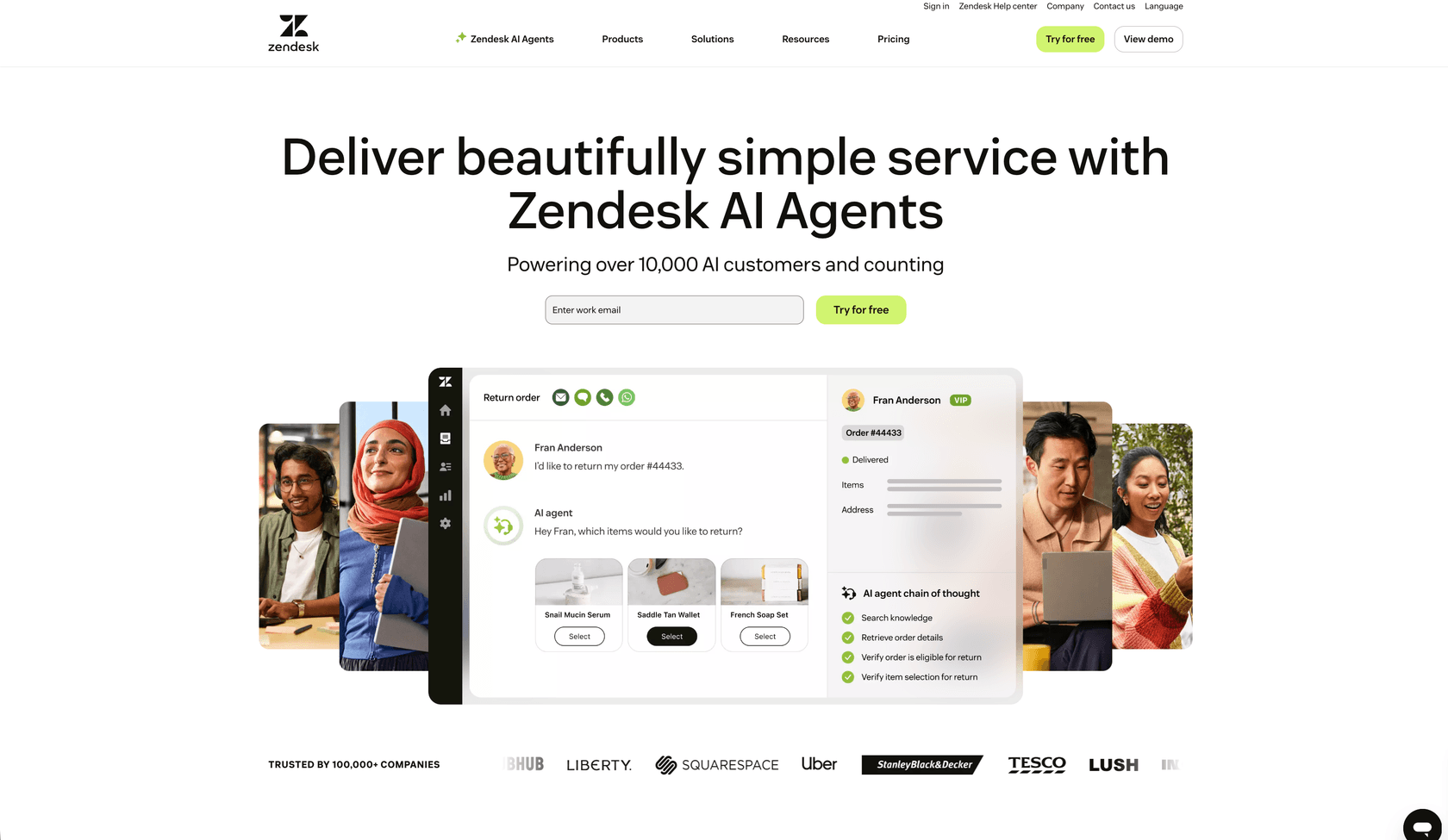
Zendesk is a comprehensive platform, designed for large, established support teams. They're a recognized Gartner® Magic Quadrant™ Leader, and their AI is part of a much larger suite that includes everything from advanced ticketing and reporting to workforce management.
Why we chose it: Zendesk's AI agents are built to handle conversations across multiple channels, including voice. Copilot helps agents with suggested replies and summaries, and triage tags and routes incoming tickets. If your team already lives in Zendesk, everything is in one place.
Pricing:
Zendesk's pricing is per agent, with AI agents billed per automated resolution.
- Support Team: $19/agent/month billed annually ($25 monthly).
- Suite Team: $55/agent/month billed annually ($69 monthly).
- Suite Professional: $115/agent/month billed annually ($149 monthly).
- Suite Enterprise: custom pricing (talk to sales).
- Copilot add-on: $50/agent/month, paid yearly.
- AI agents: every plan includes 5 automated resolutions per agent per month. After that, each one costs $1.50 on a committed plan or $2.00 pay as you go.
- Trial: 14 days on Suite Professional, with Copilot included.
Pros:
- It's a true all-in-one platform with a lot of power and scalability.
- It's trusted by over 100,000 companies, making it a safe choice for businesses looking for a mature ecosystem.
- AI agents, Copilot, and triage all work inside the same help desk.
Cons:
- The deep customization means getting it tailored can take time.
- Copilot is a paid add-on, and AI agent resolutions are billed on top of seats, so the total cost grows as automation grows. Our Zendesk AI pricing guide breaks this down.
- The AI only works inside Zendesk.
3. Salesforce Service Cloud (Agentforce): best for enterprises already on the Salesforce CRM
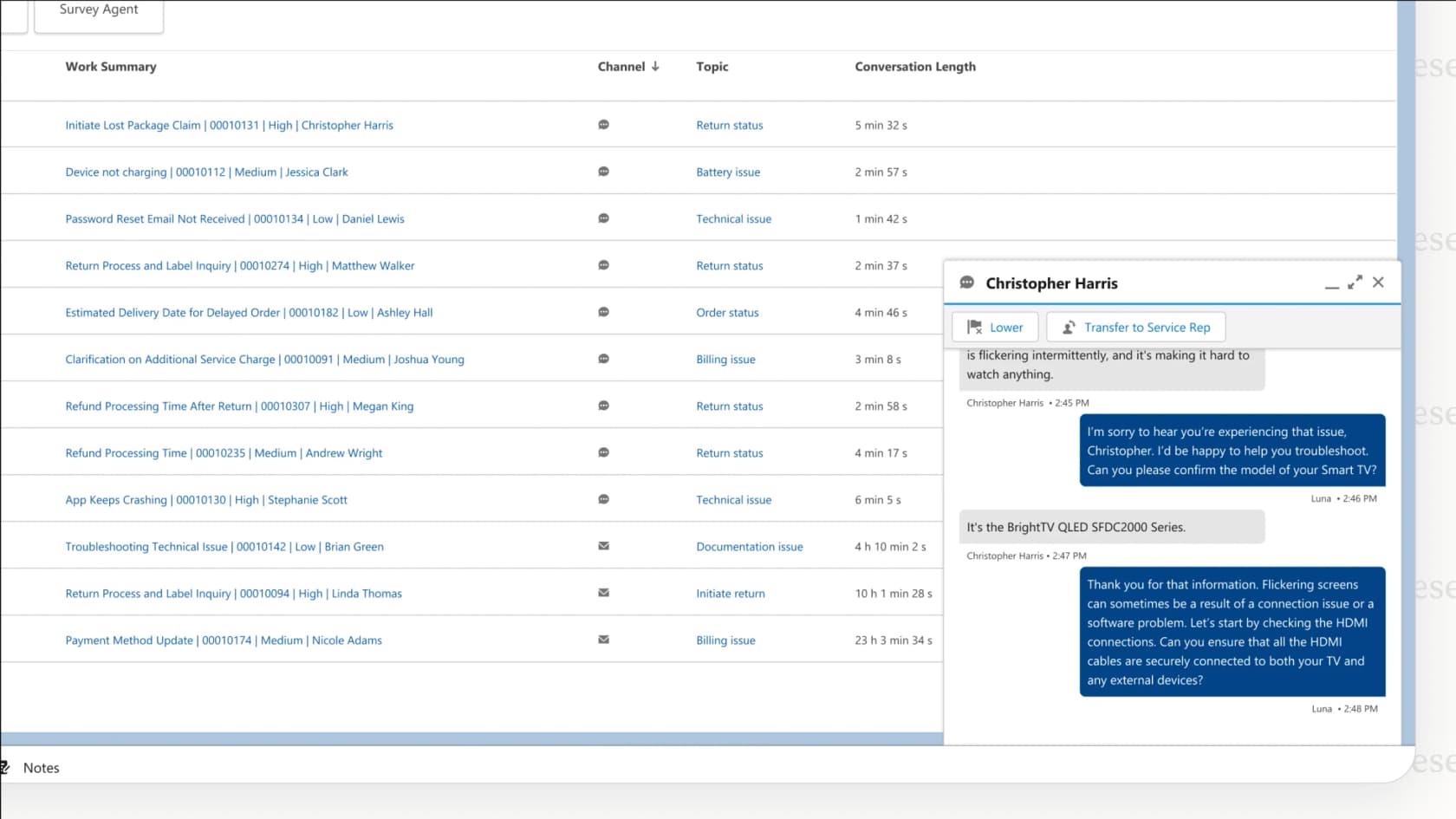
Salesforce Service Cloud is the heavyweight for large companies, especially if they already use Salesforce for sales and marketing. Its AI, Agentforce, runs customer-facing agents that answer questions and take actions using your Salesforce data.
Why we chose it: Agentforce's biggest advantage is how it connects to the CRM. It can pull in data from sales, marketing, and service to answer with full context, and it scales to very large global teams. Read more in our Agentforce for customer service guide.
Pricing:
Salesforce publishes its Service Cloud edition prices and its Agentforce usage prices.
- Starter Suite: $25/user/month, billed monthly or annually.
- Pro Suite: $100/user/month, billed annually.
- Core: $195/user/month, billed annually.
- Advanced: $395/user/month, billed annually.
- Max: $550/user/month, billed annually. Includes the full Agentforce for Service suite and 2.75M Flex Credits per org per year.
- Agentforce usage: $2 per conversation, or Flex Credits at $500 per 100,000 credits. One Agentforce action uses 20 credits (about $0.10).
- Agentforce add-on for Service: $125/user/month for unlimited employee use.
Pros:
- It's very powerful and can scale for massive global companies.
- It connects service data with a customer's entire history with your company.
- It has extensive options for workflow automation and customization.
Cons:
- It needs a serious investment of money and time to set up. This is a major business decision, not a plug-in.
- Pricing has several layers (seats, editions, add-ons, and credits), so the total is hard to estimate upfront. See our Agentforce pricing breakdown.
- It's more than most small or mid-sized teams need.
4. Gorgias: best for Shopify and ecommerce stores
Gorgias is a help desk built specifically for ecommerce, with deep integration with Shopify. It powers customer service for thousands of brands. Its AI Agent supports customers and also works as a "Shopping Assistant" that helps you sell more.
Why we chose it: Gorgias AI Agent can handle common ecommerce questions like "Where is my order?", process returns, and even edit orders directly in Shopify. It also suggests products to customers to help increase conversions. Gorgias says it can automate up to 60% of common questions.
Pricing:
Gorgias's pricing is based on billable tickets per month, with AI Agent charged per automated interaction.
- Starter: $10/month for 50 tickets (monthly billing only). AI Agent is $1.00 per automated interaction.
- Basic: $60/month, or $50/month billed annually, for 300 tickets. AI Agent is $0.90 per automated interaction.
- Pro: $360/month, or $300/month billed annually, for 2,000 tickets. AI Agent is $0.90 per automated interaction.
- Advanced: $900/month, or $750/month billed annually, for 5,000 tickets. AI Agent is $0.85 per automated interaction.
- Enterprise: custom pricing for more than 5,000 tickets.
- Trial: 7 days, no payment details needed.
Pros:
- If you run a Shopify store, the deep integration lets your agents and the AI take real actions without leaving the help desk.
- It can turn your support team into a source of sales, not just a cost.
- It's a mature platform with a large app marketplace for retail brands.
Cons:
- It's built for ecommerce, so it's a weaker fit for SaaS, IT, or other non-retail support.
- Ticket and AI interaction charges both grow with volume, so busy seasons cost more.
5. Ada: best for large companies with very high conversation volume
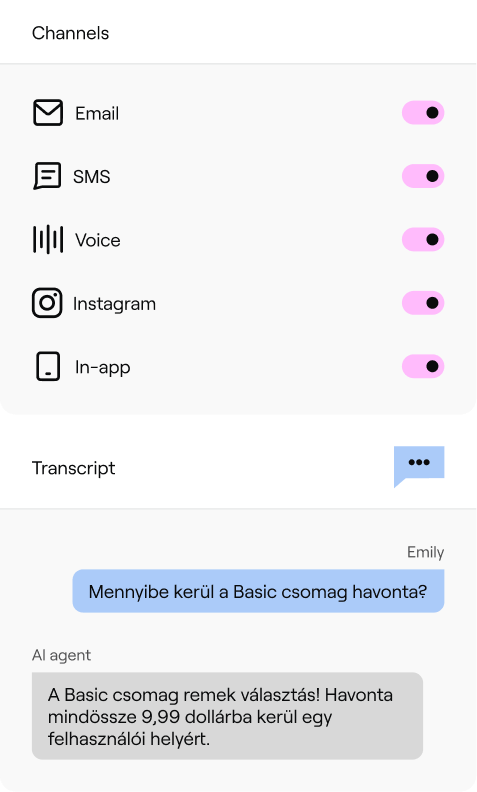
Ada is an AI-first customer service platform built for large companies that handle enormous conversation volumes. Instead of being a help desk with AI added on, Ada is the AI agent itself, and it sits in front of the help desk you already use.
Why we chose it: Ada covers more channels than most tools on this list: chat, email, SMS, social, and voice, all from one agent. Its Playbooks let the AI follow multi-step processes, and its Coaching feature lets managers correct the agent with simple written feedback. You can read more in our Ada review.
Pricing:
- Ada doesn't publish prices. Its pricing page goes to a demo request form, so every plan is custom pricing (contact sales).
- There's no free trial.
- We cover what is known in our Ada pricing guide.
Pros:
- One AI agent across chat, email, SMS, social, and voice.
- Built to handle very high volumes for large brands.
- Playbooks and Coaching give you real control over how the agent behaves.
Cons:
- No public pricing or free trial, so you can't judge the cost until you're in a sales process.
- Setup is an implementation project, not something you switch on in an afternoon.
- It's more than most small and mid-sized teams need.
6. Forethought: best for enterprises that want AI agents across help desks
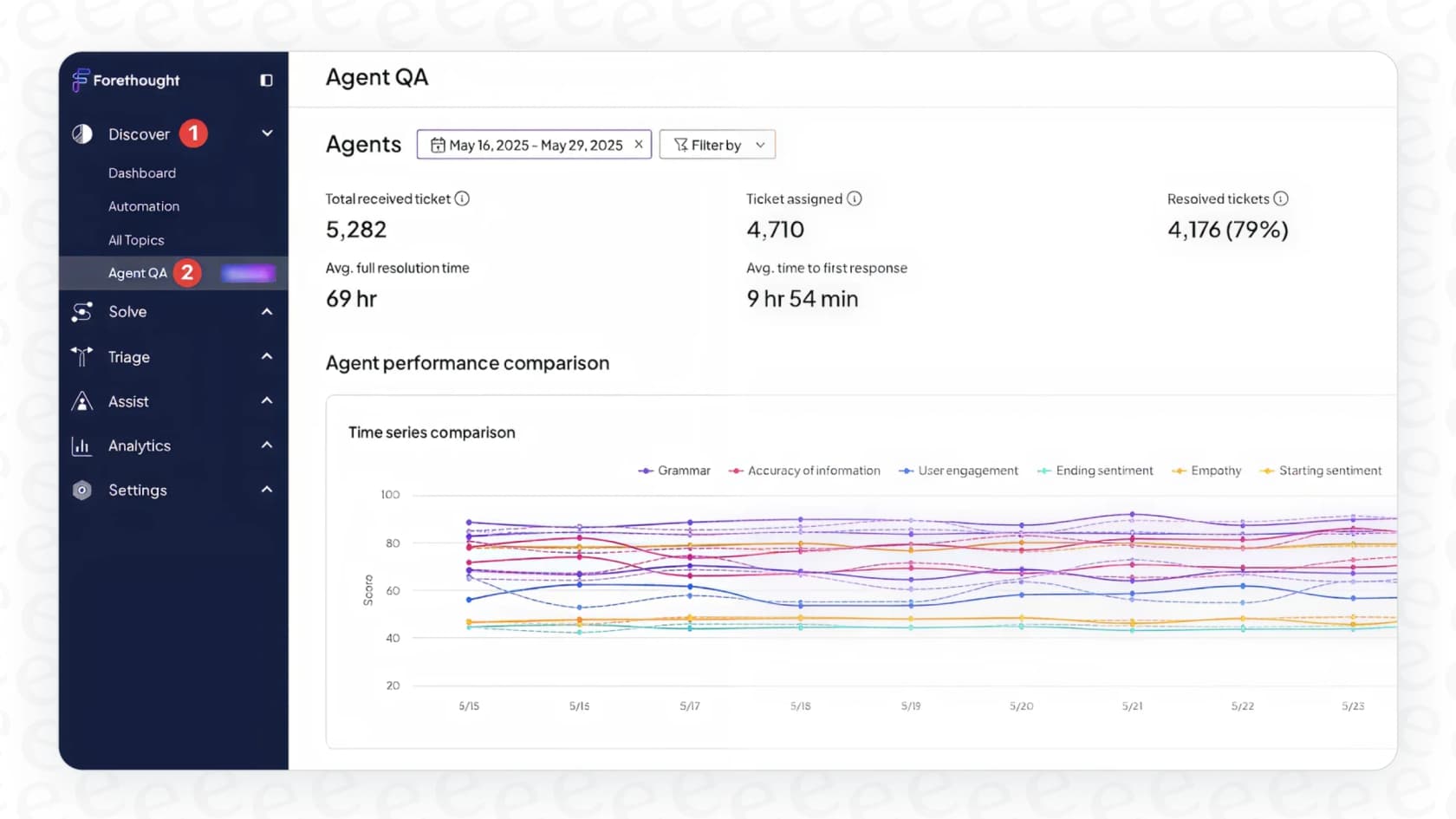
Forethought is an AI-focused platform that uses a "multi-agent" system to automate support. It has AI agents that resolve customer issues, classify and route tickets, and assist human agents. Zendesk completed its acquisition of Forethought in 2026, and it can still be used on top of other help desks.
Why we chose it: Forethought is built for larger support teams that want AI across the whole ticket lifecycle, not just a chatbot. It can handle multi-step problems and puts a strong focus on measuring return on investment. Our Forethought review goes deeper.
Pricing:
- Forethought's pricing page lists Team, Professional, and Enterprise plans, all with custom pricing (contact sales).
- The model is a platform access fee plus an outcome-based fee. Optional add-ons are available.
- There's no free trial. Forethought offers a Proof of Value on your own data instead. See our Forethought pricing guide.
Pros:
- Its AI can handle complex, multi-step actions.
- It works with major help desks, so you don't have to switch your core platform.
- It covers resolution, triage, and agent assistance in one product.
Cons:
- No public prices, so you need a sales process to learn the cost.
- Setup is a hands-on project, not a quick self-serve process.
- Now that Zendesk owns it, teams on other help desks may want to ask about its long-term plans.
7. Freshdesk (Freddy AI): best for small and mid-sized teams that want AI in an affordable help desk
Freshdesk’s AI is named Freddy, and it comes in two forms: a customer-facing AI Agent and an internal copilot for your team. It's built for omnichannel support, so you can deploy AI across email, chat, social media, and voice.
Why we chose it: Freshdesk gives you a full help desk at a lower seat price than most, and the Freddy AI Agent comes with a starter allowance of sessions on every paid plan. Freddy also offers "Vertical AI Agents" with pre-built workflows for industries like ecommerce or travel, and it supports over 60 languages.
Pricing:
Freshdesk's pricing is per agent, with AI usage on top.
- Growth: $19/agent/month billed annually ($23 monthly).
- Pro: $55/agent/month billed annually ($66 monthly).
- Enterprise: $89/agent/month billed annually ($107 monthly).
- Omnichannel plans: start at $29/agent/month, billed annually.
- Freddy AI Agent: the first 500 sessions are included on all paid plans. Extra sessions cost $49 per 100.
- Freddy AI Copilot: $29/agent/month billed annually ($35 monthly), on Pro and Enterprise only.
- Trial: 14 days.
Pros:
- Low entry price for a full help desk with AI built in.
- A large marketplace of apps and integrations.
- Pre-built workflows help you get started faster.
Cons:
- Copilot is a separate add-on, and only on the higher plans.
- AI Agent sessions past the included 500 add up quickly at $49 per 100.
- Freddy only works inside Freshworks products.
8. HubSpot Service Hub (Breeze): best for teams whose sales and marketing run on HubSpot

HubSpot Service Hub is the help desk side of HubSpot's customer platform. Its Breeze AI includes Customer Agent, which answers customers and hands the conversation to your team when it needs a human.
Why we chose it: If your sales and marketing already run on HubSpot, the AI starts with context most tools don't have. Contact records, deal history, and past conversations sit in the same CRM, so the Breeze Customer Agent can personalize answers without extra setup.
Pricing:
HubSpot's Service Hub pricing mixes per-seat plans with HubSpot Credits, which pay for AI usage.
- Free: $0 for up to 2 users.
- Starter: from $7/seat/month, billed annually.
- Professional: $90/seat/month billed annually ($100 monthly), plus a one-time $1,500 onboarding fee. Includes 3,000 credits a month.
- Enterprise: $150/seat/month billed annually, plus a one-time $3,500 onboarding fee. Includes 5,000 credits a month.
- Customer Agent usage: 50 credits ($0.50) per resolved conversation. Credits cost $0.01 each.
- Trial: 14 days of free Customer Agent access once you have at least one Professional or Enterprise seat.
Pros:
- The AI uses your full CRM data, so answers can reflect a customer's history with sales and marketing.
- Help desk, knowledge base, and AI agent all live in one platform.
- You only pay for Customer Agent when it resolves a conversation.
Cons:
- Customer Agent needs Professional or Enterprise seats plus an onboarding fee, so the entry cost is steep for small teams.
- It works inside HubSpot's own help desk. Teams on Zendesk or Freshdesk would need to move their support over.
- A busier month means a bigger credit bill.
9. Kustomer: best for high-volume retail teams that want a CRM-style help desk
Kustomer's whole approach is centered around its unified CRM, which gives you a single timeline of every customer interaction. This 360-degree view fuels its AI, enabling personalized and context-aware conversations.
Why we chose it: Kustomer's AI can handle chats on any channel, including voice, and take actions using your customer data. A separate AI tool for reps summarizes conversations and suggests replies.
Pricing:
Kustomer doesn't publish plan prices. Its pricing page sends you to sales, but its pricing details page lists the AI rates.
- Platform plans (Enterprise and Ultimate): custom pricing (contact sales).
- AI Agents for Customers: $0.60 per engaged conversation.
- AI Agents for Reps: $40/user/month.
- Add-ons: HIPAA is $25/user/month and voice starts at $0.02 per minute.
Pros:
- Having all your customer data in one place leads to smarter AI and more efficient agents.
- It works across many messaging channels.
- AI rates are published, even though plan prices aren't.
Cons:
- No public plan prices, so you need a sales conversation to get the full cost.
- The AI charge is per engaged conversation, so you pay even when the AI doesn't resolve the issue.
- Some users mention a steep learning curve, and it's built for larger teams.
10. Help Scout: best for small teams that want a simple shared inbox
Help Scout is a simple shared inbox and help desk that feels more like email than a ticketing system. Its AI tools are built in and easy to switch on.
Why we chose it: Help Scout is one of the easiest help desks to learn. AI Answers responds to customers in chat using your Help Scout Docs and other sources you add, while AI Assist, AI Drafts, and AI Summarize help your team write and catch up on conversations faster.
Pricing:
Help Scout's pricing is per user, with customer-facing AI charged per resolution.
- Free: $0 for up to 5 users, 1 inbox, and 1 Docs site.
- Standard: $25/user/month billed annually ($30 monthly).
- Plus: $45/user/month billed annually ($54 monthly).
- Pro: $75/user/month billed annually ($90 monthly), minimum 10 users.
- AI Answers: $0.75 per resolution, billed monthly, with a 3-month free trial.
Pros:
- Very easy to set up and use, even for non-technical teams.
- Free plan for up to 5 users.
- Agent-side AI tools are built into the product.
Cons:
- The AI only works inside Help Scout, so you'd need to use it as your help desk.
- Per-resolution pricing means your AI bill goes up as the AI handles more.
- Fewer advanced automation and reporting options than enterprise suites.
11. Zoho Desk (Zia): best for cost-conscious teams already on Zoho apps
Zoho Desk is Zoho's help desk, and Zia is its built-in AI. It's one of the cheapest full help desks around, especially if your company already uses other Zoho apps.
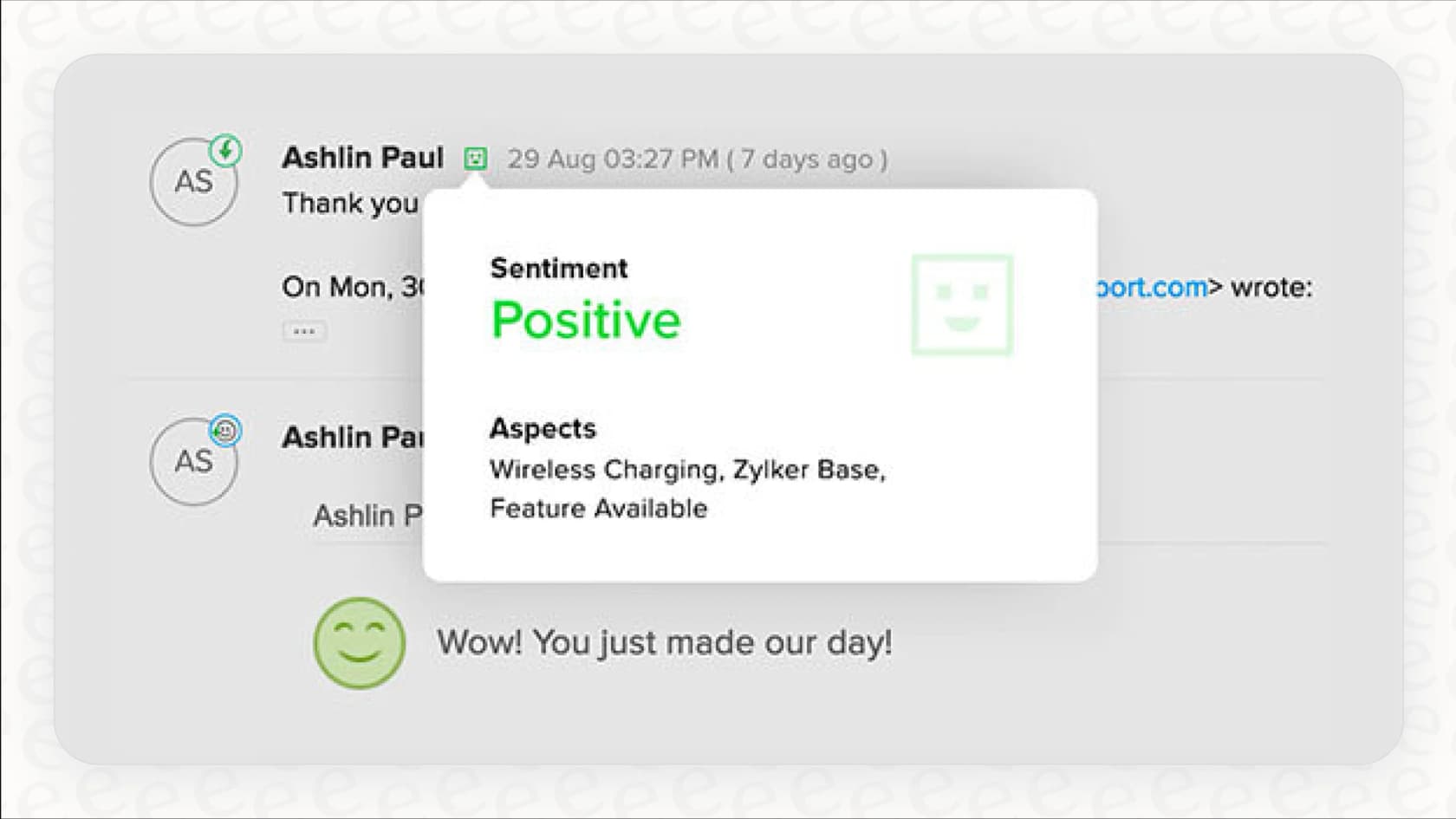
Why we chose it: Zoho Desk packs a lot of AI into low seat prices. Zia handles triage (sentiment analysis, auto-tagging, and predicting ticket fields), suggests replies from your help articles, and lets you build your own AI agents.
Pricing:
Zoho Desk's pricing is per agent, with Zia included from the Professional plan up.
- Free: $0 for up to 3 users.
- Express: $7/agent/month billed annually ($9 monthly).
- Standard: $14/agent/month billed annually ($20 monthly).
- Professional: $23/agent/month billed annually ($35 monthly). Zia is included from here.
- Enterprise: $40/agent/month billed annually ($50 monthly).
- Zia Agents usage: free up to a monthly token allowance, then $1 or $3 per million tokens depending on the model.
- Trial: 15 days, no credit card.
Pros:
- Some of the lowest seat prices on this list.
- Connects naturally with Zoho CRM and other Zoho apps.
- You can build custom AI agents without extra license fees.
Cons:
- The most useful AI features are on the higher plans.
- Zia only works inside Zoho products.
12. Sierra: best for large consumer brands that want one branded AI agent on every channel
Sierra is an AI agent platform for large consumer companies. Its customer list includes brands like SiriusXM, Rocket Mortgage, and ADT. Like Ada, it's the AI agent itself rather than a help desk, and it can route a conversation to your care team with full context when a human needs to take over.
Why we chose it: Sierra lets you deploy a single agent across chat, SMS, WhatsApp, email, voice, and ChatGPT. Its Agent Studio lets teams build the agent's workflows without code, connect it to 40+ pre-built integrations, and run simulations and regression tests before a new version goes live. You can also give the agent its own name, voice, and branding.
Pricing:
- Sierra doesn't list prices on its site. Its get started page is a contact form, so pricing is custom (contact sales).
- It uses outcome-based pricing: you pay for agreed outcomes, such as a resolved conversation, and in most cases an escalated conversation isn't charged. Sierra also offers blended pricing, with per-conversation billing for things like routing.
Pros:
- One agent across chat, messaging, email, and voice.
- No-code building in Agent Studio, with simulations and regression tests before each release.
- Outcome-based pricing ties the bill to resolved work.
Cons:
- No public pricing, so you need a sales process to learn the cost.
- Sierra partners with your team to deliver the agent, so it's a guided rollout rather than a self-serve setup.
- Its customers are mostly large brands, so smaller teams may find it more than they need.
13. Decagon: best for enterprises that want CX teams to own AI agent workflows
Decagon builds AI agents for large companies across chat, email, and voice. It isn't a help desk. Its integrations connect it to help desks and CRMs such as Zendesk and Salesforce, with handoffs to human agents when a conversation needs to be escalated.
Why we chose it: Decagon's Agent Operating Procedures (AOPs) let your team write agent workflows in natural language, the way you'd write SOPs for human agents, while engineers keep version control in Git. Its Testing & QA simulations check the agent's behavior across channels before each update goes live.
Pricing:
- Decagon doesn't publish prices. Its site sends you to a demo request, so pricing is custom (contact sales).
- Decagon offers two models: per conversation (a fixed rate for every incoming conversation) or per resolution (a higher rate for each fully resolved conversation, with no charge for escalations). It says most of its customers choose per conversation.
Pros:
- CX teams can write and edit workflows in plain language.
- Simulations test the agent's behavior before every release.
- One agent across chat, email, and voice, on top of your existing help desk.
Cons:
- No public pricing, so you need a sales process to learn the cost.
- Access starts with a demo request rather than a self-serve trial.
- It's aimed at large enterprises, so smaller teams may find it more than they need.
What do AI customer service tools cost?
The tools on this list charge in four main ways:
- Per agent seat, plus AI on top: Zendesk, Freshdesk, HubSpot, Help Scout, Zoho Desk, and Salesforce. The seat price is only part of the bill.
- Per AI outcome or conversation: Zendesk charges $1.50 to $2.00 per automated resolution, Gorgias $0.85 to $1.00 per automated interaction, Help Scout $0.75 per resolution, Kustomer $0.60 per engaged conversation, HubSpot $0.50 per resolved conversation, Salesforce $2 per Agentforce conversation, and Freshdesk $49 per 100 sessions past the included 500.
- Custom quotes: Ada, Forethought, Sierra, Decagon, and Kustomer's platform plans.
- One fixed monthly price: eesel AI, where one ticket or chat is 1 credit and there are no seat fees.
For example, take a 10-agent Zendesk team whose AI works on 1,000 tickets a month and resolves 600 of them. The plan includes 50 automated resolutions, so the other 550 cost about $825 a month at the committed rate of $1.50, on top of seats. With eesel AI, the same 1,000 tickets use 1,000 credits, which is the $499 a month plan, with no seat fees. The two count differently: eesel counts every ticket the AI works on, whether or not it resolves it, while Zendesk counts resolutions only.
How to choose a top AI customer service tool for your team
- Figure out what you actually need. What are you trying to achieve? Do you want to fully automate your support, or do you just need something to help your agents work faster? If you're looking for true, hands-off automation, find a tool that can do more than just draft replies. Platforms like eesel AI offer both an autonomous AI Agent and an agent-assist AI Copilot in one package that can complement your existing help desk.
- Decide whether you'll switch help desks. Built-in AI (Zendesk AI, Agentforce, Freddy AI, Breeze, Zia, Help Scout, Kustomer, Gorgias) means running your support on that platform. AI layers (eesel AI, Ada, Forethought, Sierra, Decagon) sit on top of the help desk you have.
- Look at your existing knowledge. The best AI tools don't force you to start from scratch. They learn from the knowledge you already have. A platform that can instantly connect to your help desk and read your past tickets, help center articles, and internal docs will provide value much faster.
- Prioritize control and safety. Look for a solution that lets you test its performance on your data before it ever talks to a customer. A gradual rollout, where you move from supervised to fully autonomous, is the safest way to introduce AI into your workflow. This simulation capability is a core feature of eesel AI.
- Look beyond the per-agent price. Many platforms, like Zendesk, Freshdesk, and Salesforce, sell their AI as add-ons or charge per resolution on top of seats. Add up the full monthly cost at your real ticket volume, and check whether the price is public or only available through sales.
For a broader look at the best AI customer service software available in 2026, including AI agents, this video provides a helpful overview of the market.
Finding the right AI customer service tool
The world of AI customer service is way past clunky bots. Today’s best tools can genuinely solve customer problems, give your agents new capabilities, and improve the entire support experience.
The right choice for you will depend on your needs: Gorgias for ecommerce, Zendesk AI or Salesforce Agentforce for large teams on those platforms, Ada, Forethought, Sierra, or Decagon for enterprise-scale AI agents, Freshdesk, Help Scout, or Zoho Desk for smaller budgets, or a flexible AI layer like eesel AI that works within your existing setup.
For teams interested in an AI that functions like a teammate, eesel AI offers a solution that learns from your existing data and can be deployed gradually. You can start free with 100 credits, no card needed.