

If you’ve ever found yourself doing the digital equivalent of carrying buckets of water from one app to another, you’ve probably come across Zapier. It’s the go-to tool for connecting pretty much everything. Now, with AI becoming a part of our daily lives, Zapier has rolled out its own suite of tools called Zapier AI, designed to make those connections a bit smarter.
But what does that actually mean for you and your team? Is it just another buzzword, or can it really automate the thinking parts of your job? This guide is here to cut through the noise. We'll take a practical look at what Zapier AI can (and can’t) do, and see how it stacks up against more specialized AI tools designed for teams like customer support and IT.
What is Zapier AI?
Let's get one thing straight: Zapier AI isn't some new, separate app you have to download. It's a set of AI features woven directly into the Zapier you already know. Think of them as new, smarter LEGO bricks you can use to build your automated workflows, which Zapier calls "Zaps."
At its heart, it’s all about letting you drop an AI-powered step into a workflow, build a simple AI agent to handle a task, or even put a basic chatbot on your website. This includes things like AI Workflows, where you use an "AI by Zapier" step to do things like summarize text or pull out data. There are also AI Agents, which are a bit more independent and can be given a goal to work towards. On top of that, they offer simple AI Chatbots and a more technical option, Zapier MCP, that lets AI clients like Claude and Cursor run Zapier actions as tool calls.
The real magic of Zapier AI is its connections. It taps into Zapier's enormous library of over 9,000 app integrations to link powerful AI models like ChatGPT with the tools you use every day. But connecting apps is one thing; building a system that actually understands your business is another challenge entirely.
The building blocks of Zapier AI: workflows and actions
The simplest way to get your hands dirty with Zapier AI is by adding an AI step to one of your Zaps. This is where you get that first "aha!" moment, but it's also where you might start to see the cracks.
How Zapier AI works in a workflow
The "AI by Zapier" feature is just another action you can choose from when building a workflow. It uses an AI model to perform a single, specific task on a piece of text you feed it. You can ask it to summarize something, find specific bits of info, classify it, or even draft a quick response.
Let’s walk through a common support team scenario.
- The Trigger: A new ticket lands in your Zendesk queue. A customer is asking about a refund for an order.
- The AI Action: Before a human even sees it, the "AI by Zapier" step reads the ticket. You’ve told it to look for three things: the customer's name, their order number, and the general topic (in this case, "Refund Request").
- The Final Action: The AI neatly extracts that information and plugs it into a new row in a Google Sheet, ready for your team to review.
For quick, isolated jobs like that, it's brilliant. It’s a fast way to get rid of some boring data entry. The catch, however, is that this process is linear and has zero memory. The AI doesn’t remember the last ticket it processed or know anything about your company's refund policy. Every time the Zap runs, it's starting from scratch. If you want to build more complex logic, like checking the order date to see if it’s eligible for a refund, you have to start building more and more steps.
Where Zapier AI workflows start to creak
This is where the simple "no-code" promise can get messy. To build something genuinely smart using this step-by-step model, you can find yourself stringing together multiple Zaps, using complex filters and branching paths that look like a plate of spaghetti. It might work, but it’s often fragile and a nightmare to fix when something breaks.
The biggest roadblock is that an AI by Zapier step has no central brain behind it. It doesn’t learn from your company's internal documents, past support tickets, or your product guides on its own, so you pass in the context it needs for each task. Agents and Chatbots can use knowledge you attach, but you choose and maintain those sources.
- Left Side (Zapier AI): Titled "Step-by-Step Logic". Shows a series of disconnected boxes (Zap 1, Zap 2, Zap 3) each with a small brain icon, representing isolated AI steps. Arrows show a linear path. Text below says "Context must be provided for every single task."
- Right Side (eesel AI): Titled "Unified Knowledge Brain". Shows a central, large brain icon connected to various data sources (Help Desk, Confluence, Google Docs). An arrow points from this central brain to a single box labeled "Solves Problems Holistically". Text below says "Learns from all connected knowledge to understand context."
For any system that needs to know your business inside and out, like customer support, this just doesn't scale. This is where tools built specifically for knowledge-intensive tasks, like eesel AI, take a different path. Instead of you building the brain piece by piece, eesel connects to all your knowledge sources at once. It syncs with your help desk, your Confluence pages, and your Google Docs, training an AI that already understands your company’s voice and solutions from day one. You don't have to build a hundred different workflows for a hundred different problems; it learns how to solve them on its own.
Exploring Zapier AI agents and chatbots
Zapier doesn't just stop at workflow steps. They also offer more independent tools like Agents and Chatbots. These are meant for slightly bigger jobs, but they run into some of the same roadblocks.
What's the deal with Zapier AI agents?
Zapier Agents are bots you can give a specific goal and a list of approved actions. For instance, you could tell an agent, "When we get a new lead, go find their company's industry online and add them to our CRM." The agent will then use the Zapier actions you've allowed, like a web search or adding a contact, to try and complete its mission.
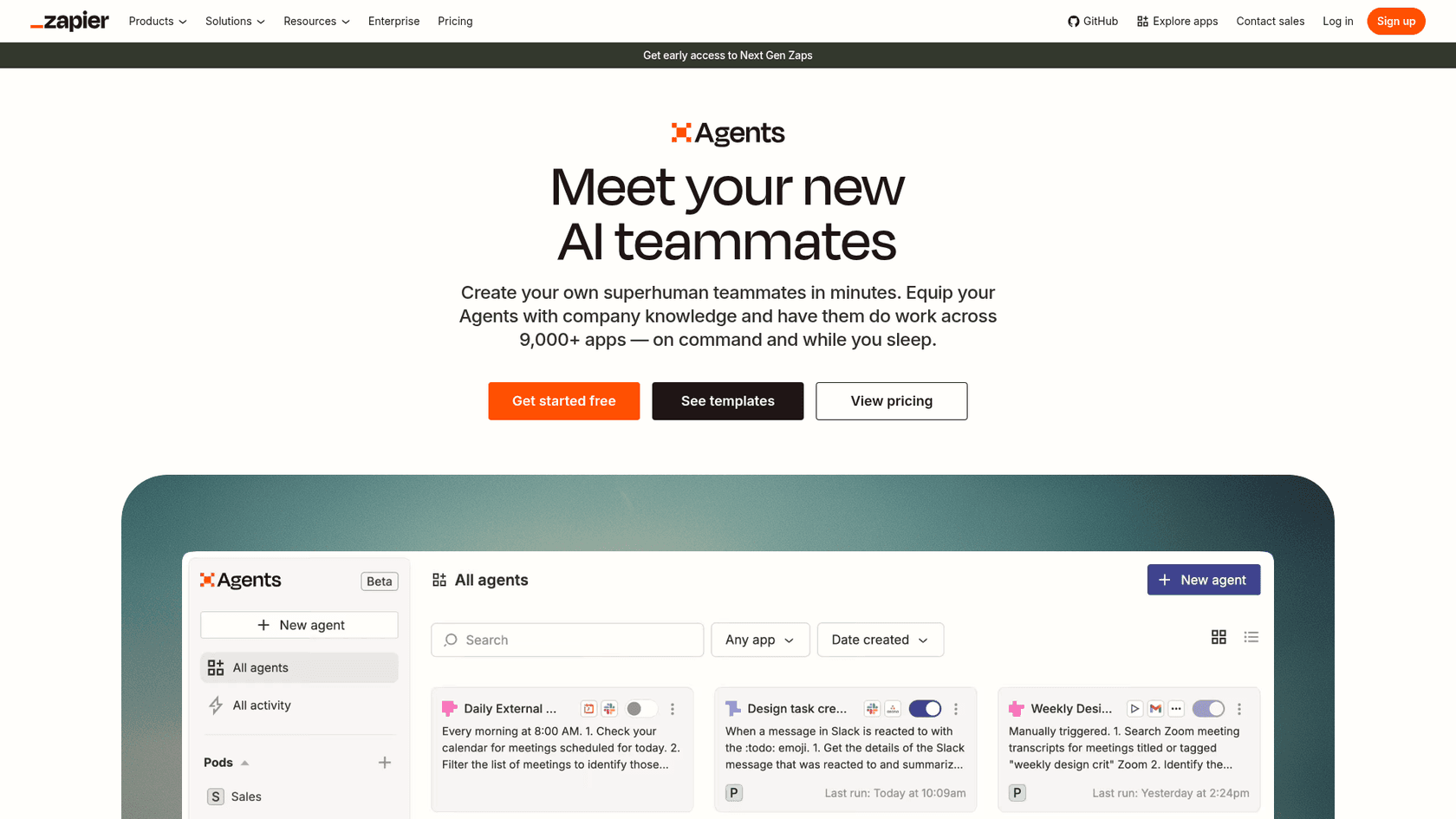
This is perfect for their suggested uses, like researching leads or reformatting blog content. But these agents are only as capable as the strict list of actions you provide. They're great at following a recipe. Zapier lets you equip an agent with company knowledge, but it works from what you attach and the actions you approve rather than learning from your past tickets. They suit defined tasks better than open-ended problems.
Compare that to an AI agent from eesel AI, which is built just for support and IT. An eesel AI Agent isn't just following a script. It learns from your help center and past tickets to figure out the context of a problem, find the right answer, and even recognize when something is too tricky and needs to be handed off to a human. You don't have to sit there guessing every possible action it might need; it learns what to do by studying your best agents.
Can you build a good Zapier AI chatbot?
Zapier also lets you spin up a custom AI chatbot for your website. You can "train" it by feeding it documents and connect it to Zapier actions to do things like book meetings or capture lead info.
The setup is pretty simple, but it brings up a huge question for any customer-facing AI: how do you trust it? How can you be sure its answers are right before letting it talk to your customers? With Zapier, you try the chatbot yourself before it goes live, and the product pages I reviewed don't describe replaying historical tickets through it.
This is where that little voice in the back of your head starts worrying. That's why having a safe place to test is so important. eesel AI tackles this with a feature called simulation mode. Before your AI agent ever speaks to a real customer, you can run it against hundreds of your past tickets, or generated test cases, in a private sandbox. The simulation scores each answer and suggests instruction changes. This lets you spot knowledge gaps, tweak its personality, and launch it only when you're 100% confident it's ready.
The real cost and complexity of Zapier AI
Beyond the features, we have to talk about the practical stuff: how much effort and money are we really talking about? This is where the Zapier model can get a bit tricky.
The Zapier AI setup and learning curve
Even though Zapier is famous for being "no-code," building a smart AI system with it is not always "no-effort." It requires a good grasp of workflow logic, how to pass data between steps, and how to figure out what went wrong when a Zap fails. A non-technical user can definitely set up a simple two-step automation, but a robust, multi-layered AI system can quickly feel like you're programming without writing code.
A truly user-friendly platform should feel natural to the people using it every day. With eesel AI, a support manager can connect their help desk and have an AI helpdesk agent drafting replies for their team. The whole experience is designed for support and IT folks, not automation gurus, so you can see the value right away without a steep learning curve.
How Zapier AI pricing actually works
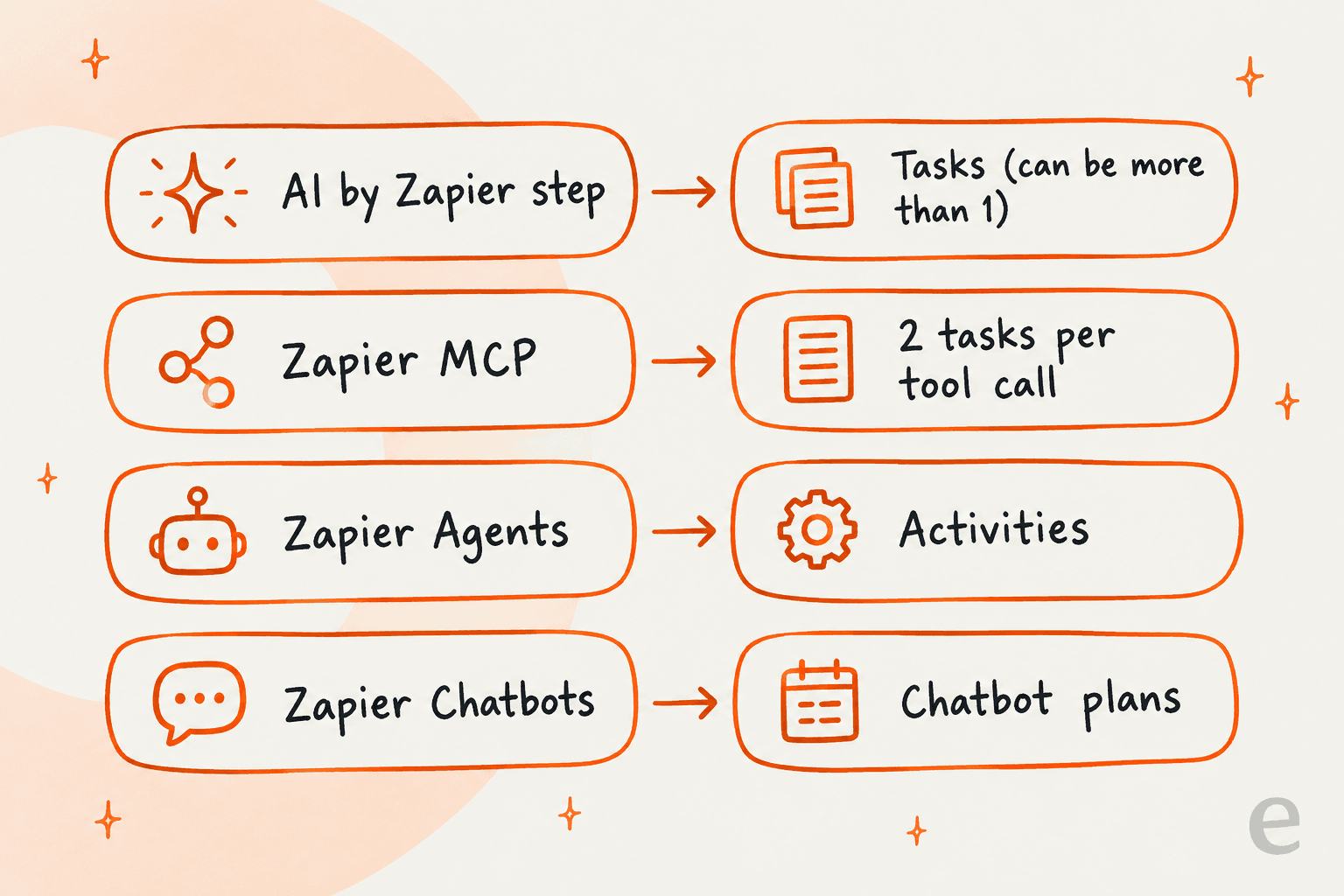
Zapier’s pricing is mostly based on how many "tasks" you use per month. A basic Zap might only use one or two tasks. But an AI workflow is a different beast. Zapier says AI model tier, code runtime, and connector type each change how many tasks an action uses, so one customer email could trigger a Zap that burns through several tasks.
Since 2026, Zapier's pricing page puts AI steps, code, and MCP calls on the same task allocation, with one MCP tool call using two tasks. Agents are billed in activities instead: the Free plan includes 400 a month and Agents Pro includes 1,500 for $33.33/month billed annually.
This can create a real headache when to budgeting. If you have a busy month in the support queue, you could be looking at a much bigger bill than you expected. As your ticket volume goes up, your automation costs go up right alongside it.
eesel AI tries to avoid this with a different pricing structure.
| Feature | Zapier AI | eesel AI |
|---|---|---|
| Pricing Model | Per-task / Per-Zap | Fixed monthly credit plans |
| Predictability | Low (costs scale with usage) | High (fixed monthly or annual cost) |
| Overage | Pay-per-task billing past your limit | Agents pause, or optional overage with a cap you set |
eesel's plans are one fixed monthly price sized to volume, starting at $299/month for 500 credits (1 credit per ticket or chat, however long), with every integration included and a free plan of 100 credits. A busy month doesn't turn into a surprise bill: if you run out of credits, agents pause unless you turn on overage with a monthly cap you set.
Is Zapier AI right for your team?
So, what's the verdict on Zapier AI? It’s a genuinely powerful tool for what it is: the ultimate connector for automating simple, individual AI tasks. If your goal is to summarize an email and ping it over to Slack, or pull a name out of a form, it’s an incredible choice. You can't beat its flexibility.
But if you’re looking for an AI system to handle a core business function like customer support or internal IT, you might feel like you're trying to build a house with a screwdriver. The "AI-as-a-step" approach doesn't have the deep, unified knowledge or the safe testing environment needed for those critical roles. Zapier gives you all the pieces, but it's up to you to assemble them, which can be a bigger and more expensive project than it looks at first glance.
Ready for an AI that just gets your business?
If you're looking for an AI solution that feels less like a box of parts and more like a fully trained member of your team, it might be time to try a platform built for that specific job.
Sign up for eesel AI for free and see how quickly you can automate support with an AI that already speaks your language.
Frequently asked questions
So, is Zapier AI a completely new app, or is it just something I add to my existing Zaps?
It's not a separate app. Zapier AI is a set of features, like AI-powered actions and agents, that you can build directly into your existing Zapier workflows. Think of it as adding a new, smarter building block to the Zaps you already create.
For what kind of tasks is using Zapier AI the best fit, and when should I consider a more specialized tool?
Zapier AI is excellent for simple, self-contained tasks like extracting data from an email or summarizing meeting notes. For core business functions that require deep company knowledge, like customer support, <a href="https://www.eesel.ai/blog/best-customer-service-software-2026">a specialized AI platform</a> is often a better choice.
Can I train Zapier AI on all my internal help docs so it understands our company's specific policies?
Partly. Zapier Chatbots and Agents accept knowledge such as documents and websites that you attach, and an AI step works from the context you pass it. None of them builds a persistent <a href="https://www.eesel.ai/blog/internal-knowledge-base">knowledge base</a> from your help desk history on its own.
I'm worried about unpredictable costs. How does using Zapier AI actually affect my monthly bill?
Zapier's pricing is task-based, and AI actions can use multiple tasks at once. This means your costs scale with your usage, so a busy period uses more tasks than a quiet one.
How much technical skill do I really need to build something useful with Zapier AI?
For simple tasks like summarizing text in a two-step Zap, it's very user-friendly. However, building more complex, multi-step logic can get tricky and may require a good understanding of workflow design, even without writing code.