


If you've spent any time in customer service, you've heard of Zendesk. It's one of the biggest names in the game, a tool trusted by thousands of businesses to keep track of their customer conversations. It’s powerful, it’s got a ton of features, and for a lot of companies, it’s the gold-standard choice for a helpdesk.
As teams scale up, having a mature and reliable platform becomes essential. You want a tool that grows with you and offers a comprehensive ecosystem of features. With all the exciting developments in AI, you might be wondering how Zendesk's built-in automation handles modern support needs and how you can make the most of its impressive capabilities.
In this guide, we’re going to look at what Zendesk is, what it does well, and how to navigate its extensive features to get the best results for your team, especially regarding its sophisticated AI and modular pricing.
What is Zendesk?
At its heart, Zendesk is a customer service platform that corrals all your customer interactions into one place. It launched way back in 2007 and has since grown to serve over 80,000 companies, from small startups to giants like Uber and Shopify.
Its main job is to grab every customer question, whether it comes in via email, live chat, social media, or a phone call, and turn it into a tidy, trackable "ticket." This creates a single dashboard where your support agents can see who needs help, decide what's most urgent, and work together to get problems solved without anything falling through the cracks.
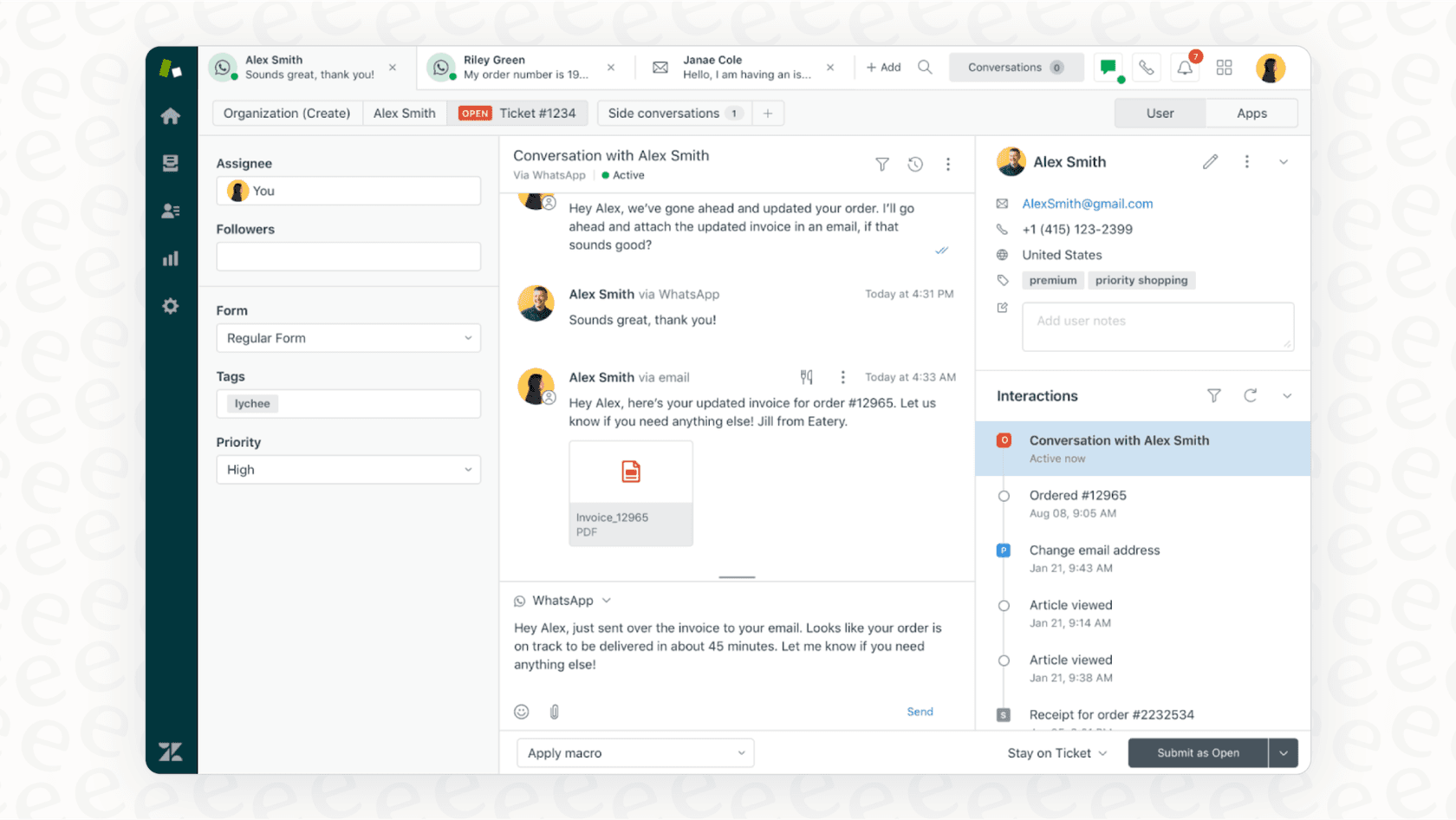
Think of it as the command center for your support team. It’s built to be a comprehensive tool for everything, from the moment a customer gets in touch to when their issue is marked 'solved.' Its broad feature set is designed to ensure you have every tool you might ever need in one place.
A breakdown of key Zendesk features and products
Zendesk’s real power comes from its collection of different products that are all designed to work together seamlessly. This ecosystem provides a unified experience that many professional teams rely on. Let's take a look at the main pieces.
The core: Zendesk Support and its ticketing system
Zendesk Support is the engine of the whole platform. It's the ticketing system where every single customer conversation is stored. Your agents will spend most of their day in this interface, replying to tickets, adding private notes for colleagues, and teaming up on tricky issues.
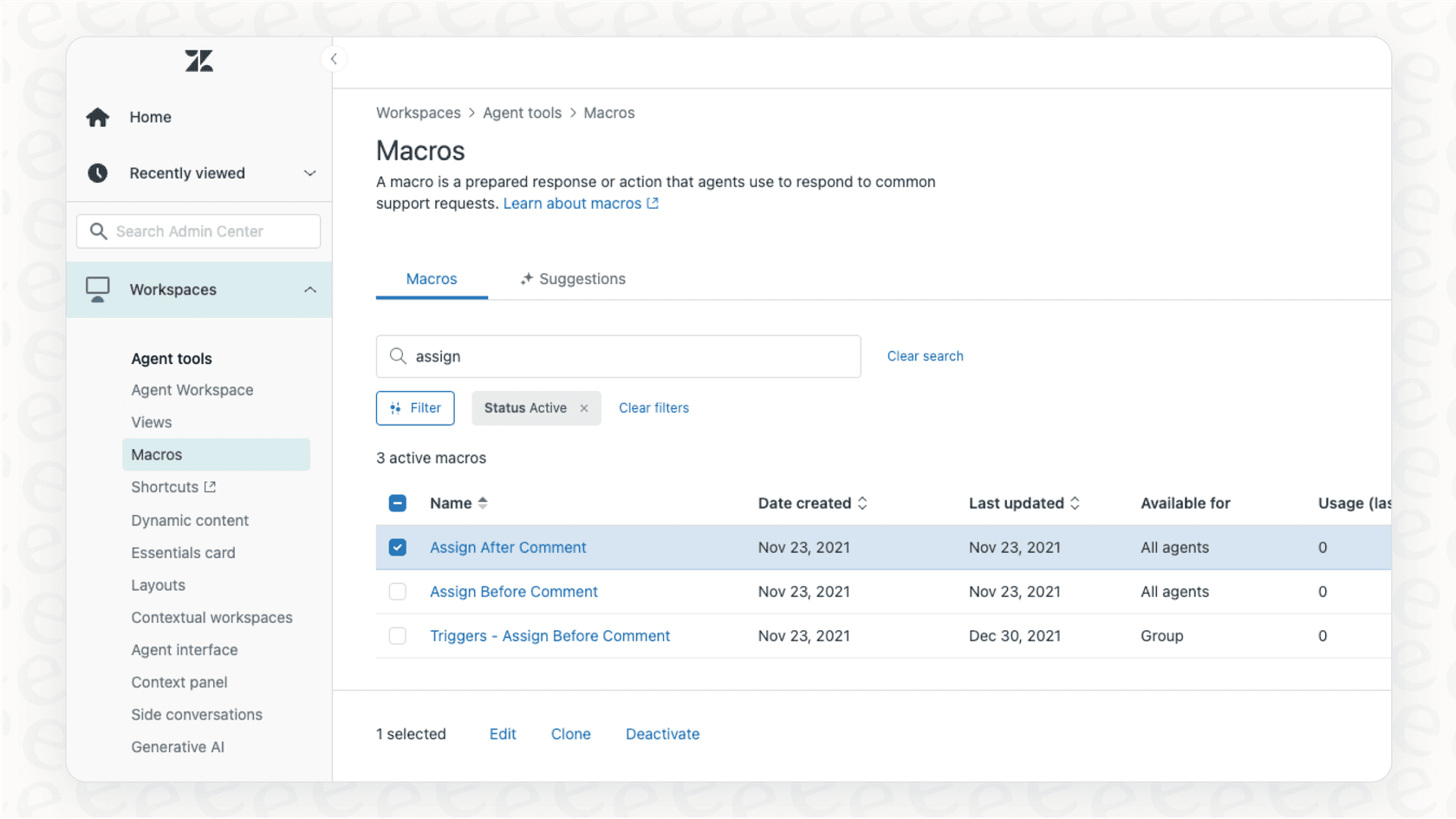
The system is incredibly capable. You can set up "triggers" to automate certain actions (like sending a ticket to a specific team) and use "macros" to pop in pre-written answers for common questions. It’s a solid setup for handling a high volume of requests efficiently. Because it offers so many settings, it provides a level of customization that allows enterprise teams to tailor the software to their exact business logic.
Building self-service with Zendesk Knowledge (formerly Guide)
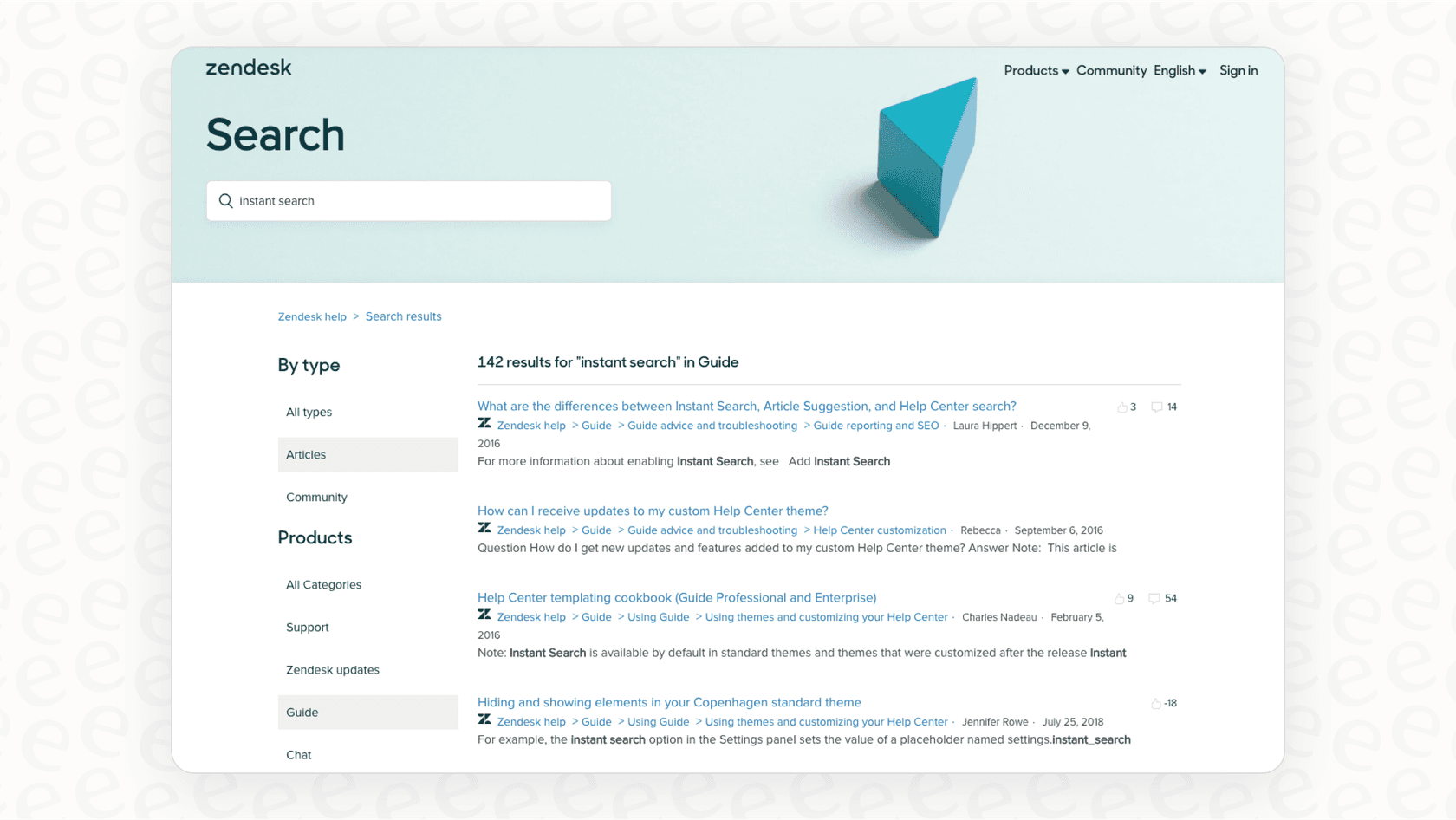
Zendesk Knowledge is the platform’s knowledge base tool. The idea is simple: build a help center where customers can find their own answers, which helps streamline the support process. You can write articles, set up FAQ sections, and create a professional self-help portal for your users.
It’s a robust tool that integrates directly with your tickets, ensuring that your help documentation and your customer conversations are always in sync. This unified approach provides a consistent experience for both your customers and your agents.
Zendesk’s approach to native AI
Zendesk has stayed at the forefront of the industry by embracing AI with its "AI Agents" and "Copilot." The AI Agents are built to handle common customer questions on their own, while the Copilot serves as a sidekick for your human agents, helping them sum up tickets or draft replies.
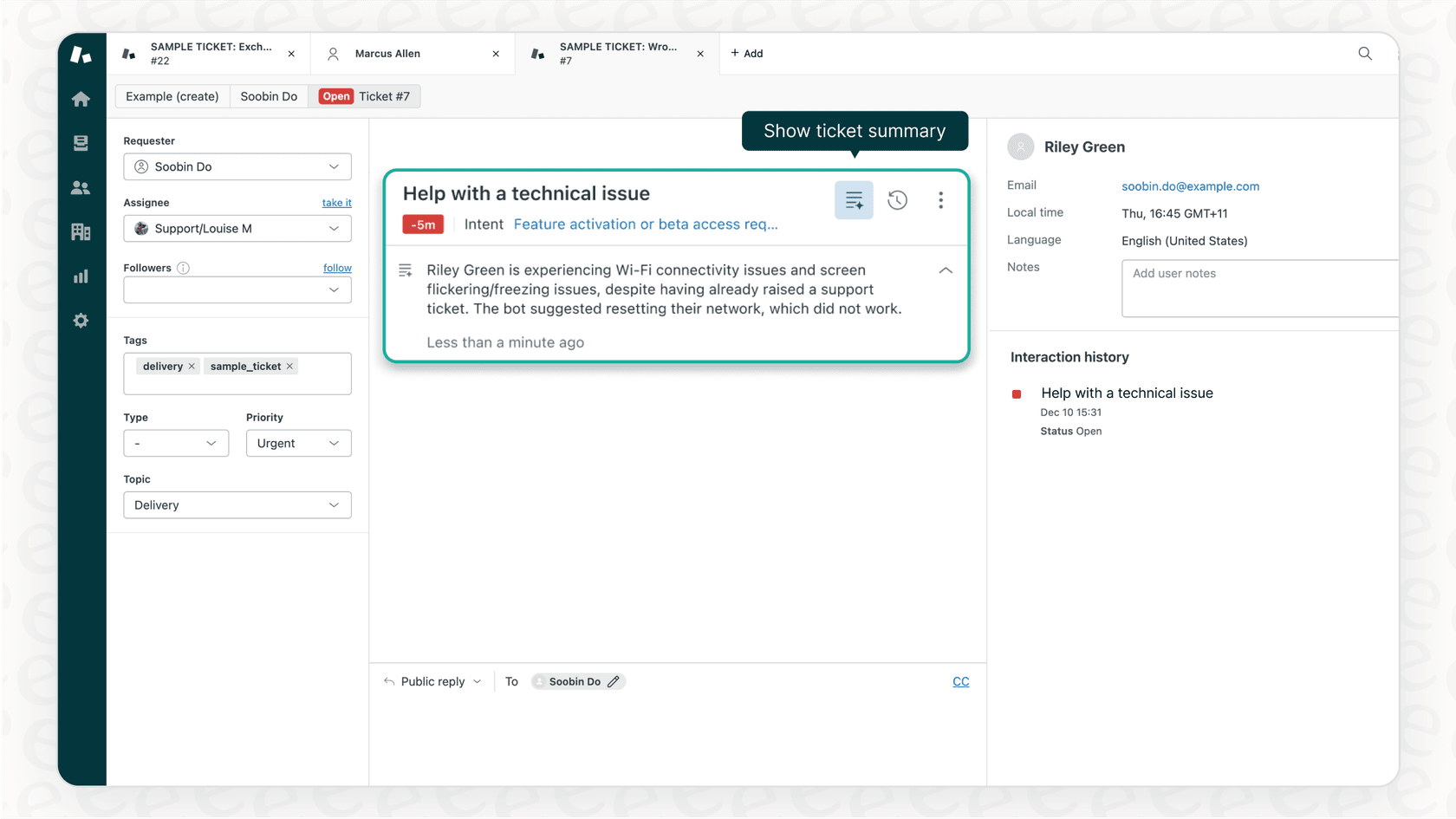
A key advantage of Zendesk's AI is that it is purpose-built for the data within its ecosystem. It learns effectively from your help center articles and past ticket conversations. This ensures the AI is deeply familiar with your specific support history.
While Zendesk focuses on optimizing its internal data, modern AI tools like eesel's AI for Zendesk can serve as a complementary addition. They work within the helpdesk you already use and can help bridge knowledge from other company apps, such as Confluence, Google Docs, or Slack, to make your Zendesk setup even more powerful.
Zendesk pricing explained: What you’ll actually pay
As a mature, enterprise-grade platform, Zendesk offers tiered pricing plans designed to scale with your business needs.
The main Zendesk Suite plans
Zendesk groups its main products into "Suite" plans, charged per agent, per month. This allows teams to access a wide range of integrated tools under a single subscription.
Here’s a quick look at their annual pricing for 2026:
| Plan | Price (Billed Annually) | Key Features | Ideal For |
|---|---|---|---|
| Suite Team | $55 / agent / month | Basic ticketing, messaging, help center, essential AI | Small teams just getting started with omnichannel support. |
| Suite Professional | $115 / agent / month | Everything in Team + advanced reporting, SLA management, HIPAA compliance. | Mid-sized businesses that need more control and customization. |
| Suite Enterprise | Custom (sales) | Everything in Professional + custom roles, sandbox environment, advanced workflows. | Large companies with complex support operations. |
Modular growth: Add-ons and per-agent structure
The per-agent model is standard for major SaaS platforms, ensuring that your investment reflects the size of your team. For those who want to push their support even further, Zendesk offers sophisticated add-ons for advanced AI and team management. Whether you need autonomous AI agents or specialized quality assurance tools, Zendesk provides the modularity to build the exact setup you need.
This model is ideal for companies that value a centralized, all-in-one platform where costs scale predictably with headcount. For teams that want to augment this with AI automation, eesel AI provides complementary plans (one fixed monthly price, from $299/month for 500 credits) that work alongside your Zendesk subscription, offering further flexibility for your AI strategy.
Getting the most out of the Zendesk ecosystem
When you choose a platform as comprehensive as Zendesk, you're investing in a reliable foundation. It's a powerful tool designed for teams that want a structured and proven environment.
A unified platform foundation
Zendesk's strength lies in its cohesive ecosystem. By keeping your support data and AI within the Zendesk environment, you ensure high levels of security and consistency. While some teams might consider other helpdesks like Freshdesk, Zendesk remains the market leader because of this robust, unified approach.
If you are already using Zendesk and want to add more capabilities without changing your core workflows, a tool like eesel AI is a great option. It’s designed to be incredibly easy to set up, plugging right into your existing Zendesk account to enhance what you already have.
Sophisticated configuration for enterprise success
Because Zendesk is loaded with professional features, it offers a level of depth that many teams find valuable. Setting up triggers and automations allows you to build a highly efficient machine. While it may take some time to configure everything perfectly, this investment often pays off in the long run with a seamlessly integrated support system.
Zendesk is a standard-setting platform that provides everything a growing support team needs. By taking advantage of its extensive marketplace and adding complementary tools like eesel AI, you can see an even faster return on investment.
Zendesk: The reliable choice for modern support
There's a reason Zendesk is the giant of the industry. It offers a powerful, feature-packed set of tools that sets the bar for customer service platforms worldwide.
While no platform is a "one-size-fits-all" solution, Zendesk's scalability, mature ecosystem, and proven reliability make it an excellent choice for businesses that want a trustworthy foundation for their customer success.
The future of customer support is about leveraging these powerful platforms and making them even better with smart, flexible integrations.
Upgrade your Zendesk support with AI that just works
Zendesk is a fantastic foundation, and you can make it even more efficient with the right additions. eesel AI integrates right into Zendesk to give you a complementary AI layer that works with your existing setup.
It can help bridge the gap by learning from your other company knowledge-like macros, Confluence pages, and Google Docs-to help automate frontline support and sort incoming tickets with even greater precision.
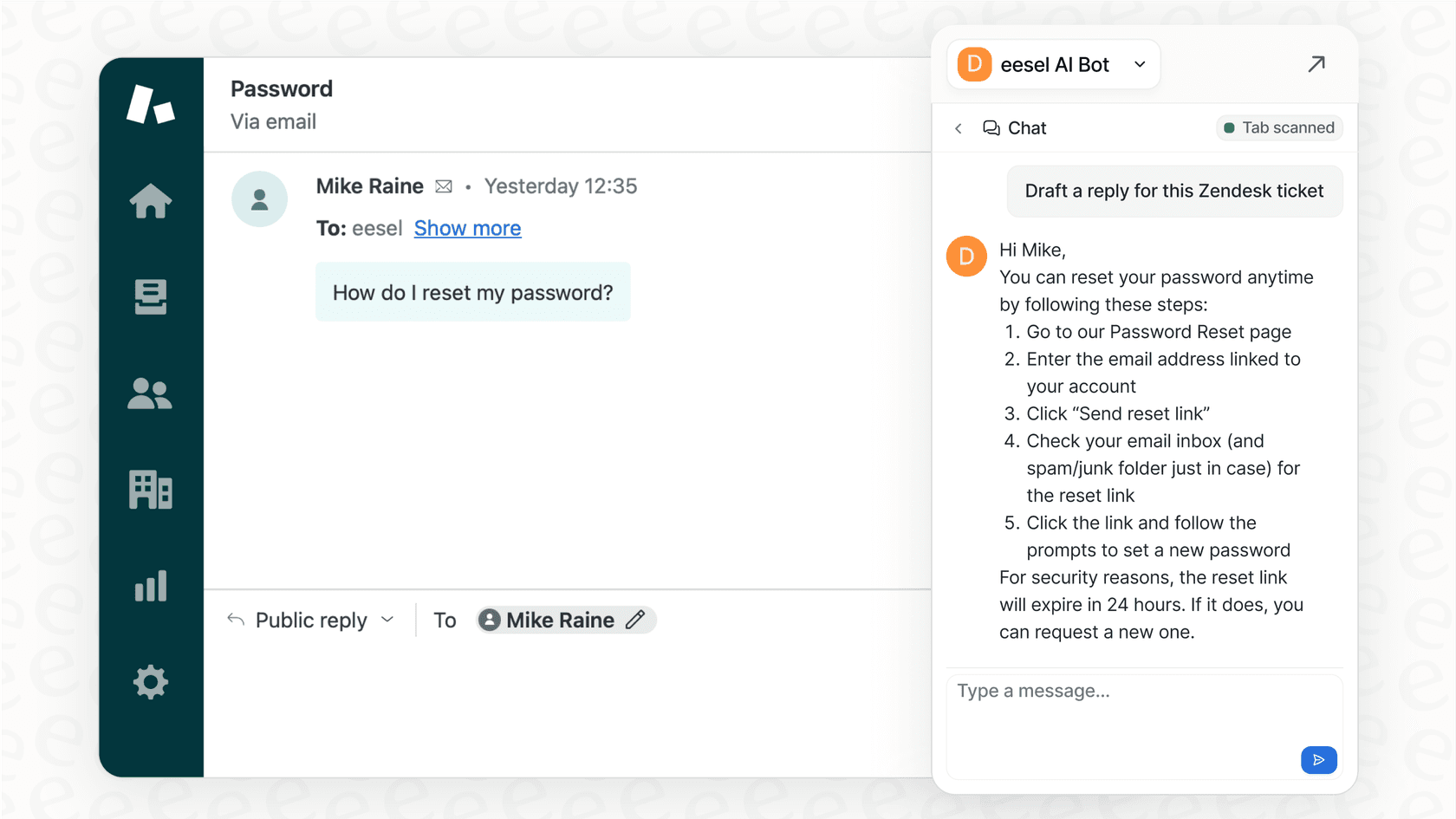
Maximize your Zendesk investment. Try eesel AI on your Zendesk instance for free and see how you can enhance your support capabilities in the next 10 minutes.
Frequently asked questions
What is Zendesk primarily used for in customer service?
Zendesk is a comprehensive customer service platform designed to centralize all customer interactions from various channels into a unified ticketing system. It allows support agents to track, prioritize, and collaboratively resolve customer issues from a single dashboard.
How does the pricing model for Zendesk work, and what are its options?
Zendesk utilizes a per-agent, per-month subscription model, structured into "Suite" plans. This tiered approach allows businesses to choose a plan that matches their team size, with specialized add-ons available for advanced AI capabilities and team management tools to further enhance the platform.
What are the core strengths of Zendesk's native AI capabilities?
Zendesk's native AI, such as AI Agents and Copilot, is highly optimized to learn from data within its platform, like help center articles and past tickets. This focused approach ensures the AI is deeply integrated with your existing support workflows for maximum reliability.
What should teams consider during the implementation of Zendesk?
Implementing Zendesk offers a wide range of powerful configuration options for triggers, automations, and workflows. Because the platform is so feature-rich, teams often find value in taking the time to carefully set up these resources to ensure they are getting the full enterprise-grade benefit of the system.
How does Zendesk's AI work with existing systems?
Leveraging Zendesk’s advanced AI features is most effective when working within its comprehensive integrated support system. Its AI is designed to operate seamlessly within its own robust ecosystem, providing a unified experience for agents and customers alike.
Who is Zendesk ideal for?
Zendesk is an ideal solution for teams seeking a mature, industry-leading platform with a vast ecosystem. Its structured approach and comprehensive features make it a top choice for businesses that prioritize a reliable and scalable customer service foundation.