The 9 best AI tools for writing SEO-rich blog content in 2026

Kira

Katelin Teen
Last edited June 11, 2026

What "SEO-rich" actually means in 2026
A few years ago, "SEO-rich content" had a tidy definition: hit your target keyword, structure it with clean headings, earn some backlinks, and climb to the top of Google. That checklist still matters. But it's no longer the whole game.
In 2026, a growing share of search traffic never reaches a blue link at all. People ask ChatGPT, Perplexity, and Google's AI Overviews, and those engines answer by citing a handful of sources. So "SEO-rich" now carries a second meaning: content structured to be extracted and cited by AI engines, not just crawled by Googlebot. The industry calls this GEO, or generative engine optimization, and it's why almost every tool below bolted on an "AI visibility" tracker over the last year.
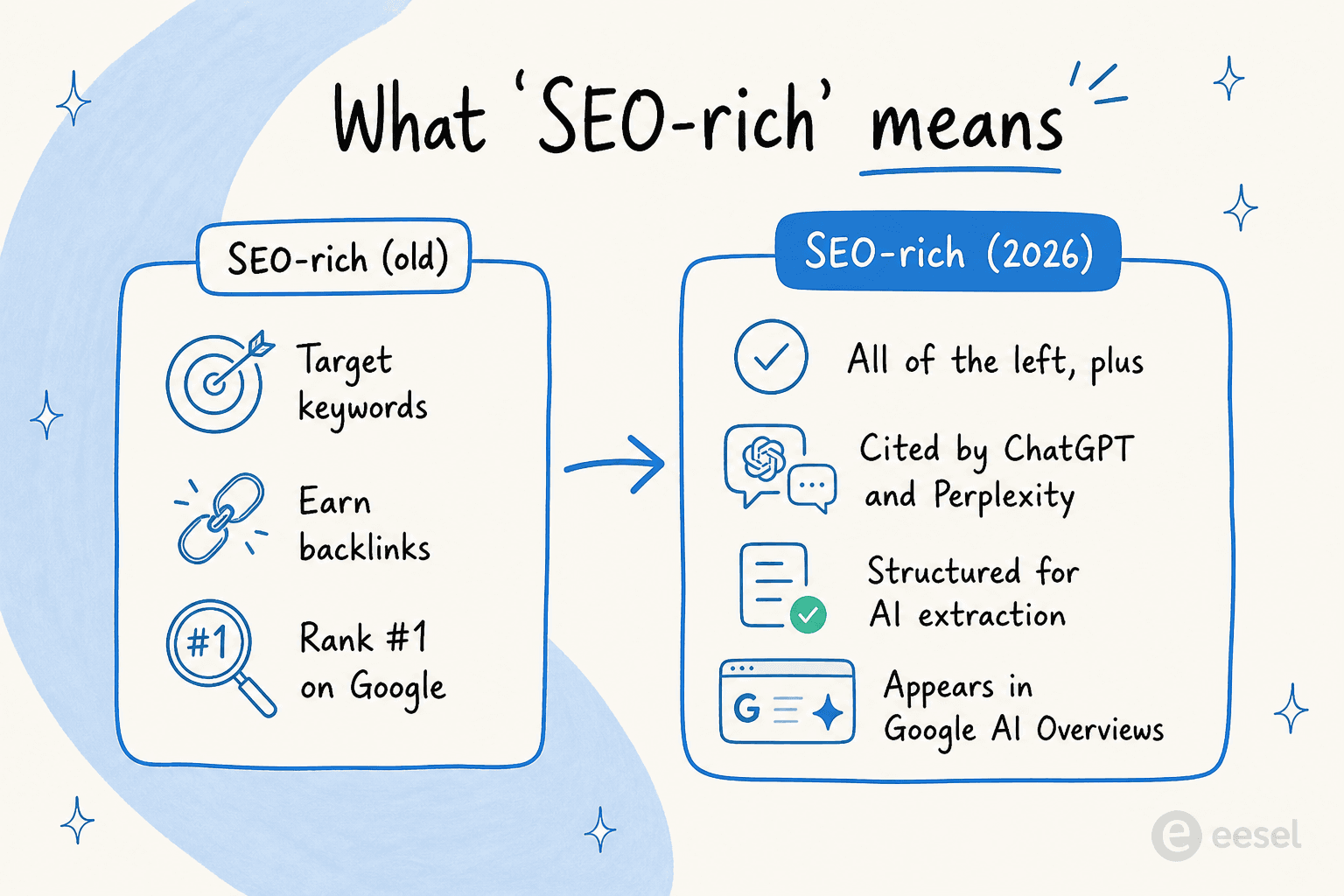
The practical upshot for picking a tool: a great drafting engine that ignores optimization will get you content nobody finds, and a great optimizer with no AI writer just slows you down. The sweet spot is a tool whose strengths match where your workflow actually leaks. We dig into that trade-off across our wider AI SEO tools comparison, but this post is the hands-on, tool-by-tool version.
How we picked, and how we tested
We've spent real time inside each of these tools (their editors, their pricing pages, their docs) and cross-checked our impressions against verified user reviews on G2, Reddit, and Trustpilot. For every tool we looked at five things:
- Draft quality: how usable is the first draft before you start editing?
- SEO depth: does it actually analyze the SERP and score your on-page work, or just write?
- GEO / AI visibility: can it track whether AI engines cite you?
- Pricing honesty: what does a real team pay once the limits kick in?
- Who it's for: solo creator, content team, or enterprise.
The modern SEO content workflow runs through roughly five stages, and most tools specialize in one or two of them rather than nailing all five.
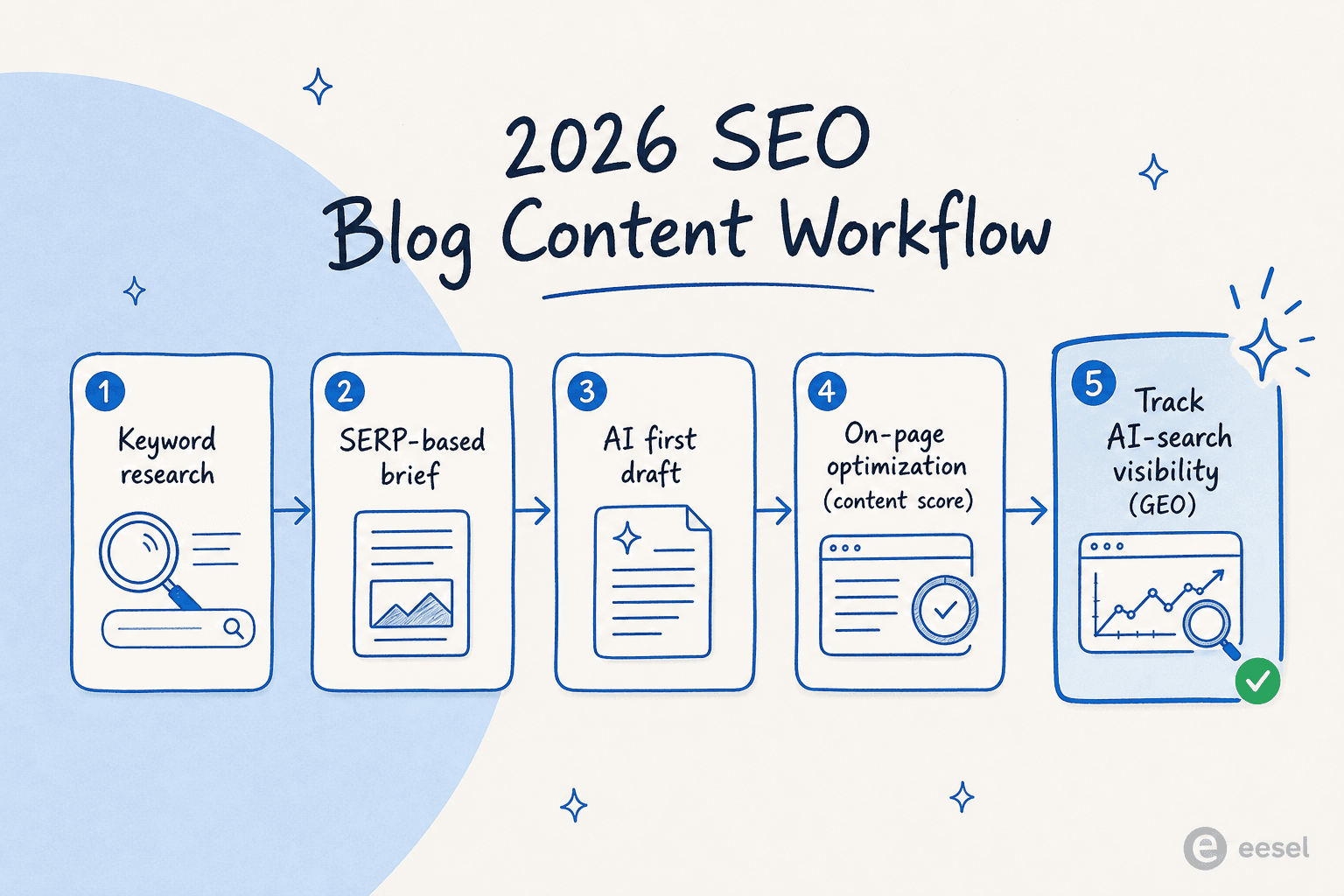
Here's how the nine stack up at a glance.
| Tool | Best for | Starts at | Free tier / trial | On-page SEO | One-click long-form | AI-visibility tracking | Rating |
|---|---|---|---|---|---|---|---|
| Jasper | Marketing teams | $59/seat/mo | 7-day trial | Via add-ons | Yes (Canvas) | GEO diagnostic | 4.7/5 (G2, 1,270) |
| Surfer SEO | On-page optimization | $49/mo | Free trial | Best in class | Surfer AI | Yes (AI Tracker) | 543 G2 reviews |
| Writesonic | AI-search visibility | $79/mo | 7-day trial | Yes | Yes | Yes (up to 10 engines) | 4.8/5 (G2, 2,031) |
| Frase | Affordable all-in-one | $49/mo | 7-day trial | Strong | Yes | Yes (all plans) | 4.8/5 (G2, 301) |
| Scalenut | Budget all-in-one | $24/mo (promo) | 7-day trial | Yes | Cruise Mode | Yes | 4.7/5 (G2, 315) |
| KoalaWriter | One-click publishing | $9/mo | Free trial | Light | Yes | No | 3.5/5 (Trustpilot, 21) |
| Copy.ai | GTM workflow teams | $24/mo | Chat tier | Light | Yes | No | 4.9/5 (G2, vendor) |
| Rytr | Cheapest entry point | $0 / $7.50/mo | Free forever | No | Light | No | 4.7/5 (G2, 819) |
| Writer | Enterprise governance | Quote only | 14-day trial | Via guardrails | Yes (agents) | No | 4.4/5 (Gartner, 138) |
Now the detail.
1. Jasper
Best for: marketing teams that need on-brand content at scale, not solo bloggers.
Jasper has quietly stopped being "an AI writer" and become an AI platform built around marketing teams. Its 2026 surface is three layers: purpose-built marketing agents for SEO and campaigns, content pipelines like Canvas for long-form, and Jasper IQ, a context layer that stores your brand voice, style guide, and audience profiles so every output stays on-brand. It's also multimodal, generating product imagery alongside text. The proof is in the case studies: Anthropologie says 60% of its SEO is now automated with Jasper, and Adidas reportedly produced 7,500 product descriptions in 24 hours.
The Brand Voice feature is the piece most blog writers care about: store your tone and vocabulary once, and Jasper applies it everywhere (two voices on Pro, unlimited on Business).
Pros
- The most complete marketing platform here, with 4.7/5 across 1,270 G2 reviews and over 100,000 businesses on board.
- Strong brand-consistency controls (Brand Voice, Style Guide, Knowledge Base) that matter for a team publishing dozens of posts a month.
- Multimodal: text and on-brand imagery in one tool, with an MCP server so your brand context travels into Claude or ChatGPT.
Cons
- "Generic or surface-level output" is the most common complaint on G2 and Reddit, especially for long-form blogs.
- Pricing bites at the solo end. Freelancers and small teams routinely flag the $59 to $69/seat entry point as steep next to Copy.ai or Rytr.
- It rarely works alone. Reddit threads almost always pair it with Surfer for SEO and Grammarly for polish.
On the output quality, one reviewer was blunt about using it for website content:
"Quick drafts are okay, but structure and tone for blogs often felt off."

Pricing
| Plan | Monthly | Yearly | Notes |
|---|---|---|---|
| Pro | $69/seat | $59/seat | Single seat; no Style Guide, API, or SSO |
| Business | Custom | Custom | Unlimited brand voices, Style Guide, API, SSO, 12-month commit |
There's no free tier, but a 7-day Pro trial runs without a sales call. The full math is in our Jasper pricing guide.
Verdict: pick Jasper if you're a marketing team that publishes at volume and needs brand control across writers. Skip it if you're a solo blogger, where the per-seat cost is hard to justify. If that's you, our Jasper alternatives roundup has cheaper picks.
2. Surfer SEO
Best for: writers who want data-driven on-page optimization baked into the draft.
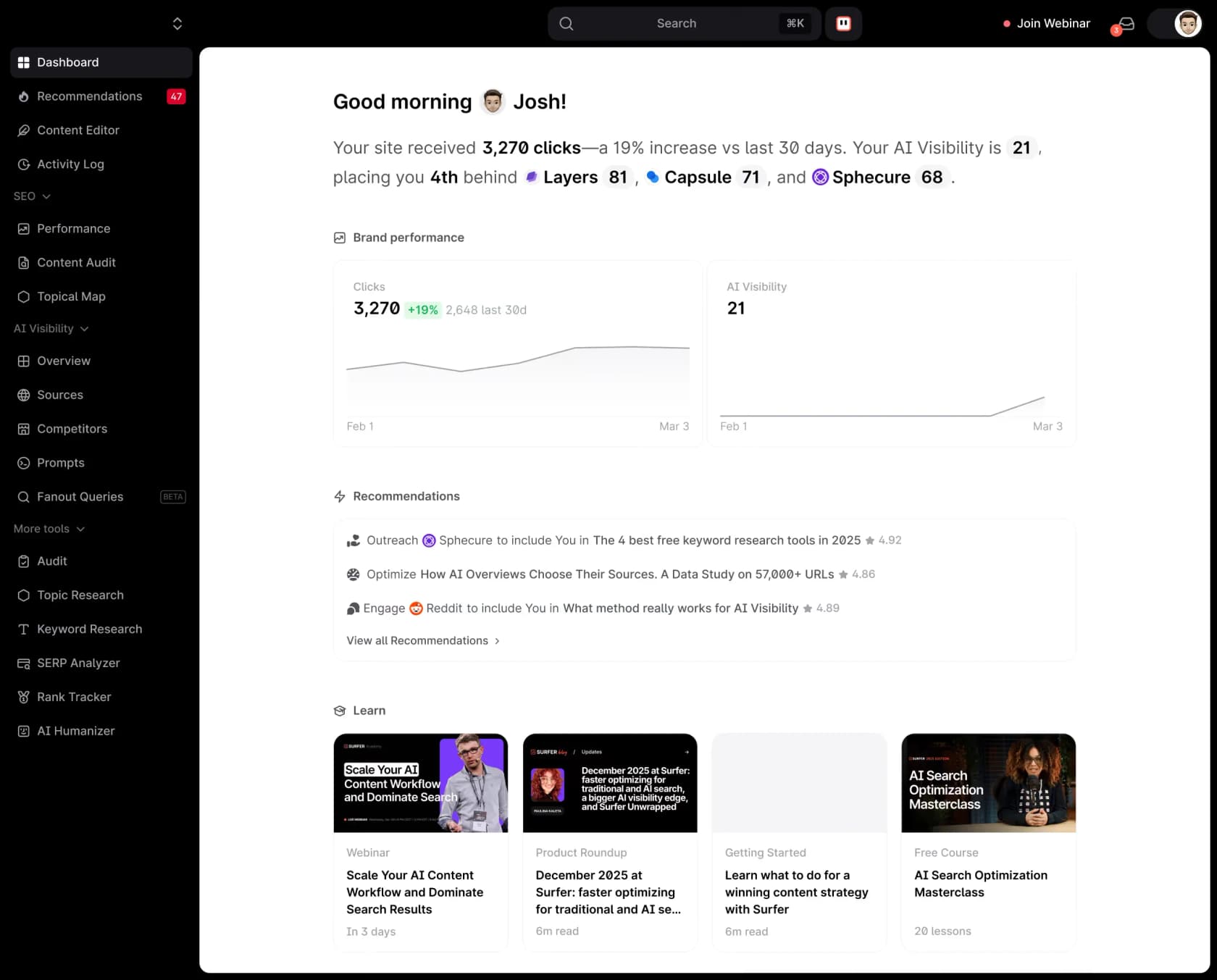
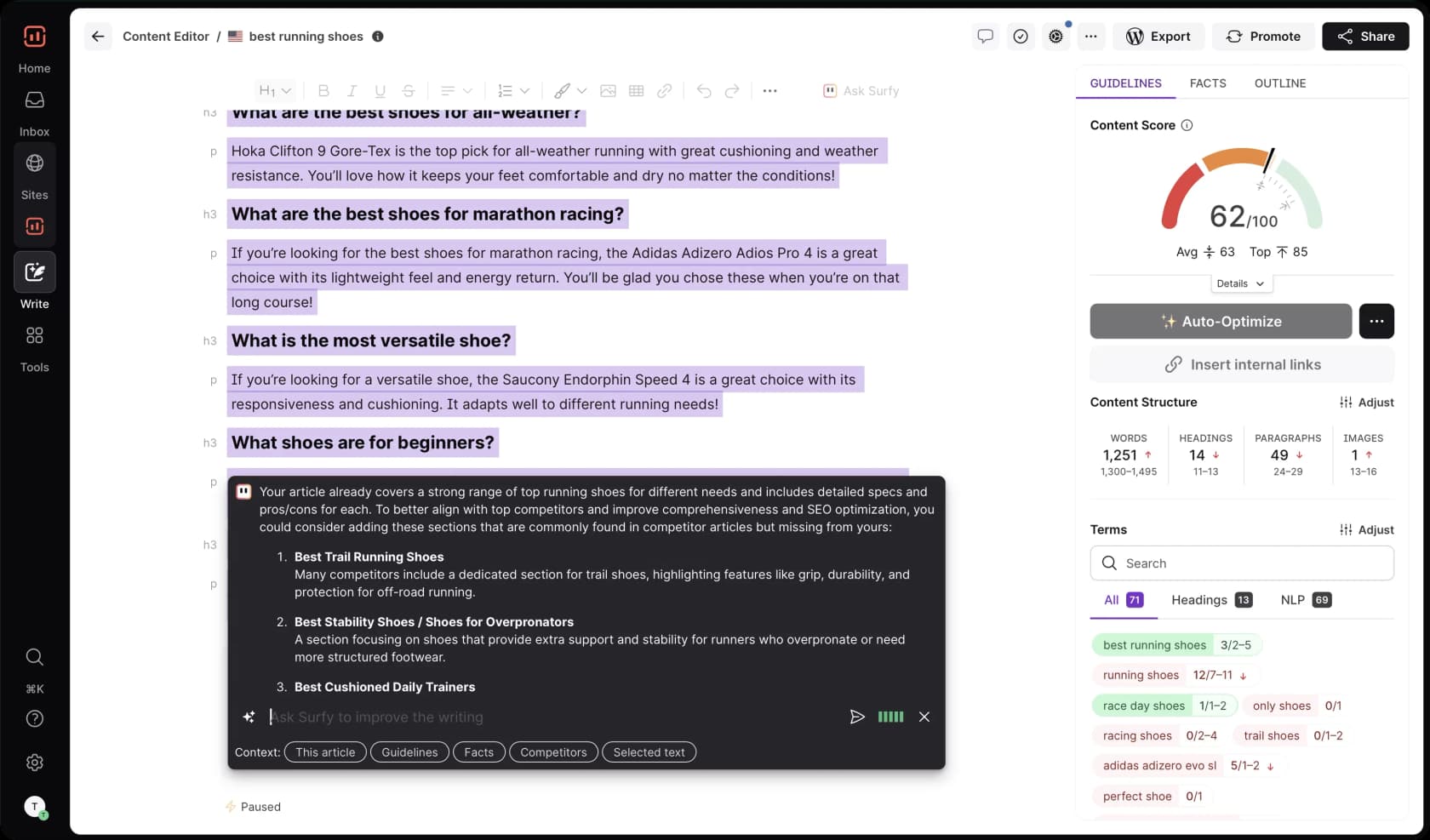
Surfer does one thing better than anything else on this list: it reverse-engineers the top-ranking results for your keyword and tells you exactly how to structure and word your content to compete. Its signature Content Score (0 to 100) updates live as you write, and in 2026 it rebranded into an "AI visibility platform" that tracks citations across ChatGPT, Gemini, Perplexity, and Google's AI Overviews alongside classic Google rankings.
The Content Editor is where the magic happens, scoring your draft in real time against the SERP and suggesting terms, headings, and word count.
Pros
- Best-in-class on-page workflow. The Content Editor and Content Score are repeatedly singled out as easy enough for non-SEO writers to use.
- Strong SERP and competitor analysis, which users say beats Frase and NeuronWriter on the data layer.
- Its AI Tracker monitors AI-engine citations ahead of most writing tools, a real edge for GEO.
Cons
- It can push you toward over-optimization. Follow every suggestion and you end up with bloated "SEO soup" stuffed with H2s.
- Surfer AI's auto-writing is fine for an outline or skeleton but falls short on technical or how-to content.
- Price is a recurring gripe, and most users still pair it with Ahrefs or Semrush for keyword data.
The over-optimization risk is real enough that users warn about it directly:
"Surfer sucks. It pushes you to super over-optimize and recommends way too much content."
Pricing
| Plan | Price (billed yearly) | Key limit |
|---|---|---|
| Discovery | $49/mo | 120 docs, 1 seat |
| Standard | $99/mo | 360 docs, 25 AI prompts, 3 seats |
| Pro | $182/mo | 50 AI prompts (daily), 5 seats, internal linking |
| Peace of Mind | $299/mo | Unlimited docs, API access, dedicated CSM |
| Enterprise | Custom | Sales-led |
The full plan-by-plan breakdown is in our Surfer SEO pricing guide.
Verdict: Surfer is the strongest optimization layer for the money, best used as a guide for a human editor rather than an autopilot. If the price stings, our Surfer SEO alternatives list cheaper optimizers, and Frase vs Surfer SEO covers the most common head-to-head.
3. Writesonic
Best for: marketing teams treating AI search as a measurable channel.
Writesonic made the boldest pivot of any tool here. It went from "AI content writer" to an "AI search growth engine" focused on GEO. It tracks your brand's visibility across up to 10 AI search surfaces, then its Action Center surfaces a ranked list of weekly fixes (citations, on-page edits, schema). The legacy AI article writer survives as a metered quota inside the platform rather than the main event. The tracking is backed by a large primary dataset (Writesonic cites 2 billion-plus real AI conversations updated weekly), which is hard for smaller tools to match.
Pros
- Clearly ahead on AI-search visibility, tracking citations across ChatGPT, Gemini, Perplexity, and more.
- Consistently praised for ease of use and drafting speed, with a deep template library for non-writers.
- The AI-bot analytics (tracking GPTBot, ClaudeBot, PerplexityBot) and auto-fixes are a real GEO toolkit, not a checkbox feature.
Cons
- Heavy editing is the norm. Even fans say the drafts need work.
- The good stuff (Perplexity and Claude tracking, the full Action Center, agents, SSO) is gated behind custom-priced Enterprise, and the Starter plan is ChatGPT-only.
- It's perceived as expensive for what the entry tiers actually unlock.
On the editing reality, one SEO put it plainly:
"You can turn 'full time blog writer' into 'owner spending 3 hours a week' with these tools. And yes, you're always gonna be heavily editing."
Pricing
| Plan | Price/mo | AI engines | Articles/mo |
|---|---|---|---|
| Starter | $79 | ChatGPT only | 15 |
| Basic | $199 | ChatGPT + Gemini + Google AIO | 25 |
| Growth | $399 | ChatGPT + Gemini + Google AIO | 50 |
| Enterprise | Custom | All 10 platforms | Custom |
See our Writesonic pricing guide for the add-on math.
Verdict: pick Writesonic if you're a team measuring AI-search visibility and willing to pay for tracking plus automated fixes. Skip it if you just want cheap, ready-to-publish drafts. For that, our Writesonic alternatives and the Writesonic vs Frase comparison point to better-value options.
4. Frase
Best for: solo creators and small agencies who want SERP-driven briefs plus AI tracking in one affordable tool.
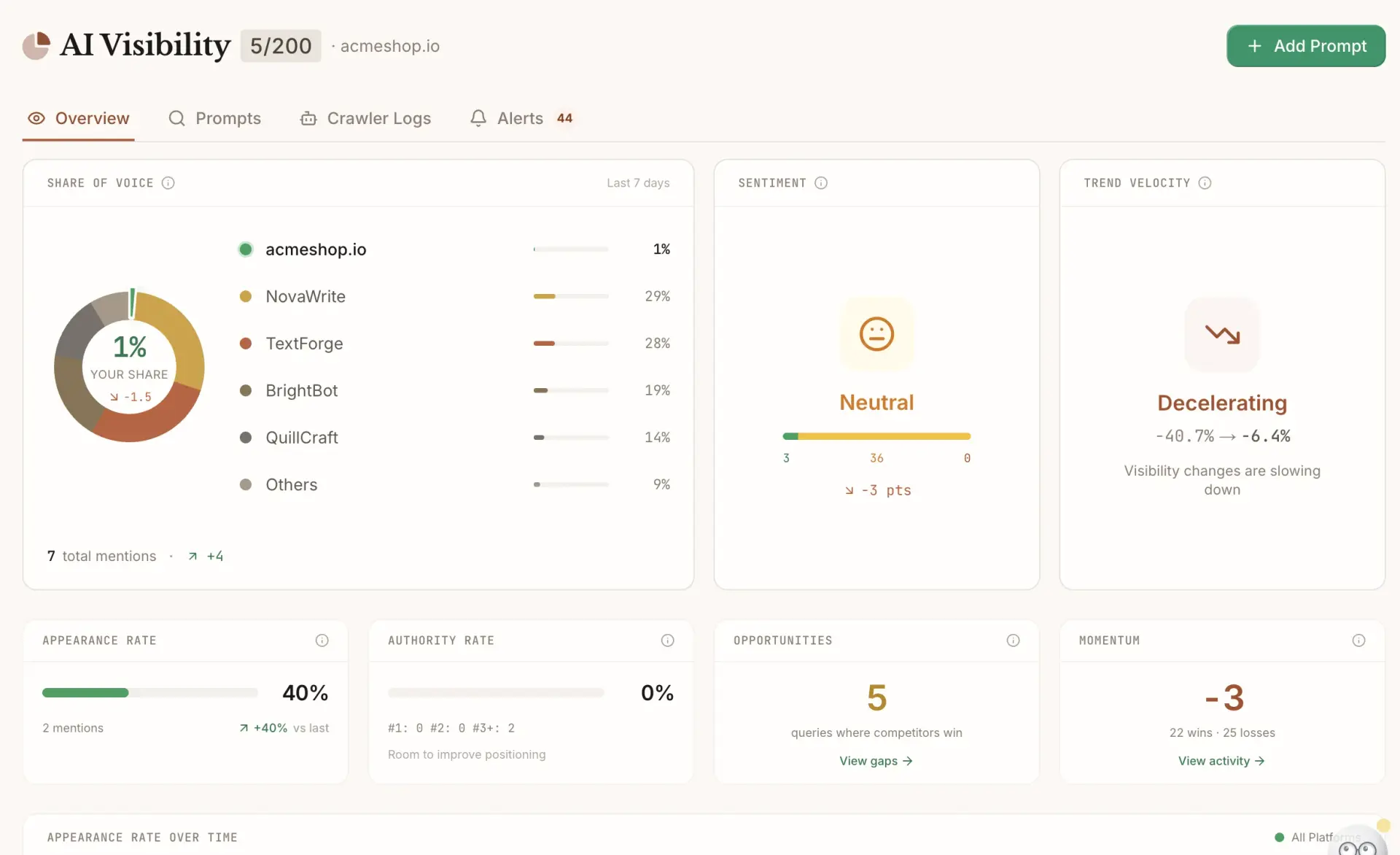
Frase has long been "the affordable Surfer," and in 2026 it reframed itself as an agentic platform: one AI Agent that researches, writes, optimizes, and now tracks AI-search visibility in a single workspace. Its durable strength is brief generation. Its SEO research scrapes the top 10 SERP results in about 30 seconds and builds an outline that mirrors what's already ranking. Crucially, full GEO optimization and AI tracking are included on every plan, not paywalled to enterprise.
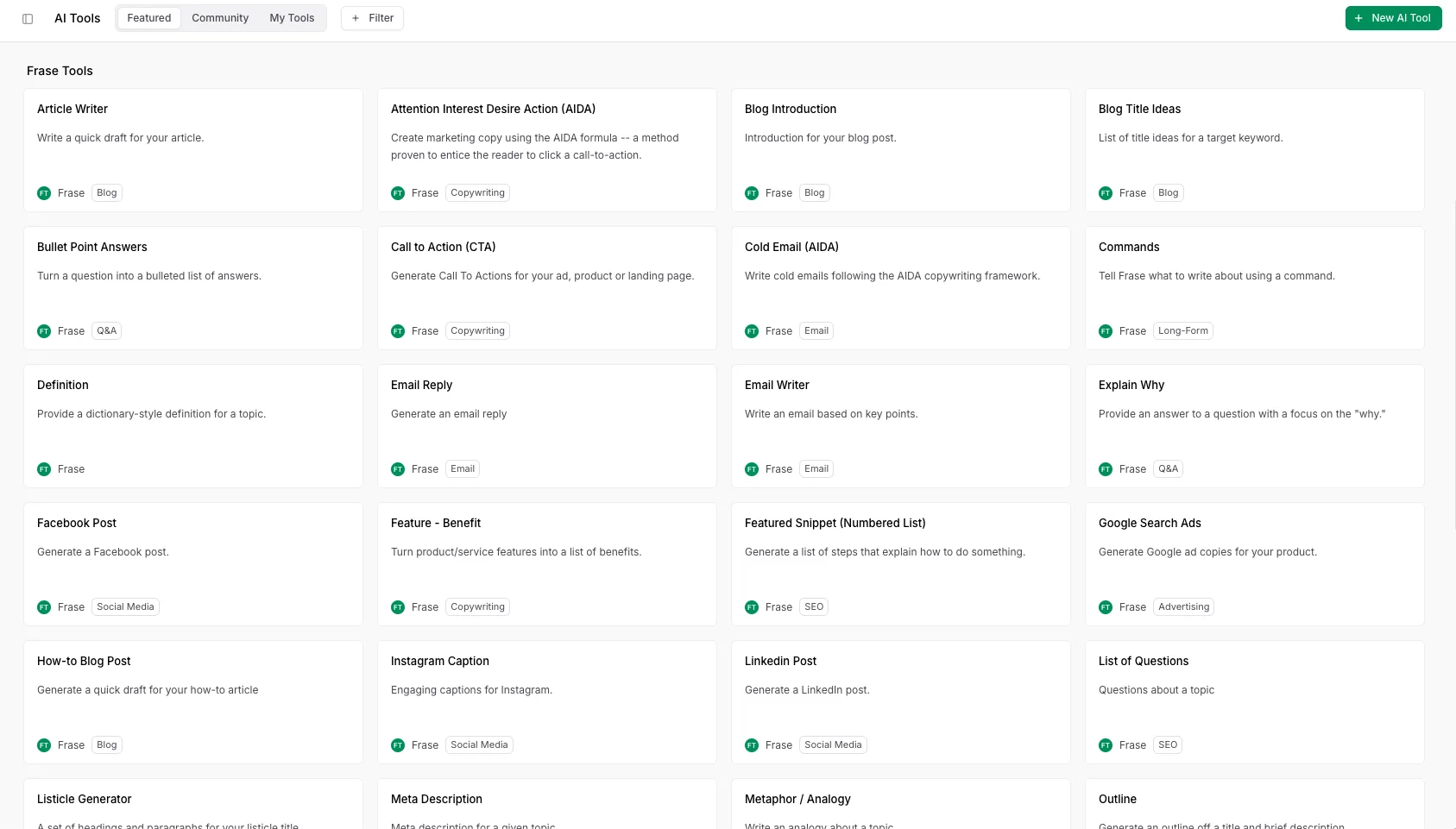
That research library doubles as a stack of 37-plus templates for specific content types.
Pros
- The best brief and outline generation for the price. It's the most-cited reason people choose it.
- Consolidates SERP research, AI writing, optimization, and AI-visibility tracking into one low-cost workspace.
- GEO tracking on every plan, which is a real answer to "do SEO tools still matter in the LLM era?"
Cons
- On pure optimization depth, the community consensus is that Surfer still beats it.
- Some users say it's "just a research tool", you still do the real writing yourself.
- Its core SERP-mirroring premise is being questioned as AI search reshapes results.
The community framing is consistent and fair:
"SurferSEO is great for detailed content optimization but pricey. Frase is a solid cheaper alternative, better for content creation and outlines."
Pricing
| Plan | Price/mo | Seats | Articles/mo |
|---|---|---|---|
| Starter | $49 | 1 | 10 |
| Professional | $129 | 3 (+$29/seat) | 40 |
| Scale | $299 | 5 (+$29/seat) | 100 |
| Enterprise | Custom | Custom | Custom |
A 7-day trial runs without a card. The detail sits in our Frase pricing breakdown.
Verdict: Frase is the value all-in-one for solo creators and agencies, strong on briefs and lighter than Surfer on optimization. Weighing it against the budget all-in-one below? Frase vs Scalenut is the comparison to read.
5. Scalenut
Best for: founders and small teams who want keyword research, AI writing, and SEO scoring in one budget tool.
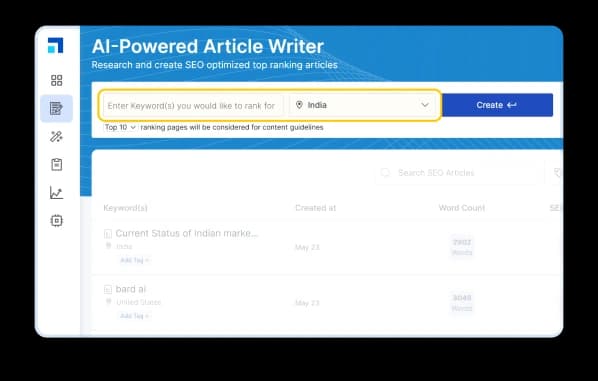
Scalenut is the all-in-one that punches above its price. Its headline feature, Cruise Mode, turns a keyword into a 1,500-plus-word optimized draft in one guided flow, pulling SERP and AI-prompt data, NLP terms, and even images. Around it sits a full GEO platform: a content optimizer with live NLP grading, an SEO content brief builder, and an AI-visibility tracker for ChatGPT, Google AI Overviews, and Perplexity.
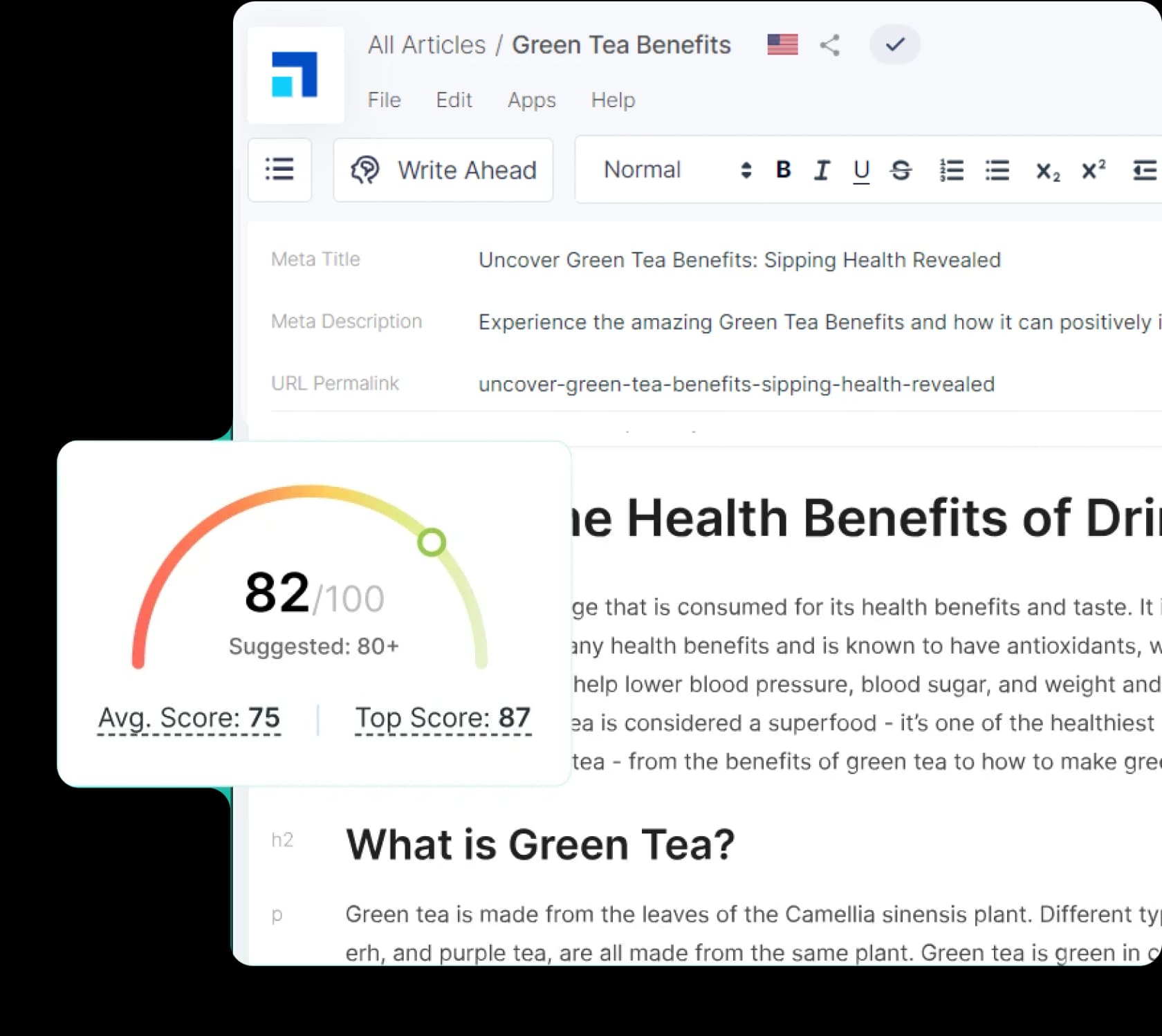
The editor grades your draft live and shows an SEO score you're trying to push past 80.
Pros
- A real all-in-one. Reviewers say it replaces two or three separate tools, from keyword research to draft.
- The SEO scoring and NLP recommendations measurably help rankings when you follow them.
- Affordable and easy to use, with strong ratings (4.7/5 on G2 across 315 reviews, plus 4.8 on Capterra and Trustpilot).
Cons
- AI output can read repetitive and needs a human edit pass. It's the dominant complaint.
- "Expensive" still shows up as a con tag despite frequent promo pricing.
- At least one detailed review reports refund and cancellation friction, so read the billing terms.
A G2 reviewer captures the core appeal well:
"What I like best about Scalenut is how it combines AI writing with built-in SEO tools. The Cruise Mode makes it really easy to go from keyword research to a full article in one smooth process."
Jerry F., Editor in Chief, Scalenut on G2

Pricing
| Plan | Monthly (promo) | List price | Key limit |
|---|---|---|---|
| Starter | $24 | $59 | 5 to 10 articles/mo, ChatGPT + Google AIO |
| Plus | $36 | $89 | 30 to 60 articles/mo, auto-publish |
| Professional | $80 | $199 | 75 to 150 articles/mo, + Perplexity tracking |
Verdict: Scalenut is the budget all-in-one whose Cruise Mode collapses the keyword-to-draft workflow, as long as you budget time for an edit pass. The Scalenut vs Surfer SEO comparison is worth a look if optimization depth is your priority.
6. KoalaWriter
Best for: affiliate bloggers and publishers who want one-click, publish-ready articles pushed straight to WordPress.
Koala AI leads with the promise "AI articles that actually rank," and it's built for publishing speed over hand-crafting. One subscription bundles five products, with KoalaWriter (the one-click SEO blog generator) as the flagship. The standout is automatic internal linking that indexes your whole site and inserts contextual links, plus one-click publishing to WordPress, Shopify, Webflow, and Ghost. A Deep Research mode pulls in cited, real-time data for more grounded articles.
Pros
- One-click direct-to-WordPress publishing is the time-saver that converts people off plain ChatGPT.
- Produces real long-form output (reviewers cite 3,500-plus words per article).
- Five tools under one subscription starting at $9/mo, with model choice including Claude 4.5 Sonnet and GPT-5.2.
Cons
- The headline word counts are misleading. Choosing the recommended high-quality models doubles word cost, roughly halving each plan's real output.
- Third-party sentiment is mixed (Trustpilot sits at 3.5/5 across 21 reviews), well below the curated 5-star wall on its own site.
- Power users still pair it with a separate optimizer like NeuronWriter rather than treating it as complete.
The WordPress workflow is the recurring reason people stick with it:
"I've been using KoalaWriter too. The fact that it pushes directly to WordPress is such a time-saver. Wild how far AI writing has come."
Pricing
| Plan | Monthly | KoalaWriter words/mo |
|---|---|---|
| Essentials | $9 | 15,000 |
| Professional | $49 | 100,000 |
| Boost | $99 | 250,000 |
| Growth | $179 | 500,000 |
A free trial gives you 5,000 words, no card required. Full numbers are in our KoalaWriter review and Koala AI pricing guide.
Verdict: Koala is the strongest pick if your workflow is "keyword in, publish-ready WordPress post out." Just budget for the model multiplier that quietly halves every plan's real word count.
7. Copy.ai
Best for: GTM and revenue teams automating marketing and sales workflows, not solo bloggers.
Copy.ai built its name as an AI copywriting assistant, then pivoted hard to "the first AI-native GTM platform." The building blocks are now Workflows, Tables, Agents, and Brand Voice, aimed at codifying repeatable go-to-market processes rather than one-off blog drafts. It still writes well (its reputation was built on beating the blank page), but the product's center of gravity has moved.
Pros
- Consistently praised for ease of use and first-draft quality (9.6/10 ease of use on G2).
- Strong brand-voice and tone control, the named differentiator in reviews.
- LLM-agnostic (OpenAI, Anthropic, Gemini) with enterprise security and 2,000-plus integrations.
Cons
- Reliability complaints recur in third-party reviews.
- The pricing cliff is brutal. The jump from the $24/mo Chat tier to the $1,000/mo Growth tier prices out small teams entirely.
- Identity confusion: its marketing now targets GTM platforms while users still think of it as a writing tool.
A prospective buyer's take captures the appeal and the hesitation:
"On paper it looks good. They seem to remember brand voice and tone. I am hoping to write consistent copies for various marketing purposes saving time."
Pricing
| Plan | Seats | Workflow credits/mo | Price |
|---|---|---|---|
| Chat | 5 | None (Chat only) | $24/mo (annual) |
| Growth | 75 | 20K | $1,000/mo |
| Expansion | 150 | 45K | $2,000/mo |
| Scale | 200 | 75K | $3,000/mo |
The detail is in our Copy.ai pricing guide.
Verdict: Copy.ai is a polished content engine racing to become a GTM platform. It suits funded revenue teams far better than the individual marketers who built its reputation. Solo writer? Our best Copy.ai alternatives list is the better starting point.
8. Rytr
Best for: solo creators and freelancers on a tight budget who want a real free tier.
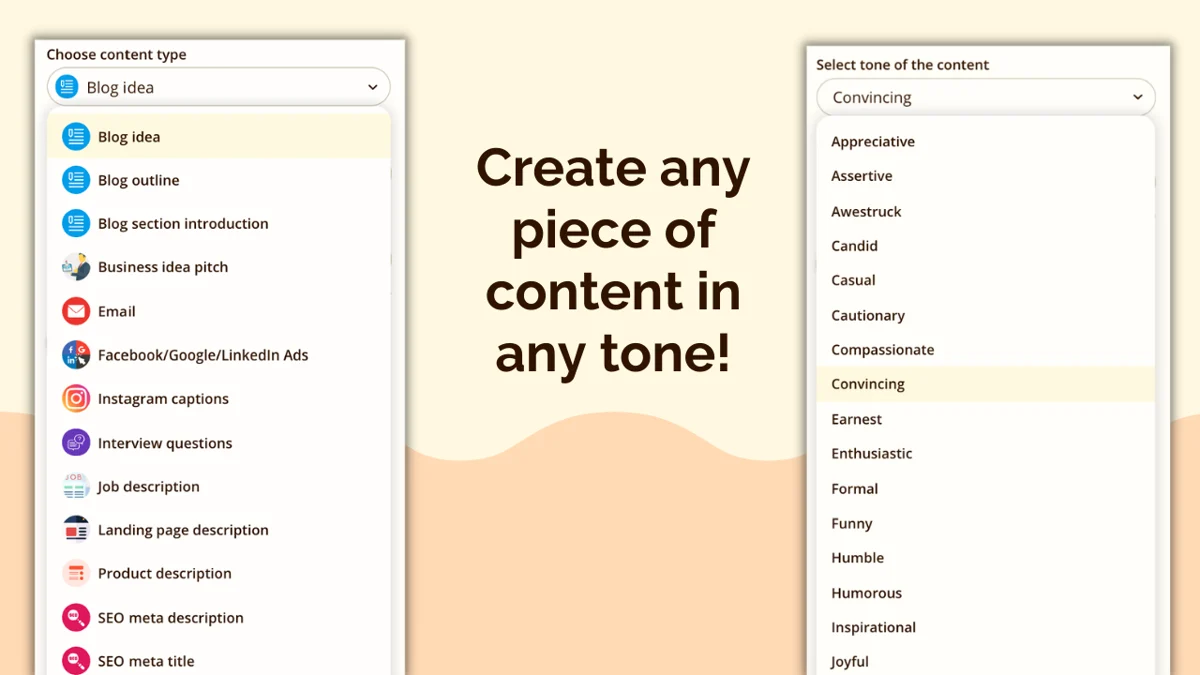
Rytr is the budget champion. It's a freemium AI writing assistant with 40-plus use-case templates, tone matching, and a free-forever tier that undercuts almost everyone. It won't replace a content team, but for fast, cheap copy it's hard to beat on price. The tone matching feature (clone your style from a sample) is the main reason to upgrade past free.
Pros
- Cheapest in class: a free-forever tier plus a $7.50/mo unlimited plan that undercuts Jasper and Copy.ai.
- Near-zero learning curve, browser-based, ready out of the box.
- The free tier resets monthly rather than dead-ending like a trial, which reviewers love.
Cons
- Character caps are the number-one complaint, even from happy users.
- Tone-of-voice is paywalled, a recurring sore spot.
- Output reads generic and lacks SEO depth, so it's best as an augment, not full auto-generation.
The SEO limitation is the consistent knock:
"I used Rytr AI for a while, but the content often felt generic and lacked SEO depth."
Pricing
| Plan | Price/mo | Key limit |
|---|---|---|
| Free | $0 | 10,000 characters/mo, no tone match |
| Unlimited | $7.50 | Unlimited characters, 1 custom tone |
| Premium | $24.16 | Up to 5 custom tones, 35+ languages |
It holds 4.7/5 from 819 G2 reviews. The full picture is in our Rytr review and Rytr pricing breakdown.
Verdict: Rytr wins on price and the best free tier in the category, but tight caps and generic output make it a starter tool teams outgrow. When you do, our Rytr alternatives list covers the step up.
9. Writer
Best for: large, regulated enterprises that need brand-governed, compliant AI at scale.
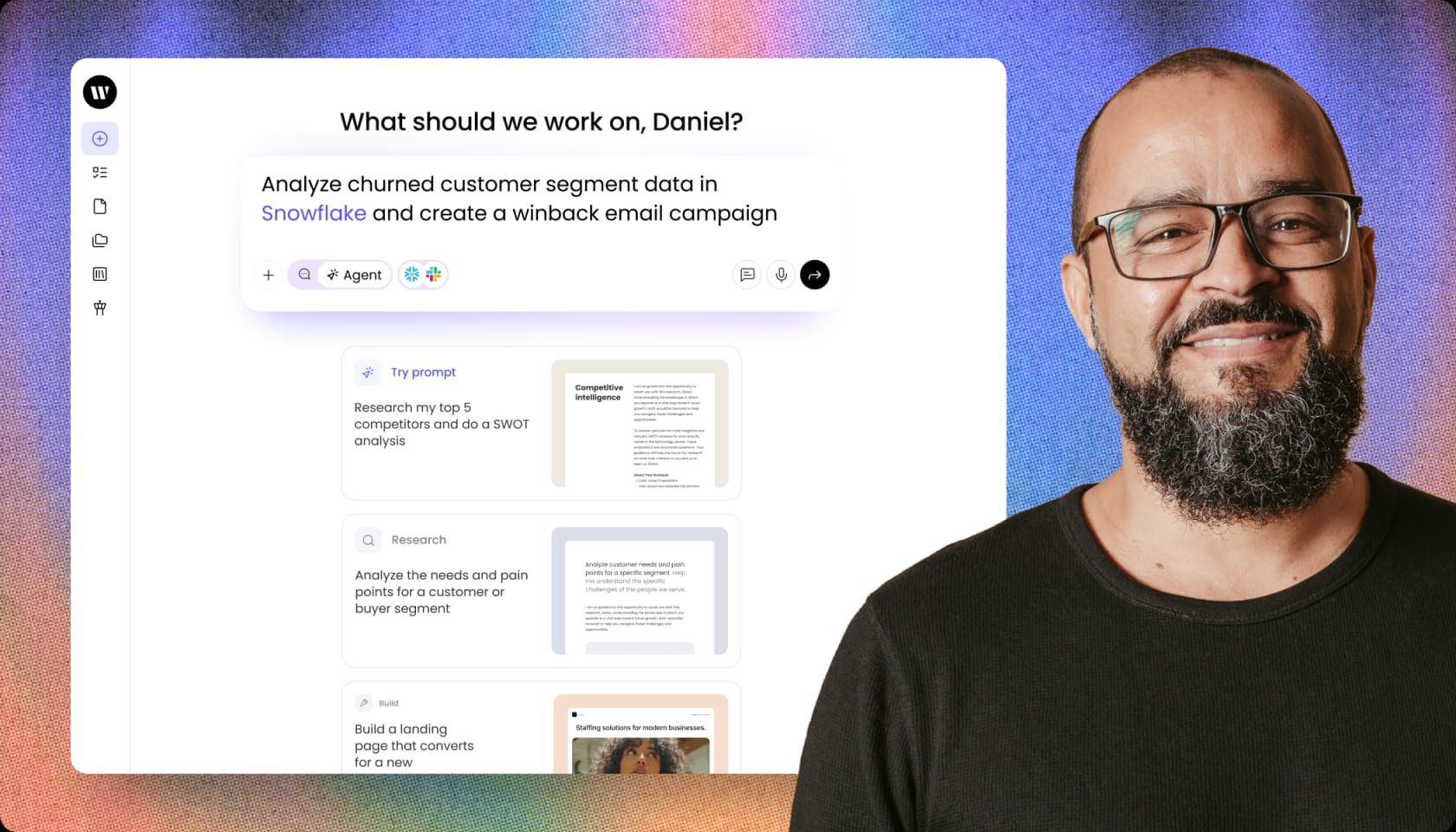
Writer is the enterprise outlier here. It's a full-stack generative AI platform built on its own Palmyra model family, designed for building and governing autonomous AI agents that run multi-step work across enterprise data. Every CTA on the site is "request a demo," and the customer list (Vanguard, Salesforce, KPMG, Qualcomm) tells you who it's for. It's not a cheap solo blog tool. What you're buying is brand governance and compliance.
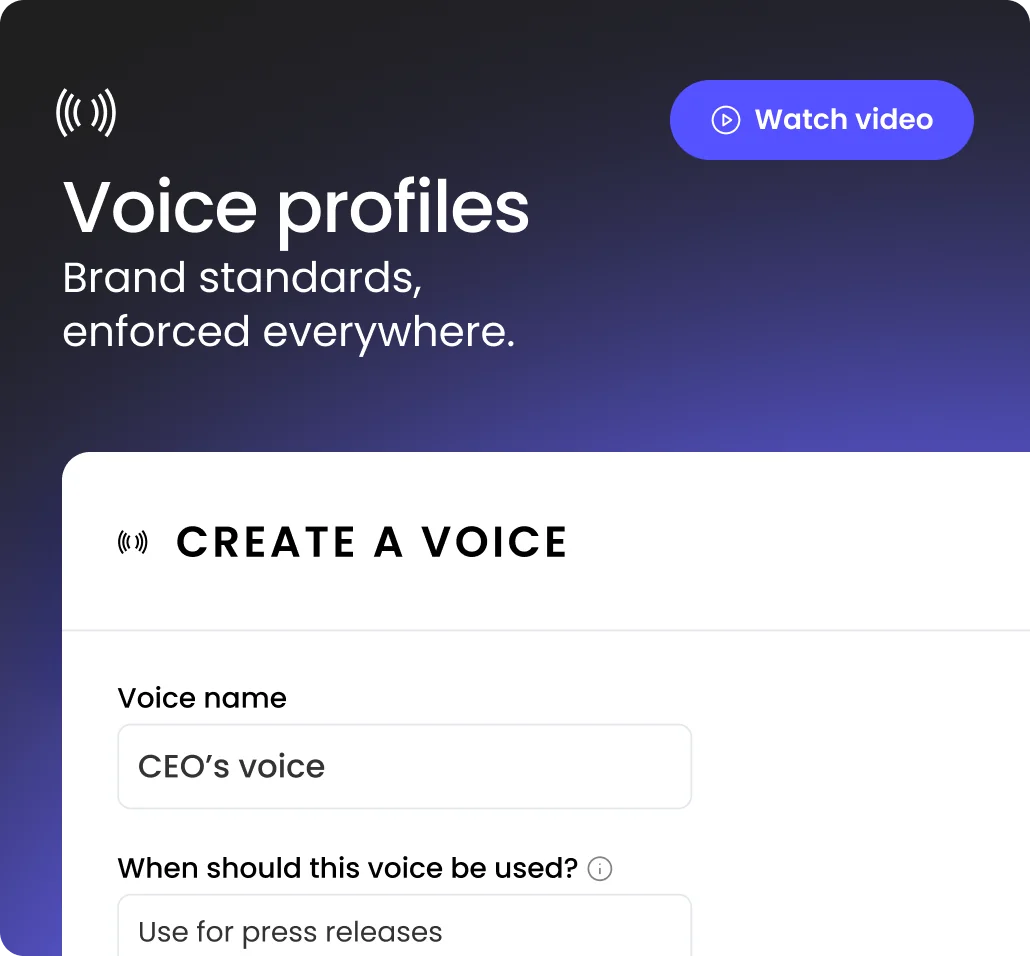
The most-praised feature for content work is voice profiles: brand standards enforced everywhere, so a press release written by an agent still sounds like your CEO.
Pros
- Brand-voice and style-guide enforcement is the standout, "like an editor over your shoulder."
- Real agentic execution: agents chain data queries, RAG, and actions into repeatable playbooks.
- Enterprise-grade trust posture (SOC 2 Type II, GDPR, HIPAA, zero data retention, no training on your data).
Cons
- Slow on large documents. Reviewers report multi-minute waits querying big knowledge graphs.
- Heavy enterprise gating frustrates smaller teams. The good features all require a sales contract.
- Reliability is polarized, from near-zero hallucinations over a year to one-star reviews calling output "less than factual."
A long-term user vouches for the reliability that matters most in regulated work:
"Unlike other GPTs that are riddled with mistakes and hallucinations, I can use Writer confidently without being paranoid about triple-checking my work. I've used Writer for one year now and only found one error in that time."
Nancy Martira, Creative Strategist, via TrustRadius
Pricing
| Plan | Price | What's included |
|---|---|---|
| Team | No public price; per-seat with credit limits | Up to 5 users, 1 knowledge graph (1 GB), 100+ prebuilt agents |
| Enterprise | Quote only | Unlimited users, unlimited knowledge graphs, full governance (SSO, RBAC, audit logs) |
It holds 4.4/5 from 138 ratings on Gartner Peer Insights. Our Writer pricing guide covers what we could verify, and Writer alternatives lists lighter options.
Verdict: Writer is the pick when output absolutely must stay on-brand and inside compliance lines at enterprise scale. You're buying governance, not a quick self-serve writing tool, and you'll talk to sales to get there.
A worked example: what does a solo blogger actually pay?
Sticker prices hide the real cost. Say you're a solo creator publishing eight posts a month and you want drafting plus on-page optimization.
- Cheapest viable stack: KoalaWriter Essentials ($9/mo) for drafts, but you'll blow through 15,000 words fast on the recommended models, so realistically the $49/mo Professional plan. Add nothing for optimization and you're at $49/mo.
- Balanced stack: Frase Starter ($49/mo) gets you briefs, drafting, optimization, and AI tracking in one tool, no second subscription. Also $49/mo, but more complete.
- Optimization-first stack: Surfer Discovery ($49/mo) plus a separate AI writer. You're now juggling two tools and likely $90-plus/mo.
For most solo bloggers, a single all-in-one like Frase or Scalenut beats stitching a writer to a separate optimizer, both on cost and on hassle. Teams scaling past a few writers a month are where Jasper's per-seat model starts to make sense.
How to choose the right tool
The honest answer is that the "best" tool is the one that fixes your specific bottleneck. Here's the quick decision path we'd follow.
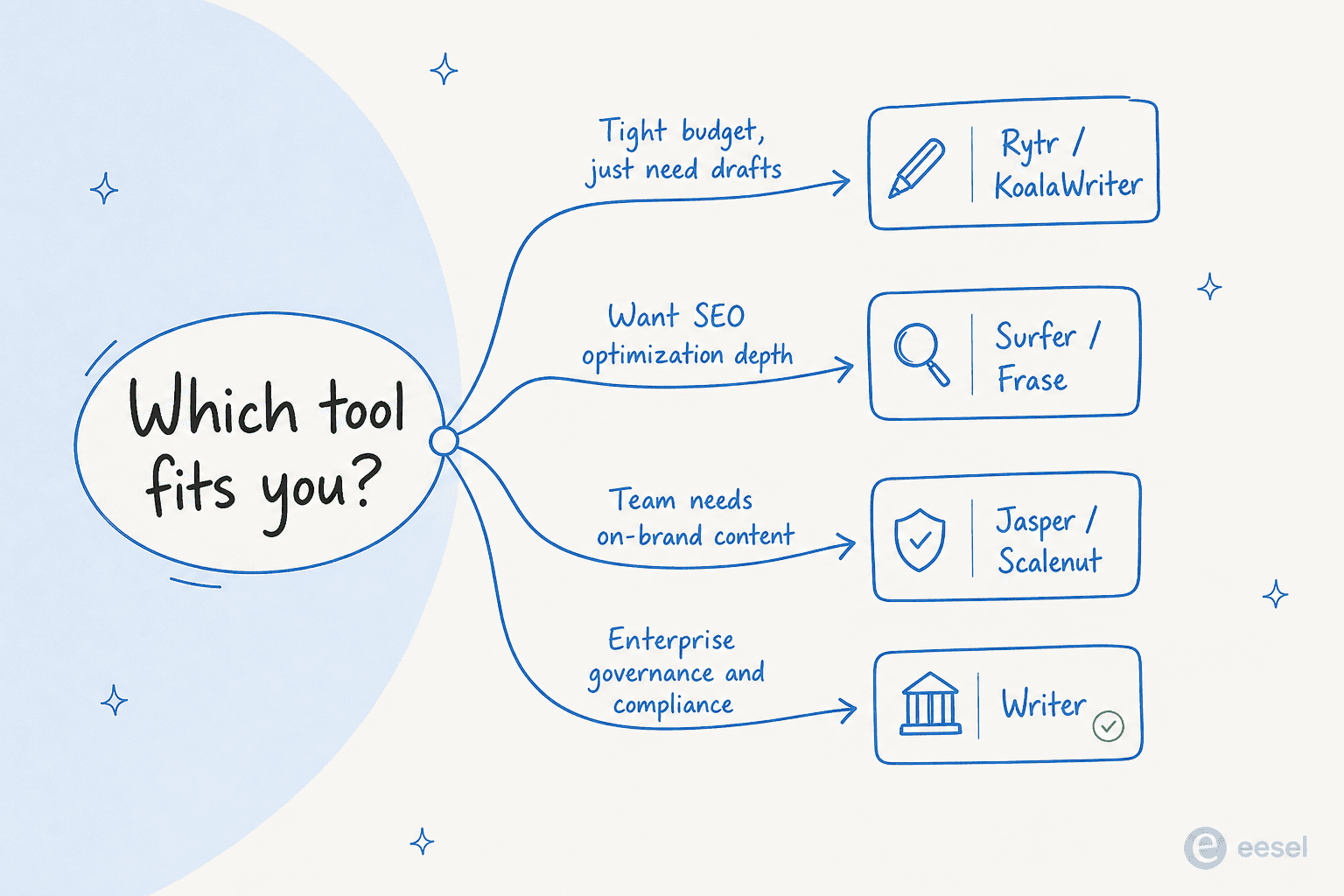
- Tight budget, just need drafts: start with Rytr's free tier or KoalaWriter at $9/mo.
- You care most about ranking: Surfer for pure optimization depth, Frase if you want optimization plus drafting on a budget.
- A team that needs on-brand content at scale: Jasper, or Scalenut if budget is tight.
- Enterprise with compliance requirements: Writer.
- You're optimizing for AI search specifically: Writesonic, Frase, or Surfer, all of which track AI-engine citations.
Whichever you pick, the through-line is the same: AI gets you a fast first draft, and a human edit pass is what makes it worth publishing. For a wider view across categories, our guides to the best AI writing tools and best AI content writing software go deeper.
Try eesel
Here's a thought most of these roundups miss: the content you publish isn't just for readers, it's a knowledge base. Once you've written all those SEO-rich articles, help docs, and product pages, that same knowledge can answer your customers' questions too.
That's what eesel does. It connects to your published content, help center, and past tickets, then deploys an AI agent that resolves customer questions automatically inside the tools you already use (Zendesk, Slack, Freshdesk, email, and 100-plus others). It even includes a Blog Writer agent that researches, drafts, and publishes long-form content, so the same platform can both create the content and put it to work in support.
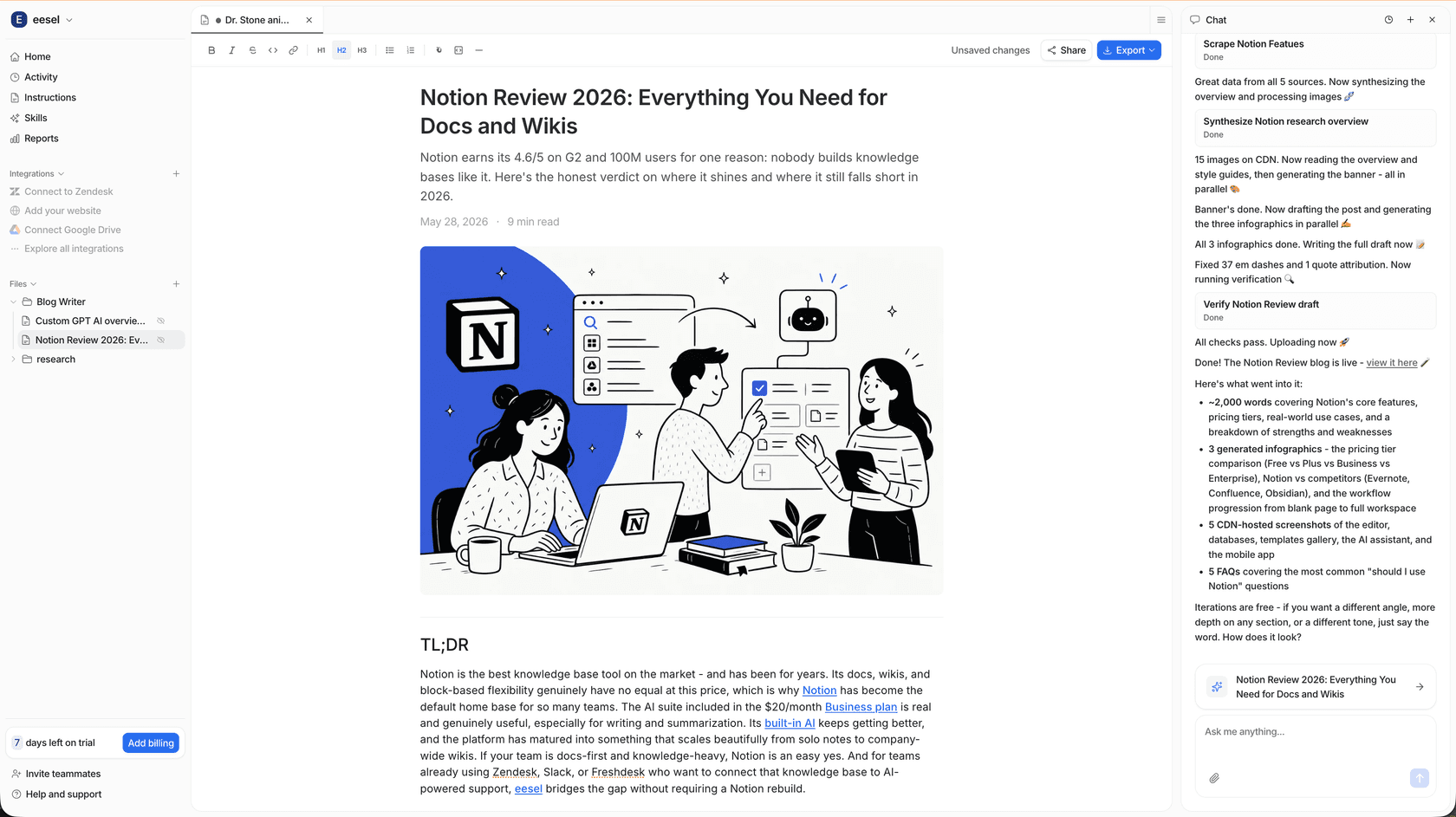
Unlike most tools here, there are no seat fees and no per-resolution surprises. Pricing is usage-based with a hard spend cap you set, so the agent pauses rather than running up a bill. You can start a free trial (with credit included, no card required) and see it work on your own content. Try eesel and let your published content pull double duty.
Frequently Asked Questions
What are the best AI tools for writing SEO-rich blog content in 2026?
Is there a free AI tool for writing SEO blog content?
Does AI-written blog content actually rank on Google in 2026?
How much do AI SEO content tools cost?
What is GEO, and do these tools handle it?
Can I automate publishing AI blog content to WordPress?


Article by
Kira
A Computer Science student deeply passionate in the fields of UI/UX Design and Web Development with a knack on writing. Fusing technical expertise with a creative flair, I'm driven to craft innovative and user-centric solutions, leveraging both coding proficiency and design sensibilities to create seamless, impactful experiences.