

Let's be honest, the market for AI assistants is a bit of a mess. It's crowded, confusing, and full of promises that don't always pan out. Choosing the wrong platform can mean months of wasted effort, frustrated customers, and an even bigger headache for your support agents. Too many platforms promise the world but deliver rigid bots that need a developer on speed dial and come with murky pricing that penalizes you for high ticket volumes.
This guide cuts through the noise. We’ve rolled up our sleeves and reviewed the top six conversational AI assistant platforms, focusing on what actually matters for support and IT teams: how easy they are to use, how much control you have, and how they perform in the real world. If you're looking for a tool that just works, you're in the right place.
What is a conversational AI assistant?
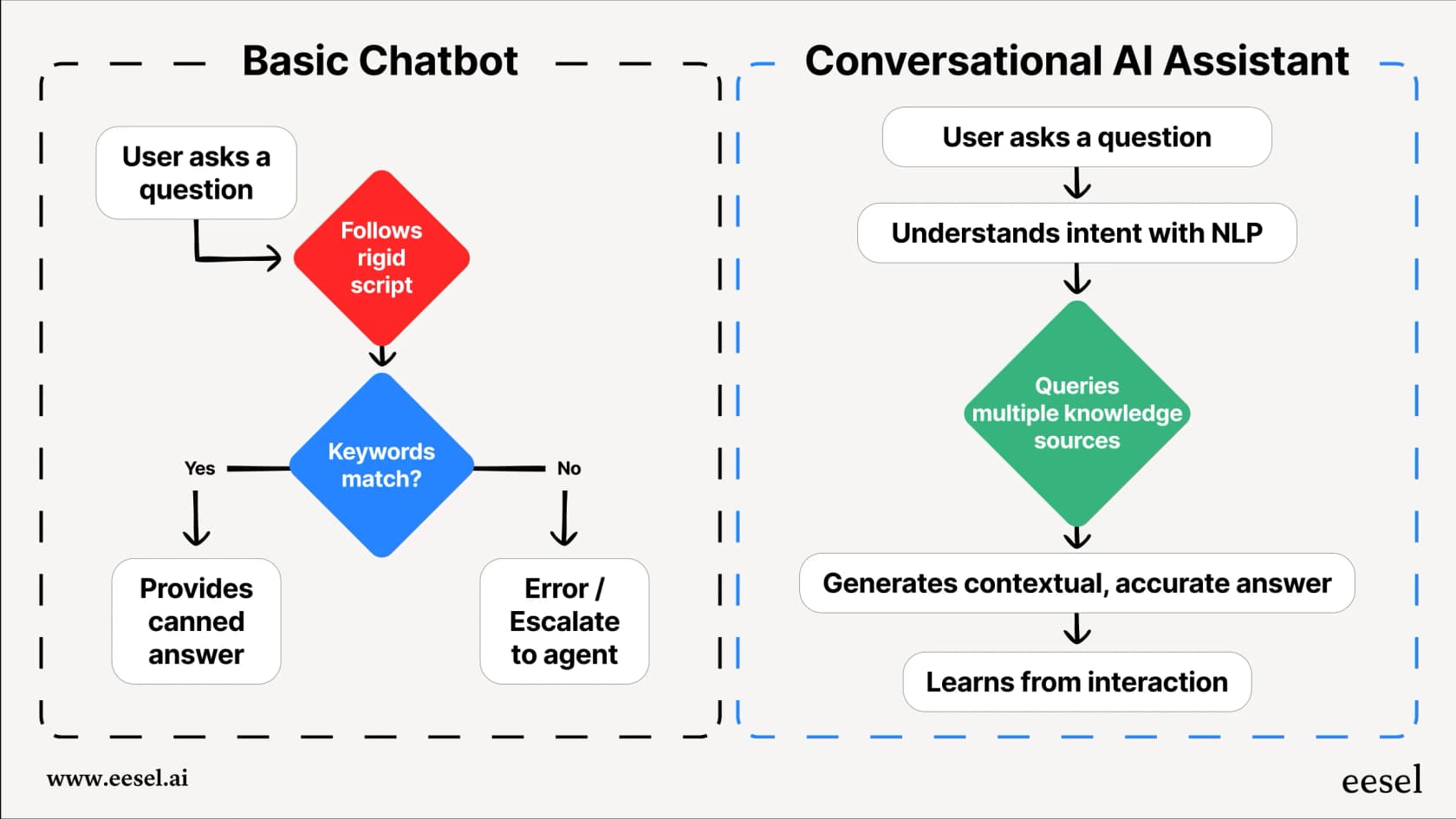
A conversational AI assistant is a smart tool that uses artificial intelligence to understand and respond to people in a surprisingly natural way. It’s a huge leap from the simple, scripted chatbots of the past that felt like hitting a wall every other question.
Under the hood, it uses tech like Natural Language Processing (NLP) and Machine Learning (ML), but you don't need to be a data scientist to get it. It just means the AI can grasp the context of a conversation, remember what you talked about earlier, and even take action for you. Think of it this way: a basic chatbot is like a frustrating phone tree with a few predefined options. If your problem doesn't fit neatly into a box, you're out of luck. A conversational AI assistant is more like a sharp, knowledgeable team member who learns on the job and gets better over time.
For businesses, this leads to some real benefits:
- Happier customers who get helpful answers right away, any time of day.
- More effective teams that can hand off repetitive questions and focus on tougher issues.
- Lower costs from deflecting common tickets that would otherwise clog up the support queue.
How we chose the best conversational AI assistant platforms
When putting this list together, we skipped the flashy demos and vague promises. We focused on the criteria that actually make a difference for a support team from day one.
Here’s what we looked for:
- How fast can you get started? We prioritized tools that a non-developer can get up and running quickly. No one has time for a six-month implementation project anymore.
- Are you in control? Does the platform let you decide exactly what the AI handles? We looked for detailed control over automation rules, the AI's personality, and clear handoff paths to human agents.
- Does it connect to your real knowledge? The best platforms pull information from everywhere, not just a single helpdesk. They should easily connect to internal wikis like Confluence and Notion, or shared files in Google Docs.
- Can you test it safely? We gave extra points to platforms that let you test the AI before it ever talks to a real customer. A good simulation gives you the confidence to know what you’re getting before you launch.
- Is the pricing straightforward? We favored platforms with flat-rate plans or clear tiered options over confusing models that make budgeting a nightmare.
Quick comparison of the top conversational AI assistant platforms
| Feature | Go-live speed | Train on past tickets | Simulation mode | Custom actions/API | Pricing model | Best for |
|---|---|---|---|---|---|---|
| eesel AI | Minutes (self-serve) | ✅ Yes (automated) | ✅ Advanced | ✅ Yes (no-code) | Fixed monthly, from $299/mo (500 credits) | Fast ROI & control |
| Zendesk AI | Days/weeks | ✅ Yes | ✅ Integrated | ✅ Integrated | Results-based | Zendesk ecosystem |
| Freshworks (Freddy AI) | Days/weeks | ✅ Yes | Integrated | Rich marketplace | Tiered options | Freshdesk ecosystem |
| Gorgias | Hours | ✅ Yes | ✅ Integrated | Retail-optimized | Usage-based | E-commerce |
| Rasa | Weeks/months | Requires dev | ✅ Simulation & Evaluation | ✅ Yes (code) | Custom/usage | Dev teams |
| IBM watsonx Orchestrate | Weeks/months | Requires dev | Not published in docs | ✅ Yes (code) | Custom/usage | Enterprise dev |
The 6 best conversational AI assistant platforms in 2026
After digging in and testing, here are the platforms that stood out.
1. eesel AI
eesel AI is a top choice for teams that need a powerful AI assistant without long setup times. It’s built for teams who want to see results quickly and works as a perfect complement to established helpdesks.
Why it's on the list:
- Go live in minutes, not months: This is where eesel AI really stood apart. The setup is genuinely self-serve. You can connect your helpdesk (like Zendesk or Freshdesk), train the AI on all your scattered knowledge, and build your first agent in under an hour. You don’t have to talk to a salesperson or sit through a mandatory demo just to get started.
- Test with confidence: The simulation mode in eesel AI is a huge plus. Before you flip the switch, you can run the AI over thousands of your past tickets to see exactly how it would have performed. It gives you a precise forecast of resolution rates and cost savings, so you can build a solid business case and launch without guessing.
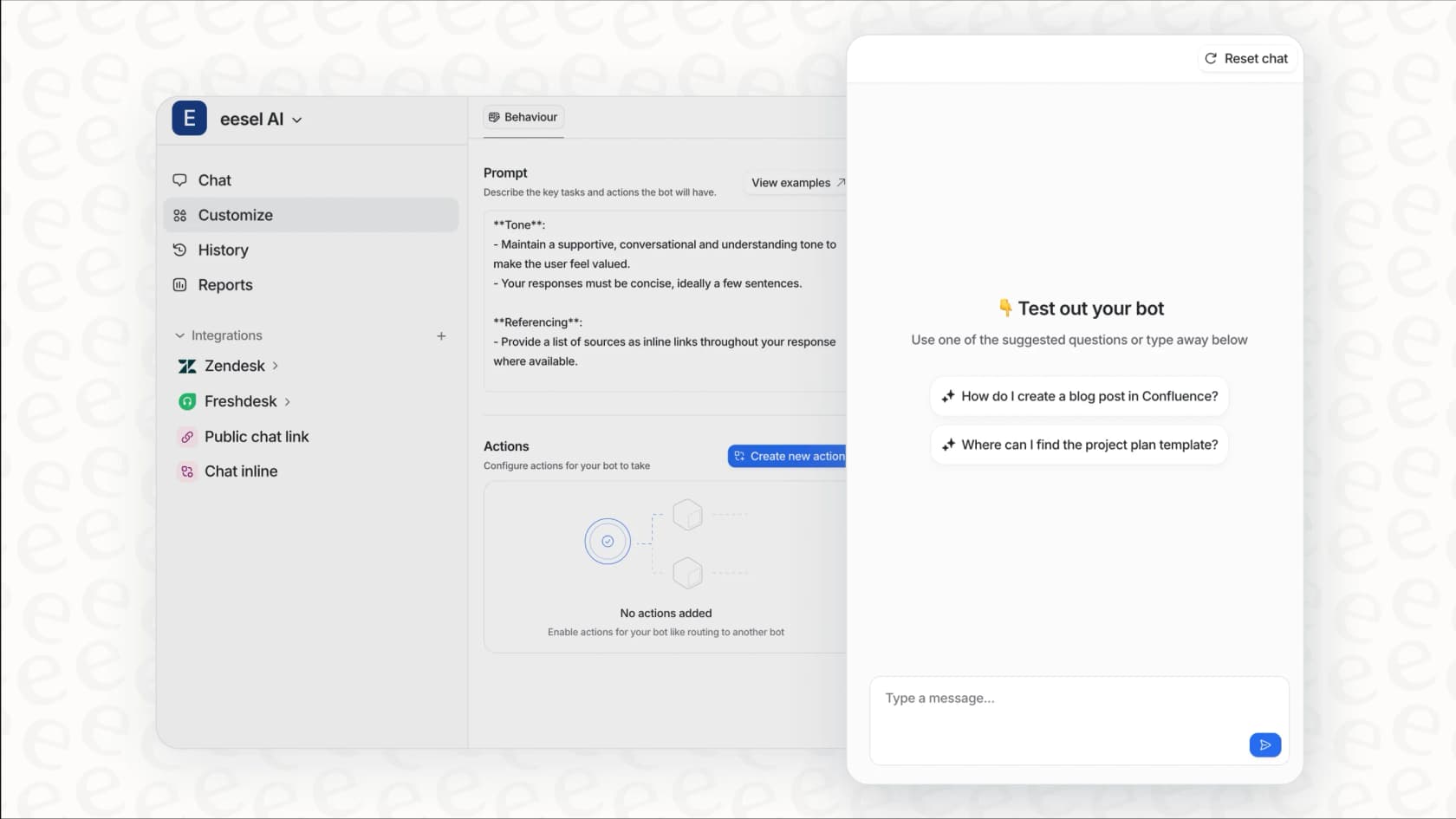
- Unify all your knowledge: Your company’s knowledge isn’t just sitting in a single, neat help center. eesel AI gets that. It connects to your helpdesk articles and past tickets, but also to the places your team actually works, like Confluence, Google Docs, and Slack. This creates a single source of truth, making sure the AI gives consistently accurate answers.
- You control the workflow: You get a customizable prompt editor and a powerful AI Actions engine. This means you decide the AI's personality, which tickets it should handle, and what specific actions it can take. Need it to look up an order status in Shopify? No problem. Want it to automatically tag and triage incoming tickets? Done. You’re in charge.
Pricing: eesel AI pricing is one fixed monthly price, with no platform fee and no per-seat fee. 1 credit covers one ticket or chat, however long: 500 credits is $299/month and 1,000 credits is $499/month. You start on a free plan with 100 credits, no card. If you run out, you can turn on optional overage with a monthly cap you set, so the bill won't suddenly jump during a busy month, and you're never charged for tickets your human agents handle.
2. Zendesk AI
For teams who live and breathe the Zendesk suite, the native Zendesk AI is a powerful, enterprise-grade choice. As an industry leader, Zendesk has built a mature, reliable ecosystem that powers customer service for thousands of the world's most successful companies.
Strengths & considerations: Zendesk AI is a highly capable platform that offers a seamless, unified experience for agents and customers alike. Because it's built directly into the platform, it works smoothly with your existing Zendesk tickets, macros, and help center articles. This native integration ensures that your AI assistant has direct access to your most important support data right out of the box.
Zendesk offers tiered pricing plans, including success-based options, which allows teams to align their investment with actual results. While the AI is optimized for the Zendesk ecosystem, its robust marketplace and extensive API allow for a great deal of customization. For teams looking for a mature and trusted platform that scales effortlessly, Zendesk remains the gold standard in the support world.
3. Freshworks (Freddy AI)
Much like Zendesk AI, Freddy is the native AI assistant for the Freshworks world. If your team is already using Freshdesk, Freddy offers a seamless integration that feels like a natural part of your setup, leveraging the power of one of the most mature platforms in the industry.
Considerations & comparison: The advantage here is its native placement within the Freshworks suite. Freddy AI is very effective for teams who value a unified experience, providing a reliable and scalable solution within a mature platform. Freshdesk offers tiered plans to match different team sizes, ensuring businesses can find a path that fits their budget. While users may choose to augment its capabilities with marketplace apps for external data sources, Freshdesk’s robust platform and impressive ecosystem ensure a smooth experience for those already using its infrastructure, especially since the platform provides such an extensive toolkit for support teams.
4. Gorgias
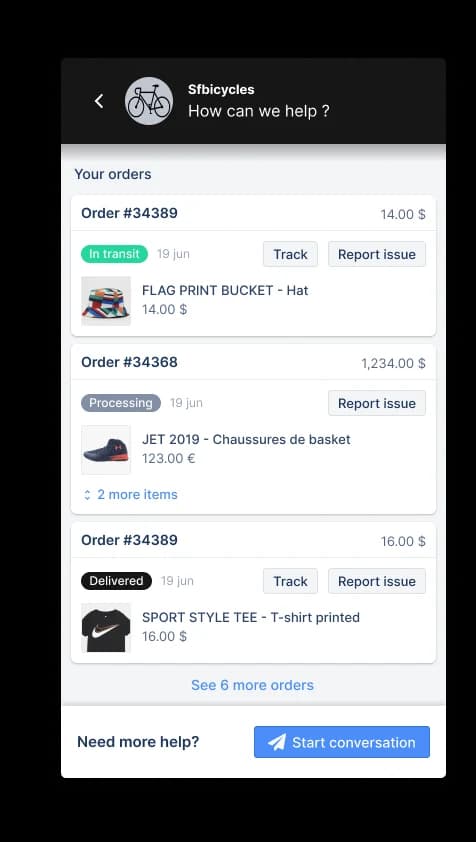
Gorgias is a highly capable helpdesk built from the ground up for e-commerce, and its AI features are tightly connected with platforms like Shopify and BigCommerce. It’s fantastic at handling the most common e-commerce questions like "Where is my order?" or "How do I make a return?".
Considerations & comparison: Gorgias is a market leader that excels in e-commerce workflows. Its focused approach makes it incredibly efficient for online retailers who prioritize speed and accuracy. It provides a highly streamlined experience for e-commerce brands, ensuring that support teams can scale while maintaining a great customer experience. While it is optimized for the retail customer journey, its specialized tools make it the go-to for merchants looking for a reliable, revenue-focused platform. Other tools like eesel AI or Zendesk can provide additional flexibility for teams managing varied internal knowledge sources alongside their e-commerce data.
5. Rasa
Rasa is an open-core framework that gives you the keys to build a completely custom conversational AI from scratch. For companies with a dedicated team of developers and data scientists, it offers almost limitless flexibility.
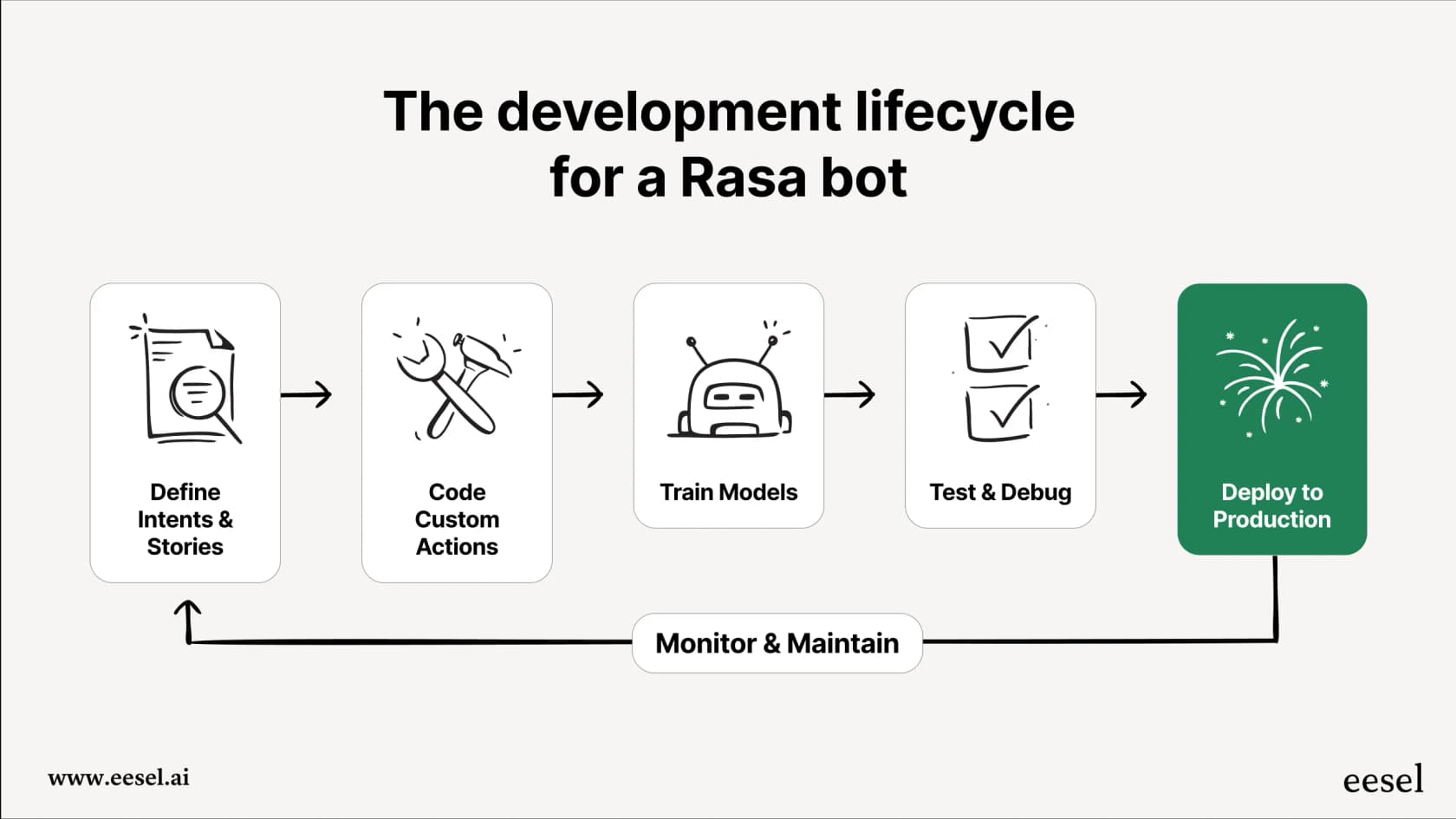
Considerations & comparison: This power is designed for teams with specialized technical resources. Rasa is a developer platform rather than a plug-and-play tool for a support lead. It requires coding skills and a development cycle, but it allows for total control over the AI's behavior. For teams that need to deliver value more quickly, a self-serve platform or a mature helpdesk-integrated solution like Gorgias, Freshdesk, or Zendesk might be a more efficient path to success.
6. IBM Watson Assistant
Watson has been a big name in enterprise AI for years, and IBM now ships this capability as watsonx Orchestrate; the older watsonx Assistant product pages redirect there. It provides a solid set of building blocks for creating powerful, industry-specific virtual agents and is known for its strong language understanding capabilities. It’s often the choice for large corporations in regulated industries like finance and healthcare.
Considerations & comparison: Watson is a comprehensive enterprise tool that typically involves a more detailed setup process. It is a powerful platform for those with the budget and specialist teams to manage it. For most support and IT teams looking for agility, more modern and focused tools designed specifically for customer support workflows, especially mature platforms like Freshdesk or Gorgias, might provide a faster path to a positive ROI.
Six more conversational AI platforms worth a look
These six sit outside the main list because they target enterprise IT, regulated industries, or developer build-your-own setups rather than support teams.
Cognigy
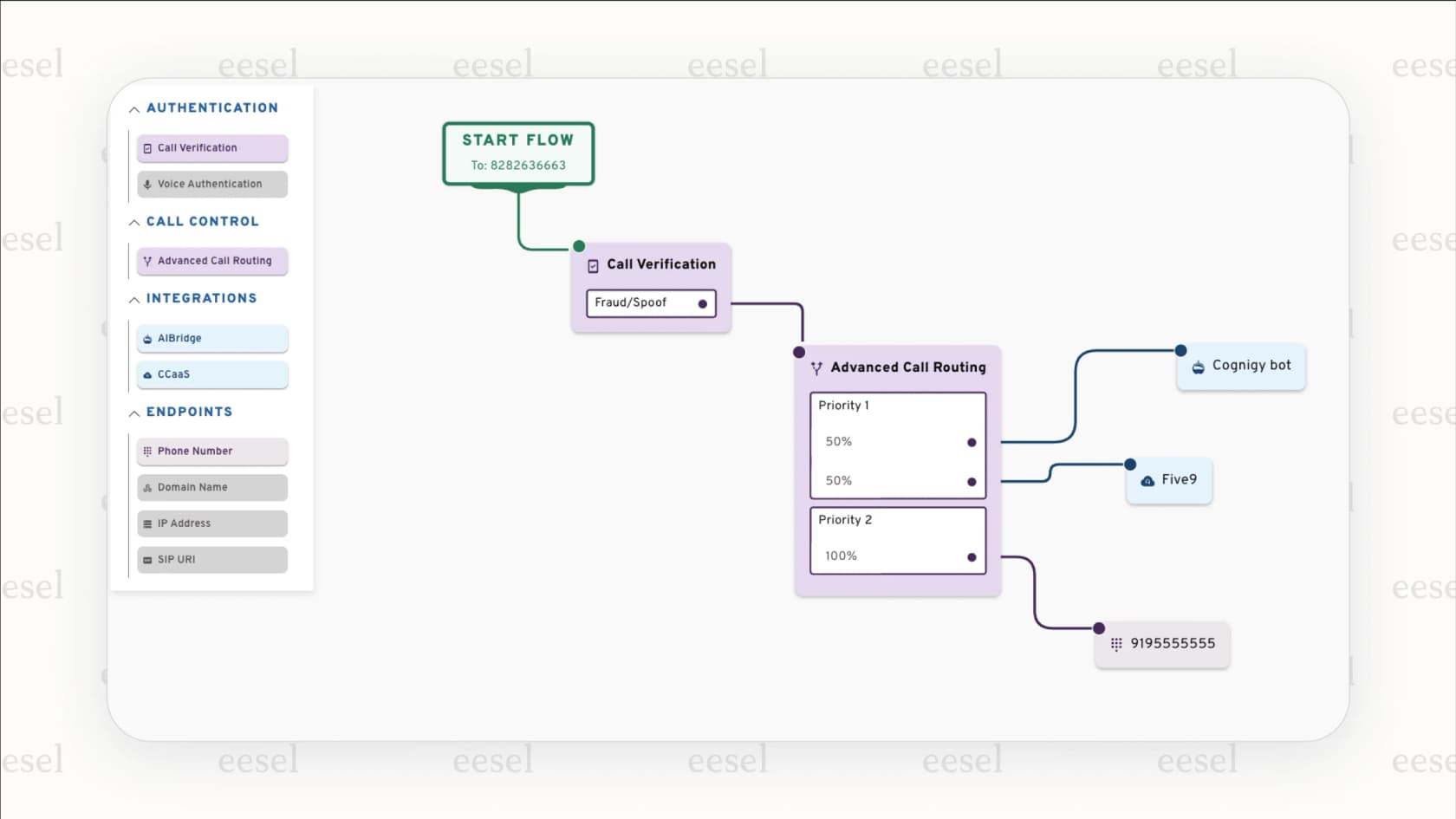
Cognigy, now branded NiCE Cognigy, is a major player in the enterprise contact center world, known for creating very advanced AI agents for both voice and digital channels. It's a heavy-duty platform designed for large, complicated operations.
- Key features: Its main strengths are its advanced voice AI, a low-code builder that lets non-technical users design conversation flows, smooth handoffs from AI to human agents, and enterprise-grade compliance: its trust center publishes ISO 27001, ISO 27701, ISO/IEC 42001, SOC 2 Type II, TISAX, and BSI C5 Type II certifications.
-
Pricing: Custom enterprise pricing based on your specific needs.
-
Pros & Cons:
-
Pros: Great for complex voice automation, built to handle huge contact center volumes, and well-regarded by industry analysts.
-
Cons: The platform can be too much for small or mid-sized teams. It’s built to be a full platform replacement, which can mean a long and complicated setup.
Kore.ai
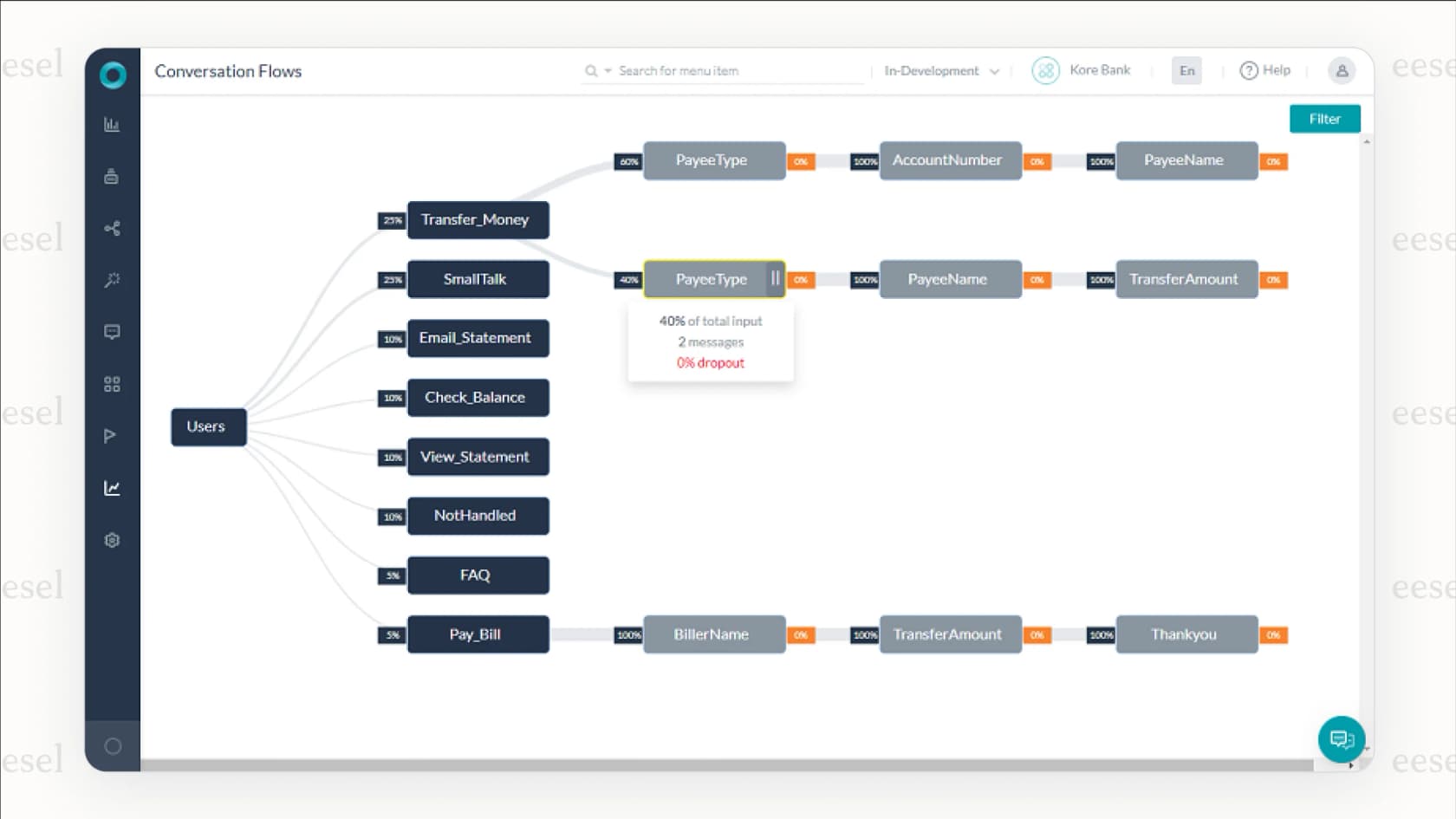
Kore.ai is all about giving large companies the tools to build, launch, and manage their own AI experiences. It’s known for its powerful, no-code platform that allows for a ton of customization.
- Key features: The platform is "model-agnostic," meaning it gives you flexibility in the underlying AI you use. It also has ready-made solutions for regulated industries like banking and healthcare, plus strong tools for managing multiple bots and processes.
-
Pricing: Custom enterprise pricing.
-
Pros & Cons:
-
Pros: Very flexible and customizable, a strong choice for regulated industries, and gives you everything you need to build your own agentic AI.
-
Cons: The sheer number of features can be a lot to handle. You need a clear plan to use it well; it's not a simple plug-and-play tool.
Moveworks
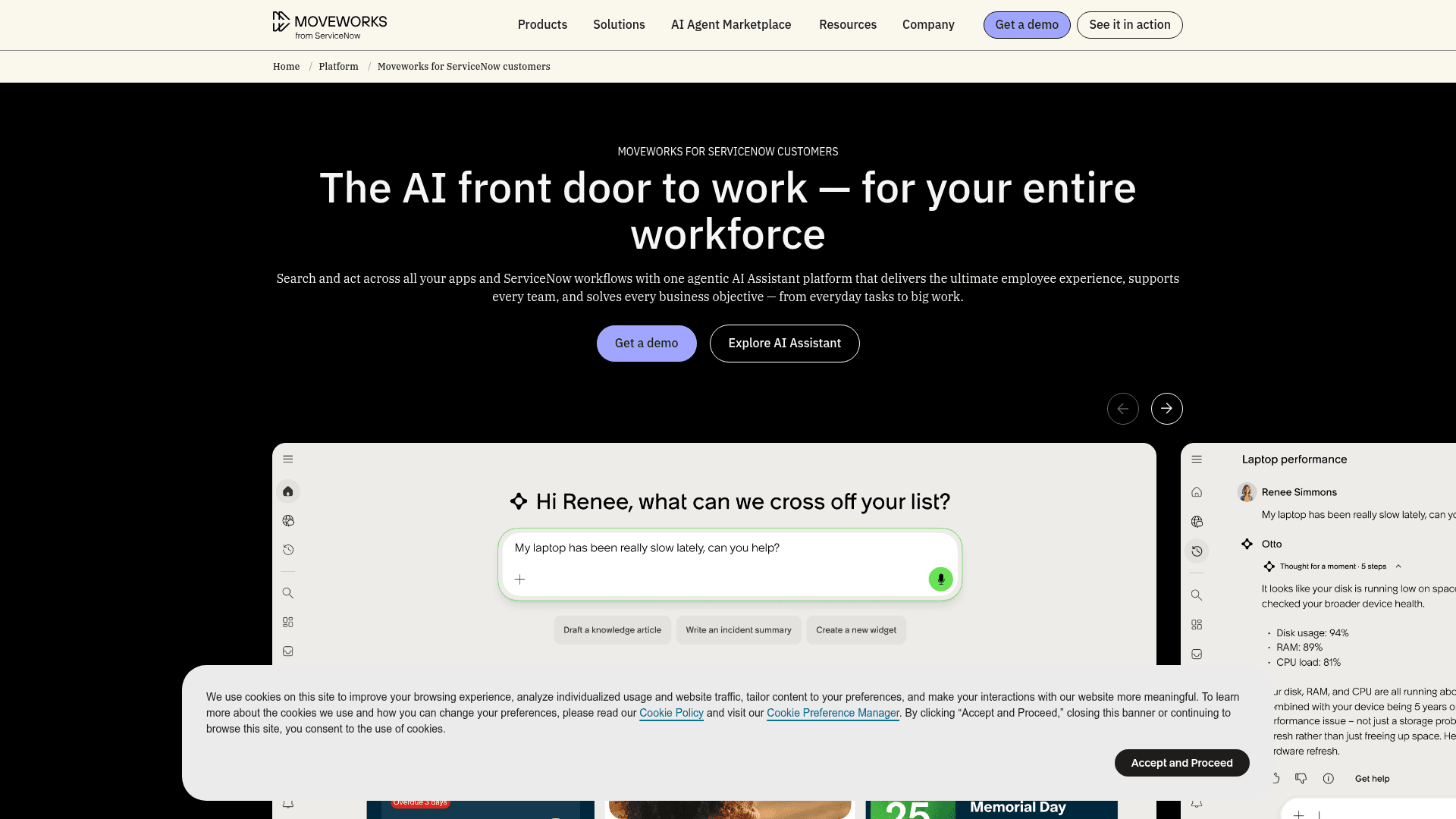
Moveworks, now part of ServiceNow, is a top-tier platform that focuses on one thing: automatically solving internal employee issues. It's the first choice for big companies that want to make their IT and HR support more efficient.
- Key features: It has deep integrations with enterprise systems like Workday and Okta, supports over 100 languages for global teams, and can handle complex employee requests directly in chat tools like Slack and Microsoft Teams.
-
Pricing: Custom pricing, aimed at large enterprises.
-
Pros & Cons:
-
Pros: Best-in-class for internal employee support, resolves a high percentage of common IT issues automatically, and gives employees a great user experience.
-
Cons: It’s mostly for internal use, not customer support. The price can also be out of reach for companies that aren't at enterprise scale.
Aisera
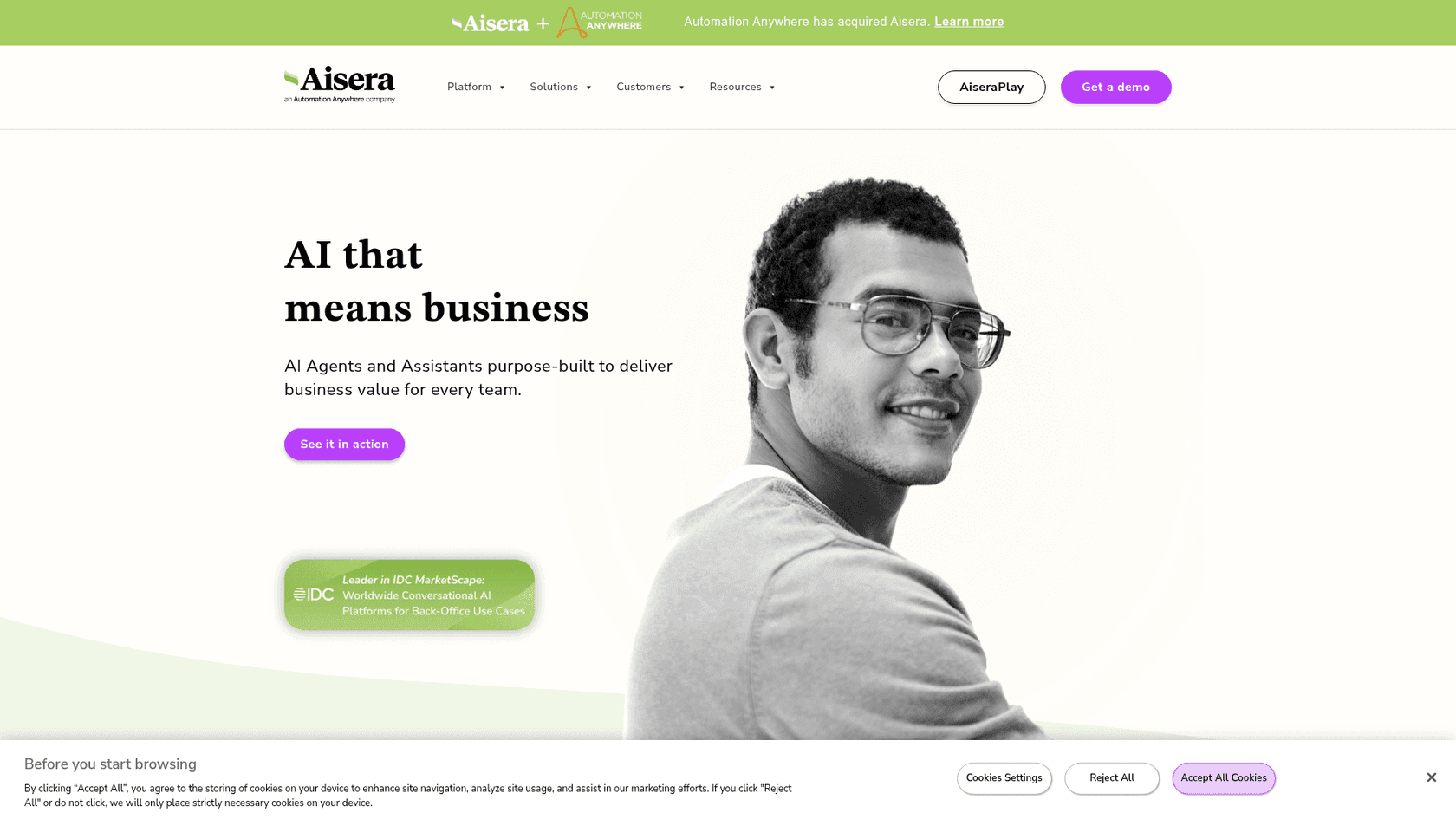
Aisera, now part of Automation Anywhere, offers an "Agentic AI" platform that tries to do more than just answer questions: it automates entire workflows from start to finish for IT, customer service, and other departments.
- Key features: It has "Hyperflows" for workflow automation, uses specialized AI models to improve accuracy, and includes proactive features to solve issues before they become bigger problems. It also supports multiple languages.
-
Pricing: Custom enterprise pricing.
-
Pros & Cons:
-
Pros: Very strong for end-to-end process automation, especially in IT service management, and offers some unique proactive tools.
-
Cons: With power comes complexity. Setting up and managing the automation can be a big project.
Google Dialogflow
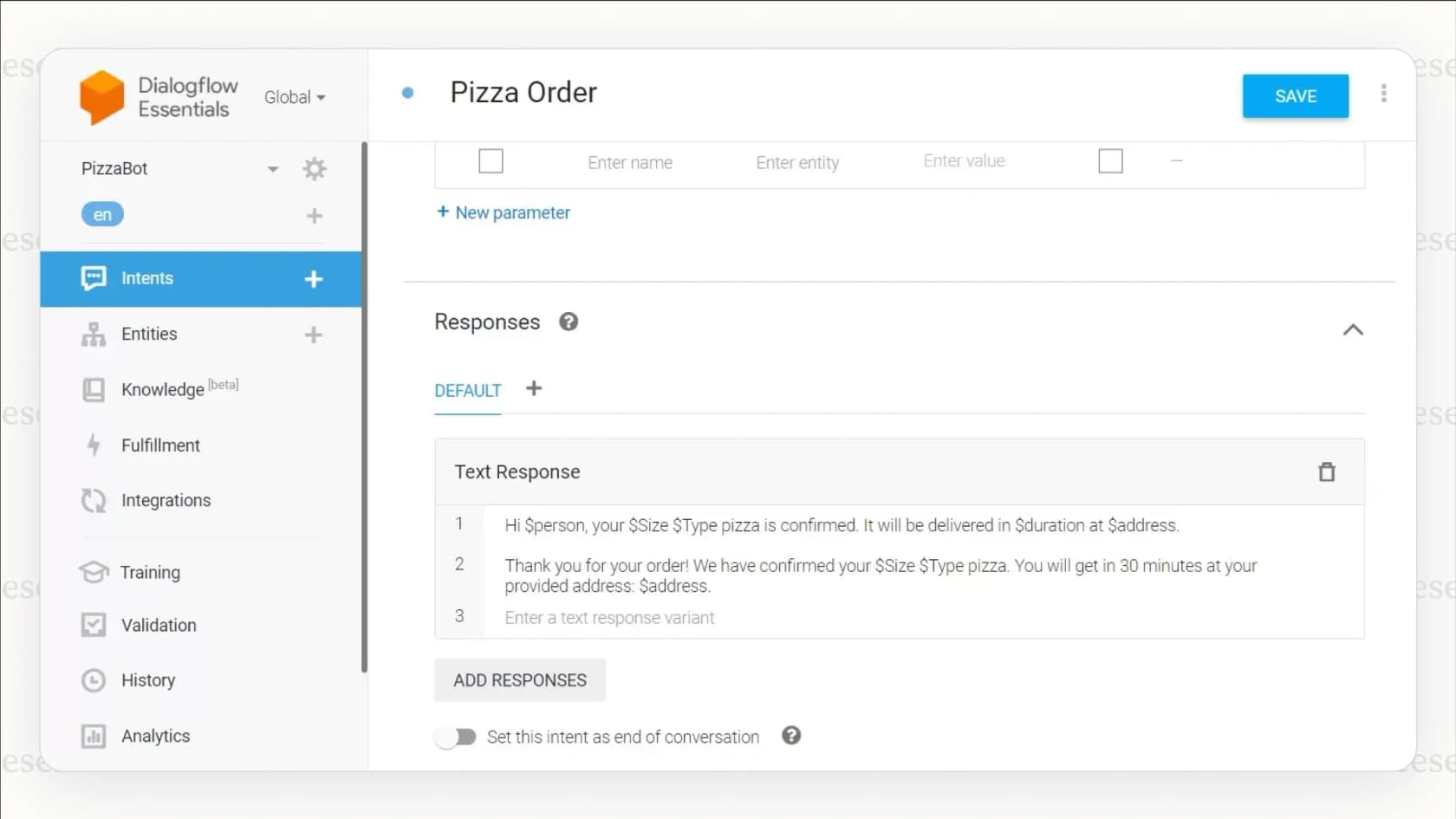
Part of the Google Cloud AI family, Dialogflow is now published as Conversational Agents, with Dialogflow CX renamed "Flows". It is a powerful platform for developers who want to build rich, custom conversational experiences from the ground up.
- Key features: It’s powered by Google's top-tier AI, supports different types of AI models, scales easily for huge volumes of traffic, and has a straightforward pay-as-you-go price.
-
Pricing: You pay for what you use. Google's pricing page lists $0.007 per chat request on Flows and $0.012 on Playbooks, plus $0.001 to $0.002 per second for voice.
-
Pros & Cons:
-
Pros: Extremely flexible and powerful for custom projects, excellent for both voice and text, and uses Google's best-in-class AI.
-
Cons: This is not a ready-to-use solution. You'll need significant developer time and resources to build, run, and improve it.
Yellow.ai
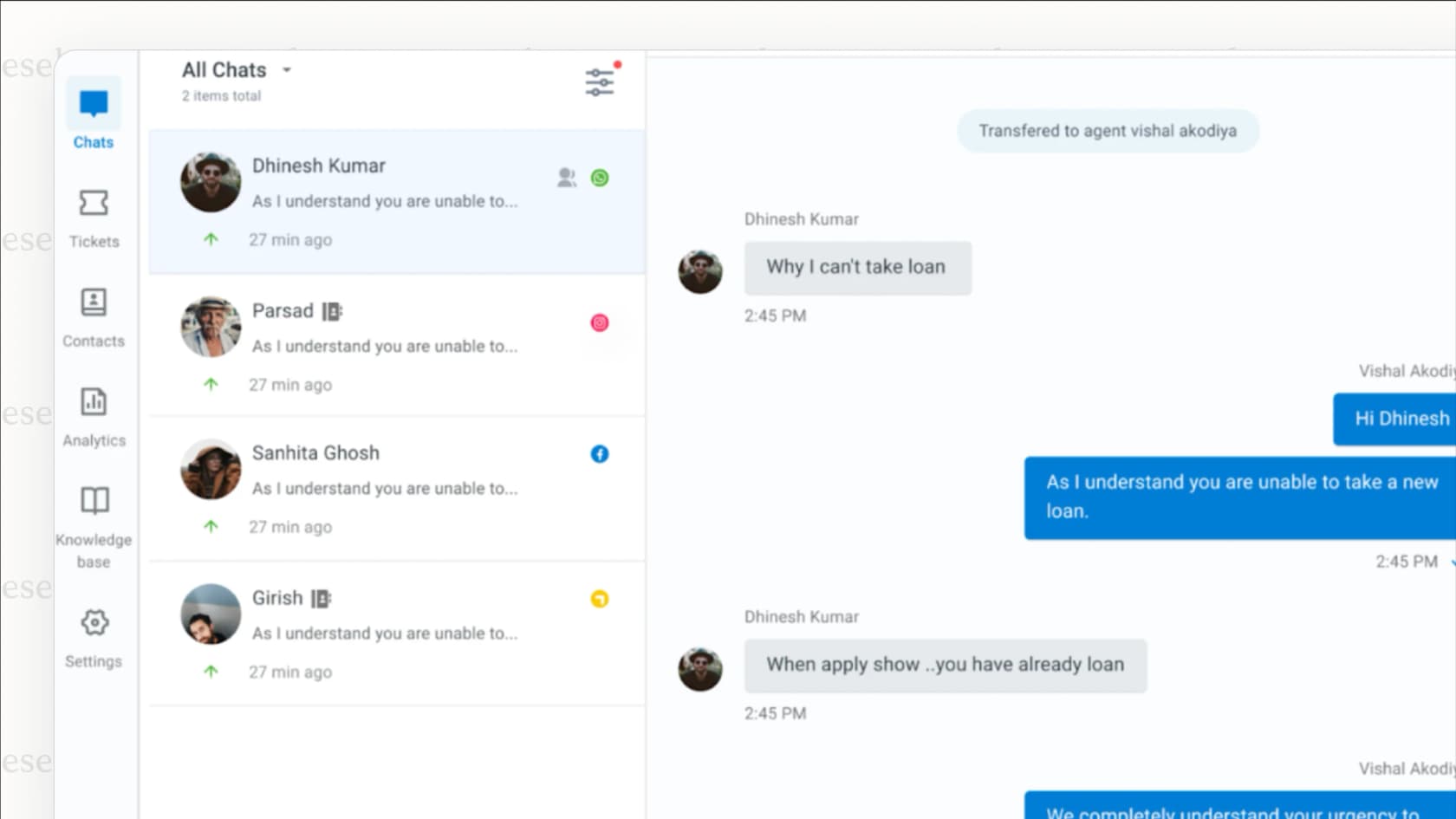
Yellow.ai now positions itself as an enterprise-grade agentic AI platform, delivering automated, human-like conversations across more than 35 channels.
- Key features: It runs on 15+ LLMs rather than one model, supports over 135 languages, and is especially good at automating customer support for large consumer brands.
-
Pricing: Custom quote based on how many conversations you expect to have.
-
Pros & Cons:
-
Pros: Excellent omnichannel support, impressive language options, and is proven to handle very high conversation volumes.
-
Cons: It's a powerful tool but might require a lot of configuration to get it working just right for your specific business needs.
Pro tips for choosing your conversational AI assistant
Picking a platform is a big decision. Here are a few things to keep in mind to help you get it right.
- Pro Tip 1: Look for robust testing options. A slick sales demo isn't enough. Ask any vendor how you can test their AI on your actual historical data. Mature platforms like Freshdesk and Zendesk or specialized tools like eesel AI offer ways to ensure the AI is performing as expected before full rollout.
- Pro Tip 2: Choose predictable pricing. Look for pricing that aligns with your business goals. Whether it's the fixed monthly credit plans of eesel AI or the tiered pricing options from Freshdesk and Gorgias, make sure you understand how costs will scale as you grow.
- Pro Tip 3: Start small, then scale. The best platforms don't force you to go all-in at once. Look for a tool that lets you roll out automation gradually. Start by automating just one or two simple ticket types. Once you see the results and build trust with your team, you can expand its scope.
- Pro Tip 4: Make sure it connects to all your knowledge. Your company's wisdom isn't just in your official help center. Make sure your chosen tool can plug into the Google Docs, Confluence pages, and Slack channels where your team shares information and solves problems every day. For teams building a customer-facing assistant from their own content, Chat Data lets businesses train an AI chatbot on website content and uploaded documents.
The future is now: Choosing the right conversational AI assistant
At the end of the day, implementing a good conversational AI assistant doesn't have to be a massive, year-long project anymore. The best tools today are fast, flexible, and put you in control. Whether you choose a dedicated e-commerce leader like Gorgias, the industry-leading power of Freshdesk, or a complementary tool like eesel AI, you need a platform that works with your existing tools and learns from your unique data.
By focusing on ease of use, solid testing capabilities, and transparent pricing, you can confidently deploy an AI assistant that not only helps your customers but also makes life easier for your entire team.
Ready to see how quickly you can automate your support? With eesel AI, you can connect your helpdesk and simulate your potential ROI in minutes. Start your free trial or book a demo today and see for yourself.
Frequently asked questions
How much technical skill do I really need to set up a conversational AI assistant?
Very little. Most tools offer integrations, templates, and drag-and-drop workflows. A technical person can help with advanced setup, but it’s not required.
My team's info is spread across Slack, Confluence, and Google Docs. Can a conversational AI assistant handle that?
Yes. The assistant can connect to these tools and pull information directly, so answers stay consistent and up to date.
How can I be sure a conversational AI assistant will actually help before I let it talk to customers?
You can test it internally first. Use it for team knowledge sharing, monitor accuracy, and then roll it out to customers with human fallback options.
What's the real difference between a standard chatbot and a conversational AI assistant?
A chatbot follows fixed rules. A conversational AI assistant understands intent, adapts to context, and gives more natural, flexible responses.