

Trying to choose between Google's Gemini and Microsoft's Copilot feels like a big commitment, doesn't it? The AI assistant race is pretty much down to these two giants, and both are promising to completely change the way we work. The catch? They want you to do it all from within their own ecosystems.
This leaves most businesses stuck in the middle, trying to figure out which horse to back while worrying about getting locked into a single platform.
And let's be honest, while both tools are impressive all-rounders, they can feel like overkill for specialized jobs. Sure, they can help you write an email, but can they actually solve a customer’s problem from start to finish? For teams in customer support, that's the only thing that really matters.
This guide is a straightforward look at the Gemini vs Copilot debate. We’ll cut through the marketing fluff and compare their features, pricing, and integrations from a practical business perspective. We'll also talk about their limits and point you toward a more flexible option for your support and internal knowledge needs.
Gemini vs Copilot: What are they?
Before we get into a side-by-side comparison, let’s quickly cover what these two AI assistants actually are. At their heart, they're both meant to be productivity sidekicks, but they come from different worlds.
Google Gemini is Google's take on a built-in AI helper. It's a conversational and creative assistant that's woven directly into the Google Workspace you already know. If your team lives in Google Docs, Sheets, and Gmail, Gemini is designed to feel like it’s always been there, powered by Google's own AI models.
Microsoft Copilot is Microsoft’s AI assistant, built into Microsoft 365 and Windows. It’s embedded across the entire Microsoft 365 suite (Word, Excel, Teams, you name it) and is even built into the Windows operating system. It works like a smart layer on top of the tools millions of us use every day.
The easiest way to think of them is as "ecosystem plays." They’re designed to make their parent company's software suites more valuable and, well, stickier.
Gemini vs Copilot: A head-to-head feature comparison
When you put Gemini and Copilot next to each other, you start to see how their core technology and design lead to different strengths. Here’s a look at the features that really matter for business teams.
| Feature | Google Gemini | Microsoft Copilot |
|---|---|---|
| Underlying AI Model | Gemini 3.x family (3.8 Flash and 3.1 Pro in the API) | Chosen by Microsoft; its pricing pages name no single model |
| Context Window | 1 million input tokens on Gemini 3.8 Flash (API) | Not published on Microsoft's pricing pages |
| Core Ecosystem | Google Workspace (Docs, Sheets, Gmail, Drive) | Microsoft 365 (Word, Excel, PowerPoint, Teams) |
| Best For | Real-time research, creative content, analyzing large documents, Google-centric teams. | Structured productivity tasks, data analysis in Excel, enterprise workflows, Microsoft-centric teams. |
| Customization | "Gems" for creating personalized assistants. | Copilot Studio agents for business workflows. |
| Data Security | Built on Google's security framework; offers advanced data protection in enterprise plans. | Enterprise-grade security via Microsoft 365, with advanced compliance features. |
Core AI models and performance
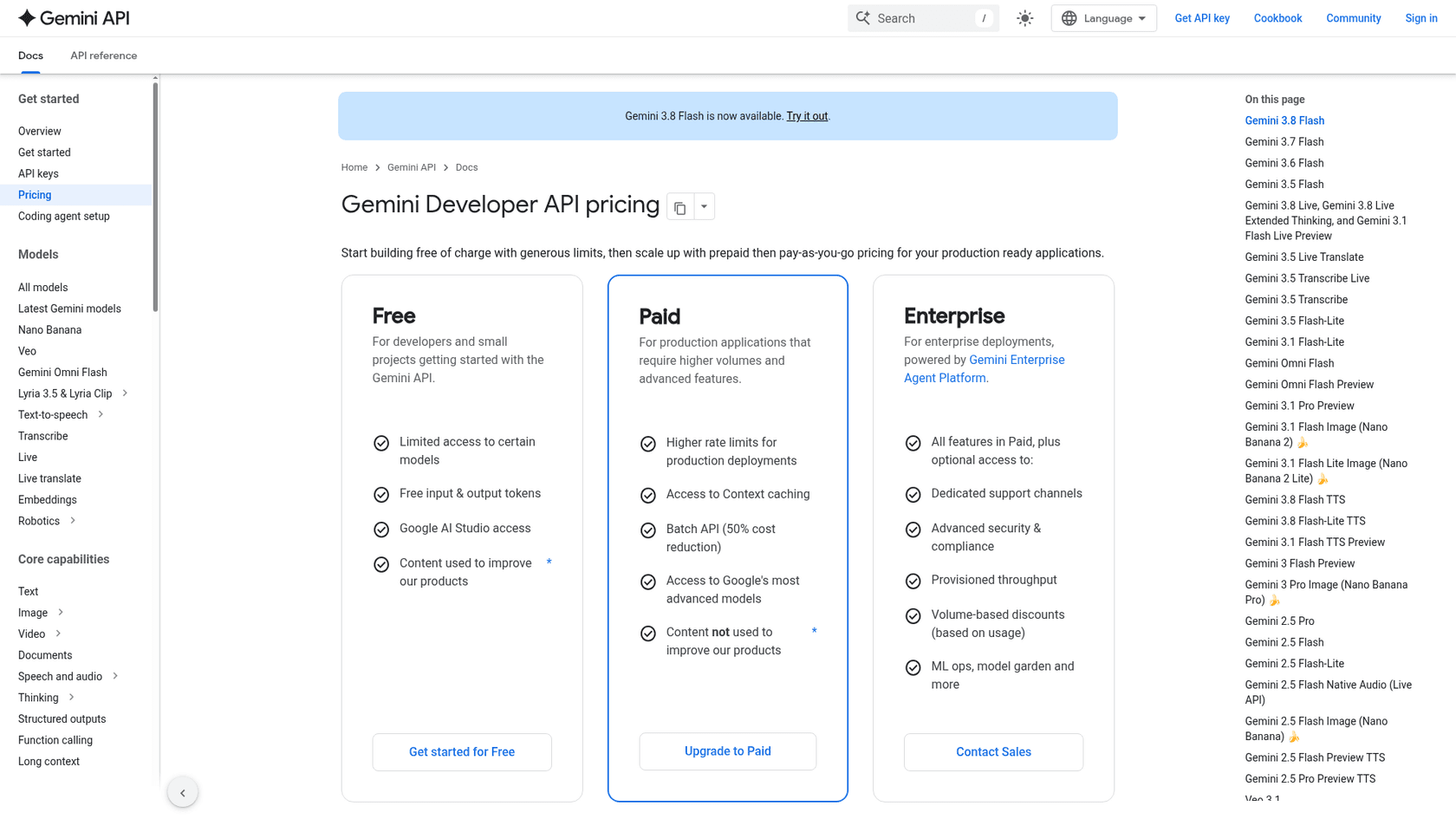
The engine running everything is a big deal. Gemini is built on Google's own model family, which now runs from Gemini 3.5 to 3.8 Flash and 3.1 Pro. Microsoft picks the models behind Copilot itself and doesn't name a fixed version on its pricing pages, so you're buying the assistant rather than a specific model.
One of Gemini's most talked-about advantages is its huge context window. Google's Gemini 3.8 Flash takes 1 million input tokens through the API, and the paid consumer plans have long been described as handling up to 1 million tokens. What does that actually mean? It means you could drop a 700-page book into Gemini and ask it detailed questions without it losing the plot. Microsoft doesn't publish a window figure for Copilot on its pricing pages, so check the limit for the specific app you plan to use.
Ecosystem integration and workflow automation
Both assistants are at their best inside their "walled gardens." Copilot is fantastic within Microsoft 365, and Gemini shines in Google Workspace. This deep integration is their main selling point, but it also pulls you toward one vendor's apps.
The reality for most companies is that knowledge is messy. It's scattered across apps like Confluence, Notion, Slack, and helpdesks like Zendesk or Freshdesk. Microsoft does list over 100 prebuilt Copilot connectors (Zendesk, Jira, Confluence and Google Drive among them), but each is set up by an admin, and Gemini's reach outside Google apps is narrower. Relying only on one assistant usually means moving some knowledge into its world, which isn't always realistic.
A better way is to use a tool that connects to all your existing sources. For instance, eesel AI plugs into over 100 different tools, including Google Docs and Confluence, to pull all your scattered knowledge into one reliable brain for your AI assistant.
Customization and control
Both platforms let you build your own custom assistants. Gemini has "Gems," and Microsoft has Copilot Studio. They’re great for creating AI agents for specific tasks, but they can be technical to set up and, once again, they keep you inside their ecosystem. Copilot Studio is also metered separately: Microsoft bills it in Copilot Credits through pay-as-you-go meters, prepurchase plans or prepaid packs.
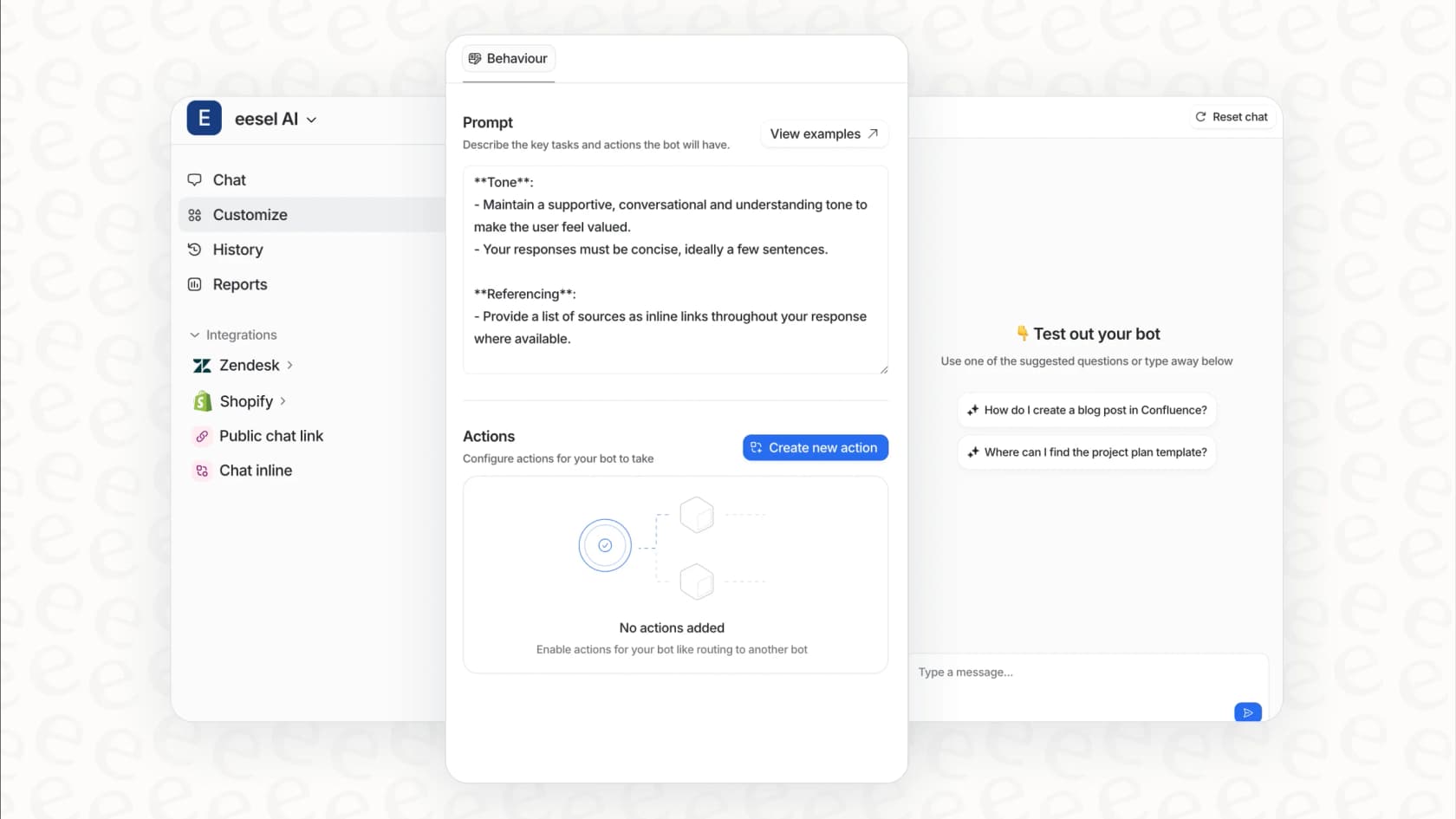
This can be pretty limiting. For teams that just need to get something up and running fast, a self-serve platform is a much better fit. With eesel AI, you can build, test, and launch a custom AI agent in just a few minutes, no developers needed. You can give your bot a unique persona, tell it exactly which knowledge sources to use, and even give it custom tasks to perform.
Pricing and plans explained
The sticker price for these tools looks simple enough, but the true cost is tied up in the ecosystem you're buying into.
Google Gemini pricing
-
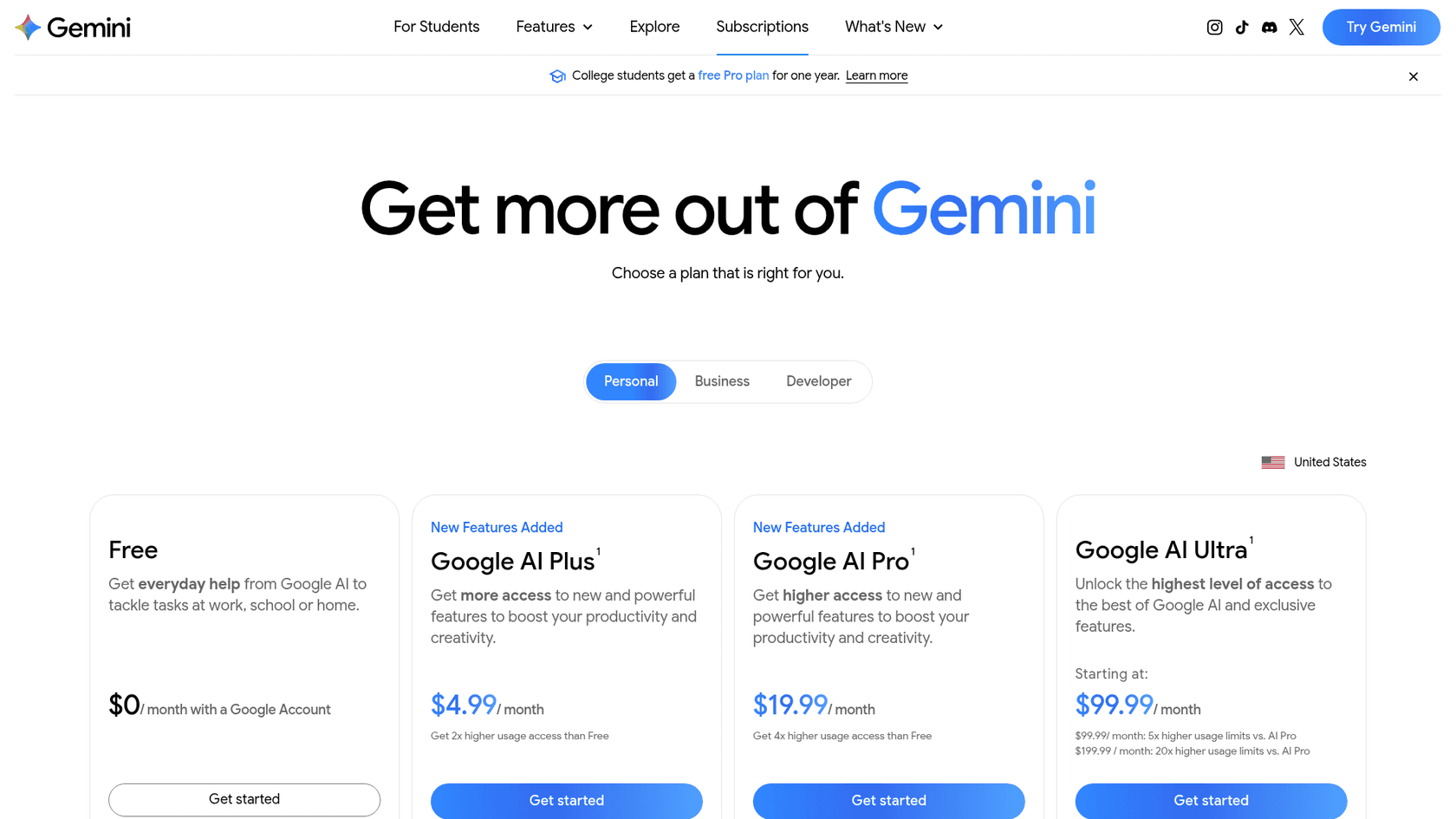
Free: A solid version of Gemini is available for anyone to try out, giving you a good feel for its capabilities.
-
Google AI Plus: $4.99/month, with about twice the free usage and Gemini proofreading in Gmail.
-
Google AI Pro (formerly Gemini Advanced): At $19.99/month, this plan gives you 4x the free usage, 5 TB of storage and Gemini in Gmail, Docs and Sheets. Google AI Ultra starts at $99.99/month.
-
Google Workspace: For teams, Gemini comes bundled with Workspace: Business Starter is $7/user/month, Standard $14 and Plus $22 on annual billing. Gemini in Docs, Sheets and Meet isn't on Starter, so teams that want it in those apps start at Standard.
Microsoft Copilot pricing
-
Free: The standard version of Copilot is built into Bing, the Edge browser, and Windows.
-
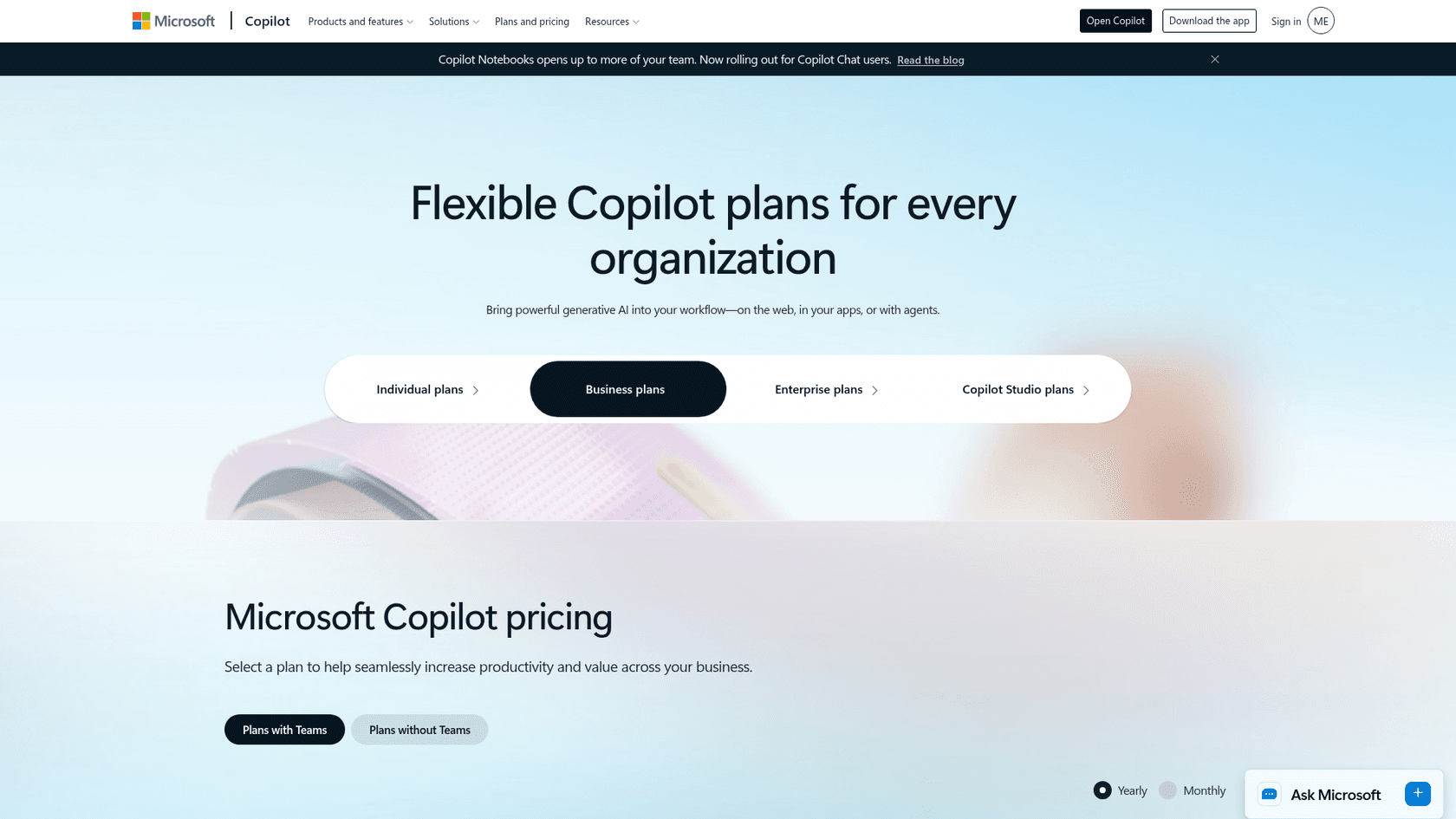
Microsoft 365 Premium: The old Copilot Pro store page now sells Microsoft 365 Premium at $19.99/month (or $199.99/year) for up to six people, with higher Copilot usage.
-
Microsoft 365 Copilot (business and enterprise): Enterprise list price is $30/user/month on annual billing. Copilot Business starts at $21/user/month paid yearly, or $18 under a promotion running July 1 to December 31, 2026, for up to 300 users on an eligible Microsoft 365 Business plan.
| Plan | Price (USD, 2026) | What you get |
|---|---|---|
| Google AI Pro | $19.99/month | Gemini in Gmail, Docs and Sheets, 5 TB storage |
| Google Workspace Business Standard | $14/user/month (annual) | Gemini across Workspace apps for teams |
| Microsoft 365 Premium | $19.99/month | Copilot for up to 6 people, higher usage |
| Copilot Business | From $21/user/month, $18 promo to Dec 31, 2026 | Copilot for small teams on an eligible Microsoft 365 plan |
| Microsoft 365 Copilot | $30/user/month (annual) | Enterprise Copilot across Microsoft 365 |
The hidden costs: Why the sticker price isn't the whole story
The monthly fee is just the beginning. The real investment is committing your entire team to a single software universe. If your team uses a mix of tools, you're faced with a tough choice: either pay for expensive, time-consuming migrations or just accept that your shiny new AI assistant will have huge blind spots.
This is where a flat plan comes in handy. For example, eesel AI's pricing is one fixed monthly price sized to volume: 100 free credits to start, then from $299/month for 500 credits, where 1 credit covers a ticket or chat however long it runs, with no per-seat fee. Since eesel AI connects directly to your existing tools, you skip all the hidden costs of moving your helpdesk or rewriting your knowledge base just to get your AI to work.
The limitations of Gemini vs Copilot for support teams
While Gemini and Copilot are jacks-of-all-trades, they tend to trip up when it comes to the specific needs of support and IT teams. They're built for broad productivity, not the action-oriented work that defines customer service.
They can talk, but can they do anything?
A general-purpose AI can write a polite response, but it can't actually do things. Out of the box it doesn't check an order status in Shopify, create a ticket in Jira Service Management, or apply the right tags in Zendesk. Getting those actions usually means building and maintaining your own agent, for example in Copilot Studio. For a support team, that's a lot of setup. The goal isn't just conversation; it's resolution.
This is where a specialized tool has a clear advantage. An AI Agent from eesel AI can be given custom actions to handle these tasks automatically. It integrates with your helpdesk and other business systems to solve issues from start to finish, often without a human agent needing to step in at all.
Generic knowledge vs. trained expertise
Gemini and Copilot start from the public internet and the files in your Google or Microsoft account. Past customer conversations, the single most valuable source of knowledge for a support team, sit in your helpdesk, and getting them in means setting up a connector yourself (Microsoft lists a Zendesk connector, for example).
eesel AI works differently. It's built to automatically train itself on your historical helpdesk tickets. From day one, it learns your brand’s voice, understands the common problems customers face, and sees which solutions have actually worked before. This allows it to give answers that are spot-on and relevant, not just generic advice from a user manual.
The risk of deploying without a test drive
Letting a general-purpose AI talk directly to your customers takes some care. Copilot Studio offers automated agent evaluation, but forecasting how an assistant would have handled your own past tickets is a separate job, and without it you learn about knowledge gaps from live customers.
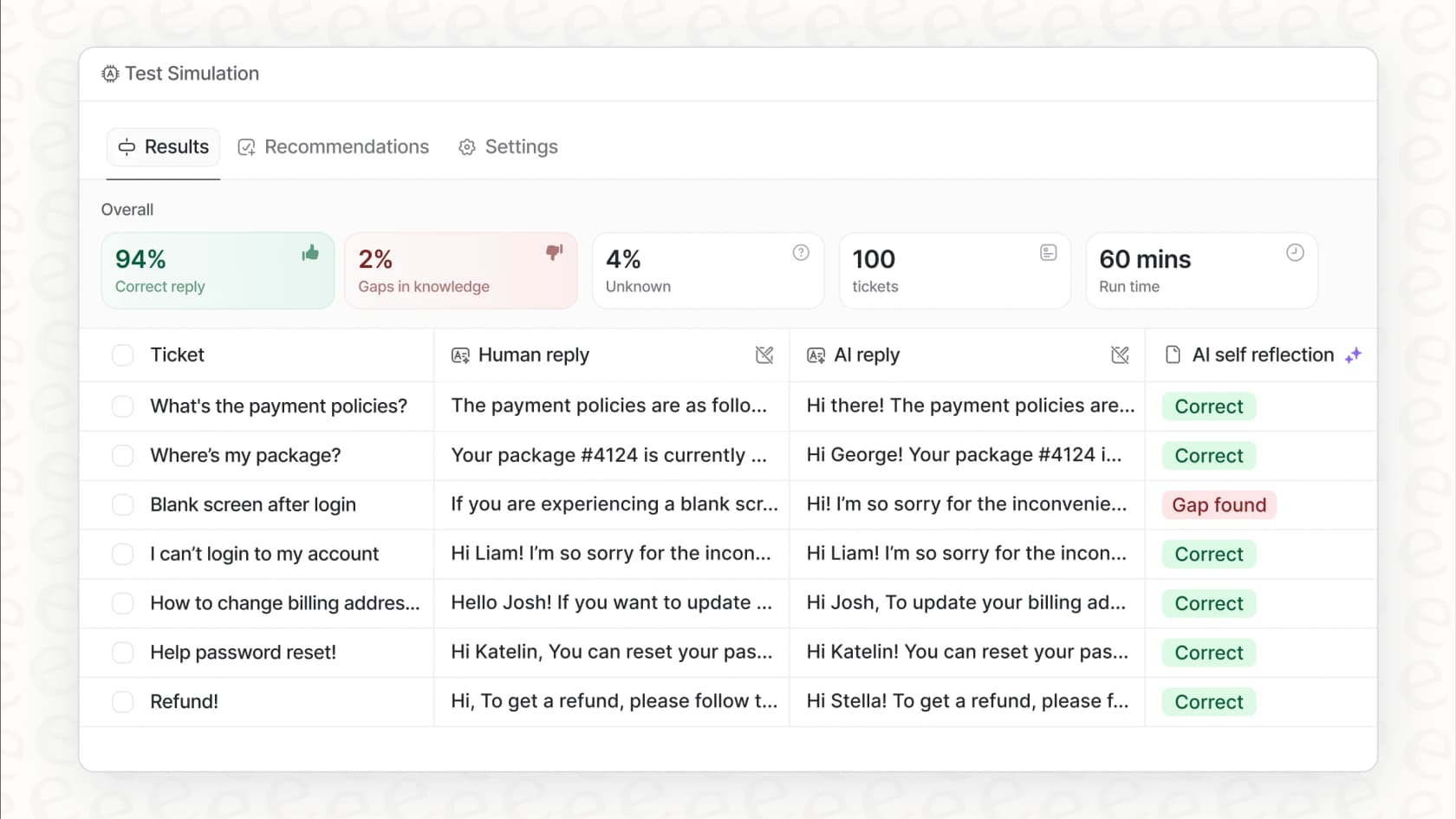
This is why eesel AI’s simulation mode is so useful. It lets you run a "dress rehearsal" by testing your AI setup on thousands of your past tickets in a safe, offline environment. You can see exactly how it would have performed, get accurate forecasts on your automation rate, and find any weak spots in your knowledge base. It gives your team the chance to fine-tune everything and deploy with confidence.
Gemini vs Copilot: Choosing the right AI assistant for your business
So, what’s the final call in the Gemini vs Copilot showdown? Honestly, it boils down to an ecosystem choice. Gemini is the obvious pick for Google-heavy teams that need a hand with creative work and deep research. Copilot is a better fit for businesses running on Microsoft, where getting structured tasks done is the priority.
But for specialized teams, neither is a perfect fit. They're generalist tools that ask you to work in their world, not the other way around.
For teams in customer support, IT, and internal helpdesks, a specialized platform is a much smarter move. eesel AI connects with the tools you already use, brings together knowledge from all your sources, and gives you the control and risk-free testing you need to automate support safely.
Don't settle for an all-rounder that only gets you halfway there. See what an AI platform built specifically for support can do for your team. Get started with eesel AI for free and you can build your first AI agent in minutes.
Frequently asked questions
What are the main differences between Gemini vs Copilot for a typical business?
Google Gemini is integrated into Google Workspace and uses Google's own AI models, excelling in real-time research and creative content with a large context window. Microsoft Copilot is embedded in Microsoft 365 and Windows, and is strong for structured productivity and enterprise workflows.
How does the "ecosystem play" aspect impact a business's decision when choosing between Gemini vs Copilot?
Both Gemini and Copilot are designed to make their parent company's software suites stickier, meaning they work best within Google Workspace or Microsoft 365, respectively. This can lead to platform lock-in if your business relies on a diverse set of tools outside these ecosystems.
Why might Gemini vs Copilot not be the best fit for dedicated customer support or IT teams?
These general-purpose AI assistants are built for broad productivity, not the action-oriented tasks crucial for support. They can write responses but often cannot perform direct actions like checking order statuses or creating tickets in external helpdesk systems.
Do Gemini vs Copilot integrate well with my existing non-Google/Microsoft tools, like Notion or Zendesk?
They integrate most deeply within their own ecosystems. Microsoft lists over 100 prebuilt Microsoft 365 Copilot connectors, including Zendesk, Jira, Confluence and Google Drive, but an admin has to deploy each one. Gemini reaches outside Google Workspace through less central routes, so check the specific tool you need before you commit.
Can I customize the AI agents when using Gemini vs Copilot for specific business needs?
Yes, both platforms offer customization options: Gemini has "Gems" and Microsoft offers Copilot Studio. However, these often require technical setup and tend to keep the customized agents locked within their specific ecosystems.
What are the data security implications to consider when choosing between Gemini vs Copilot?
Both platforms offer enterprise-grade security features, with Google Gemini built on Google's security framework and Copilot leveraging Microsoft 365's advanced compliance. Enterprise plans generally provide enhanced data protection and administrative controls for businesses.