

If you're running a growing e-commerce brand on Gorgias, you know the feeling. As orders and customer questions start piling up, you need a solid system to keep things from spiraling into chaos. This is where "Gorgias tags" come in handy. They’re a core feature for organizing tickets, setting up automated workflows, and getting useful reports.
This guide will walk you through everything you need to know. We’ll start with the basics of tagging tickets by hand, then jump into the more powerful world of rule-based automation. Finally, we'll look at how modern AI can pick up where native rules leave off, taking your support efficiency to a whole new level.
What are Gorgias tags?
Think of "Gorgias tags" as smart labels you can stick on any customer support ticket. Instead of one long, messy inbox, tags give you an instant idea of what's going on. They're powerful because they do three things really well:
-
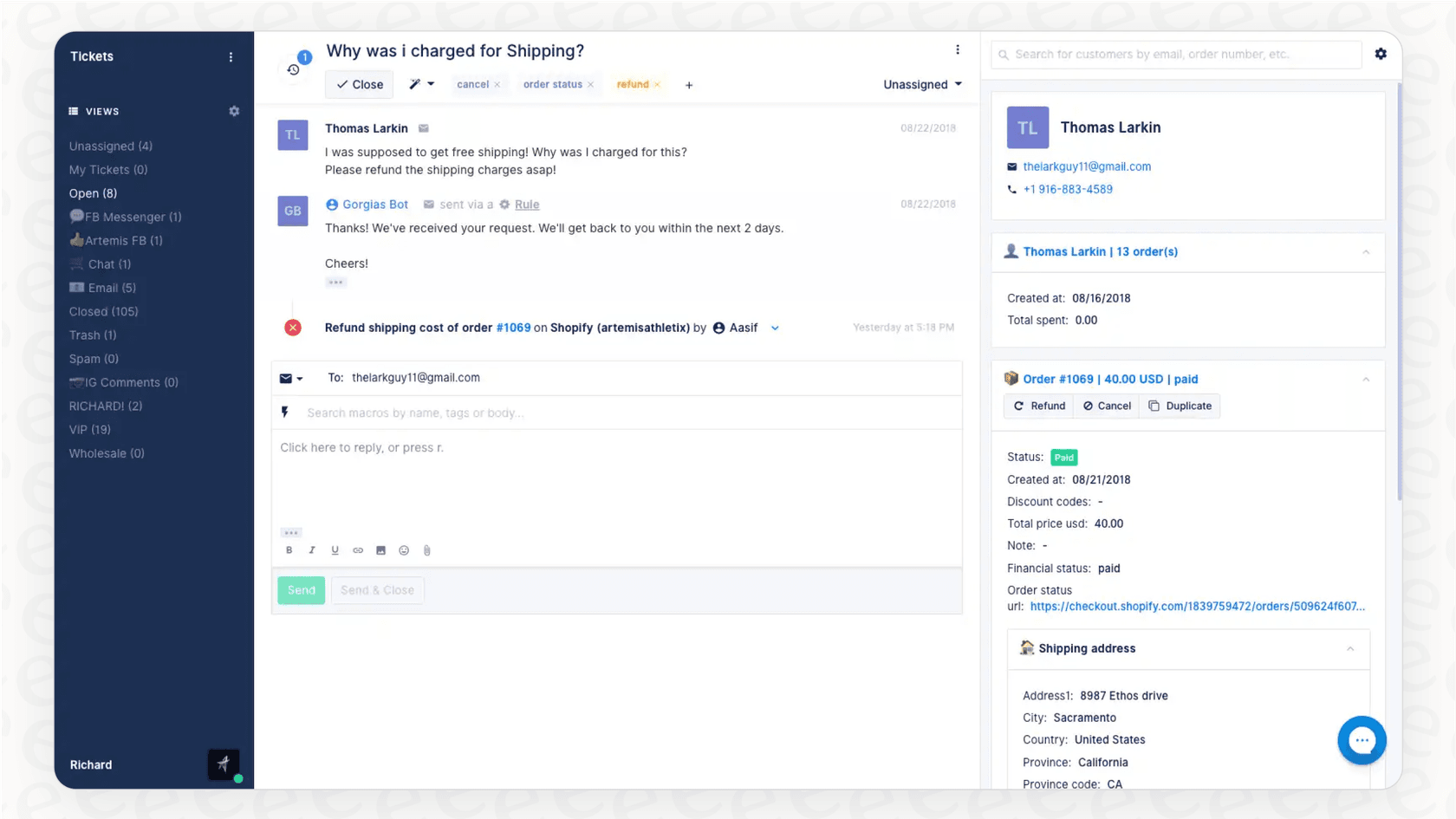
Organization: When an agent sees a ticket with tags like "ORDER-STATUS", "REFUND", or "discount-request", they know exactly what they're walking into before they even read the message. It's a simple way to bring some order to a busy support queue.
-
Automation: Tags are the engine behind Gorgias Rules. You can build workflows that automatically send tickets with a "damaged-item" tag to a specialized team, bump messages with a "VIP" tag to the front of the line, or even auto-close tickets tagged as "spam".
-
Reporting: How many customers asked for a refund last month? Are you seeing a spike in shipping problems? The Tags section in your Gorgias Statistics dashboard helps you answer these questions by tracking tag usage over time. This can reveal some powerful trends about what your customers are asking for and what issues they're into.
How to set up and manage Gorgias tags manually
Before you can let automation do the heavy lifting, you need a good foundation. Building a clean, logical tagging system is step one. While any agent can apply existing tags, creating and managing them is usually a job for someone with Admin or Lead Agent permissions.
Creating, editing, and deleting Gorgias tags
Getting started with tag management in Gorgias is pretty straightforward.
-
Creating a tag: The main way to create a tag is by going to Settings -> Productivity -> Tags and clicking the Create Tag button. You can also create new tags right from a ticket by typing a new name into the tag field and hitting enter.
-
Editing a tag: On that same management page, you can click the pencil icon next to any tag to change its name, add a description, or pick a new color for better visual organization.
-
Deleting a tag: To get rid of a tag, just click the trashcan icon. But here’s a heads-up: you can't delete a tag if it's currently being used in an active Rule. You'll have to edit the rule first, which is a nice little safety feature to keep you from accidentally breaking your workflows.
Best practices for a clean Gorgias tags system
Believe me, it’s ridiculously easy for a tagging system to become a messy, unusable jungle of duplicates and vague labels. To avoid that headache, it helps to follow a few simple best practices from the get-go.
-
Be specific and consistent: A tag like "payments" is just too broad. Does it mean a payment went through, it failed, or someone is asking about payment methods? Using specific tags like "payment-failed" or "billing-question" is way more helpful. It's a good idea to create a simple guide for your team so everyone is on the same page.
-
Quality over quantity: It's tempting to create a tag for every tiny, one-off issue, but that leads to clutter fast. You’ll end up with hundreds of tags that have only been used once or twice, which makes your data noisy and your tag list a nightmare to scroll through. A good rule of thumb is to aim for 30 or fewer core tags that cover most of your inquiries.
-
Merge duplicates: Did someone on your team create a "cancellation" tag when you already have one for "cancel-order"? Gorgias has a handy 'Merge' feature that lets you combine them. This tidies up your data and makes sure your reporting is actually accurate.
Automating Gorgias tags with rules
Manually tagging every single ticket just isn't going to work as you grow. The real magic of "Gorgias tags" happens when you connect them to the platform's built-in 'Rules' engine.
How Gorgias rules work with Gorgias tags
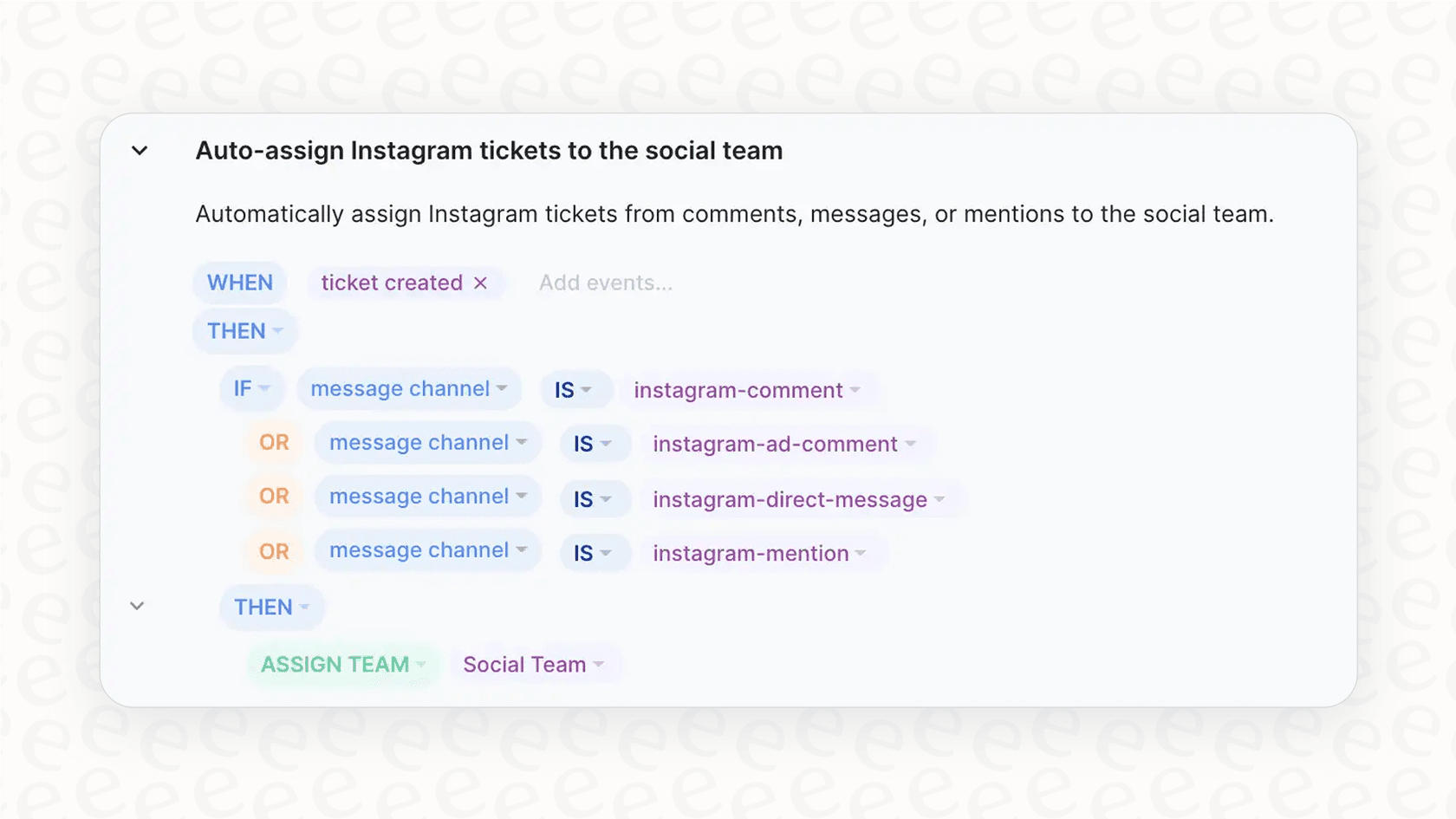
Gorgias rules run on a simple but effective "WHEN... IF... THEN..." logic. You pick a trigger, set one or more conditions, and then tell it what action to take. It looks something like this:
-
WHEN a ticket is created...
-
IF the message body contains the phrase "where is my order"...
-
THEN add the tag "ORDER-STATUS".
By setting up a handful of these rules, you can automate a huge chunk of the manual work that goes into sorting tickets.
Common use cases for rule-based Gorgias tags
E-commerce teams can use rules to automate tagging in some really practical ways, saving time and keeping everything consistent. Here are a few common examples:
-
Tagging VIP customers: You can connect Gorgias to your Shopify store and create a rule that automatically applies a "VIP" tag if a customer's total spending is over a certain amount, like $1,000.
-
Identifying urgent issues: Set up a rule to scan incoming messages for words like "angry," "frustrated," "unacceptable," or "urgent." When it finds a match, the rule can slap on an "urgent" tag and assign the ticket to a senior agent.
-
Sorting social media comments: If you manage customer comments on Facebook and Instagram, you can use Gorgias's intent detection. Create a rule that adds a "negative-feedback" tag if the sentiment is negative, making sure your social media team can jump on it quickly.
Advancing beyond a rules-only approach
Rules are a massive step up from doing everything by hand, and Gorgias provides a robust engine to handle them. As your support volume and the complexity of questions grow, you might look for ways to make your workflows even more dynamic.
-
They follow precise logic: Rules rely on exact keyword matches to ensure consistency. To account for variations like "What's the status of my shipment?" or "Any update on my delivery?", you can either expand your keyword list or integrate AI to handle natural language context.
-
They offer extensive customization: A small business might be fine with 20 rules. As you add more products and customer scenarios, your rule list will naturally grow. This provides great flexibility, though it requires more regular oversight to maintain optimal performance as you scale.
-
They focus on explicit ticket content: Rules are designed to act on the information provided within a ticket. To gain predictive insights or analyze a customer's long-term history for intent, you can complement Gorgias rules with advanced AI tools.
Beyond rules: Using AI for intelligent Gorgias tags and triage
When you are ready to scale beyond a rules-only system, the answer is to bring in a system that can understand language even more fluidly. AI-powered tools are built to understand the nuance and context that keyword rules might miss, which leads to highly accurate and scalable ticket management.
How AI-powered Gorgias tags work differently
The main difference is pretty simple: instead of relying solely on "IF/THEN" instructions, AI models learn from your historical data to provide more context.
-
It learns from your past tickets: An AI can scan thousands of your team's past conversations to understand which questions match which tags. It picks up on your unique business lingo, even when customers don't use the exact keywords you'd expect.
-
It understands intent and sentiment: AI goes beyond just keywords to figure out what a customer really wants. It can tell the difference between a question about a return policy and an actual request to start a return. It can also spot frustration or urgency and apply the right tags, even if the customer isn't using obviously angry words.
-
It adapts over time: As you launch new products and new types of issues pop up, the AI keeps learning from how your team handles and tags those tickets. This keeps your automation current without you having to constantly build new rules from scratch.
Streamlining your Gorgias tags workflow with eesel AI
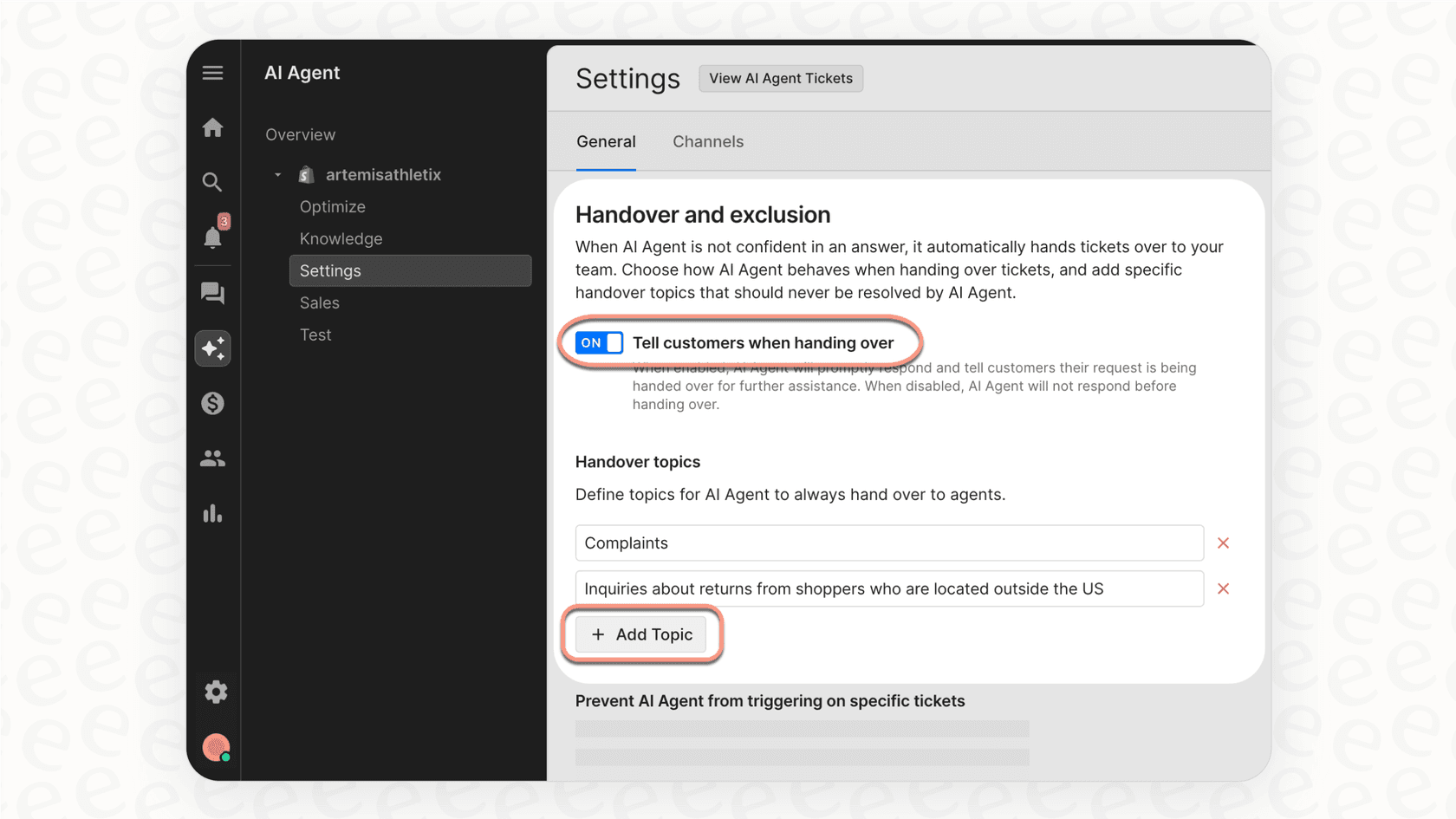
This is where you can seriously level up your support operations without having to switch helpdesks. A tool like eesel AI is designed to plug right into your existing setup and work as a complementary partner to native features like Gorgias rules.
-
One-click integration: eesel AI connects directly to Gorgias in a few minutes. It immediately gets to work learning from your past tickets, macros, and help center articles to understand your business.
-
Automated triage: The eesel AI Triage product is built for this exact challenge. It acts like a helpful addition to your team that reads every new ticket, understands what it's about, and then takes action. It can apply multiple, accurate "Gorgias tags", send the ticket to the right team, or clear out obvious spam before it even reaches your queue.
-
Risk-free simulation: This is a key benefit. Before you turn the AI loose on live customer tickets, eesel AI lets you run simulations on thousands of your historical tickets. You can see exactly how the AI would have tagged and routed them, giving you a clear forecast of your automation rate. It lets you test and fine-tune the system with total confidence.
Gorgias pricing overview
To really make the most of "Gorgias tags" and rules, it helps to understand how the platform's pricing is structured. Gorgias's cost is mainly based on how many billable tickets you handle each month, with different plans unlocking more features. Here’s a quick look at their plans.
| Plan | Price (Monthly) | Included Tickets/mo | Overage Cost | AI Agent Interactions |
|---|---|---|---|---|
| Starter | from $10/mo | 50 | $0.40 / ticket | 0 |
| Basic | from $50/mo | 300 | $40 / 100 tickets | 60 |
| Pro | from $300/mo | 2,000 | $36 / 100 tickets | 600 |
| Advanced | from $750/mo | 5,000 | $36 / 100 tickets | 2,500 |
| Enterprise | Custom | Custom | Custom | Custom |
Note: This pricing is based on info available when this was written. Always check the official Gorgias pricing page for the most up-to-date details for 2026.
From manual Gorgias tags to intelligent automation
So, let's wrap this up. The journey to efficient support usually follows a pretty clear path. "Gorgias tags" start as a simple way to organize things manually. They get a lot more powerful when you add rule-based automation. For any business that is growing quickly, you can enhance these rules with intelligent AI to handle greater complexity.
The future of great customer support lies in smarter automation. AI can handle the nuance, context, and scale that complements your rules, freeing up your team to focus on the conversations that actually require a human touch.
Take the next step with eesel AI for your Gorgias tags
Ready to get more out of your "Gorgias tags" and automate your support workflows with confidence? Try eesel AI for free and see how our AI Triage can learn from your data to save your team hours every single week while working perfectly within your Gorgias ecosystem.