

The mistake almost everyone makes first
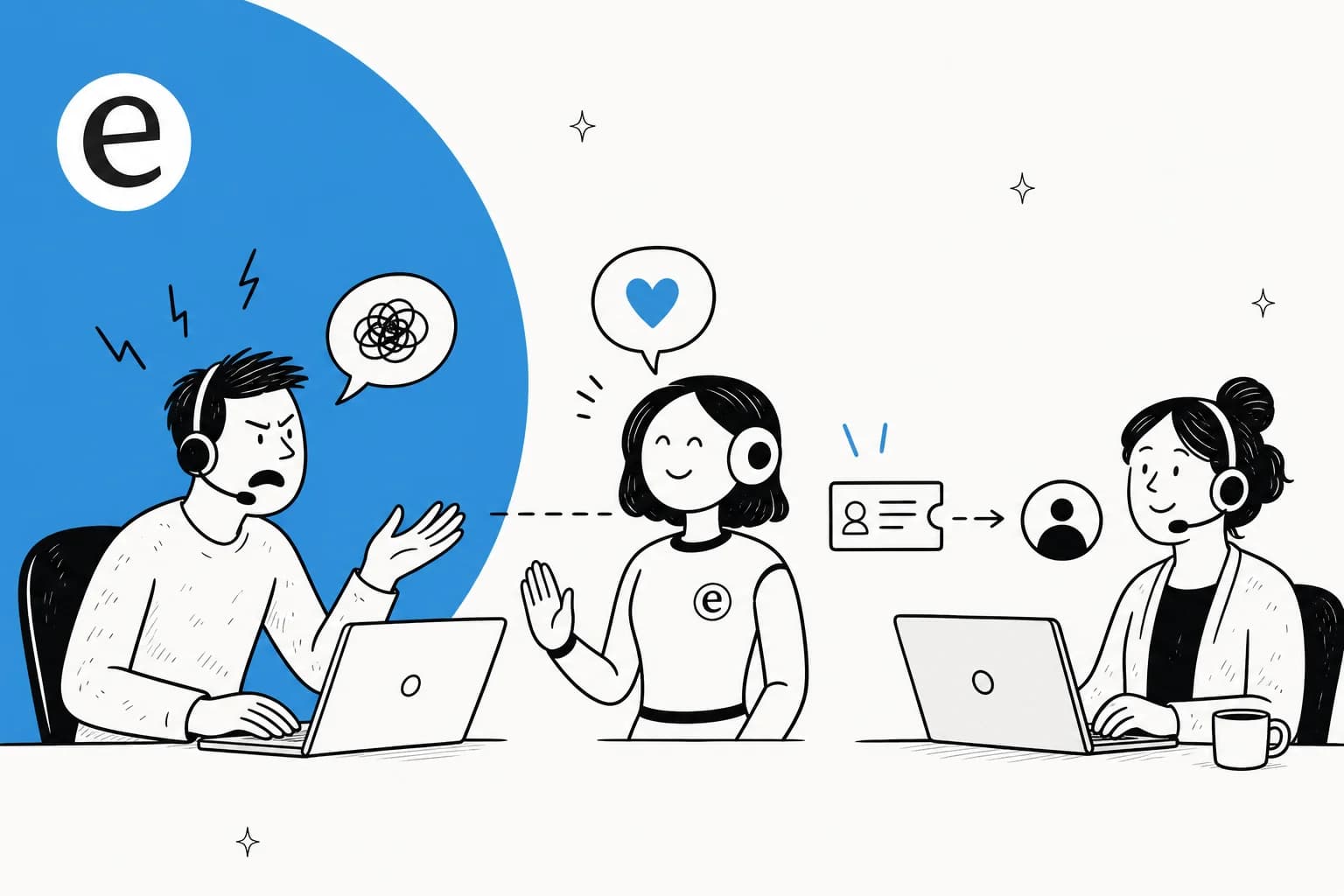
Here's the scene I see constantly. A team buys an AI support agent, flips it to full auto-reply on day one, and points it at the entire inbox, including the customer who just typed "this is the third time I've emailed and I want a refund NOW." The bot replies with a chirpy, generically helpful message that misses the emotion entirely. The customer escalates to Twitter, the kind of bad support story that follows a brand around. Everyone concludes "AI can't do support."
The AI didn't fail because it's AI. It failed because someone asked it to do the one job it's worst at: reading a furious human and deciding when to grovel.
A colleague of mine, Amogh, has a line about this that stuck with me: when an automated system fails, the worst possible failure is the silent one, because that's the class that destroys trust. An AI confidently sending a wrong or tone-deaf reply to an already-angry customer is exactly that failure. So the entire game is making sure the AI never gets into that position in the first place.
That reframe is the whole post. Everything below is just how to build it.
So can AI actually handle an angry customer?
Partly. And being precise about which part matters more than any feature list.
Think about what makes an angry ticket hard. It's rarely the question itself, "where's my order" is the same question whether it's asked politely or in all caps. What's hard is the emotional read and the recovery decision: does this person need a sincere apology, a refund, a manager, or just a fast accurate answer delivered without attitude? That read is human work. Good AI support tools know it.
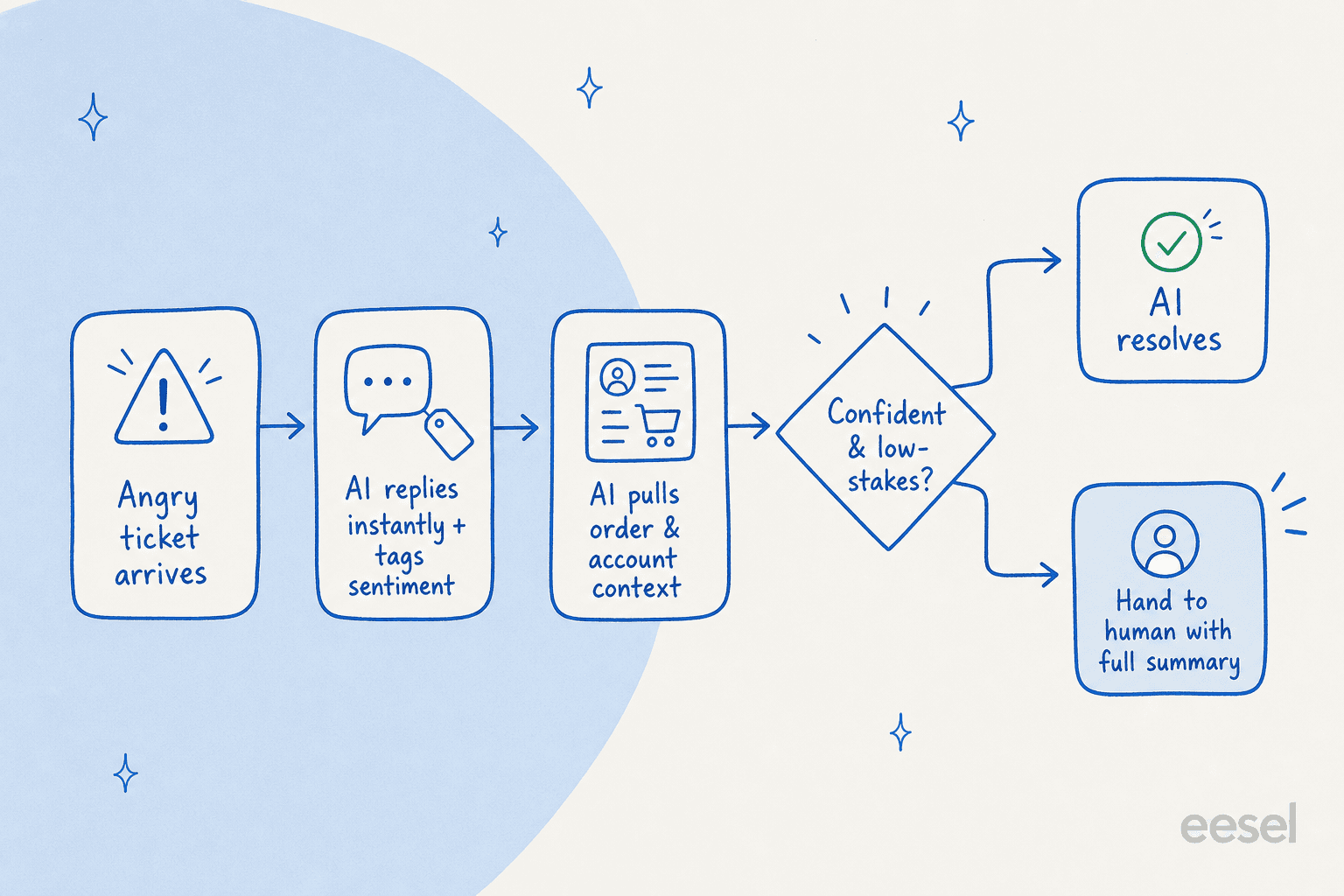
What AI is really great at is the surrounding 90% of the interaction that has nothing to do with emotion:
- Replying instantly, so the customer isn't sitting in silence getting angrier.
- Reading sentiment and urgency to decide what happens next.
- Pulling the order, the account, the past tickets, and the relevant docs in one go.
- Drafting a reply a human can approve, tweak, or bin.
- Tagging and routing so the right person sees it fast.
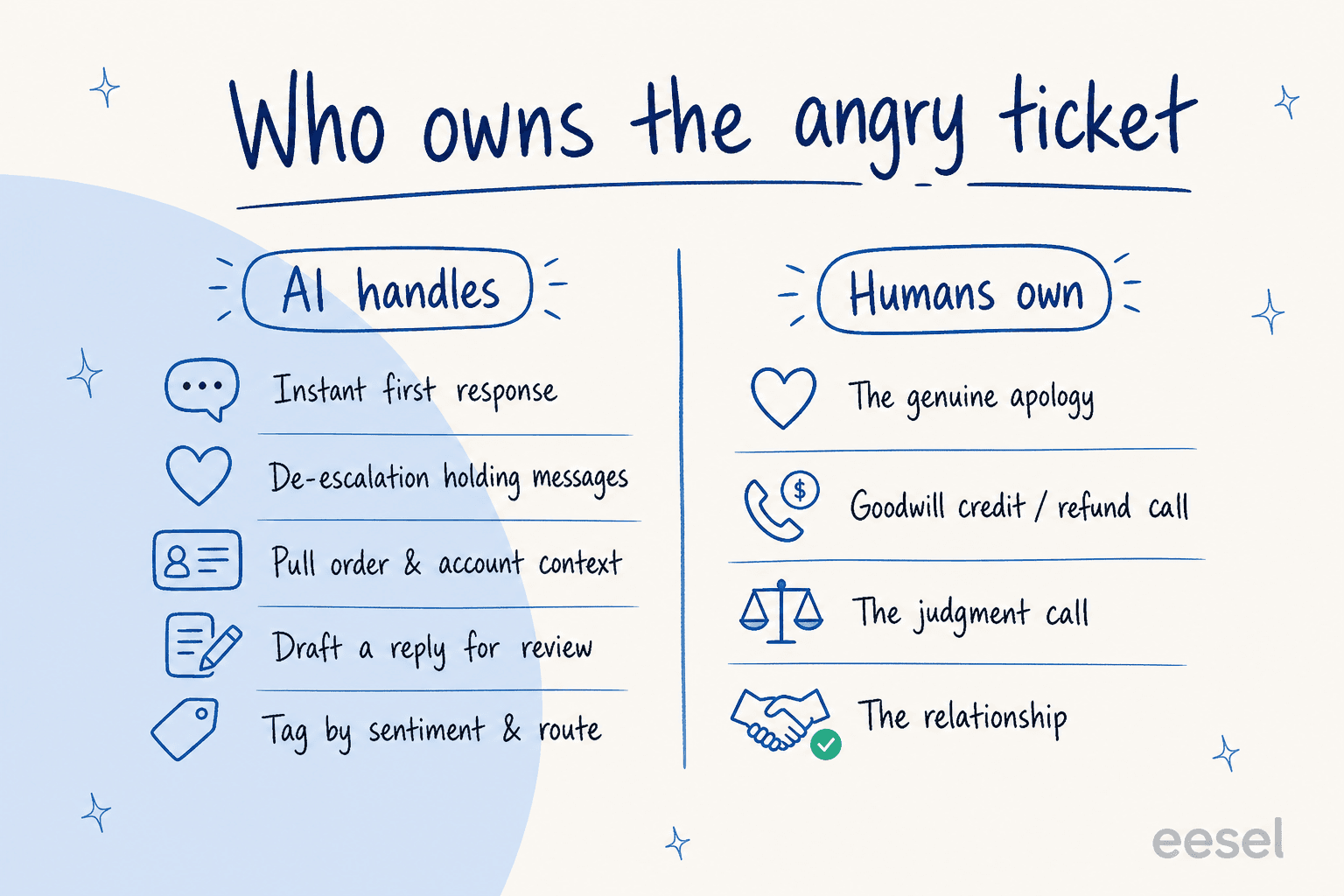
Split it down that line and the question stops being "can AI handle angry customers" and becomes "what's the fastest way to get an angry customer in front of a prepared human." That's a question AI answers very well. I dug into the wider version of this trade-off in my piece on AI versus human support, and the short version is that the best setups aren't AI or humans, they're AI doing the legwork so humans do the human part.
The playbook I'd actually use
Here's the sequence I'd build for any team worried about angry tickets. It's the same shape whether you're on Zendesk, Freshdesk, Gorgias, or Front.
1. Acknowledge instantly, every single time
The fastest way to make a frustrated customer furious is silence. A reply within seconds, even a holding one, takes the temperature down before a human ever arrives, and it deflects the easy questions outright. This is the most underrated job an AI helpdesk chatbot does: it buys your team time without leaving the customer ignored.
One fintech team I worked with had roughly 7,000 to 8,000 escalated tickets a month sitting in a queue waiting on third-party payout partners. The thing they actually wanted from AI wasn't clever answers, it was to keep those customers warm with honest reassurance messages while a human worked the real issue. No knowledge base required, just well-timed "we're on it, here's where things stand." That alone cut a meaningful chunk of the anger out of the queue.
2. Read the sentiment and route on it
Not every ticket should be treated the same, and an angry one definitely shouldn't be auto-answered. Sentiment detection lets you set a simple rule: a calm, routine question can go to the AI to resolve; a heated or high-stakes one gets acknowledged and escalated. This is just ticket triage with an emotion signal layered on top, and it's the difference between an AI that helps and one that pours fuel on the fire.
A support manager at a bus-tracking service, running a couple hundred tickets a month on Zendesk, put their goal in one sentence I think about a lot: they wanted AI to handle the bulk of incoming tickets and "know when to pull a real person in for better analysis and resolution." That's the whole skill. Not answering everything, knowing what not to answer.
3. Hand over with the full story, not a cold transfer
When the AI does escalate, the worst thing it can do is dump a bare "transferring you to an agent" on the customer and make them repeat everything. A clean handover passes the entire conversation, the customer's history, and a drafted reply to the human picking it up. The agent reads for ten seconds and responds like they've been there the whole time.
I watched this play out on a real chat once: a customer on an SEO tool's website asked two how-to questions, got instant accurate answers, then typed "Can I talk to a human?" The AI handed over to the helpdesk the instant they asked, no friction, no loop. A support lead at an SMS platform described their own version of this nicely, saying the AI acts as front-line cover "until a human touch is needed," answering quick questions when the team's away and letting people handle the issues that only people can. That's the bar.
4. Draft, don't send, on anything sensitive
For the tickets that are borderline (annoyed but not nuclear), the safest mode isn't auto-reply, it's copilot. The AI writes a full suggested response as an internal note, and a human reviews before it goes out. Your agent gets a head start on every reply, the customer gets a human-checked answer, and nothing tone-deaf ever ships. In one trial on real Zendesk traffic for an e-commerce brand, the AI hit 93% triage accuracy and 100% spam detection while the team used its drafts as a research and prep assistant rather than a closer. That's the copilot pattern working as intended.
The one rule that makes or breaks it
If you take one thing from this, take this. The single biggest objection I hear from support leaders, and the thing that quietly decides whether an AI rollout works, is control over what the AI is allowed to touch.
A CX lead at a DTC supplements brand running about 7,000 Gorgias tickets a month said it better than I can. Paraphrasing only lightly: the AI will never answer 100% of questions, and if it tries and just guesses, you can't go back and check thousands of tickets to see if it made things worse. So, in their words, "I need an AI who is only handling the tickets that it's confident to handle, and all the other ones, leave them alone."
That's the rule. Confidence-based routing means a low-confidence answer never gets sent to a customer, it gets drafted for a human or escalated instead. For angry tickets specifically, this is your safety net: even if sentiment detection misses, low confidence catches it, because an unusual or emotional ticket rarely produces a confident answer.
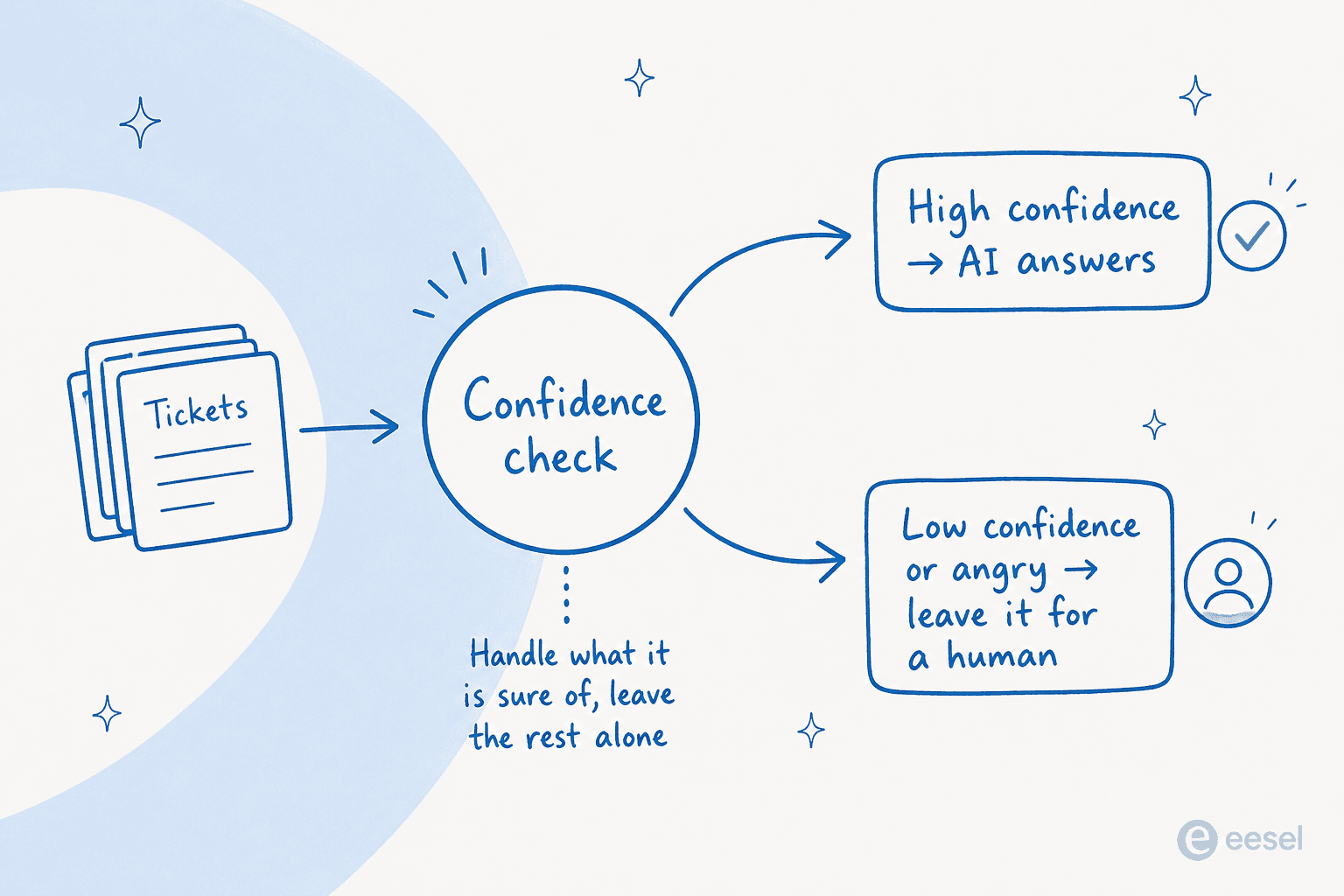
Get this wrong and you get the all-caps-refund disaster from the top of the post. Get it right and the AI quietly clears the easy volume, your humans spend their day on the people who actually need them, and nobody ever finds out a bot was involved. It's also why I'd push back on any tool that only offers full-auto or nothing, real ticket automation lives in the gradient between.
How I'd set this up in eesel
This is the part where I should be upfront: I work on eesel AI, so take the specifics with that in mind. But this is also exactly the workflow eesel is built around, so it's the setup I'd recommend regardless.
Three things do the heavy lifting:
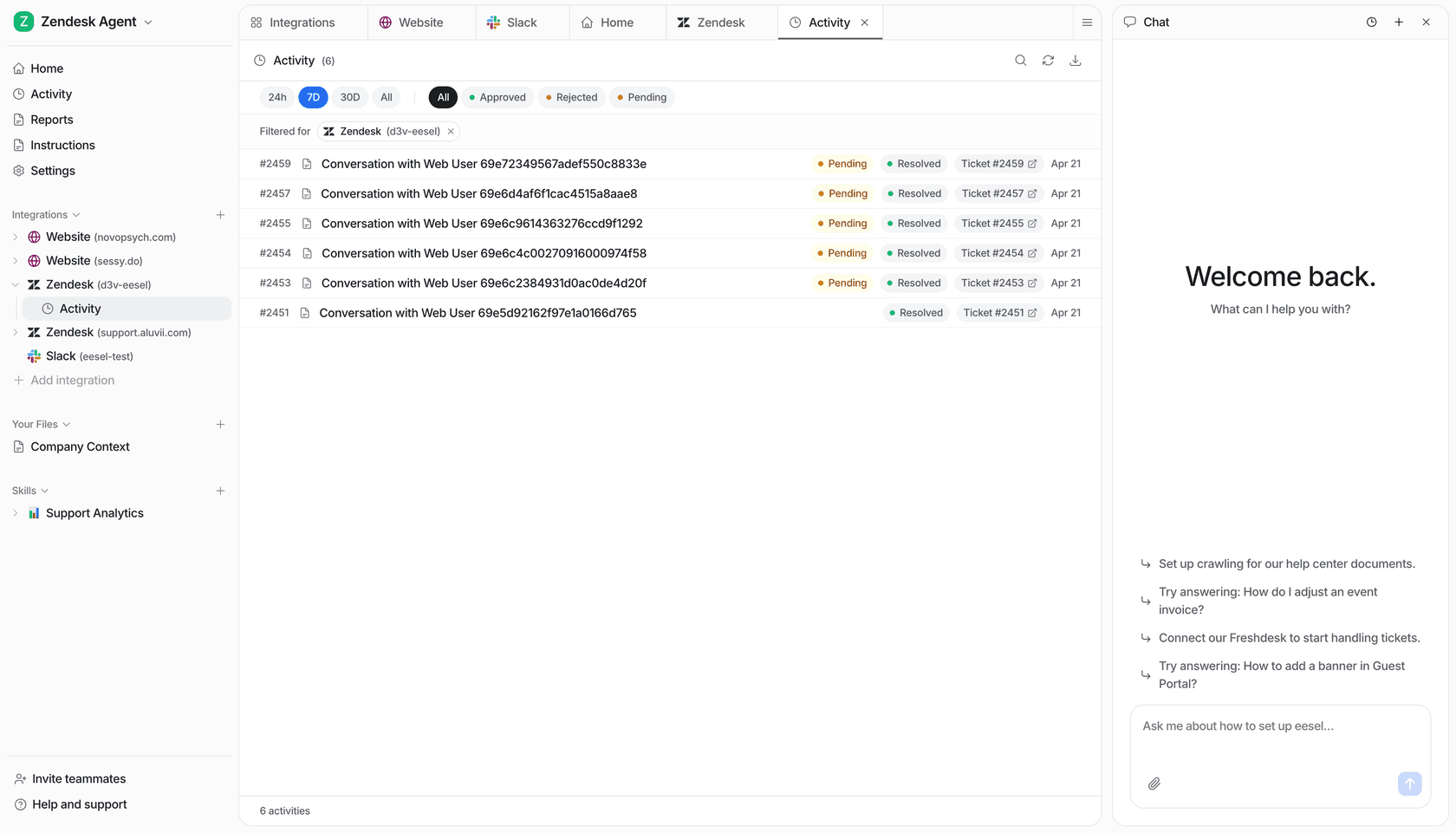
Simulate before you go live. Before the AI touches a single real customer, you run it against hundreds of your past tickets to see exactly how it would have replied, where it's confident, and where it falls down. You find the angry-ticket gaps in a safe sandbox, not in production. For anyone who's been burned by a bad rollout, this is the step that lets you sleep. We walk through it in the implementation guide.
Tell it when to back off, in plain English. You configure escalation rules conversationally: which ticket types to never auto-answer, when to hand to a human, what tone to use. One support lead I worked with simply wanted "certain tickets I don't want to go through AI," and that's a one-line instruction, not a project.
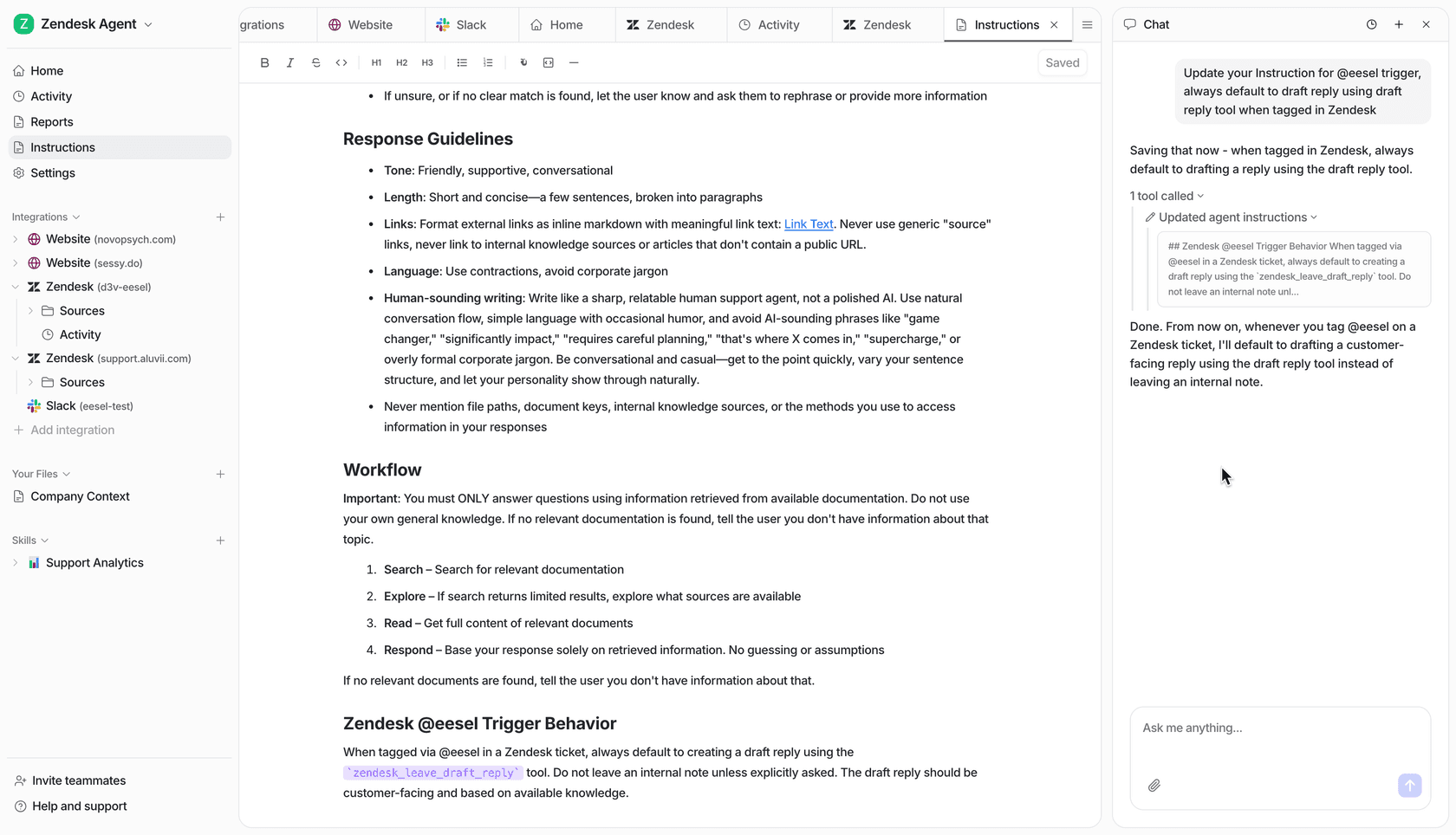
Start as a copilot, earn autonomy. Begin with drafts only, watch the quality on your customer service metrics, then grant auto-reply on the calm, repetitive stuff once you trust it, while angry and complex tickets keep routing to people. Gradual is the point.
For proof it holds up: Gridwise, a gig-economy analytics company, got this running on Zendesk during a 7-day trial.
"In the first month, eesel is resolving 73% of our tier-1 requests. Our team implemented and achieved results quickly during our 7-day trial. Responses are simple to fix and adjust."
Kim Simpson, Gridwise (eesel AI helpdesk agent)
Resolving 73% of tier-1 isn't the AI sweet-talking angry people. It's the AI clearing the routine flood so the team's full attention is free for the tickets that need a human. That's what handling angry customers with AI actually looks like in practice.
Try eesel
eesel AI plugs into your existing helpdesk (Zendesk, Freshdesk, Gorgias, Front, and dozens more) and learns from your past tickets and docs on day one. You can simulate it on historical tickets before going live, set confidence and sentiment rules so it only handles what it's sure of, and keep every angry or complex ticket routing cleanly to a human with a drafted reply attached. It's 1 credit per ticket on a fixed monthly plan from $299, no per-seat fees, so you're never paying for replies a person ends up sending.
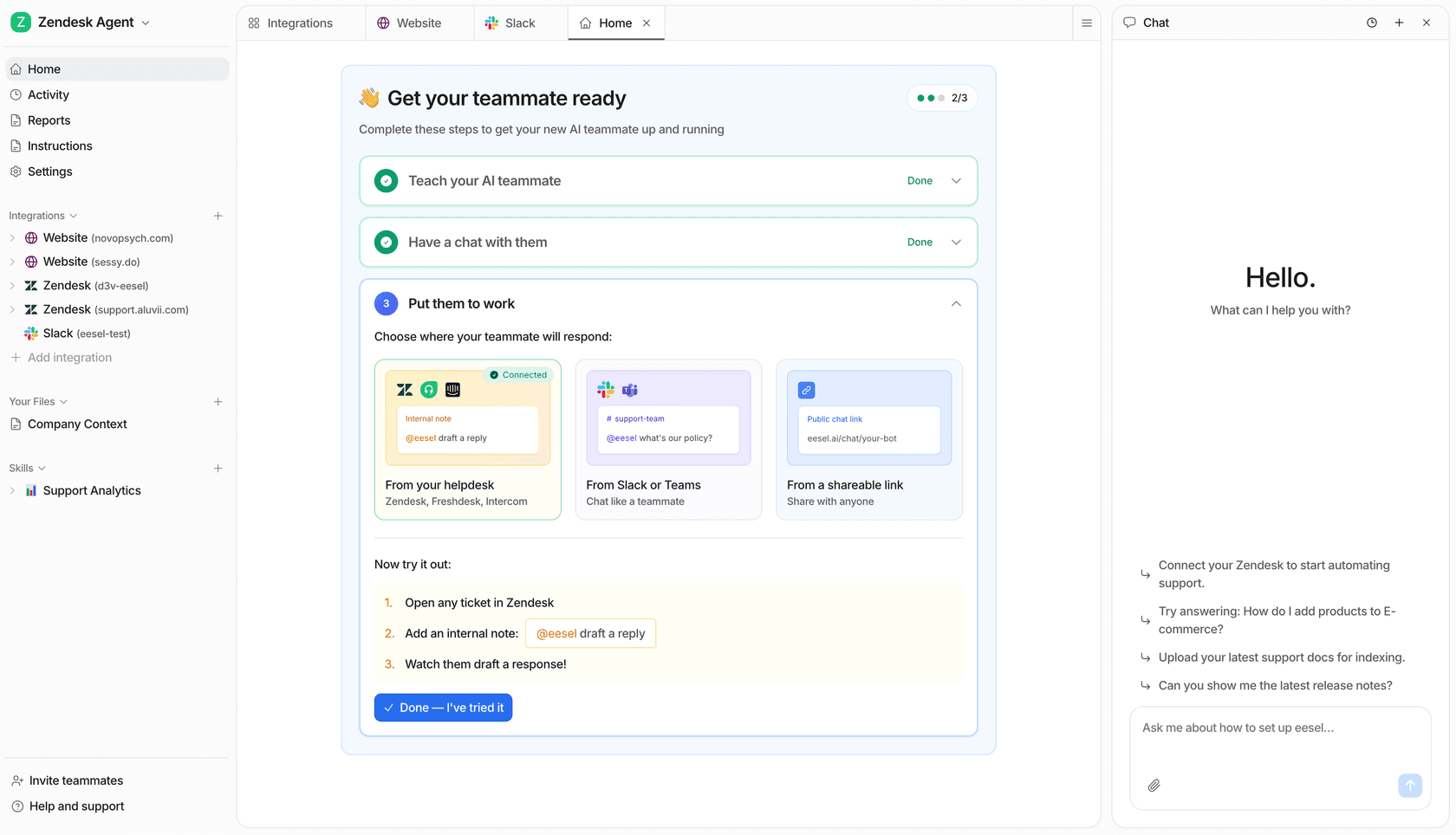
If you want to see how it'd handle your queue, Try eesel on your own past tickets and watch the simulation before it ever talks to a customer.