
Let's be real: company knowledge is usually a complete mess. Important information gets buried in project docs, scattered across meeting notes, and lost in endless chat threads. When your team needs a simple answer, they end up on a digital scavenger hunt, which wastes time and kills morale. It's a common headache that slows everyone down.
Notion stepped in to be the central hub for this, combining wikis, docs, and project management all in one spot. With its new AI features, the promise is to make all that information even easier to find. The idea of an assistant that can instantly answer questions from your own workspace sounds pretty good.
But is the Notion AI chatbot really the perfect solution for every team? This guide gives you the full picture of what it can do, where it excels, and, more importantly, where it falls short, especially for teams handling customer support or other day-to-day business operations.
What is a Notion AI chatbot?
First, let’s clear something up. A Notion AI chatbot isn't a single product you download or install. It’s a collection of AI-powered tools built directly into the Notion platform. Instead of thinking of it as a separate bot, see it as an intelligent assistant that lives inside your workspace, ready to help you with the content you've already created.
Its main job is to understand the information stored across your Notion pages and databases. You can ask it to find information, summarize long documents, write new content, or even handle small, repetitive tasks. This is completely different from a third-party chatbot you might embed on a Notion page. Those are external tools sitting on top of Notion; Notion AI is part of its DNA, designed to be your co-pilot for everything happening inside your workspace.
Unpacking the core features of Notion's AI chatbot
To really get a handle on what the Notion AI chatbot can do, you need to look at its individual features. It's not just one tool, but a handful of them designed to help you get more done within Notion.
Notion AI chatbot for content generation and editing
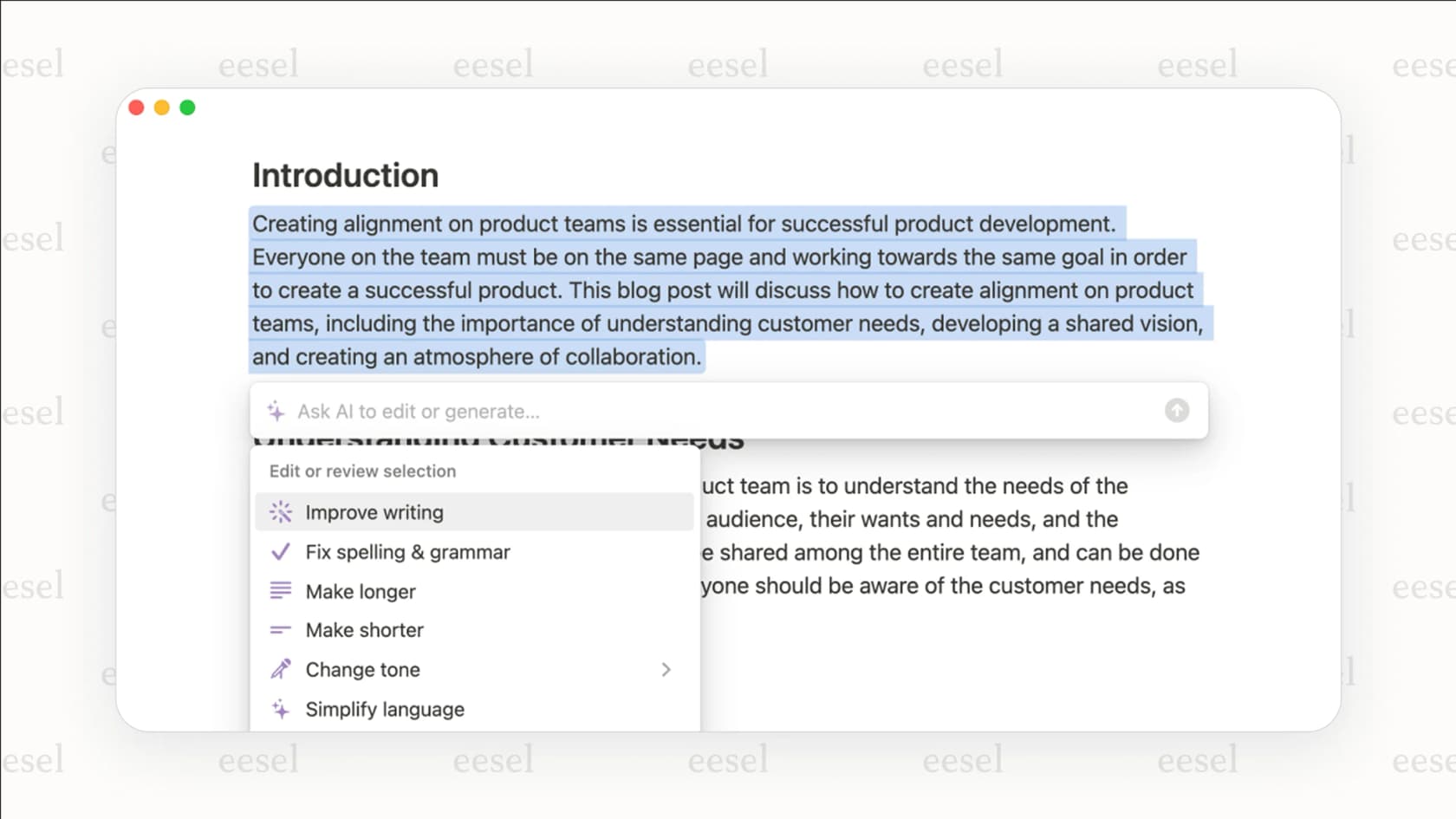
At its core, Notion AI is a helpful writing partner. Staring at a blank page? Give it a simple prompt like, "Draft a blog post outline about the benefits of remote work," and it’ll get you started. It's also great for tweaking existing text. You can highlight a document and ask it to summarize the key points, make the tone more professional, fix grammar and spelling, or even translate the content into another language. For content creators and internal comms teams, this can seriously cut down the workload.
Notion AI chatbot for Q&A and workspace search
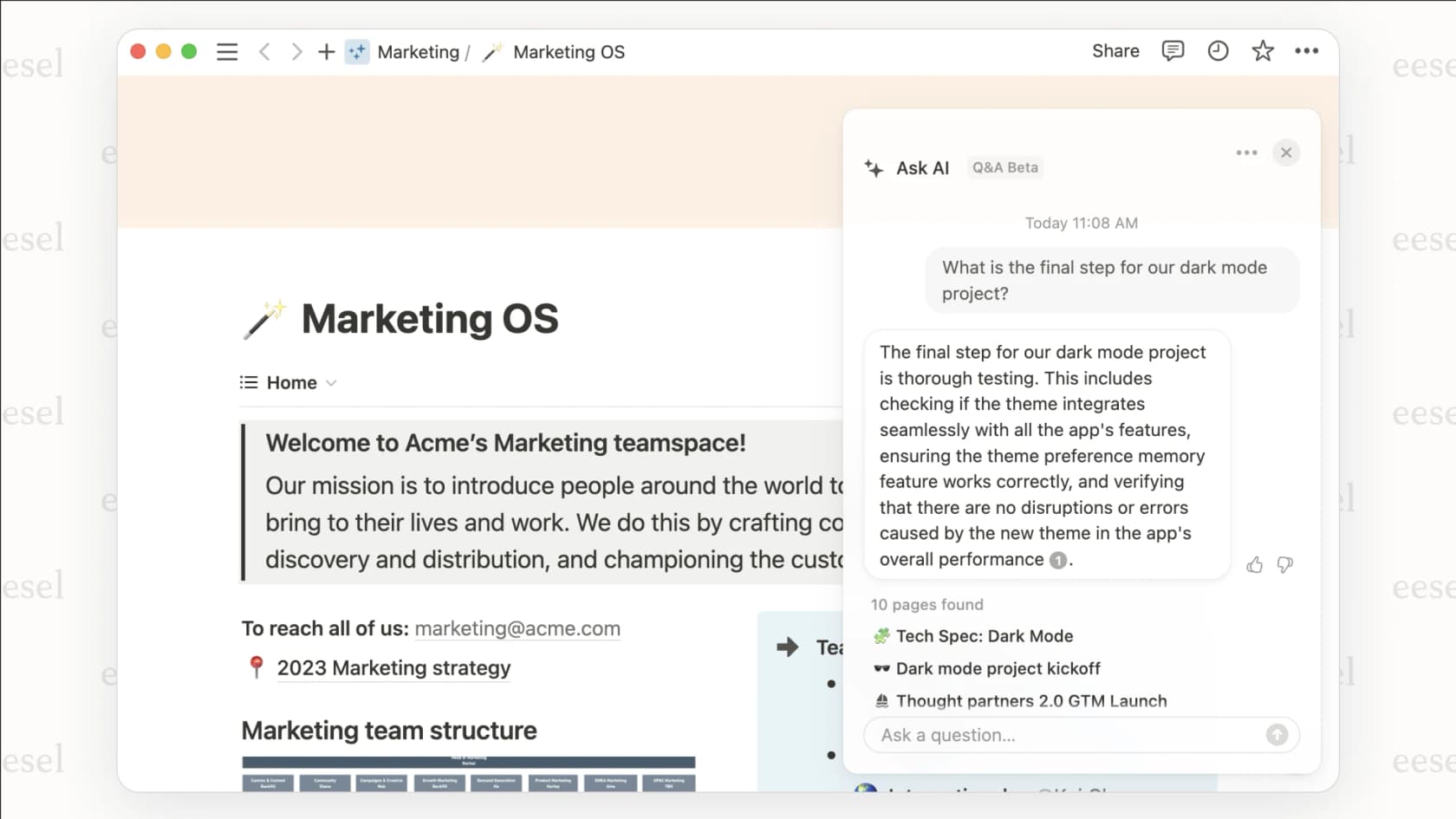
This is where the "chatbot" side of things really comes alive. You can ask Notion AI questions in plain English, like, "What were our main goals for Q3?" and it will search through all the pages you have access to and give you a direct answer. What's especially useful is its ability to look beyond just Notion. With its Enterprise Search feature, it can also pull information from connected apps like Slack, Google Drive, and Jira. To keep things transparent, it even shows its sources, so you know exactly where the answers came from.
Notion AI chatbot for database automation and autofill
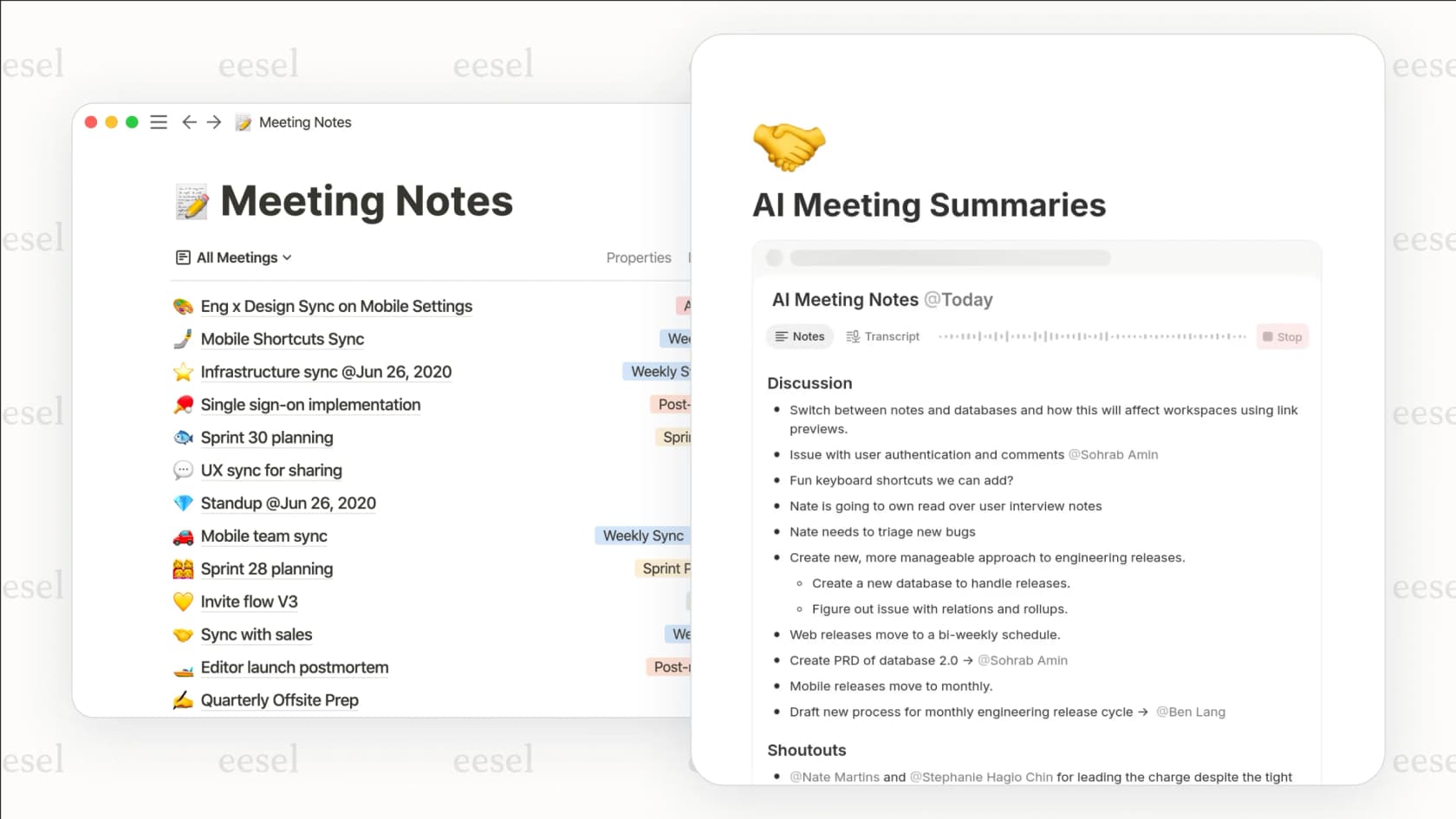
If your team uses Notion databases to track projects or manage information, the AI autofill feature is a huge help. It can automatically fill in database fields based on the content of a page. For instance, you could set up a meeting notes database to automatically generate a "TL;DR" summary and pull out action items every time a new note is added. This kind of automation saves you from tedious manual entry and keeps your databases tidy.
Common Notion AI chatbot use cases and applications
These features are pretty cool on their own, but they really start to shine when you apply them to real-world work. Here’s how different teams are using the Notion AI chatbot to get more done.
Internal knowledge management
This is where Notion AI really shines. Instead of digging through a company wiki, employees can just ask for what they need. An engineer can ask, "What's our code deployment process?" and get an instant, sourced answer. An HR team can build an onboarding portal where new hires can ask, "What's the company's vacation policy?" without having to bother a teammate. It turns your internal knowledge base from a static library into a resource you can actually talk to.
Project management
Project managers can use Notion AI to make their workflows a bit smoother. It can help brainstorm project ideas, generate a project plan from a simple brief, or create a list of tasks from meeting notes. When you have a database full of project updates, you can quickly get a high-level summary by asking, "Summarize the progress on the Project Phoenix launch this week." It helps you get past the noise and focus on what's important.
Personal and team productivity
Beyond official company work, Notion AI works well as a personal assistant. You can use it to organize your travel plans, summarize articles you've saved to a reading list, or brainstorm ideas for your next presentation. It's a flexible tool that can help with just about any task you manage within your personal or team workspace, making it easier to stay organized and creative.
The critical limitations of a Notion AI chatbot for business
Notion AI is a strong assistant for work that stays inside Notion. But when your work involves customers, support tickets, or real-time business workflows, you'll start to notice the cracks. For many companies, especially those in service and support, these limitations aren't just small annoyances, they're dealbreakers.
For internal use, not an external support agent
The biggest catch is right in its design: Notion AI lives and breathes inside Notion. It can’t jump into your Zendesk queue to resolve a customer ticket, and it can't work on its own in a Slack channel to handle an employee's IT request. It can search connected apps, and Notion Agent can take a few actions in some of them (like posting or replying in Slack), but it isn't built to work a helpdesk queue.
This is a world away from a platform like eesel AI, which is built to work directly inside your existing tools. The eesel AI Agent operates inside your help desk to manage conversations, tag tickets, and loop in humans when needed, all right where the work happens. Notion AI is for your internal wiki; eesel AI is for your frontline operations.
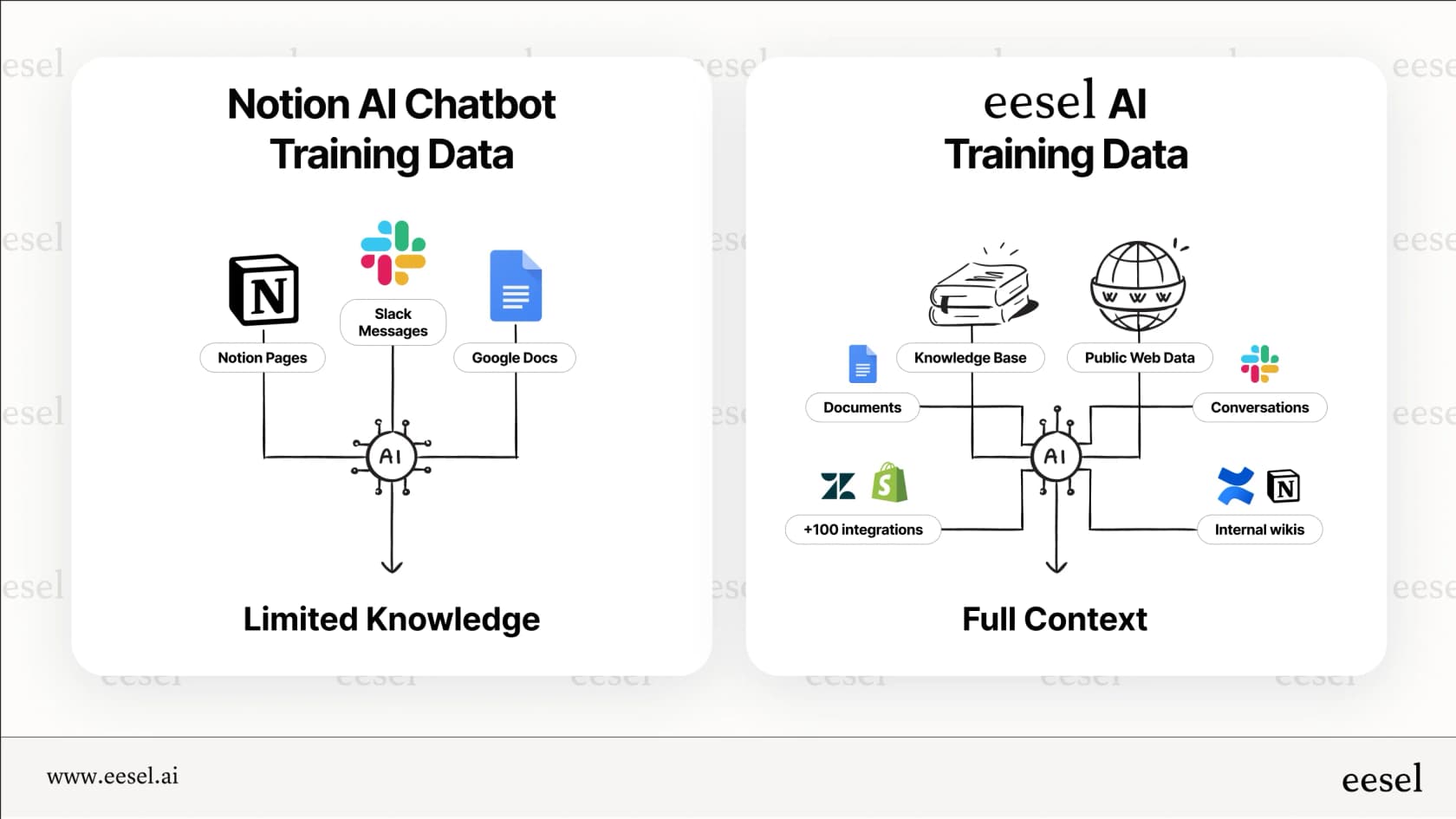
Training is limited to general documents, not specialized data
Notion AI is good at learning from structured text like wikis and documents. But the information a support team relies on is much more specific. To give accurate customer support, an AI needs to understand the details from thousands of past support tickets, agent macros, and even live product data from a Shopify catalog.
Notion AI just isn't built to train on that kind of messy, operational data. This means you can't be sure it'll give customers the right answer about their order status or a tricky troubleshooting step. eesel AI closes this gap by training on past tickets, help centers, and even live e-commerce data, so its answers are relevant and aware of the situation.
Pricing model is built per-user, not per-interaction
To get Notion AI's full power, you need a Business or Enterprise plan, which starts at $20 per user, per month. This means every single person who needs to use the AI, even just to ask a quick question, needs their own expensive license. For a large support team, this model just doesn't make sense. You end up paying for seats for every agent when you only need one AI assistant working for the whole team.
This is where pricing based on usage is a better fit. eesel AI's pricing uses monthly credit plans (one credit per ticket or chat, from $299 for 500 credits), not the number of users. This is much more cost-effective and scalable for support and IT teams, since you only pay for the work the AI actually does.
| Feature | Notion AI Chatbot | eesel AI |
|---|---|---|
| Primary Use Case | Internal content & knowledge lookup | External & internal support automation |
| Help Desk Integration | Search-only (via Connectors) | Native (Zendesk, Freshdesk, etc.) |
| Training Data | Notion pages, GDocs, Slack | Past tickets, help centers, Notion, Shopify catalogs, & more |
| Workflow Actions | Basic (summarize, create page) | Advanced (tag, route, close tickets, API calls) |
| Pricing Model | Per-user/seat | Monthly credits (from $299/mo for 500 credits) |
Is Notion AI chatbot right for your team?
So, what's the verdict? A Notion AI chatbot is a great, deeply integrated assistant for teams that live in Notion for their internal work. If your main goal is to make your company wiki more interactive, help your team write documents faster, or make project management in Notion easier, it’s a solid choice.
However, if your needs go beyond your internal workspace, you'll hit a wall pretty fast. If you need to automate customer support in your help desk, manage IT service workflows, or give employees an assistant that works across all your company's knowledge (not just what's in Notion), it's simply not the right tool for the job.
Go beyond the Notion AI chatbot wiki: Unify all your knowledge with eesel AI
For businesses that need more, eesel AI is the natural next step. It doesn't replace Notion; it makes it better. You can connect your Notion workspace directly to eesel AI as a knowledge source, combining its power with all your other tools. This creates a single, unified brain that can power an AI helpdesk teammate that works in your help desk, in a chat widget on your website, and in Slack or Teams.
Ready to build an AI assistant that works across your entire company, not just inside one tool? Book a demo of eesel AI or try it for free today.
Frequently asked questions
Can the Notion AI chatbot answer customer questions on my website?
No, the Notion AI chatbot is designed strictly for internal use within your Notion workspace. It cannot be placed on a public website or interact with external customers; its primary function is to help your team find information and generate content internally.
What's the main difference between the native Notion AI chatbot and a third-party bot?
The native Notion AI is deeply integrated into the platform, allowing it to search and summarize content across your entire workspace. A third-party chatbot is an external tool embedded on a Notion page, which typically can't access or understand the context of your broader workspace data.
How much does the Notion AI chatbot cost?
Full access to the Notion AI Q&A and automation features requires a paid add-on to your Notion plan, typically priced per user, per month. This is different from usage-based pricing, as you pay for a license for every team member who needs to use the AI features.
Can the Notion AI chatbot perform actions in other apps like Slack or Zendesk?
Only in a limited way. While it can search connected tools like Slack and Google Drive for information, it is unable to perform tasks like closing a support ticket or updating a CRM record. Notion Agent can post and reply in Slack, according to Notion's connector docs.