

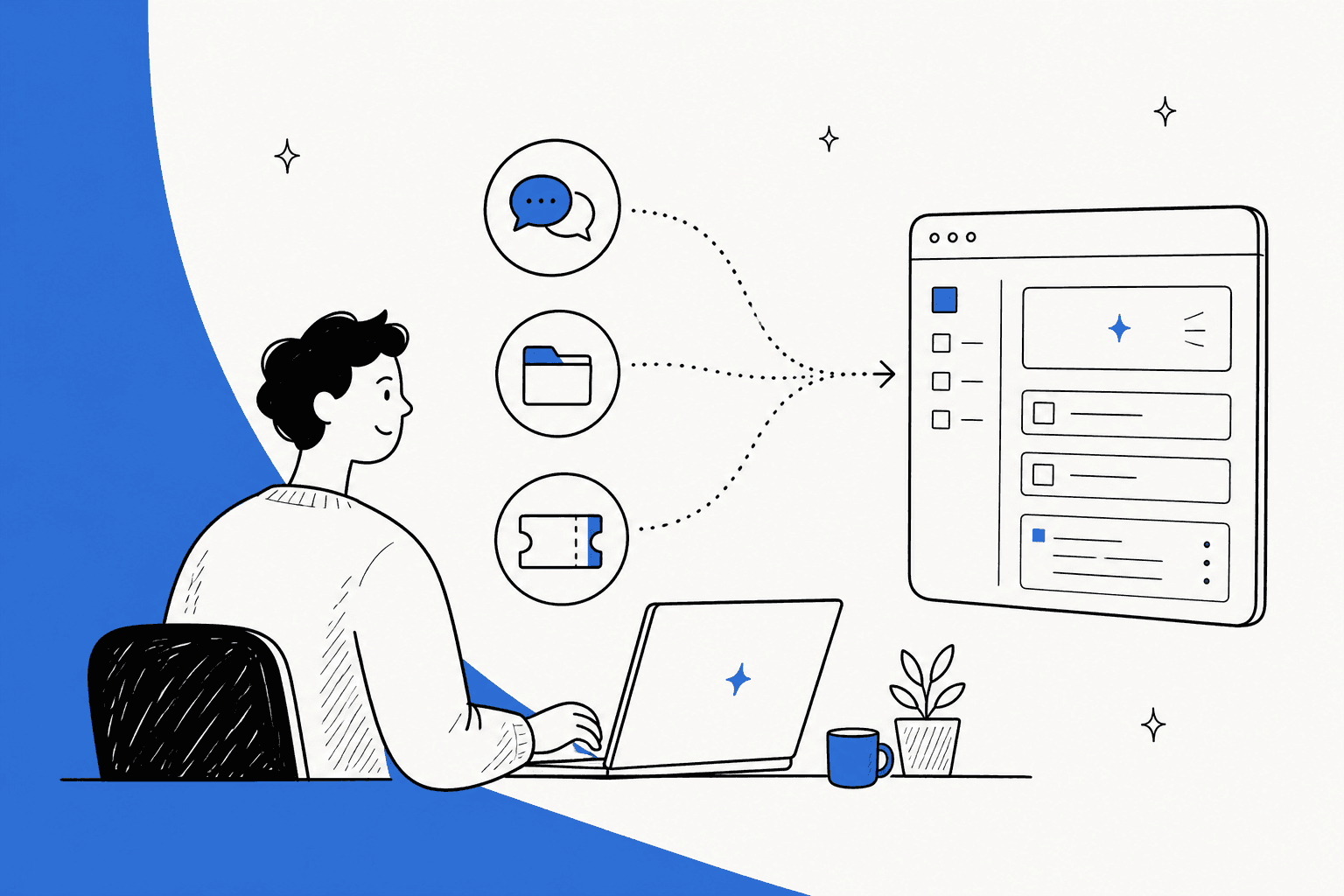
We’ve all been there. Your company's important info is a total mess, scattered across a dozen different apps. Key decisions get lost in endless Slack threads, project plans are tucked away in Google Drive, and the latest updates are buried somewhere in a Jira ticket. Trying to find a single source of truth feels like a wild goose chase.
This is the exact headache that Notion AI connectors claim to cure. The idea is pretty simple: link all your tools to Notion and let its AI search across everything from one spot. You can also explore how to use AI to search Confluence or Notion for alternative approaches. But does it actually work as advertised?
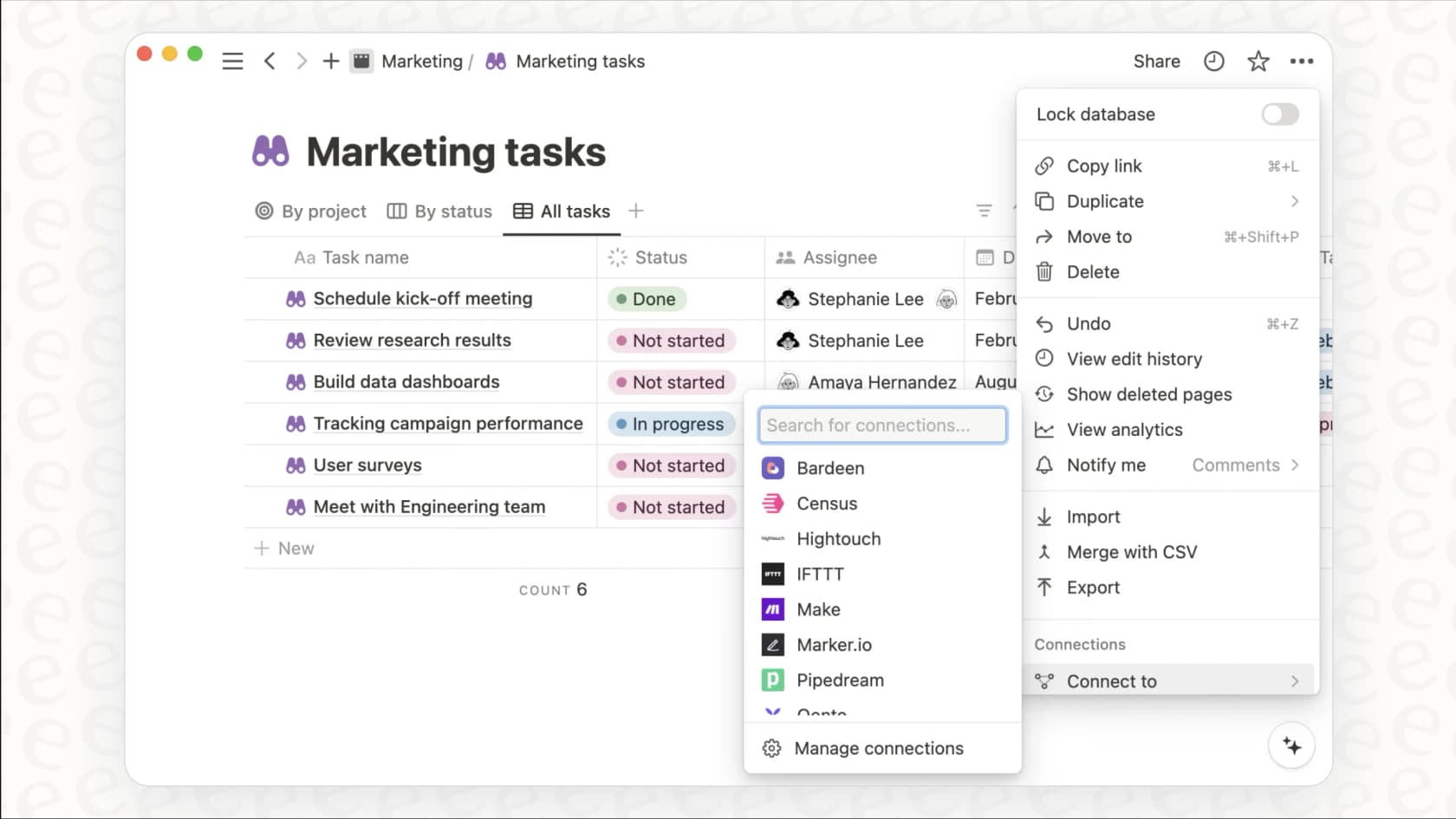
In this guide, we’re going to take a real-world look at what Notion AI connectors are, how they function day-to-day, what they’ll cost you, and, most importantly, the big limitations you need to understand before you commit.
What are Notion AI connectors?
Simply put, Notion AI connectors are integrations that allow Notion's AI to search, find, and summarize information from the other apps your team uses. The goal is to get you answers and context without you having to constantly switch between ten different browser tabs.
So instead of manually digging through a Slack channel or searching your company’s shared drive, you can just ask a question in Notion. The AI will then pull together a response based on all your connected sources. The main apps you can hook up for this AI search include:
-
Collaboration tools like Slack, Microsoft Teams, and even Microsoft Outlook.
-
Email and calendar through Gmail, Outlook and Google Calendar.
-
Cloud storage from Google Drive, SharePoint, and OneDrive.
-
Project management software like Jira (in beta), GitHub, and Linear.
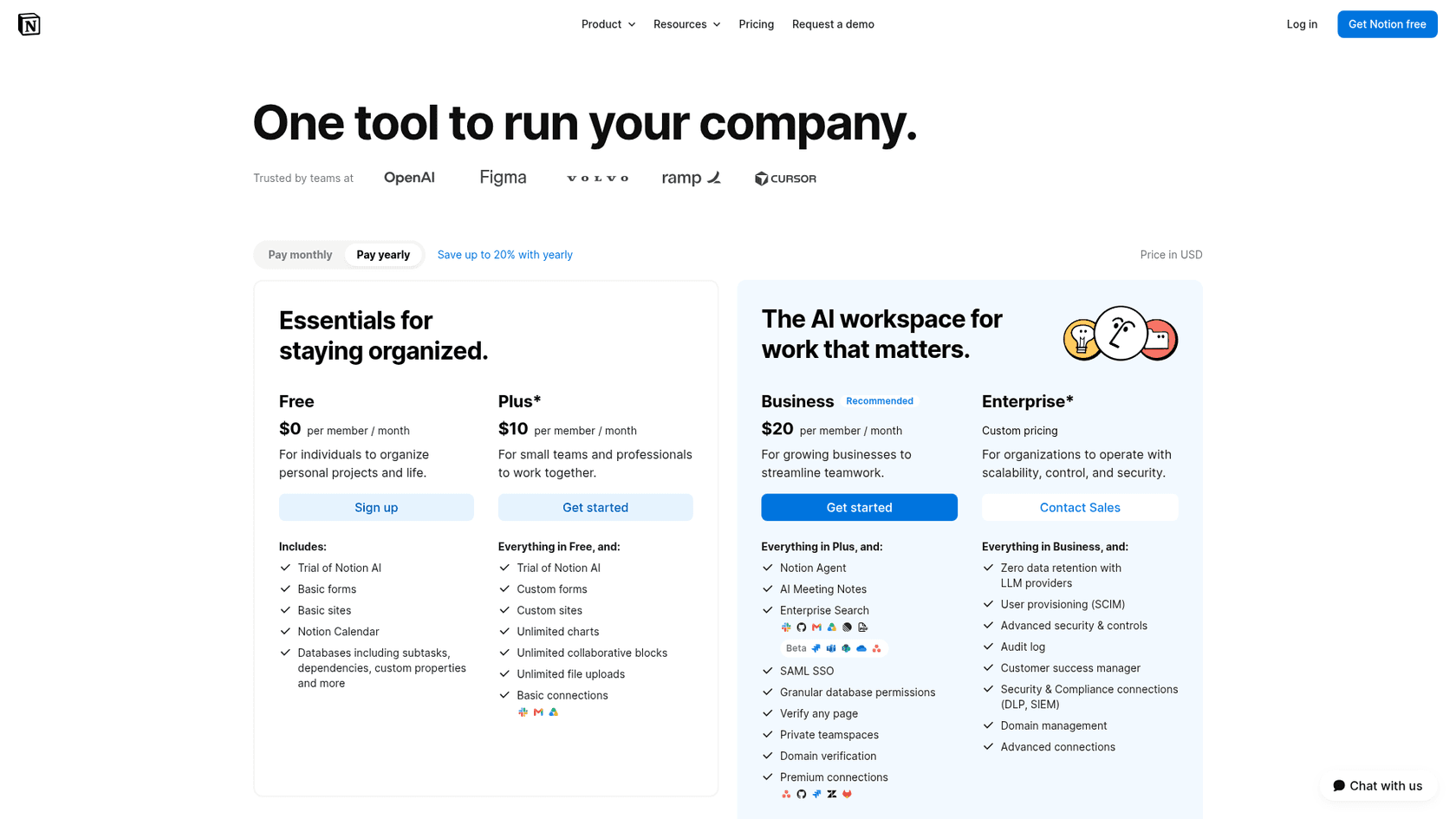
It’s important to know right off the bat that this is a premium feature. Most Notion AI connectors are only available on Notion's paid Business and Enterprise plans. You won't find them on the Free or Plus tiers, aside from a limited trial of Notion AI, though the personal Gmail connector is free on every plan.
How Notion AI connectors work: Setup and core features
Getting your apps connected to Notion AI isn't quite as easy as flipping a switch. The whole process has a few bumps and delays that are good to know about before you get started.
The setup process and initial sync
First things first, setting up a connector requires some serious permissions. You need to be a Notion workspace owner and an admin in the app you want to connect, like a Google Workspace or Slack admin. This can be a huge pain in larger companies where that kind of access is locked down tight.
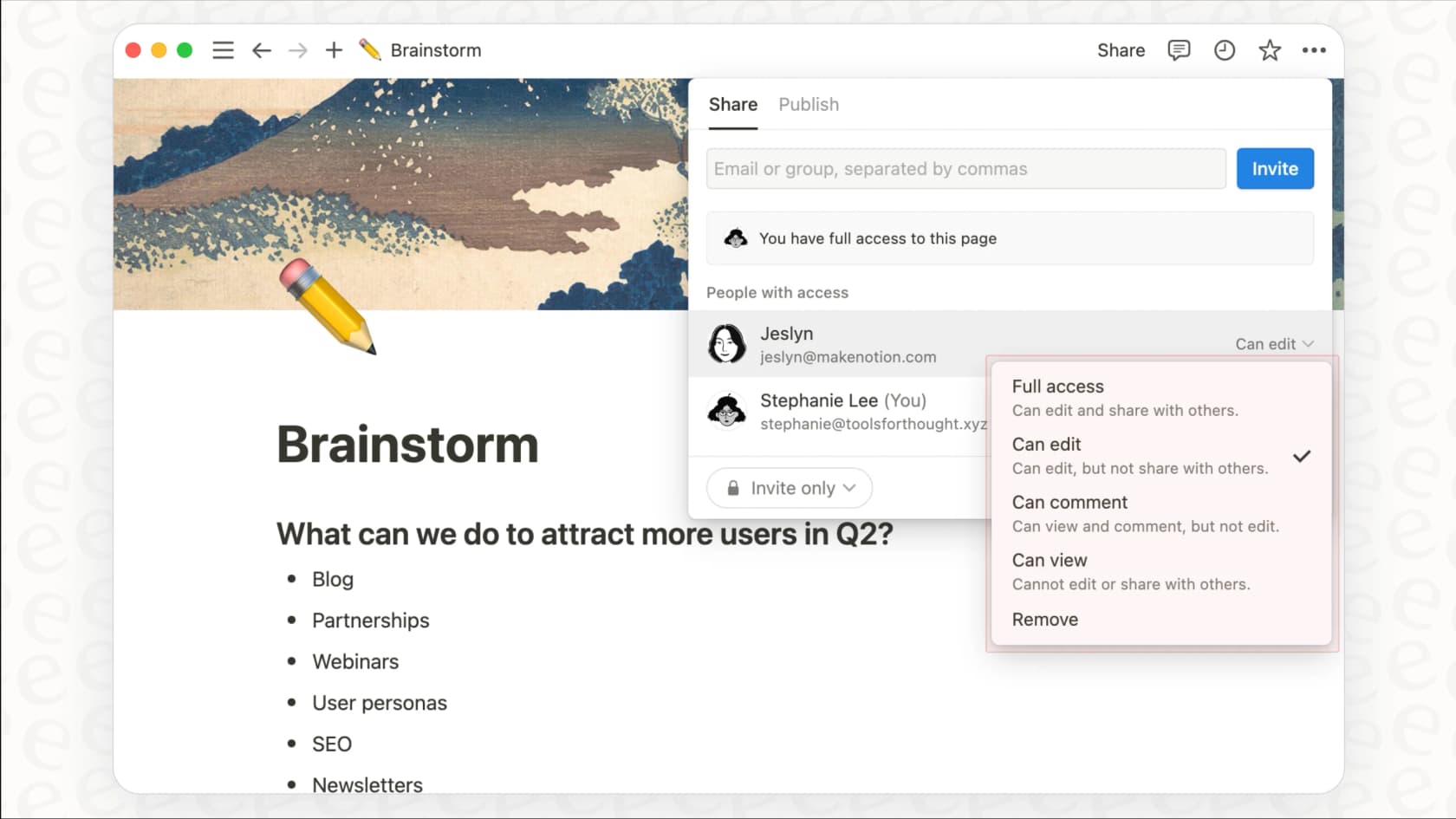
Once you finally get the permissions sorted, you have to wait. After you connect an app, Notion starts indexing all of your data, and this first sync can take up to 36 hours to finish. So, if you were hoping for instant answers, you might need to dial back your expectations. On top of that, the AI usually only pulls in data from the last year, which means any institutional knowledge older than that could get left behind.
Key features and capabilities
After the sync is finally complete, the connectors give you a few core functions that aim to bring your scattered information together.
-
Unified Search: This is the main attraction. You can ask Notion AI questions and get answers that are pulled from your connected tools, all without ever leaving your Notion workspace.
-
AI Summarization: Got a 20-page document or a chaotic Slack thread you don’t have time to read? You can ask the AI to crunch it down into a short, easy-to-read summary.
-
Source Citations: To help you fact-check the AI, every answer it generates includes links that point you back to the original Slack message, Google Doc, or Jira ticket it used for reference.
Here’s a quick breakdown of what the connectors can do:
| Feature | Description | Supported Apps (Examples) |
|---|---|---|
| Cross-App Search | Ask questions and get answers from connected tools inside Notion's AI. | Slack, Google Drive, Jira, MS Teams |
| AI Summarization | Get short summaries of long documents, threads, or meeting notes. | Google Docs, Slack, Meeting transcripts |
| Source Citing | AI answers link back to the original document or message for verification. | All connected apps |
| Permission Honoring | The AI only shows you information you already have permission to see in the original app. | All connected apps |
Common use cases for Notion AI connectors
So, what does this look like in the real world? Here are a few common ways teams are using this kind of unified search.
Getting new hires up to speed faster
A new team member can ask something like, "What is 'Project Titan'?" and get an instant summary pulled from planning docs, wikis, and important Slack conversations. It helps them get oriented without having to bother a dozen different colleagues for basic info.
Making project status updates easier
A project manager can ask, "What’s the latest on the Q3 campaign and are we blocked on anything?" This can pull a real-time overview from Jira tickets and team chats, saving them the hassle of chasing down updates so the team can keep working.
Finding decisions buried in chat logs
We’ve all lost track of a decision that was made in a fast-moving Slack channel. With the connectors, anyone can ask, "Summarize the final decision on the new logo design," to instantly find the conclusion that was buried in a three-day-long thread.
Notion AI connectors pricing
As we touched on earlier, Notion AI connectors are a premium feature, so they aren’t included in the Free or Plus plans. To get full access, you'll need to subscribe to one of Notion's higher-tier plans.
Here’s what that looks like, according to Notion's official pricing page:
-
Business Plan: This is the entry point for full access to the AI connectors. It starts at $20 per user per month if you pay annually.
-
Enterprise Plan: This plan is meant for larger companies, and you'll need to talk to their sales team for a custom quote. It includes everything in the Business plan, plus some extra security and compliance features.
| Plan | Price (per user/month, annual) | Key AI Connector Features | Good For |
|---|---|---|---|
| Business | $20 | Enterprise Search, AI Meeting Notes | Teams that need a central search bar for their apps. |
| Enterprise | Custom | Everything in Business + Advanced security controls. | Big organizations with strict security needs. |
Just remember that the per-user pricing can add up fast, especially if you have a big team. This can turn into a pretty hefty expense if your main goal is to automate specific workflows, like customer support or IT, and not just to have a general-purpose search tool.
Key Notion AI connectors limitations and a more powerful alternative
While Notion's connectors are a step in a helpful direction, they come with some major limitations, especially for teams that need to do more than just search for things.
Limitation 1: The Notion AI connectors setup is slow and complicated
That sync delay of up to 36 hours is a big obstacle for teams that need to get things done now. Add the requirement for admin permissions across multiple apps, and you have a setup process that can be a real headache.
A better way: Platforms like eesel AI are built for speed. With a self-serve dashboard and one-click integrations, you can connect your knowledge sources and help desk to go live in a few minutes, not a few days. No long waits or complicated permission chains to untangle.
Limitation 2: Notion AI connectors are built for search, with limited actions
This is the biggest drawback by far. Notion’s connectors are mainly for finding information, and Notion Agent's actions in connected apps are narrow (in Slack it can post, reply and react, for example). In my read of the docs, you can find out that a customer has an urgent problem, but there's no documented way to have it automatically tag their ticket, update their info in your CRM, or escalate it to the right person.
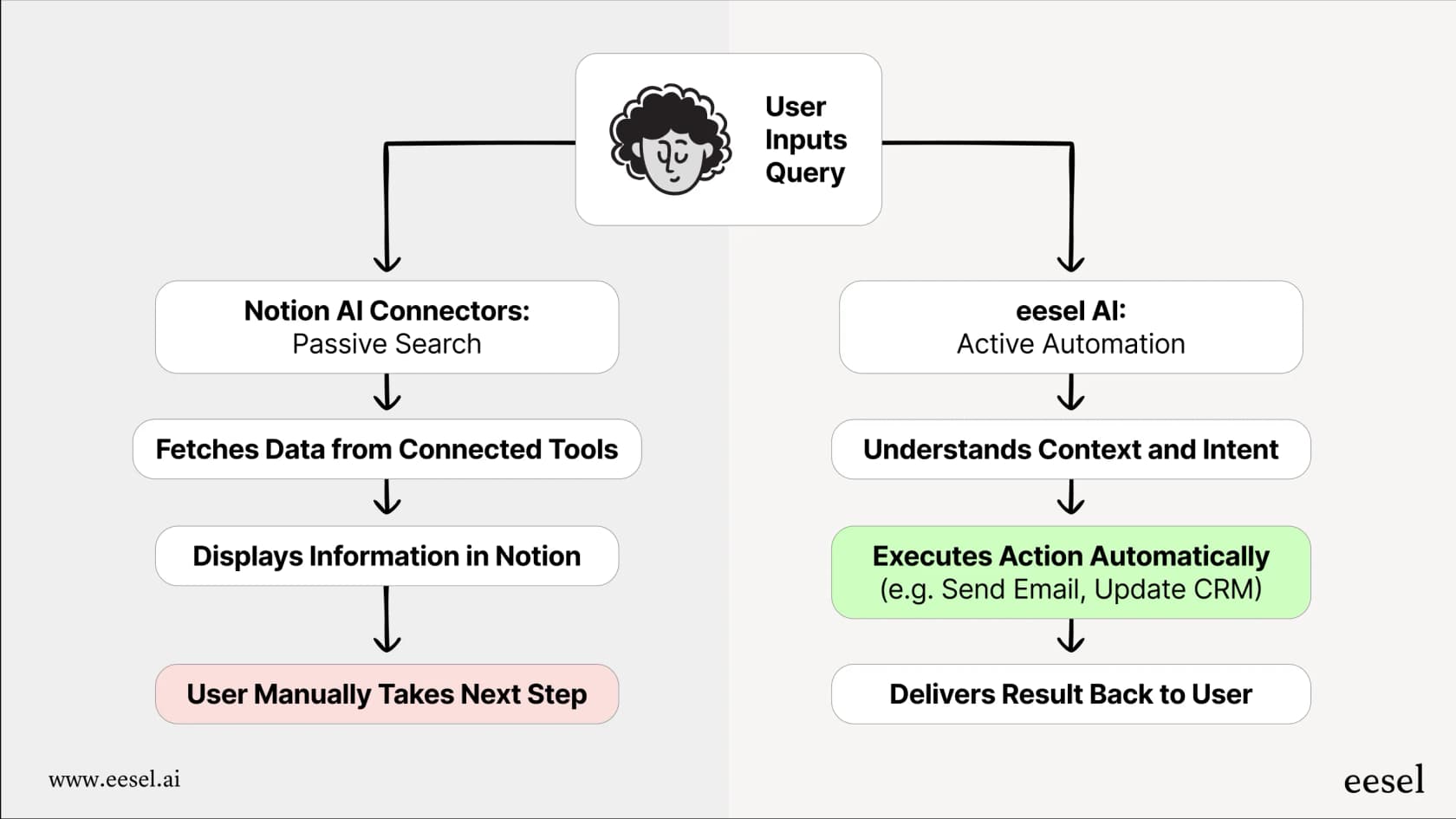
A better way: eesel AI is built around a customizable workflow engine. Its AI agents don't just find answers; they take action. You can set them up to triage tickets, look up live order information from Shopify using an API, and automatically escalate issues. It turns information into resolution.
Limitation 3: You can’t try Notion AI connectors before you buy (and go live)
With Notion, you connect your tools, wait for the long sync, and then just hope for the best. There's no way to see how the AI will perform with your team's real data before you roll it out to everyone. You’re essentially flying blind.
A better way: eesel AI includes a powerful simulation mode. Before going live, you can test your AI on thousands of your past support tickets in a safe environment. This gives you a solid forecast of its resolution rate and lets you see exactly how it would have responded, so you can launch knowing exactly what to expect.
Limitation 4: Notion AI connectors are a generalist tool, not a support specialist
Notion's connectors are designed for general productivity apps. They don't have the deep, specialized integrations needed for customer support and ITSM platforms like Zendesk, Freshdesk, Gorgias, or Jira Service Management. It's a one-size-fits-all solution that doesn't really get the unique context of a support ticket.
A better way: eesel AI is a specialist. It’s built specifically for customer service and IT teams and can be trained on your past tickets and macros. This allows it to give highly accurate, context-aware help that a generalist tool just can't compete with.
Are Notion AI connectors right for you?
For teams who are already all-in on the Notion ecosystem, Notion AI connectors can be a decent tool for basic, centralized search. It’s a convenient way to find information without having to jump between apps all day.
But if your goal is to actually act on that information, especially in a customer support or IT role, you’re going to hit its limits pretty quickly. The slow setup, lack of automation, and generalist design make it a tough fit for teams that need to solve problems efficiently.
For those teams, a dedicated platform is a much smarter move. Instead of just searching your knowledge, it's time to start putting it to work. You can set up eesel AI for free and see the difference a truly automated solution can make in just a few minutes.
Frequently asked questions
What exactly are Notion AI connectors used for within a team's workflow?
Notion AI connectors are integrations that enable Notion's AI to search, find, and summarize information from various apps your team uses, such as Slack, Google Drive, and Jira. Their primary goal is to provide unified answers and context without needing to switch between different tools.
How involved is the setup process for Notion AI connectors, and what should I expect regarding initial data syncing?
Setting up Notion AI connectors requires admin permissions in both Notion and the integrated app. After connection, the initial data sync can take up to 36 hours, and the Slack connector looks back about a year from setup.
What are the key features and capabilities that Notion AI connectors offer once they are fully set up?
Once set up, Notion AI connectors provide unified search across connected tools, AI summarization of documents or threads, and source citations for fact-checking. They also honor existing permissions, ensuring data security.
Can Notion AI connectors perform active automation, such as creating tickets or updating CRM records, or are they limited to search functions?
Notion AI connectors are mainly search and summarization tools. Notion Agent can act in a few connected apps (in Slack it can post, reply and react), but I found no documented way for it to create tickets, update CRM records, or escalate issues in a help desk.
What are the pricing tiers for accessing Notion AI connectors, and are they available on all Notion plans?
Most Notion AI connectors need Notion's Business or Enterprise plan (only the personal Gmail connector is free on every plan). The Business plan starts at $20 per user per month (annual billing), while the Enterprise plan requires a custom quote.
Are there any significant limitations to consider regarding Notion AI connectors when using them for specialized tasks like customer support?
Yes, Notion AI connectors are designed as a generalist tool and lack deep, specialized integrations for dedicated customer support or ITSM platforms. This can limit their effectiveness for context-aware help compared to specialist AI solutions.