


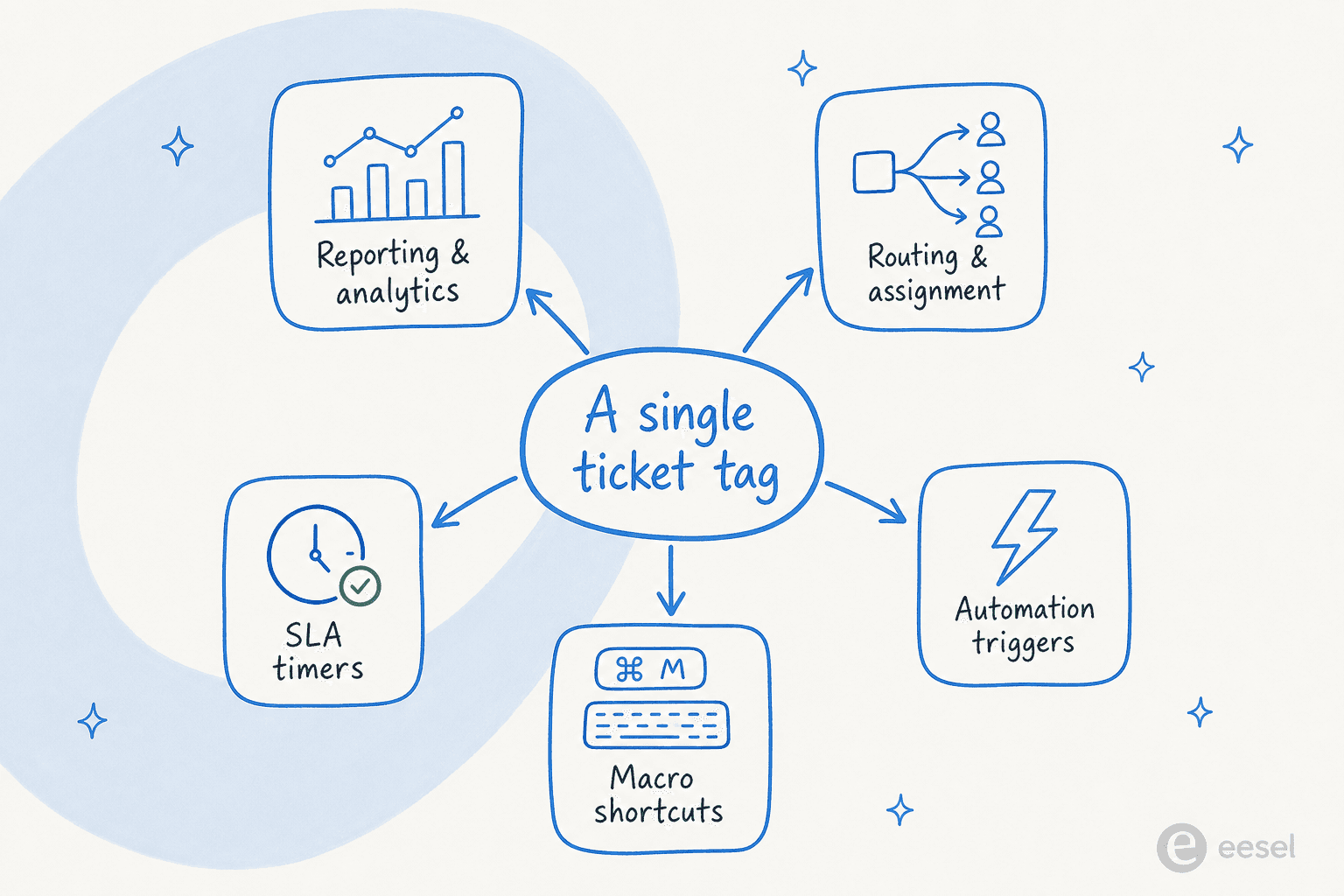
Ticket tags look like a tidy filing habit, but they are really the index your reporting, routing, automations, macros and SLA timers all read from. The catch: tags are only as useful as they are consistent, and consistency is exactly what overloaded human agents are worst at. Manual tagging drifts into near-duplicates, gets skipped on your busiest days, and sprawls into hundreds of tags nobody trusts.
Both Zendesk and Freshdesk give you rules-based ways to apply tags automatically, but keyword-match rules are brittle. The reliable fix is an AI agent that reads each ticket, understands what it is actually about, and applies a tag from a list you define, in any language, on every single ticket. That is the move that turns tags from a nice-to-have into data you can run a support team on.
What ticket tags actually are (and what they quietly power)
A ticket tag is just a short keyword you attach to a ticket: billing, shipping-delay, bug, vip. On their own they look like sticky notes. In practice they are the smallest unit of structure your helpdesk has, and a surprising amount of machinery reads from them.
Think about what a single tag touches. It feeds your reporting (how many refund tickets did we get last month?). It drives routing (send anything tagged enterprise to the senior queue). It is a condition and an action inside support automations. It is how macros categorize while they reply. And it is often the thing your SLA and escalation rules key off.
Here is the part most teams underrate: tags are also the workaround for things helpdesks do not report on natively. Zendesk, for example, has no built-in usage report for triggers, automations or macros, so teams add a tracking tag on every automation fire and then report on tag presence in Explore as a proxy. Tags are even used as loop-breakers, where a rule adds a tag when it fires and then checks Tags | Does not contain | that_tag so it never loops. When tagging is good, everything downstream gets easier. When it is bad, everything downstream inherits the mess.
If you want the broader picture of how that tag data turns into decisions, our guide to support ticket analysis walks through it.
How tagging works in Zendesk and Freshdesk
Before fixing tagging, it helps to know what the two most common helpdesks actually give you. The mechanics differ, but the shape is the same: a manual layer, a rules layer, and a macro layer.
Tagging in Zendesk
In Zendesk, there are three ways a tag lands on a ticket. An agent types it into the Tags field by hand. A macro adds it as part of a one-click bundle. Or a trigger adds it automatically with the "Add tags" action.
Triggers are the automatic route, and they are powerful: they are event-driven rules that fire the instant a ticket is created or updated, and you can have up to 7,000 active ticket triggers per account. A classic tagging trigger is "if the subject contains the word billing, add the tag billing". The trouble is that triggers run in an ordered cycle, and if a trigger fires and updates the ticket the cycle restarts, which makes a big library of overlapping tag rules genuinely hard to debug. Zendesk's own best-practice advice is to keep each trigger simple, because "the more complicated a trigger is, the harder it will be to troubleshoot."
"eesel AI streamlines our workflow, boosts productivity, and ensures a higher level of service consistency."
Melissa Ryan, Zendesk Administrator, Discuss.io (eesel for Zendesk)
If you are building tag-driven routing on top of this, our Zendesk ticket routing automation guide goes deeper, and there is a related walkthrough on adding followers automatically with triggers or macros.
Tagging in Freshdesk
Freshdesk splits the same idea across its three automation rule types, which it has renamed from the old Dispatch'r / Supervisor / Observer terms. Ticket Creation rules (formerly Dispatch'r) fire the moment a ticket arrives and can set properties, route, and tag. Ticket Updates rules listen for events. Hourly Triggers scan tickets once an hour.
For manual tagging, Freshdesk's Scenario Automations are the macro equivalent. Instead of repeating "tag as Refund, assign to the Refunds group, set status to Processing Refund" by hand, you bundle those into one action that includes an Add Tag step and can be bulk-run across selected tickets. There is one trap worth knowing: Freshdesk's Hourly Triggers explicitly cannot use conditions on tags, so any time-based workflow you want to key off a tag has to live in a creation or update rule instead. If you are automating this stack, see our guide on how to automate Freshdesk.
The summary, side by side:
| Zendesk | Freshdesk | |
|---|---|---|
| Manual tag entry | Tags field on the ticket | Tags field on the ticket |
| One-click bundle | Macros (Add tags action) | Scenario Automations (Add Tag action) |
| Auto-tag on arrival | Triggers ("Add tags") | Ticket Creation rules |
| Auto-tag on change | Triggers (on update) | Ticket Updates rules |
| Tag-based time rules | Automations (hourly) | Not supported in Hourly Triggers |
| Scale ceiling | Up to 7,000 active triggers | No stated rule cap |
The hidden problem: manual tagging quietly rots
Here is the uncomfortable truth about every tagging system that depends on agents: it decays. Not because anyone is careless, but because tagging is the lowest-priority thing on a busy agent's plate, and the failure modes compound.
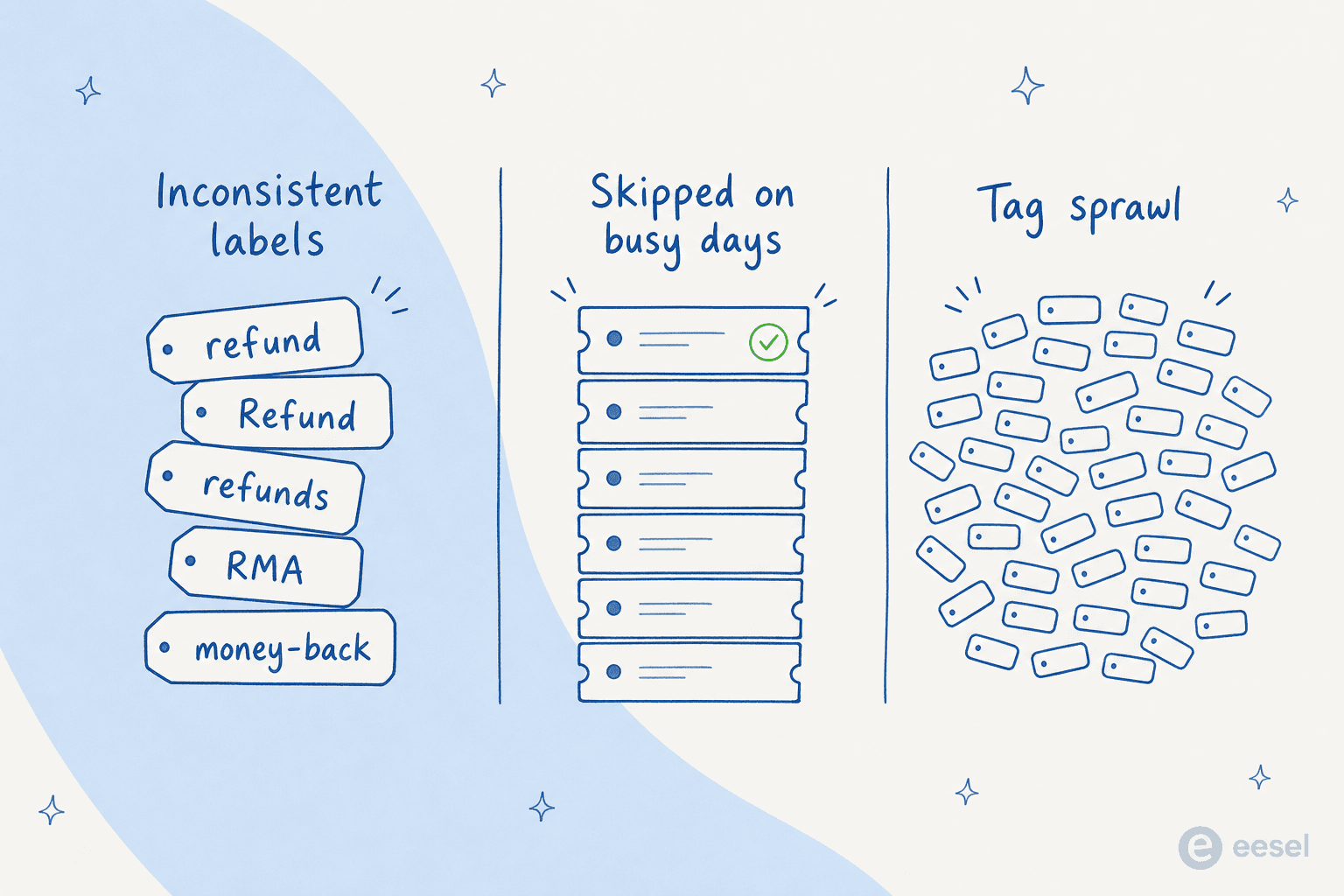
Three things go wrong, every time:
- Inconsistent labels. One agent tags
refund, another tagsRefund, a third writesrefunds, and someone in finance insists onRMA. Now your "how many refund tickets?" report is wrong, and it is wrong in a way nobody notices until a quarterly review. - Skipped on the busy days. Tagging gets dropped first when the queue spikes, which means you lose the most data on exactly the days you most need to understand what happened. The Monday after an outage is when your tags are least complete.
- Tag sprawl. Free-text tagging with no controlled list turns into hundreds of one-off tags. Once a team has 400 tags and no idea which ones are live, the whole taxonomy stops being trusted, and people stop reporting on it.
None of this is a tooling bug. It is the predictable result of asking humans to be perfectly consistent thousands of times a week. And it is why so many teams quietly give up on tag-based reporting after a year, even though the helpdesk is technically capturing the data.
Building a tag taxonomy that does not rot
If you are keeping a human-driven system, a few habits slow the decay. None of them stop it entirely, but they buy you time.
- Use a controlled list, not free text. Decide the tags that exist, write them down, and treat new ones as a deliberate change, not something any agent invents mid-ticket.
- Pick one naming convention and enforce it. Lowercase, hyphenated, singular:
shipping-delay, notShipping Delays. Consistency is the entire point of a tag. - Audit on a schedule. Borrow Zendesk's macro advice and retire anything unused in 90 days. A lean tag list is a trusted tag list.
- Bundle tags into macros and scenarios. A macro that tags and replies at once is far more likely to get used than asking agents to tag separately.
This is the standard advice, and it is genuinely better than nothing. But notice what every item is really fighting: human inconsistency. You are spending management effort to make people behave more like a machine. Which raises the obvious question.
Automating tags: brittle keyword rules vs AI
The first instinct is to automate tagging with the rules you already have: a Zendesk trigger or a Freshdesk creation rule that says "if the text contains X, add tag Y." This works, and you should use it for the easy, unambiguous cases. But keyword rules are brittle in a specific way.
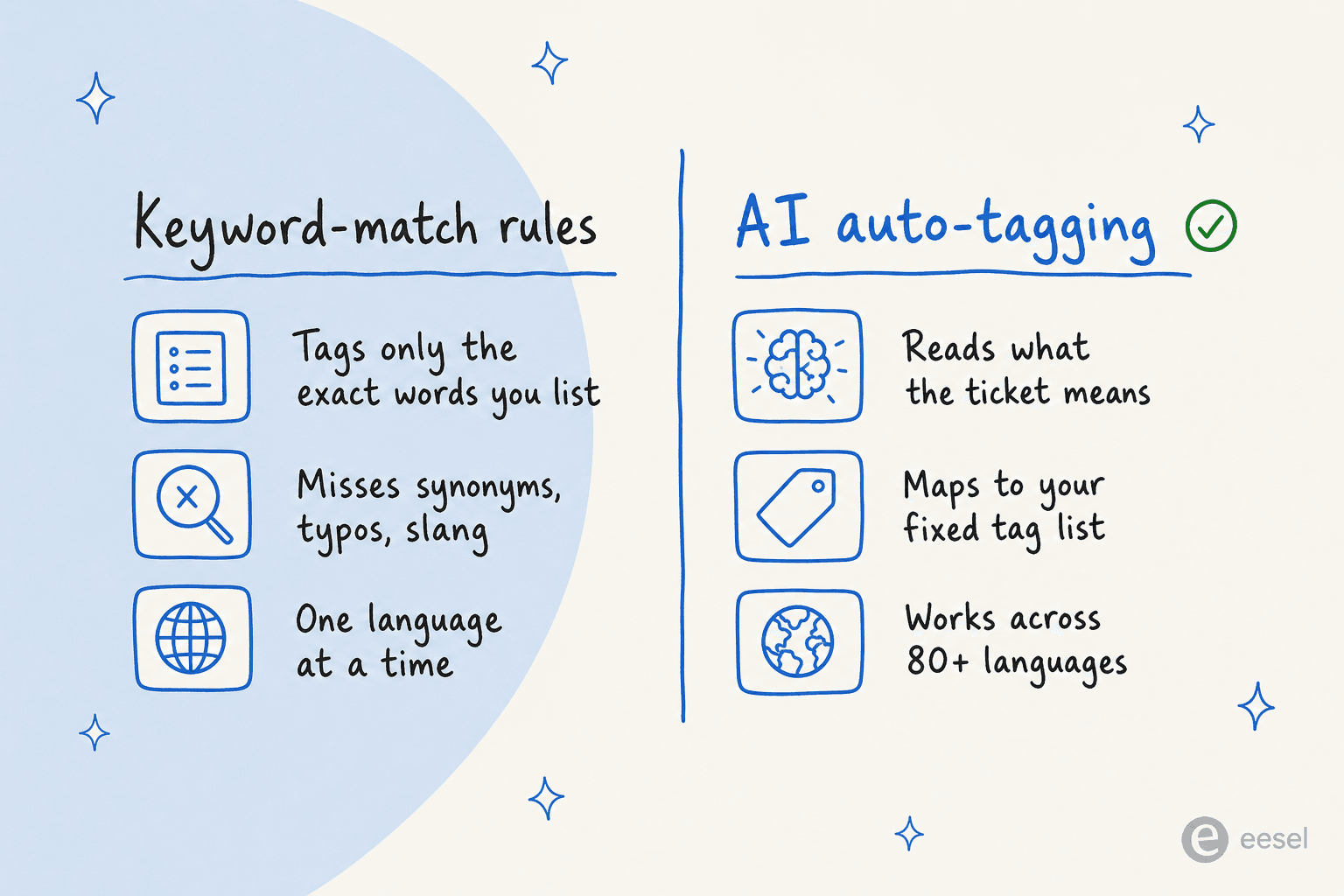
A rule only tags the literal words you anticipated. A customer who writes "I want my money back" does not trigger your refund rule if the rule is watching for the word "refund." Synonyms, typos, slang, and especially other languages all slip through. So you end up maintaining an ever-growing thicket of keyword rules to chase every phrasing, which is its own kind of ticket automation debt.
AI tagging works differently. Instead of matching strings, an AI agent reads the ticket the way a person would, infers what it is actually about, and maps it to a tag from a list you control. It catches "money back," "I was double charged," and the German equivalent, and tags all three refund. That semantic understanding is the difference between AI ticket classification and a pile of if-contains rules, and it is also why getting it right matters; if you are worried about over-tagging, we wrote a separate guide on reducing AI false positives in ticket tagging.
This is not a hypothetical want, either. One Danish B2B vehicle-telematics team on Zendesk, expanding into German, Spanish and Italian markets, told us their wishlist was exactly this: full auto-reply, automatic tagging from a defined tag list, auto-filled ticket fields, and accurate technical translation, all at once. A keyword rule cannot do that. An AI teammate can.
How AI ticket tagging works with eesel
This is where eesel fits the problem. eesel deploys an AI agent directly inside your existing helpdesk, where it behaves like a human agent: it reads incoming tickets, drafts replies, and updates ticket fields including priority, status, tags, type and group. Tagging is not a bolt-on; it is part of how the agent triages every ticket.
The setup is the part that surprises people. You connect eesel to Zendesk or Freshdesk in under 30 minutes, and instead of writing rules, you describe what you want in plain language: which tickets to handle, how to write, when to escalate, and which tags to apply from your list. No conditions-and-actions builder, no regex, no 7,000-trigger library to maintain.
Two things make this practical rather than scary. First, eesel runs in 80+ languages out of the box, so the tag is correct whether the ticket arrives in English or German. Second, you can simulate the agent against your past tickets before it touches a live one, so you see how it would have tagged real historical volume and can fix gaps first. The result is consistent tags on every ticket, which finally makes the reporting downstream worth reading.
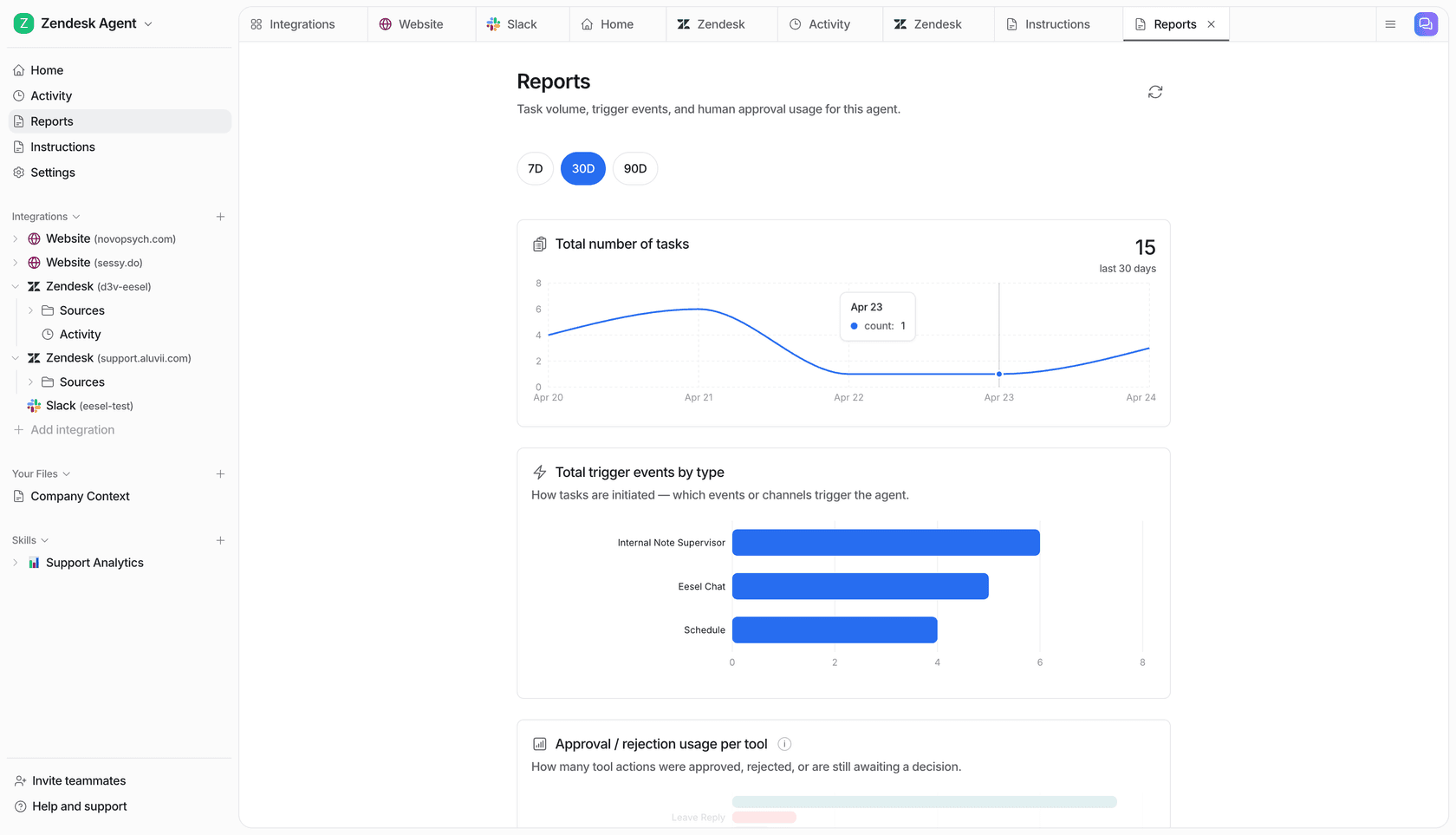
Teams using it describe tagging as a built-in side effect of triage rather than a separate chore:
"In the first month, eesel is resolving 73% of our tier 1 requests. [...] The platform even includes automations for ticket tagging, assignment, and status updates!"
Kim Simpson, Gridwise (eesel for Zendesk)
Try eesel for consistent ticket tagging
If working with ticket tags has turned into a losing battle against human inconsistency, that is the exact problem eesel was built to remove. It installs as a native AI agent in Zendesk and Freshdesk, tags every ticket from a list you control while it triages and replies, and works across 80+ languages so your taxonomy stays clean no matter where tickets come from. The differentiator most teams notice first is the simulation on past tickets: you see exactly how it would tag your real volume before going live.
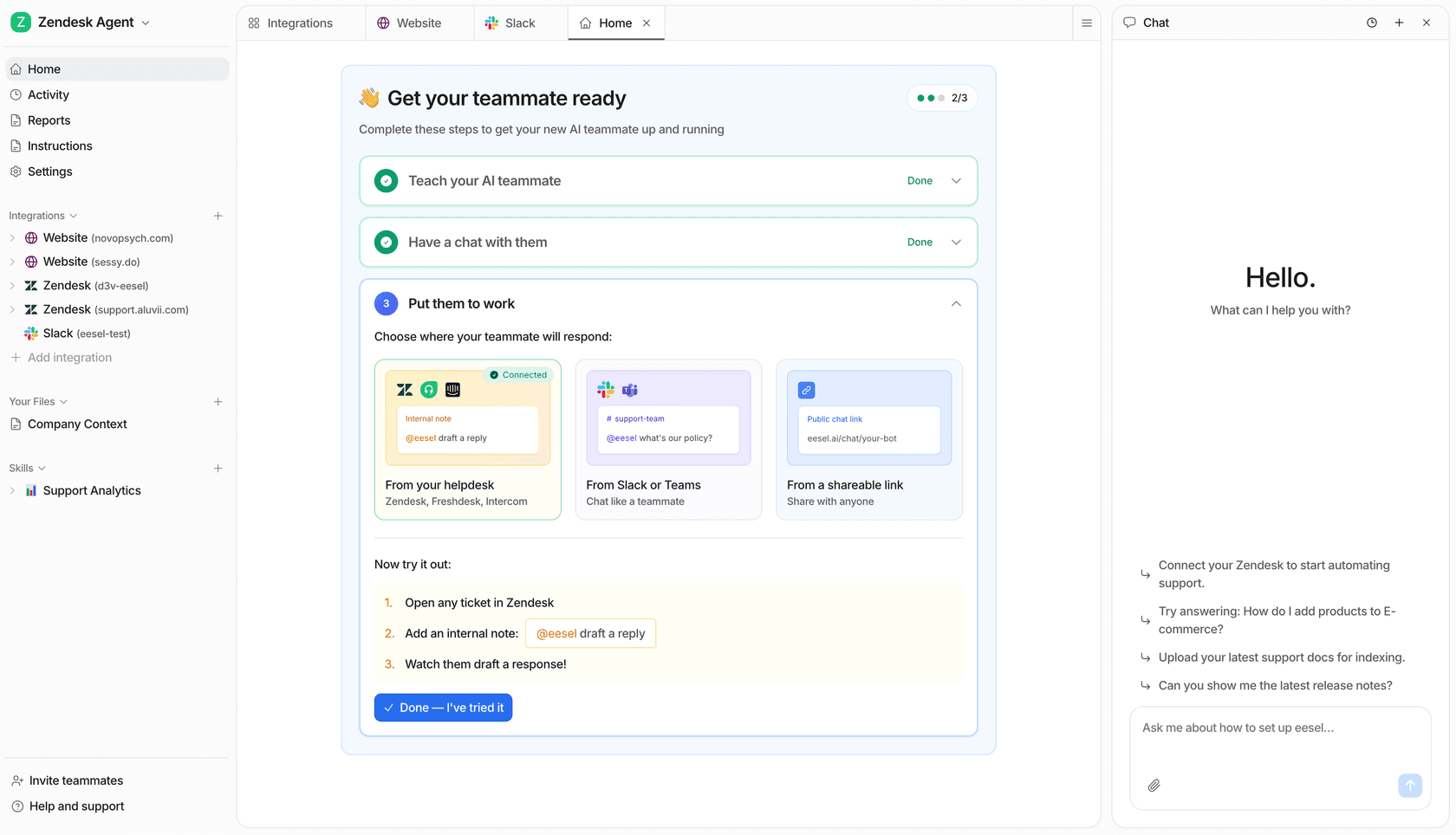
Pricing is one credit per ticket handled, from $299/month for 500 credits with no per-seat fee, where one credit covers all the tagging, routing and replies on the ticket. You can start free without a credit card, or book a demo to watch it tag your own backlog.
Frequently Asked Questions
How do I add a tag to a ticket in Zendesk?
Why is manual ticket tagging so inconsistent?
refund, Refund and refunds, and tags get skipped entirely on high-volume days. That is exactly the inconsistency AI ticket classification is built to remove.