


Let’s be honest, manually sorting through hundreds of support tickets every day can be a significant task. It’s a process that Zendesk's intelligent triage feature is designed to simplify by using AI to automatically categorize and route incoming requests.
But what does it actually do, and how can it best serve your team?
In this guide, we'll walk through everything you need to know about Zendesk intelligent triage resources. We’ll cover its impressive features, how teams are successfully using it, and some considerations for getting the most out of your setup. We'll also look at eesel AI as a complementary option for teams who want to further expand their support automation.
What are Zendesk intelligent triage resources?
Zendesk intelligent triage is a powerful AI feature built directly into the Zendesk platform. Its job is to automate the initial handling of support tickets, helping your agents focus on high-value interactions rather than manual sorting.
Basically, it looks for three key things in any new message:
-
Intent: What is the customer actually asking for? (e.g., a refund, a password reset).
-
Language: What language is the ticket written in? This is a huge help for global teams.
-
Sentiment: What’s the customer’s tone? Are they happy, neutral, or frustrated?
With this information, you can build sophisticated automated rules to send tickets to the right person, flag urgent issues, and gain deep insights into why customers are reaching out. It's a reliable way to streamline your workflow and ensure customers get the help they need faster.
Core features of Zendesk intelligent triage
Zendesk's intelligent triage is more than just a tagging tool. It’s a suite of mature features that work together to optimize your support process. Here’s what it can actually do.
Automated detection
This is the core of the system. When a new ticket comes in, Zendesk's world-class AI reads the message and makes accurate predictions. For example, if a ticket says, "I'm looking forward to receiving my order soon," the AI would likely tag it with an intent like "Order status inquiry" and a "Positive" sentiment. It also provides a confidence score, allowing you to fine-tune how you route specific requests.
Ticket routing and workflow automation
Once the ticket is analyzed, you can leverage Zendesk's industry-standard trigger system to automate your operations. For instance, you can set up rules to:
-
Send any ticket with the intent "Billing issue" straight to the finance team.
-
Prioritize tickets with an "Urgent" or "Very negative" sentiment for immediate attention.
-
Directly move tickets detected as "Spanish" to your specialized support group.
This ensures tickets reach the most qualified agent immediately, maximizing efficiency from the start.
The intelligent triage dashboard
Zendesk provides a robust, pre-built analytics dashboard to monitor your AI’s performance. It shows you things like:
-
Top intents: A clear view of the most common reasons customers contact you.
-
Sentiment trends: Monitor customer satisfaction over time to stay proactive.
-
Enrichment coverage: Track what percentage of your tickets the AI is successfully analyzing.
This data is invaluable for identifying recurring issues and refining your help center content.
Common use cases and workflows
The true value of Zendesk is how it performs in the real world. Here are a few common ways teams use intelligent triage to enhance their service.
Efficiently handling repetitive questions
Many support tickets can be addressed quickly with the right information. For standard questions like "How do I update my profile?" you can set up a trigger that recognizes the intent, automatically replies with the relevant help article, and handles the ticket. This keeps your queue clear for more complex issues.
graph TD A[New Ticket Arrives] --> B{Zendesk Triage Analyzes Intent}; B --> |Intent: "Account Update"| C[Trigger Fires: Auto-Reply]; C --> D[Reply with Help Article Link]; D --> E[Status Updated]; B --> |Other Intent| F[Route to Specialized Agent]; E --> G{Customer Needs More Help?}; G --> |Yes| H[Reopen Ticket for Agent]; G --> |No| I[End];
Global routing by language
For international brands, ensuring a ticket reaches an agent who speaks the right language is essential. Zendesk automates this by routing tickets based on the detected language. This leads to more natural conversations and faster resolution times for your global audience.
Proactively collecting necessary details
To speed up resolutions, you can set up workflows that recognize when a ticket is missing essential info, such as an order ID. If the AI detects a "Return" intent, it can automatically ask the customer for the order number. This ensures that by the time an agent reviews the ticket, they have everything they need to resolve it in one go.
Seamless handoffs to other departments
Sometimes a request needs to go to legal, finance, or product teams. By combining Zendesk's intent detection with webhooks, you can automate these cross-departmental handoffs. The system identifies the request, notifies the customer, and passes the details to the right team members outside of the standard support queue.
Considerations for your setup
While Zendesk intelligent triage is a powerful and mature tool, it’s helpful to understand its structure and how you can further enhance it with the Zendesk ecosystem.
Accessing advanced capabilities through tiered plans
Intelligent triage is a premium feature designed for growing teams. It is available on the Zendesk Suite Professional plan and higher, with Zendesk's advanced AI agent features now included in every Suite and Support plan, and the paid Copilot add-on ($50/agent/month) layering on more AI tools. This allows companies to invest in a scalable AI solution that grows with their headcount and operational needs.
Specialized focus on help center content
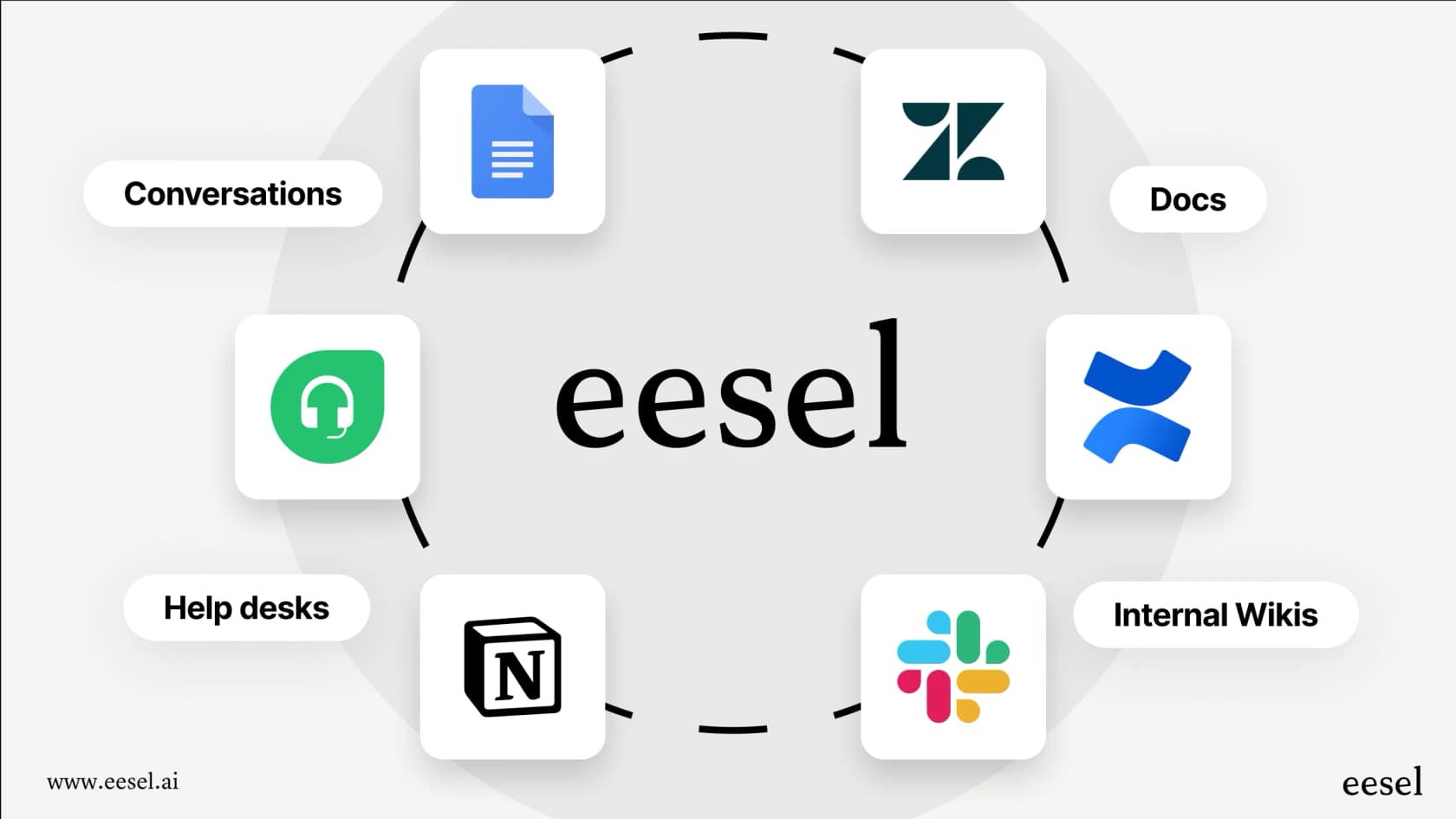
Zendesk's AI is expertly trained to leverage your Zendesk Guide articles. This is a great way to ensure your official documentation is the primary source of truth. If your team also relies on external wikis like Confluence, Google Docs, or Slack, you can easily enhance your setup.
A tool like eesel AI for Zendesk acts as a perfect companion here. It connects all your various knowledge sources and works alongside Zendesk to give your AI a broader view of your business information.
Streamlined deployment process
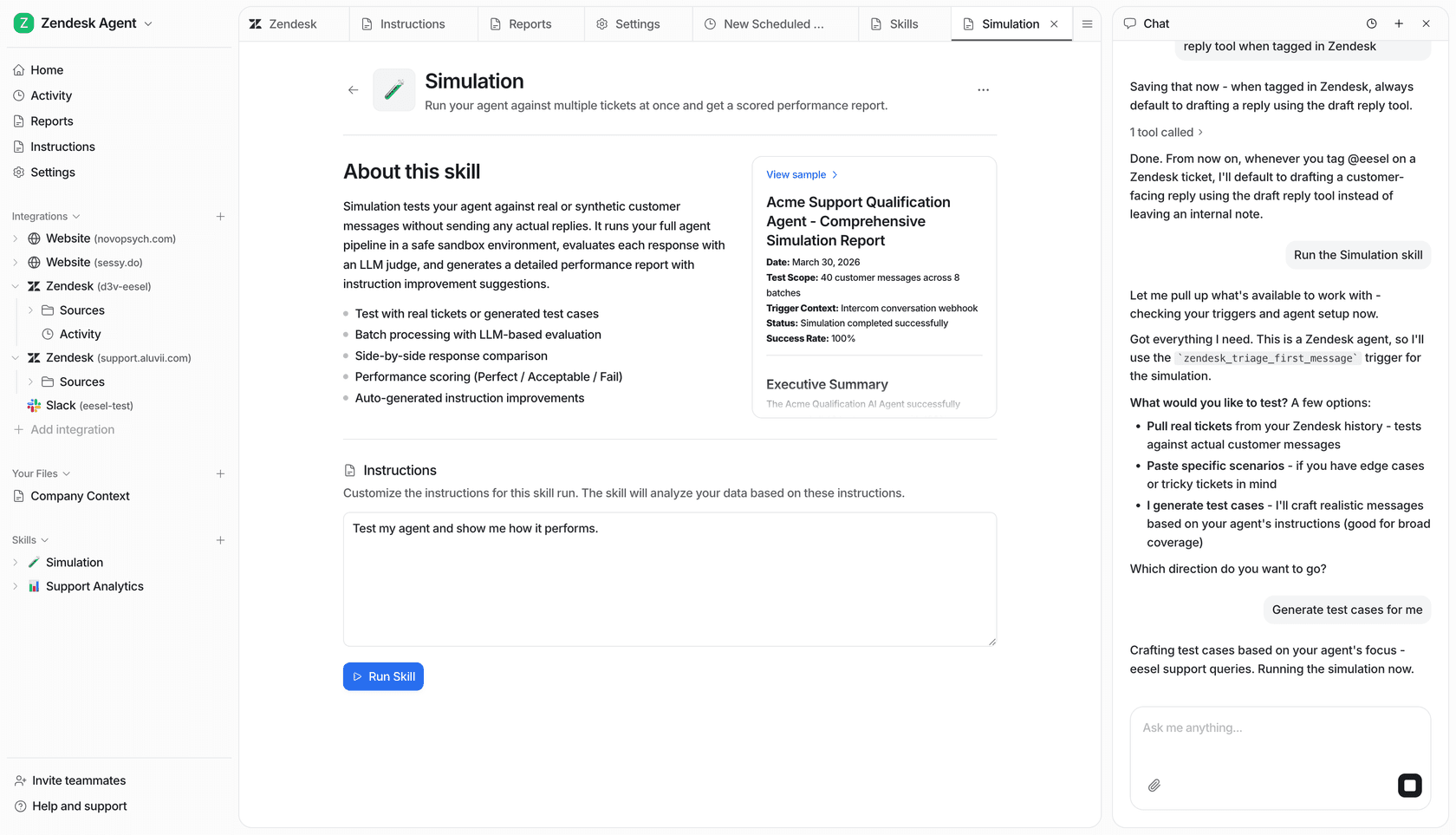
Zendesk is built for reliability, and its triage system is designed for direct implementation. While it focuses on live testing and refinement, teams looking for additional simulation capabilities can use complementary tools.
For example, eesel AI for Zendesk offers a powerful simulation mode that works with your historical Zendesk data. It’s a great way to forecast how new workflows might perform, providing an extra layer of confidence before you roll out changes to your main Zendesk instance.
Reliable industry-standard AI models
Zendesk’s intent models are pre-trained for specific industries, making them incredibly reliable and quick to set up. For teams that need to extend these capabilities-such as performing custom API calls or highly unique multi-step workflows-adding a specialized automation layer can provide that extra bit of customization while keeping Zendesk as your central hub.
Zendesk intelligent triage pricing explained
Understanding the value of Zendesk's intelligent triage involves looking at their comprehensive tiered plans, which provide a clear path for growth.
According to Zendesk's official pricing:
-
Zendesk Suite Plan: You can access these features starting from the Suite Professional plan, which provides a robust foundation for $115 per agent per month (billed annually).
-
Copilot Add-On: Intelligent triage is part of the Copilot add-on, which bundles several advanced AI features together for a streamlined experience.
This structure allows teams to pay for the level of sophistication they need as they scale their support operations.
| Provider | Pricing Model | Feature Focus |
|---|---|---|
| Zendesk | Per agent, per month | Integrated, enterprise-grade platform for total support management. |
| eesel AI | Interaction-based | Complementary AI tool for specialized knowledge and simulation. |
For teams looking for a different approach to pricing, eesel AI is another option that focuses on AI interactions rather than agent seats. It works as a complementary tool that can be added to your Zendesk setup to provide even more flexibility in how you manage your automation budget.
Enhancing your setup with eesel AI
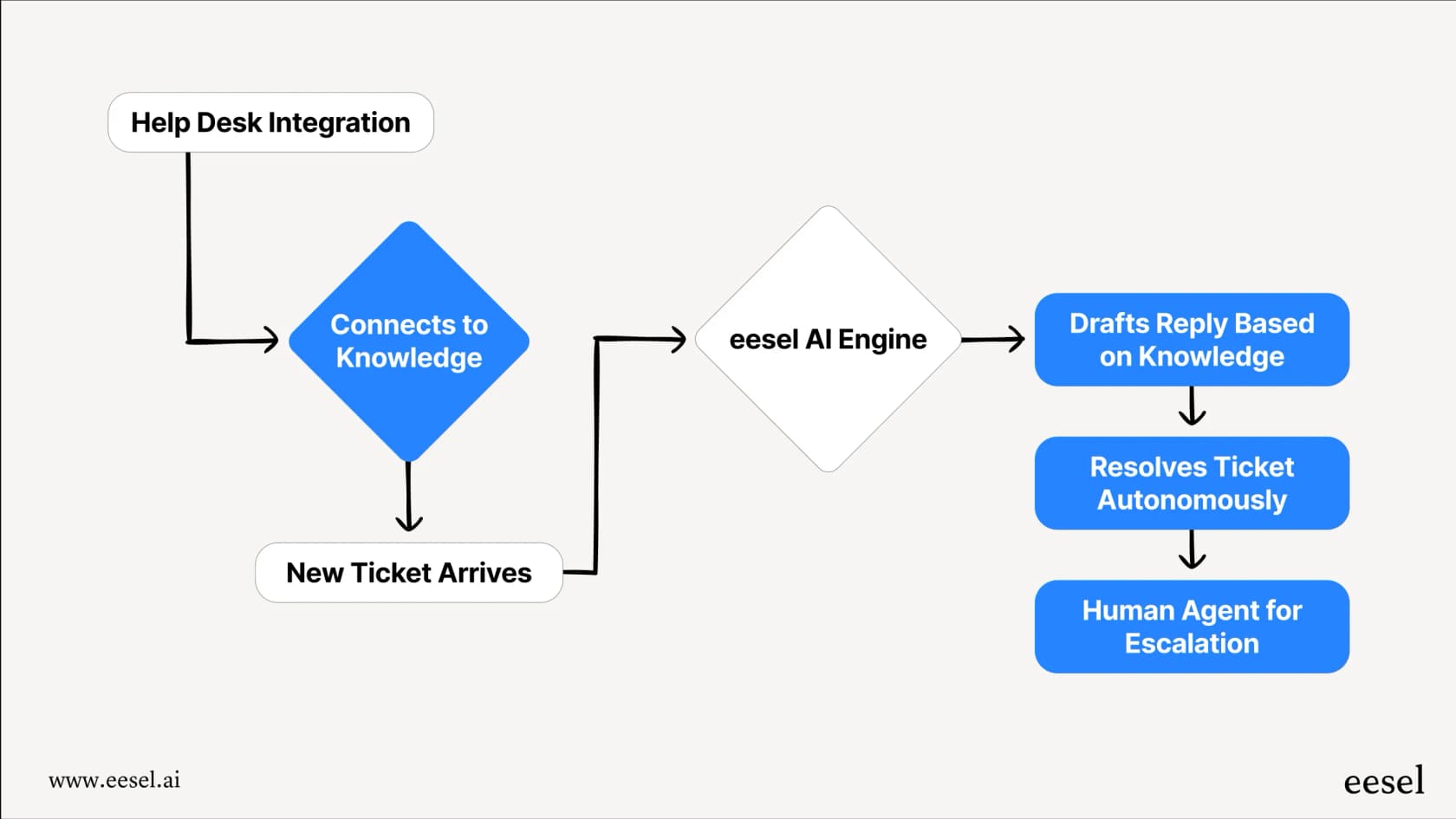
For teams that want to build on top of Zendesk’s strong foundation, eesel AI offers a complementary platform that enhances your existing helpdesk. It’s designed to work perfectly with Zendesk, offering expanded automation options.
With eesel AI as a companion, you can:
-
Quickly Integrate: Use a self-serve platform that plugs into your Zendesk instance in minutes.
-
Broaden Your Knowledge Base: Connect to Confluence, Google Docs, Notion, and more to supplement your Zendesk Knowledge (formerly Guide) content.
-
Refine Your Controls: Use a workflow builder to create specialized actions that work in tandem with your Zendesk triggers.
-
Simulate with Confidence: Test your automation ideas against historical data to ensure you’re always providing the best customer experience.
If you’re looking to get the absolute most out of your Zendesk investment, eesel AI is a fantastic addition to your toolkit.
Get started with true support automation
Zendesk intelligent triage is a world-class solution for modernizing your support operations. By combining its mature features with a thoughtful setup-and perhaps a complementary tool like eesel AI-you can create a truly efficient and scalable support environment.
Explore eesel AI and see how you can further enhance your Zendesk support workflows today.
Frequently asked questions
What exactly are Zendesk intelligent triage resources and how do they function?
Zendesk intelligent triage resources use industry-leading AI to automatically analyze incoming support tickets for customer intent, language, and sentiment. This enables automated categorization and routing to the appropriate teams or workflows, helping to streamline operations and speed up resolutions.
What core capabilities do Zendesk intelligent triage resources offer for support teams?
These resources provide automated detection for ticket attributes, facilitate smart ticket routing and workflow automation through Zendesk's robust trigger system, and include an analytics dashboard to monitor AI performance and identify trends in customer inquiries.
How can Zendesk intelligent triage resources be used in practical day-to-day support scenarios?
Teams can use these resources to provide automated replies for common questions, accurately route tickets to agents based on the detected language, proactively request missing information from customers, and efficiently forward specific inquiries to other departments.
What should teams consider when evaluating Zendesk intelligent triage resources?
Zendesk provides these advanced AI features as part of their comprehensive Suite plans to ensure enterprise-grade performance. While the AI is primarily optimized for Zendesk Guide articles, teams can further enhance their ecosystem with complementary tools like eesel AI if they have highly specialized or external knowledge needs.
How is the pricing typically structured for accessing Zendesk intelligent triage resources?
Accessing Zendesk intelligent triage resources is typically available on the Zendesk Suite Professional plan or higher, often utilizing the "Copilot" add-on. This structure allows teams to invest in AI capabilities that scale alongside their agent growth.
Are there complementary options to Zendesk intelligent triage resources for specialized support needs?
Yes, tools like eesel AI offer a complementary approach that works alongside Zendesk. They can help teams integrate diverse knowledge sources beyond Zendesk and provide additional simulation tools for specific workflows, while fitting seamlessly within the existing Zendesk ecosystem.