

Why creators are leaving CapCut
It's worth being precise about what changed, because the backlash is not about CapCut being a bad tool. It's still technically impressive - the TikTok template ecosystem remains unmatched, multi-language auto-captions on Pro are better than most competitors, and the cross-device sync with 1TB cloud storage on a single subscription is genuinely useful.
The problem is the business model shift.
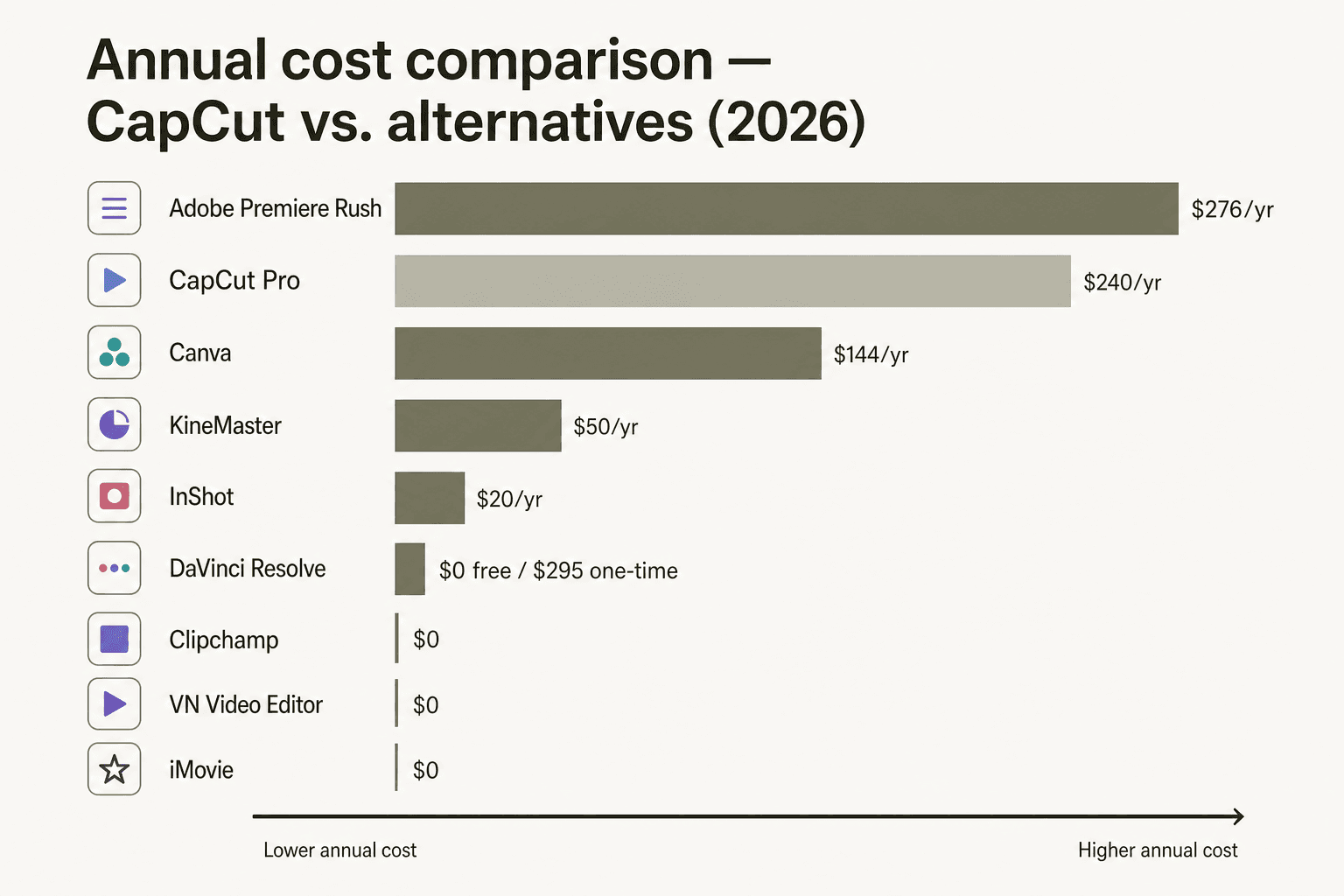
The price hike. CapCut Pro jumped from roughly $9.99/month to $19.99/month in early 2025, and the EU price went even higher - users in Europe report €29.99/month. That's $239.88/year, comparable to a professional subscription tool. Meanwhile, the features being paywalled - dynamic captions, filler-word removal, vocal isolation, most AI tools - were previously free.
The "rugpull." On Reddit, the word that comes up most often is "rugpull." User Krzheski summed it up in a widely upvoted comment: "They removed the watermark and had the best effects, and that's how they blew up. Now CapCut has gotten really greedy with what features they gate behind paywall." User DivineLove777777 described the desktop export experience: "It's actually horrendous. Every long video I try to export, I get an error halfway through and it fails." With 237 comments in a single alternatives thread, the frustration isn't fringe.
The ByteDance concern. CapCut's June 2025 Terms of Service grant ByteDance perpetual, irrevocable rights to all uploaded content. For creators doing client work or building brand IP, that's a dealbreaker - you'd essentially be licensing client assets to a ByteDance entity. For personal creators making TikTok content, it matters less, but it's still made the platform feel unsafe.
The US ban risk. Even if the PAFACA situation gets resolved, the 75-day ban demonstrated the risk of building your workflow around an app that could vanish from your device's app store at any point. Many creators switched during those 75 days and didn't come back.
What to look for in a CapCut alternative
Before going through the options, it's worth naming what actually matters when switching:
Export quality without a paywall. Several competitors add watermarks on free exports (KineMaster does this, for example). If you're creating client content or building a following, watermarks immediately signal amateur-tier tooling. Look for tools that give clean exports free.
AI features at no extra cost. CapCut's AI suite is the reason many users are on the platform. Alternatives that keep auto-captions, background removal, and noise reduction free - rather than behind a separate AI add-on - are worth prioritizing.
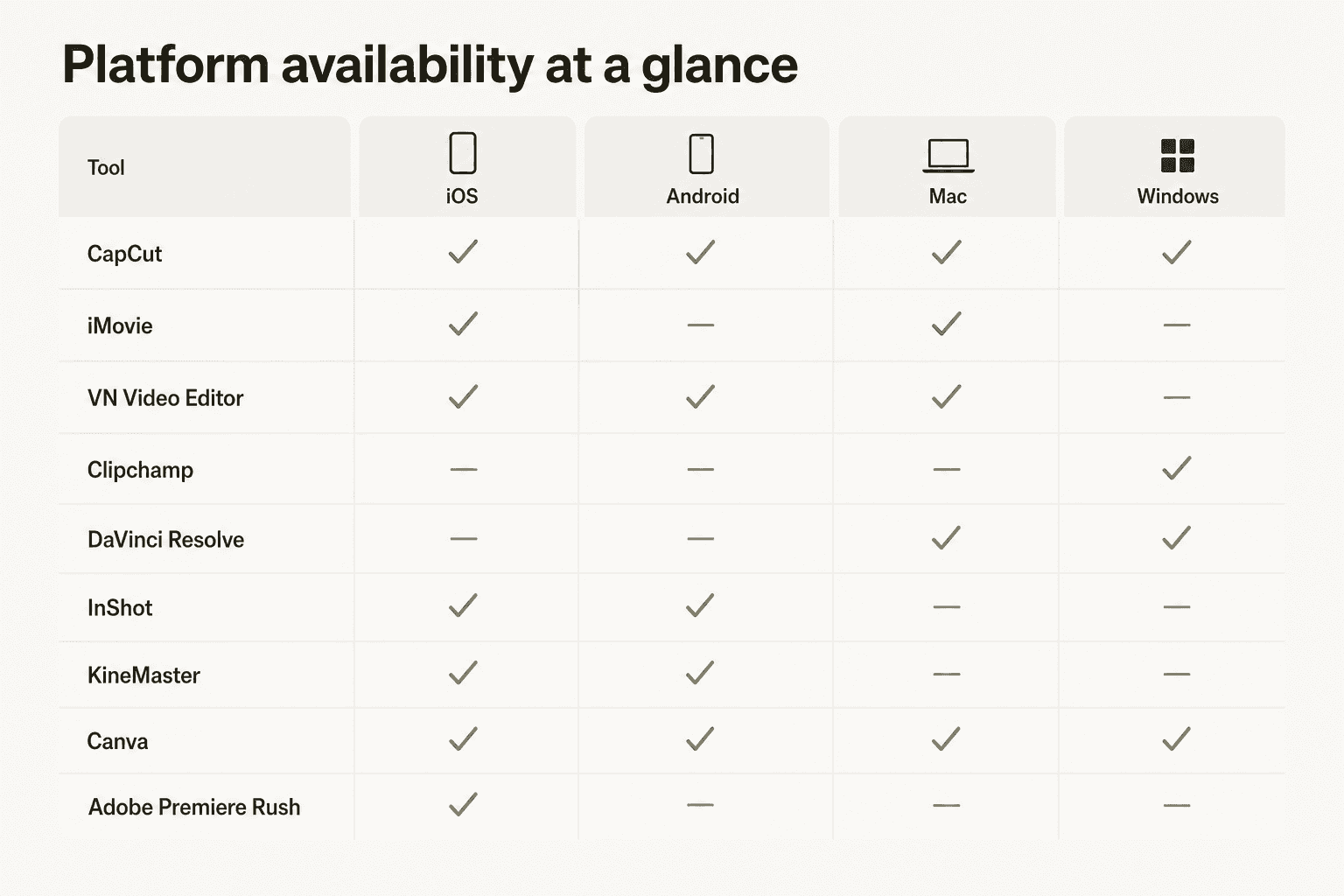
Platform fit. CapCut runs on iOS, Android, Mac, and Windows. Most alternatives specialize in one or two platforms. Be honest about where you actually edit - if it's your phone, you don't need a desktop-first tool.
No content licensing traps. Read the ToS before uploading. The ByteDance situation is a reminder that "free" sometimes means your content becomes someone else's asset.
Pricing you can trust long-term. The CapCut pricing experience showed what happens when a tool grows on free-tier generosity and then transitions to subscription revenue. Tools with transparent, stable pricing - a perpetual license, a modest yearly fee, or genuine freeware - are lower-risk commitments.
Quick comparison: 8 CapCut alternatives at a glance
| Tool | Platforms | Free export | Paid price | Standout feature | Best for |
|---|---|---|---|---|---|
| VN Video Editor | iOS, Android, Mac | Clean, no watermark | Free (in-app Pro available) | Multi-track keyframe animation, free | Mobile creators who want real editing tools |
| InShot | iOS, Android | Clean, no watermark | $19.99/year | Beat-sync, AI captions, chroma key on mobile | Social media content creators |
| DaVinci Resolve | Mac, Windows, Linux | Clean, no watermark | $295 one-time (Studio) | Hollywood-grade color grading, pro VFX | Serious creators, YouTubers, filmmakers |
| Canva | Web, iOS, Android, Mac, Windows | Watermark | $144/year (Pro) | 3.6M+ templates, Veo-3 text-to-video | Non-editors, marketing teams, beginners |
| Clipchamp | Windows, Browser | Clean, 1080p, no watermark | Via Microsoft 365 ($6.99–$9.99/mo) | All AI tools free, Windows 11 native | Windows users, beginners |
| iMovie | Mac, iPhone, iPad | Clean, 4K, no watermark | Free | Magic Movie AI, 4K + ProRes export | Apple users wanting a simple free editor |
| KineMaster | iOS, Android, Chromebook | Watermarked | $9.99/month or $49.99/year | Chroma key on mobile, massive asset store | Mobile editors needing pro compositing |
| Adobe Premiere Rush | iOS only | Clean | $22.99/month (desktop via CC) | Official YouTube Shorts partner, iOS | iPhone-first creators in the Adobe ecosystem |
1. VN Video Editor - Best free CapCut alternative overall
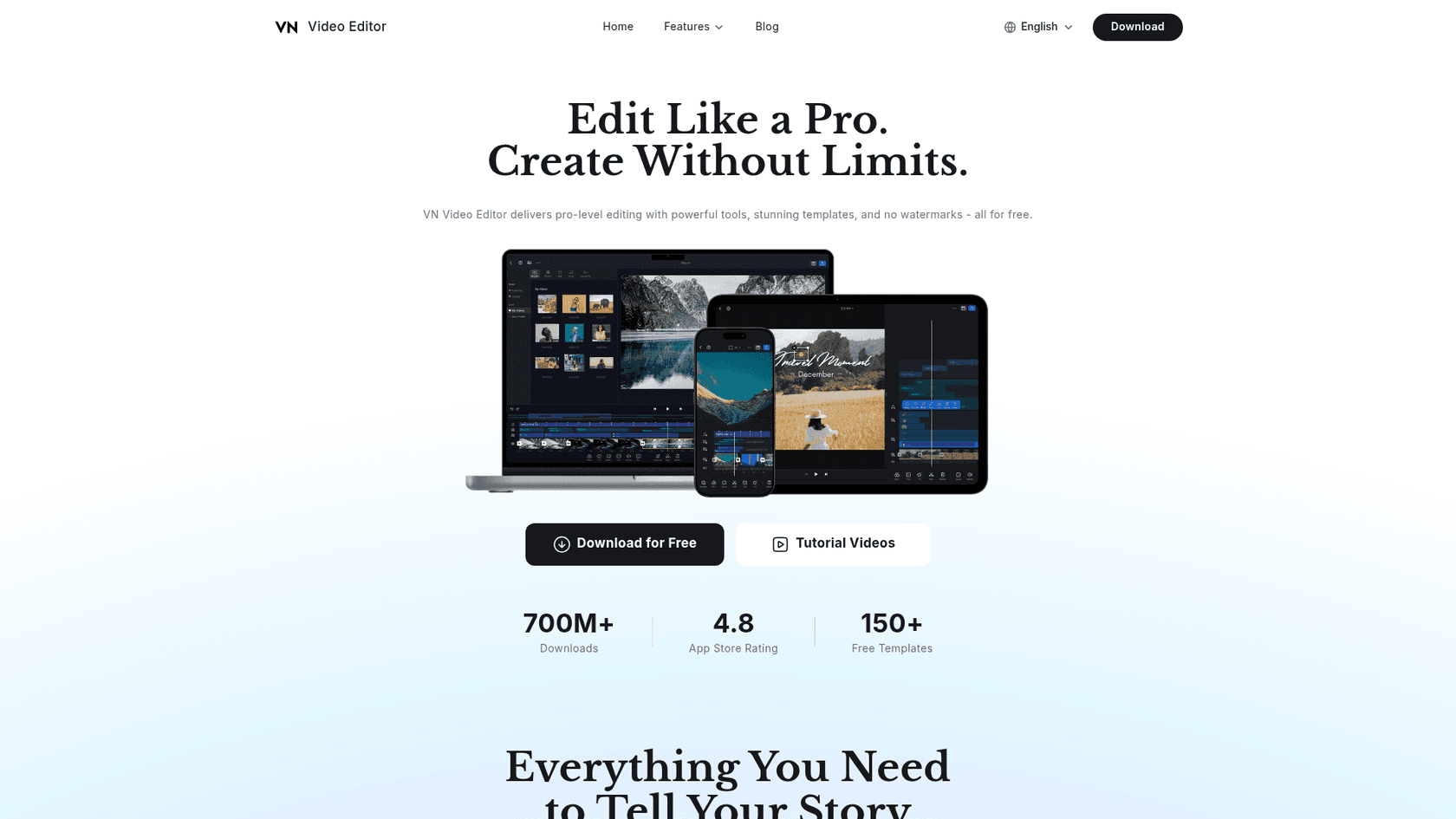
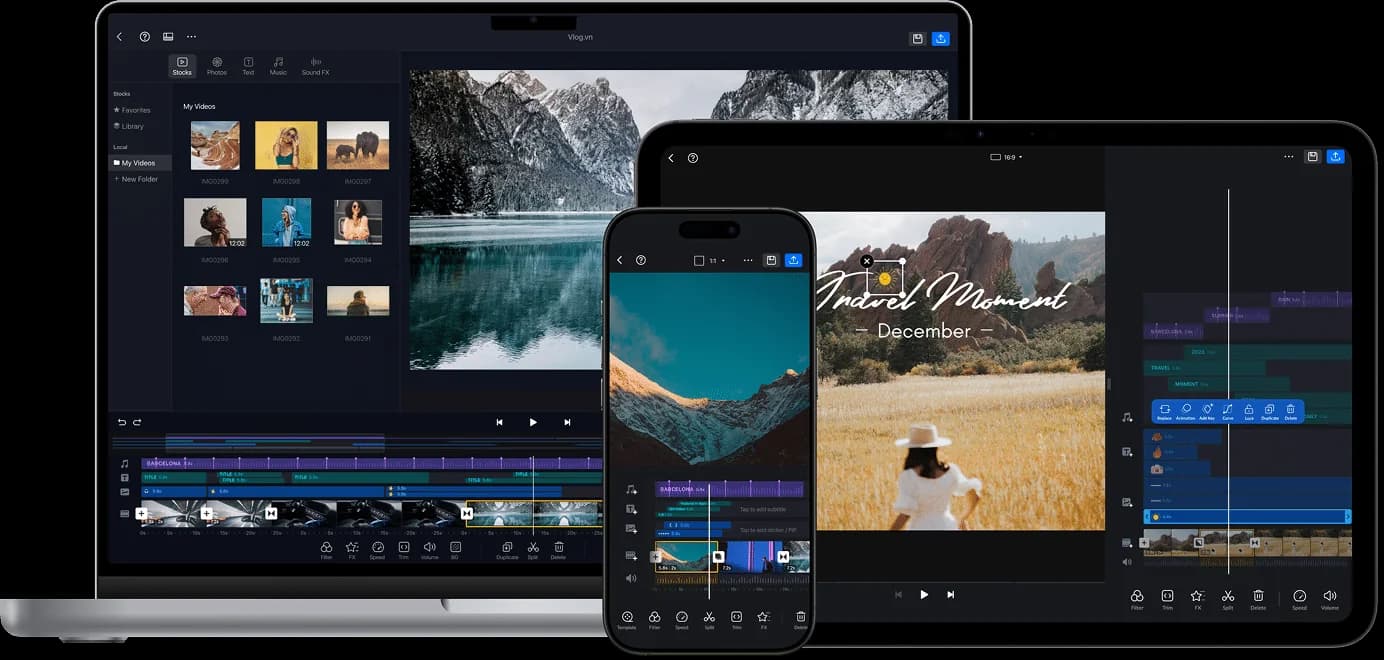
VN Video Editor is the closest thing to a 1:1 CapCut replacement that's actually free - no watermarks, no per-feature subscriptions, no ByteDance connection. It's developed by Ubiquiti Labs (a subsidiary of networking hardware company Ubiquiti Inc.) and has racked up 700M+ total downloads.
The tool runs on iOS, Android, and Mac, with Windows accessible via emulator. That coverage isn't as complete as CapCut, but it hits the most important platforms for mobile creators.
What makes VN stand out against the field is the multi-track timeline with true keyframe animation. Most mobile editors give you a single-layer timeline for clips plus a basic overlay track. VN gives you multiple video and audio tracks with keyframes adjustable to 0.05-second precision - closer to what you'd get in Premiere Pro than in most free mobile apps. Community reviewers compare the time-remapping controls to desktop-grade editing.
The AI feature set covers auto-captions with multi-language support, background removal, image upscaling, and beat-sync editing through a BeatsClips tool that automatically matches cuts to music. All free.
The one significant gap is chroma key (green screen). VN doesn't have it. If compositing is part of your workflow, you'll need a different tool - KineMaster (see below) is the main free mobile option with full chroma key.
User reviews from 2026 consistently cite two pain points: lag when using many overlays simultaneously, and the overlay sync in the timeline not always matching playback position precisely. These are real workflow issues for complex edits, though straightforward cuts handle fine.
Pricing: Free tier includes all core features with no watermark. An in-app Pro tier exists (pricing not prominently displayed) that likely removes ads and unlocks premium templates. The company appears to de-emphasize paid conversion.
| Platforms | iOS, Android, Mac (Windows via emulator) |
| Free export | Yes - no watermark, up to 4K 60fps |
| Paid price | Free (in-app Pro available) |
| AI features free? | Yes - captions, background removal, upscaling, beat-sync |
| Chroma key | No |
Verdict: If you're leaving CapCut for cost or privacy reasons and want the closest equivalent experience without paying, VN Video Editor is the answer. It covers the same mobile-first use case, keeps everything free, and the multi-track keyframe timeline is genuinely impressive for a free app.
2. InShot - Best for social media creators on mobile
InShot is the alternative that shows up most in CapCut migration threads, and for good reason. With 500M+ Google Play downloads alone and a 4.9/5 App Store rating, it has real-world validation at scale. It's developed by SHANTANU PTE. LTD. (Singapore), actively maintained - the last update was June 2, 2026 - and priced at $19.99/year for the full Pro feature set.
That's a significant pricing difference from CapCut: $19.99/year versus CapCut's $19.99/month. For the same annual spend, you get roughly 12 months of InShot Pro vs. one month of CapCut Pro.
InShot is mobile-only - there's no desktop app - which is a real limitation if your workflow extends to a Mac or PC. But within the mobile context, the feature set is competitive: full chroma key, 4K 60fps export, AI auto-captions with multi-language support, AI background removal, beat-sync, keyframe animation, Picture-in-Picture with multiple overlays, speed ramping, and AI effects like Clone, Stroke, and face tracking.
The template library is more limited than CapCut's - InShot doesn't have the TikTok-integrated template pipeline that made CapCut's library feel bottomless. But for creators who mostly use their own footage rather than template-heavy edits, this matters less.
Free tier exports without a watermark but limits some AI tools and includes ads. At $19.99/year, the Pro tier removes ads, unlocks all AI features, and gives full access to the stock music library.
| Platforms | iOS, Android only |
| Free export | Yes - no watermark |
| Paid price | $19.99/year |
| AI features free? | Partial - core AI tools require Pro |
| Chroma key | Yes (Pro) |
Verdict: InShot is the right choice if you live on your phone, create primarily for TikTok, Reels, or Shorts, and want a genuine Pro experience at a reasonable price. The $19.99/year vs. CapCut's $19.99/month comparison is the argument in one number.
3. DaVinci Resolve - Best for serious desktop creators
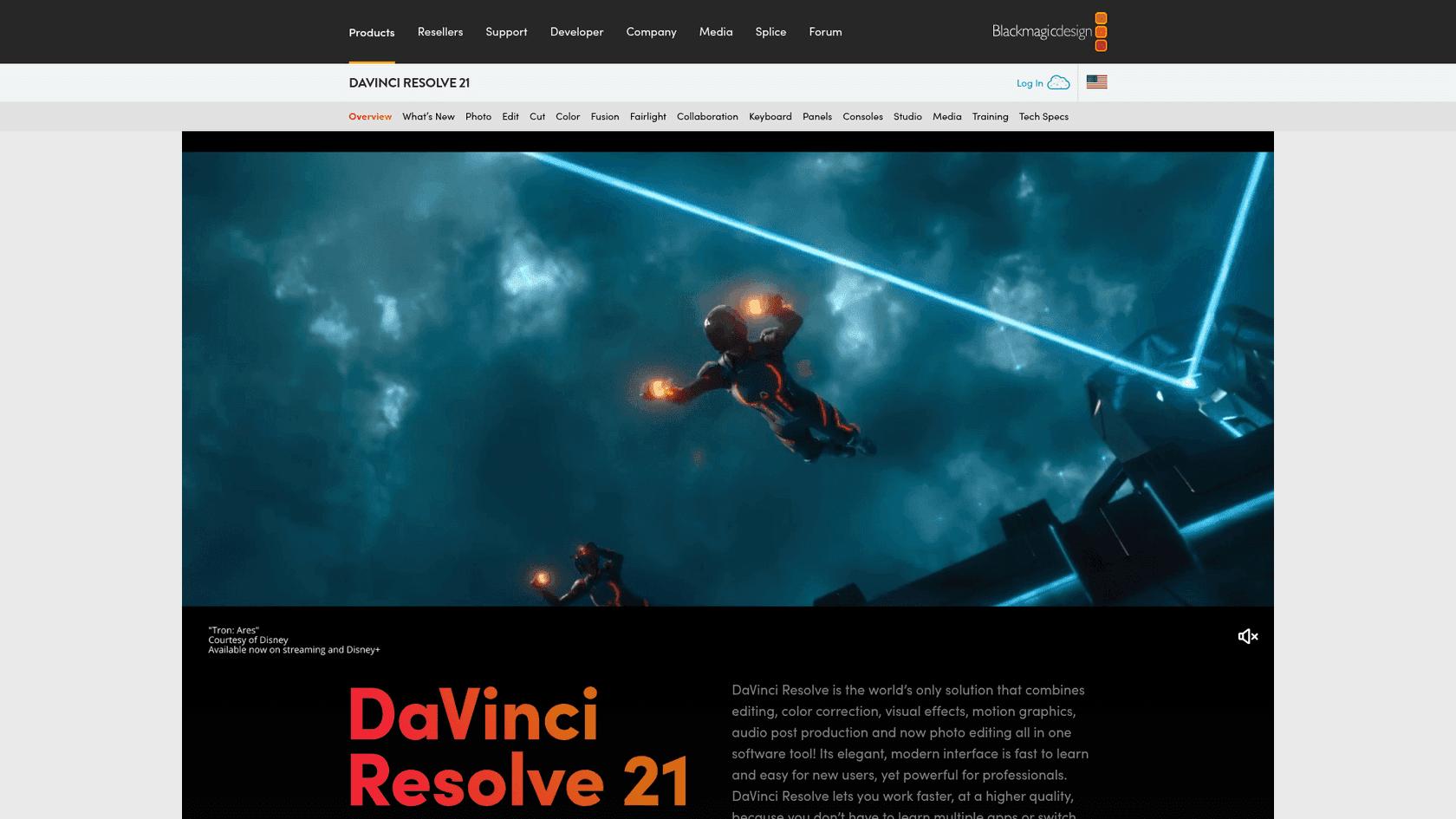
DaVinci Resolve is a different category of tool from every other option on this list. It's used on Hollywood feature films - Avatar: Fire and Ash (2026), various Netflix originals - and it's also completely free for the tier that most creators will ever need.
Blackmagic Design offers DaVinci Resolve in two tiers: the free version, which handles 8-bit footage up to Ultra HD at 60fps, and DaVinci Resolve Studio at $295 - a one-time perpetual license with free updates, no subscription. To put that in context: CapCut Pro costs $239.88/year. Year one of CapCut Pro costs nearly as much as DaVinci Studio for life.
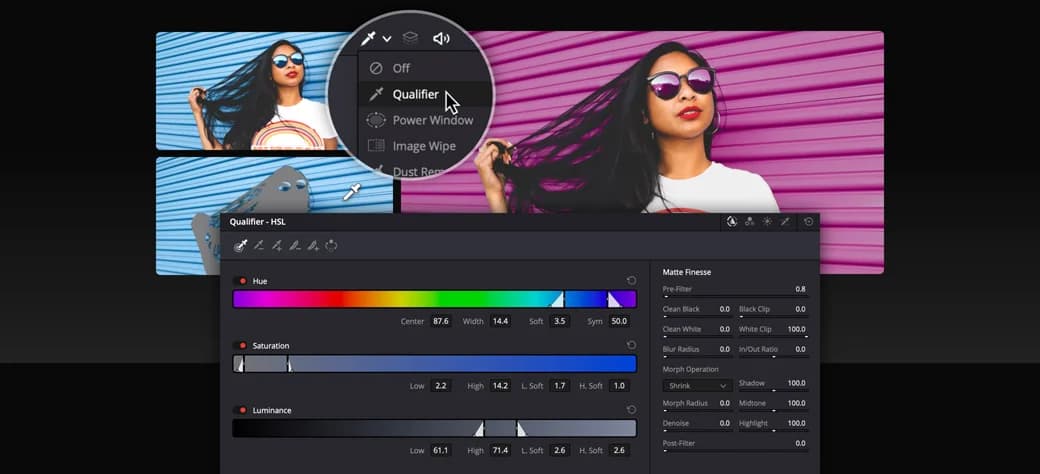
The free tier is genuinely comprehensive: full non-linear editing on the Edit page, the industry-leading Color page with node-based grading that professional colorists use, the Fusion page for VFX and motion graphics (200+ tools, full 3D workspace), Fairlight for audio post-production (2,000 tracks, ADR, EQ), and the Deliver page for rendering. DaVinci Resolve 21 also added a Photo page that competes with Lightroom and Capture One for still photography.
The limitation is the learning curve. DaVinci Resolve uses a page-based architecture - eight separate workspaces for different parts of the post-production process - and the Color page's node-based workflow, while extremely powerful once learned, is unlike anything in mobile editing apps. If you're coming from CapCut and want to start cutting immediately, expect a few hours of orientation before productivity returns.
From GetApp, DaVinci Resolve holds a 4.8/5 across 268 reviews. The consistent praise is for color grading depth and the free tier's capability. The consistent criticism is the initial complexity - particularly the node-based color workflow for users without a grading background. For context on what CapCut reviews say about the export reliability issues that make creators look here in the first place, the contrast is stark.
Pricing:
| Plan | Price |
|---|---|
| DaVinci Resolve (free) | $0 - 8-bit, up to 60fps, Ultra HD max |
| DaVinci Resolve Studio | $295 one-time perpetual - 10-bit, 120fps, 8K+, AI Neural Engine, noise reduction |
| Platforms | Mac, Windows, Linux |
| Free export | Yes - no watermark, Ultra HD |
| Paid price | $295 one-time (no subscription) |
| AI features free? | Partial - advanced AI (noise reduction, speed warp) requires Studio |
| Chroma key | Yes |
Verdict: If you're frustrated with CapCut's price escalation and want a one-time purchase instead of a subscription, DaVinci Resolve Studio at $295 beats CapCut Pro's annual cost in year two and every year after. The free tier alone covers what most YouTubers and short-form creators need.
4. Canva - Best for non-editors and marketing teams
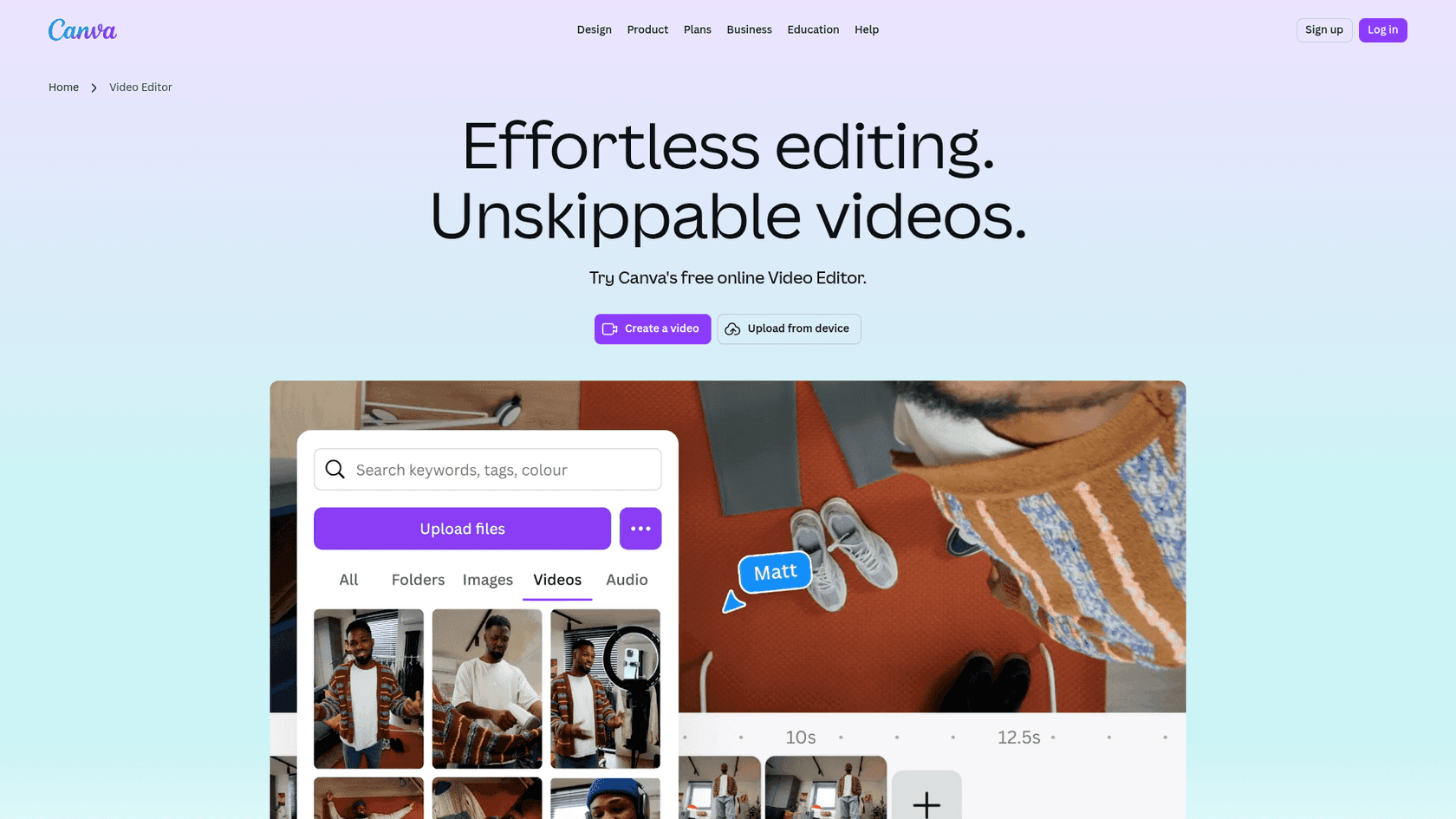
Canva's video editor is not trying to compete with CapCut on editing depth. It's competing on template breadth, ease of use, and the ability to go from zero to a finished branded video without any editing knowledge.
The free tier is genuinely useful - access to 3.6M+ templates including video templates, basic video editing tools (trim, add text, transitions), 5GB of storage, and the ability to export directly to social formats. The catch is a Canva watermark on free exports, which CapCut doesn't add.
Canva Pro at $144/year (or $120/year billed annually) unlocks the full template library, brand kit with custom fonts and colors, Magic Studio AI tools, 1TB storage, and - critically - watermark-free exports.
What makes Canva interesting for 2026 specifically is the integration with Google Veo-3 for text-to-video generation. From within the Canva editor, you can generate short video clips from a text prompt and drop them directly into your timeline - the only major template-based video tool with this capability at this price point. The AI video generation isn't photorealistic, but for backgrounds, b-roll, and motion graphics filler, it's genuinely useful.
The editing experience is deliberately simplified. You won't find multi-track timelines, keyframe animation, chroma key, or color grading here. Canva treats video as one part of a broader design workflow - alongside presentations, social graphics, and documents. If your video editing needs go beyond clip assembly, text overlays, and music, you'll hit the ceiling quickly.
6M+ teams use Canva across marketing, education, and content operations. Canva AI has positioned itself as the go-to tool for non-designers who need to produce visual content at scale.
Pricing:
| Plan | Price |
|---|---|
| Free | $0 - basic templates, 5GB storage, Canva watermark on exports |
| Canva Pro | $144/year - full templates, brand kit, Magic Studio AI, 1TB, no watermark |
| Canva Teams | $500/year (5 users) - collaboration, admin controls |
| Platforms | Web, iOS, Android, Mac, Windows |
| Free export | Yes, but with Canva watermark |
| Paid price | $144/year |
| AI features free? | Partial - Veo-3 and full Magic Studio require Pro |
| Chroma key | No |
Verdict: Canva is the right tool if your primary need is polished branded videos from templates rather than editing your own footage in depth. For marketing teams and non-editors, the template-first approach is faster than any traditional NLE. For creators who do a lot of original footage editing, it's too shallow.
5. Clipchamp - Best free CapCut alternative for Windows
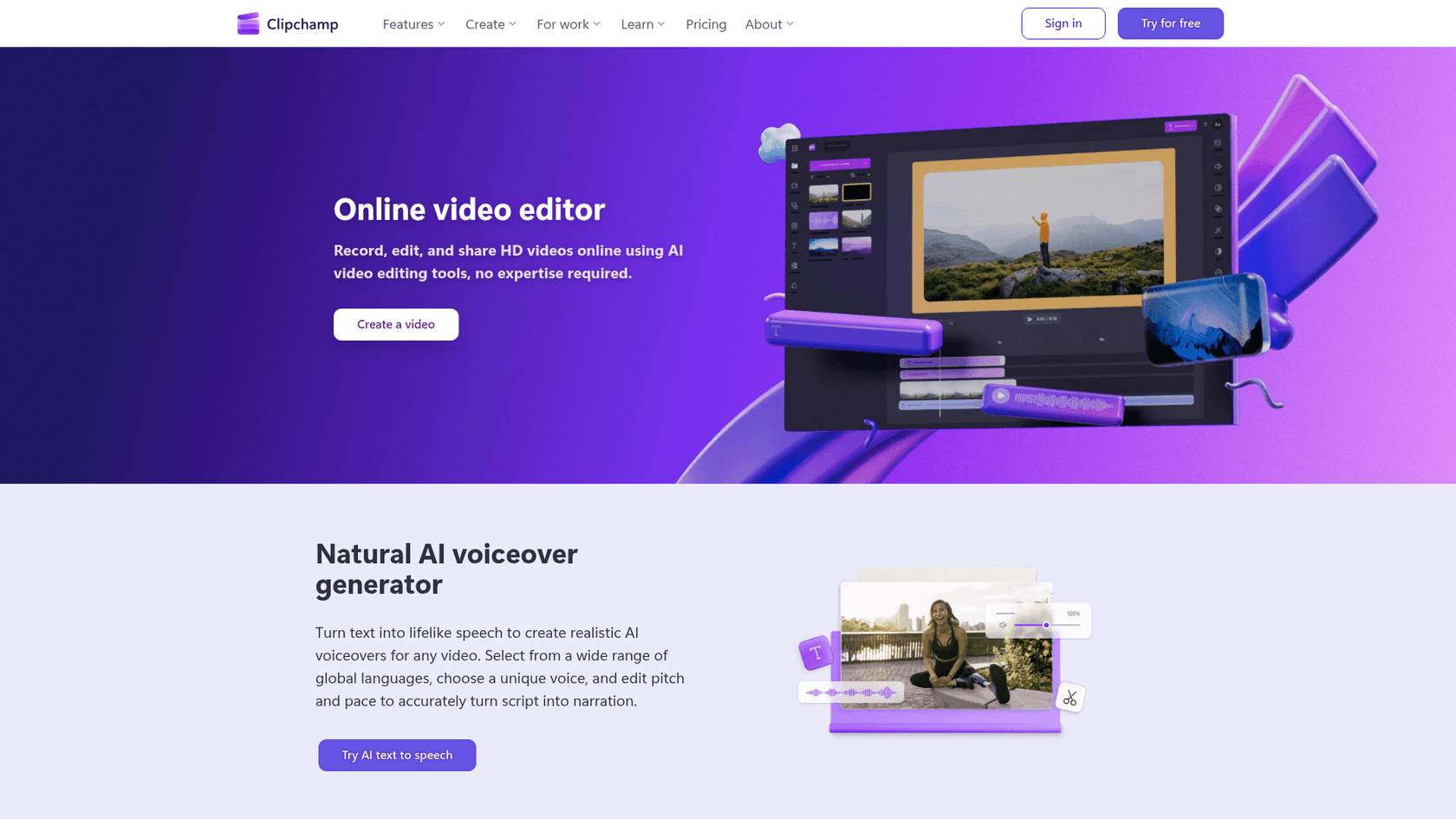
Clipchamp is Microsoft's free video editor, and it has a free-tier proposition that stands out: 1080p export with no watermarks, unlimited exports, and every AI tool - all at $0. No other major video editor matches this combination on a free tier.
The AI suite in Clipchamp's free tier includes an AI voiceover generator with 400+ voices across multiple languages, an AI subtitle generator supporting 80+ languages, an AI auto-compose tool that generates short videos from your clips automatically, an AI silence remover (detects and strips silences over 3 seconds), a background noise remover, and a background removal tool. All free, all with no usage cap.
Clipchamp ships inside Windows 11 - it's in the Start menu, which means zero installation friction for Windows users. It also runs in Chrome and Edge on any operating system, including Mac and Linux. The premium tier is only available through a Microsoft 365 Personal ($6.99/month) or Family ($9.99/month) subscription and adds 4K export, premium stock assets, and a brand kit.
The editing feature set is practical rather than deep: trim, rotate, crop, green screen (background replacement), audio tools, animated text overlays, stickers, GIF maker, and screen + webcam simultaneous recording. You can use Microsoft Copilot within Clipchamp to generate video scripts, which integrates cleanly with the voiceover generator.
For complex multi-track editing or professional color grading, Clipchamp won't cover you. It's designed for the same audience CapCut originally targeted: people who need good-looking videos without a learning curve.
Pricing:
| Plan | Price |
|---|---|
| Free | $0 - 1080p export, no watermark, unlimited exports, all AI tools |
| Premium | Via Microsoft 365 Personal ($6.99/mo) or Family ($9.99/mo) - 4K export, premium assets, brand kit |
| Platforms | Windows 11 native, browser (Chrome/Edge on any OS) |
| Free export | Yes - 1080p, no watermark, unlimited |
| Paid price | Via M365 subscription (no standalone Clipchamp plan) |
| AI features free? | Yes - all AI tools included free |
| Chroma key | Yes (green screen / background replacement) |
Verdict: For Windows users, Clipchamp is a no-brainer first stop when leaving CapCut. It's already installed, it exports cleanly at 1080p for free, and the AI feature set beats what CapCut offers on its free tier today.
6. iMovie - Best free CapCut alternative for Apple users

iMovie comes pre-installed on every iPhone, iPad, and Mac at no cost. It exports 4K, supports ProRes on iPhone, and has a Magic Movie feature that uses on-device AI to automatically cut a video from your selected clips with music, titles, and transitions applied automatically. For a tool that costs $0 and requires no installation, the output quality is high.
The editing experience is clean and constrained. iMovie uses a simplified timeline with up to two video tracks, audio tracks, and overlay options. You won't get multi-track keyframe animation, color grading beyond basic presets, chroma key, or AI auto-captions. Apple positions iMovie as the entry point to video editing for the iOS and macOS ecosystem - the path to Final Cut Pro ($299.99 one-time) when you outgrow it.
If you're in the Apple ecosystem and primarily edit on iPhone or Mac, iMovie covers a lot of ground for free. Projects started on iPhone can continue on Mac via iCloud, though the handoff is less seamless than it could be. The lack of Android support and zero Windows compatibility means it's only relevant for Apple-device users.
One genuine advantage: because iMovie is tied to the Apple ecosystem rather than a third-party company, there's no risk of ToS changes, data harvesting, or subscription price increases. It's software that ships with hardware you've already bought.
Pricing:
| Plan | Price |
|---|---|
| iMovie | $0 - pre-installed on all Apple devices |
| Final Cut Pro | $299.99 one-time (upgrade path) |
| Platforms | Mac, iPhone, iPad only |
| Free export | Yes - 4K, ProRes on iPhone, no watermark |
| Paid price | Free (paid upgrade: Final Cut Pro at $299.99) |
| AI features free? | Yes - Magic Movie AI, on-device processing |
| Chroma key | No |
Verdict: If you're on Apple devices and want zero-cost, zero-friction video editing without any of the CapCut concerns, iMovie is the starting point. It's not going to do everything CapCut does, but it will do the basics cleanly and without any paywall.
7. KineMaster - Best for mobile power users who need chroma key
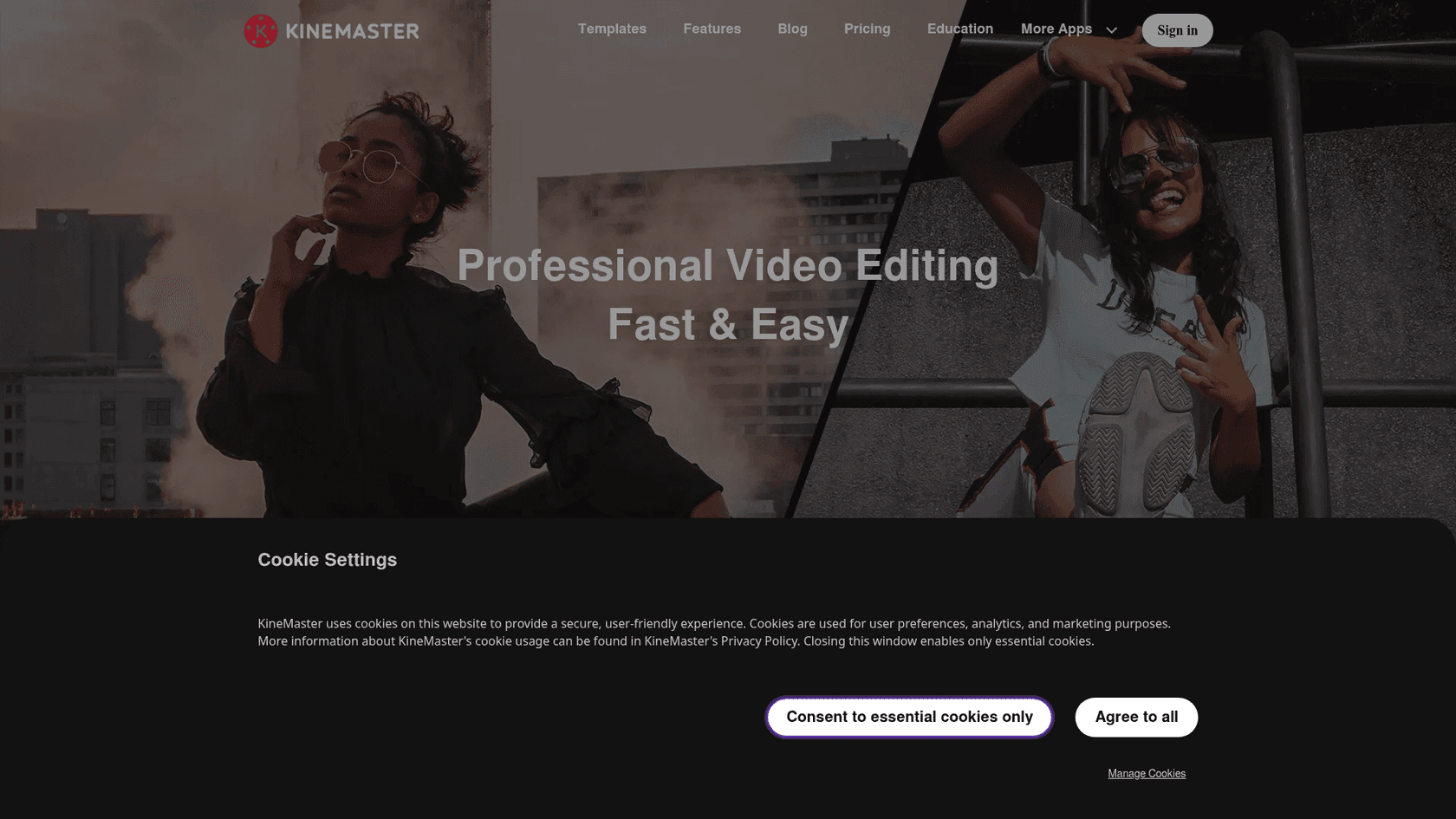
KineMaster is the oldest major mobile video editor still in active development - it's been around for over a decade - and it's earned Google Play's Editors' Choice designation with 750M+ total downloads. The Seoul-based company (formerly NexStreaming) pioneered layer-based editing on mobile, and that architecture remains its clearest technical differentiator.
The standout feature is chroma key. Full green-screen compositing with alpha mask and preview controls, on mobile, for free - no other widely-used mobile editor matches this. If you shoot in front of a green screen or need to composite backgrounds, KineMaster is the mobile option to consider.
The layer-based model (rather than a linear multi-track timeline) is genuinely different from CapCut or VN. You stack unlimited video, image, text, sticker, and effect layers on top of your primary video. For graphic-heavy edits, animated overlays, and picture-in-picture with multiple elements, this gives more flexibility than a standard track layout. For straightforward footage cuts, it's a slightly steeper mental model.
The KineMaster Asset Store has tens of thousands of stickers, effects, transitions, fonts, music, and sound effects. The Mix/KineSpace community adds template sharing with millions of participants - though community reviewers consistently note that CapCut's template library is still better integrated.
The watermark issue. The free tier watermarks all exports - "the watermark is so BIG" appears in multiple reviews with high helpful-vote counts. Unlike VN, InShot, or DaVinci, you can't get a clean free export from KineMaster without a subscription.
At $49.99/year or $9.99/month, KineMaster's paid tier removes the watermark and ads, and adds KineCloud for cross-device project storage. There's no lifetime purchase option, which is a frequent user complaint.
Pricing:
| Plan | Price |
|---|---|
| Free | $0 - full features including chroma key, but watermarked exports + ads |
| Premium | $9.99/month or $49.99/year - no watermark, no ads, KineCloud storage |
| Platforms | iOS, Android, Chromebook |
| Free export | Watermarked (watermark removal requires paid) |
| Paid price | $9.99/month or $49.99/year |
| AI features free? | Yes - AI captions, tracking, vocal separator, upscaling all included |
| Chroma key | Yes - full compositing, free tier included |
Verdict: KineMaster is the mobile-only tool to choose when you specifically need chroma key compositing or a deep asset store. The $49.99/year price and free-tier watermark are both notable downsides vs. VN. If chroma key isn't a priority, VN's combination of no watermark and free forever is a better default.
8. Adobe Premiere Rush - Best for iOS-first creators in the Adobe ecosystem
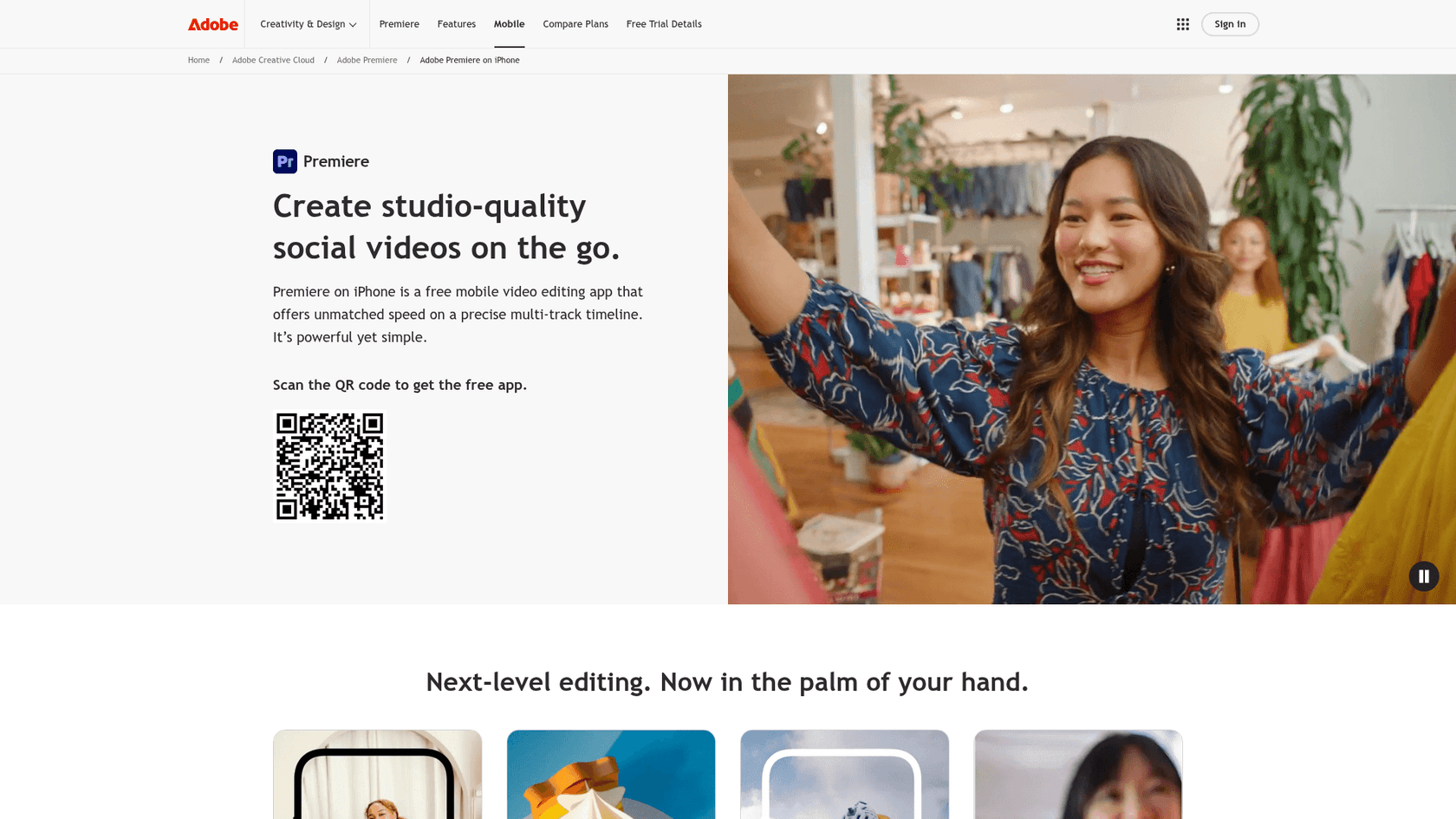
Adobe rebranded Premiere Rush as "Premiere on iPhone" in 2025, and that rebrand is the clearest summary of what the tool now is: an iOS-first mobile editor that ties into the Creative Cloud ecosystem. If you're an Android user or primarily edit on desktop, Adobe Premiere Rush isn't the right option.
For iPhone users in the Adobe ecosystem, it has genuine value. It's an official YouTube Shorts partner, which means streamlined publishing directly from the app to YouTube. It pulls assets from Creative Cloud Libraries, giving you access to Adobe Stock, your existing brand assets, and other CC files directly in the mobile editor. The editing experience is cleaner than most mobile competitors for straightforward cuts, and export quality is solid.
The pricing structure is where it gets complicated. The iOS app itself is free to download with basic functionality. But "Premiere on iPhone" as a full product comes as part of the Creative Cloud subscription - which for Premiere Pro standalone is $22.99/month, or $59.99/month for the full Creative Cloud suite. If you're already paying for Creative Cloud, Premiere Rush / Premiere on iPhone adds no marginal cost. If you're not, signing up for it means paying Adobe's full subscription rate for access to a mobile editor.
For users who left CapCut because of the subscription model, getting into Adobe's ecosystem means trading one subscription for another - typically at higher cost.
Pricing:
| Plan | Price |
|---|---|
| Basic iOS app | Free (limited features) |
| Premiere Pro | $22.99/month (includes Premiere on iPhone) |
| Creative Cloud All Apps | $59.99/month |
| Platforms | iOS only (as of 2025 rebrand) |
| Free export | Yes (basic iOS app) |
| Paid price | $22.99/month (Premiere Pro plan) |
| AI features free? | Partial |
| Chroma key | No (requires After Effects) |
Verdict: Adobe Premiere Rush makes sense only if you're already a Creative Cloud subscriber with an iPhone. For everyone else, the subscription cost and iOS-only limitation don't justify choosing it over the free or cheaper alternatives above.
How to choose the right CapCut alternative
The right tool depends entirely on where you edit and what you need:
You edit on your phone and want free with no watermark: Use VN Video Editor. It's the most direct CapCut replacement - same mobile-first experience, genuinely free, no ToS concerns.
You edit on your phone and want AI features at low cost: InShot at $19.99/year covers chroma key, AI captions, beat-sync, and background removal on iOS and Android. It's roughly 1/12th the cost of CapCut Pro.
You have a Windows PC: Open Clipchamp - it's already in your Start menu. Export at 1080p with no watermark and all AI tools, for free.
You have a Mac, iPhone, or iPad: iMovie is already installed. Start there before paying for anything.
You want to invest in a real editing workflow: DaVinci Resolve's free tier covers professional color grading, VFX, and multi-track editing with no subscription. The Studio tier at $295 one-time beats CapCut Pro's annual cost by year two.
You need green screen / chroma key on mobile: KineMaster is the mobile editor with the most complete chroma key implementation. Budget for the $49.99/year paid tier to avoid the watermark.
You're in marketing and need templates over editing depth: Canva at $144/year with 3.6M+ templates and Veo-3 AI video generation. Check the Canva AI pricing breakdown to see exactly what's included at each tier.
You specifically used CapCut's AI video generation (Dreamina) and need a standalone alternative: The AI video generation market has several specialized tools worth knowing. Runway (Gen-4 and beyond) is the leading option for text-to-video generation with cinematic quality - check the Runway AI pricing guide before committing. For repurposing long-form video into short clips automatically, OpusClip does this better than any all-in-one editor. If your video workflow involves a lot of interview or podcast footage where you want to edit by editing text rather than timeline scrubbing, Descript is the specialized tool for that use case - read the Descript alternatives breakdown if you're evaluating that category.
Try eesel
If you run a business or content team, you've probably found that the more your content output grows, the more questions it generates - from customers, followers, and partners. Answering DMs, support tickets, and product questions manually doesn't scale with your creative output.
eesel is an AI teammate that works inside the tools you already use - Zendesk, Slack, Freshdesk, email, Shopify - to handle support and knowledge queries automatically. Instead of building separate workflows, eesel agents read your content, learn your brand voice, and resolve questions the same way a well-briefed team member would.
Teams handling 100,000+ queries per month run on eesel. There's no seat fee, no platform fee, plans from $299/month for 500 credits (1 credit per ticket or chat), and a free plan with 100 credits that requires no card. For content creators and small businesses whose customer support load has outgrown their capacity, eesel frees up the time actually used for creating.