
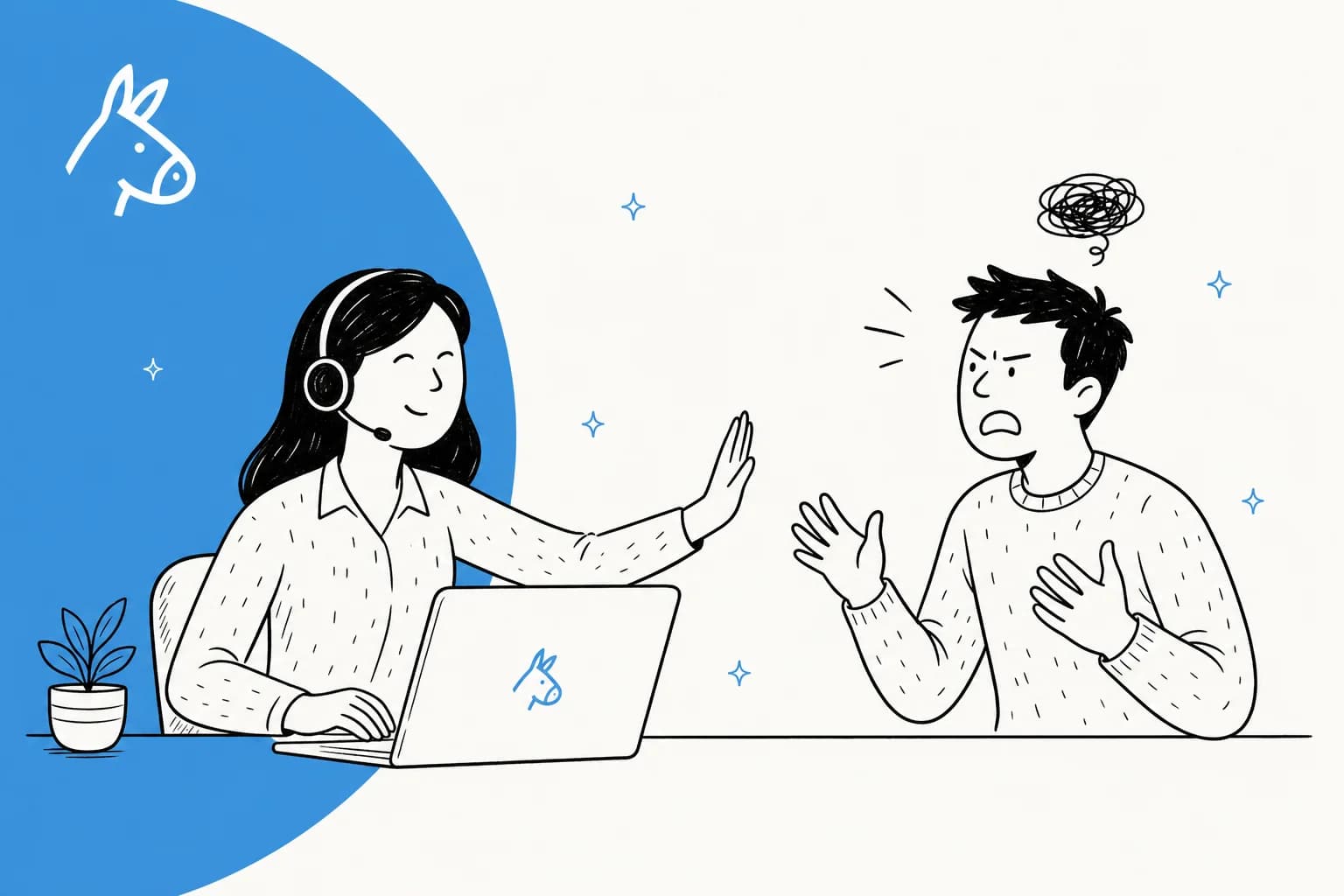
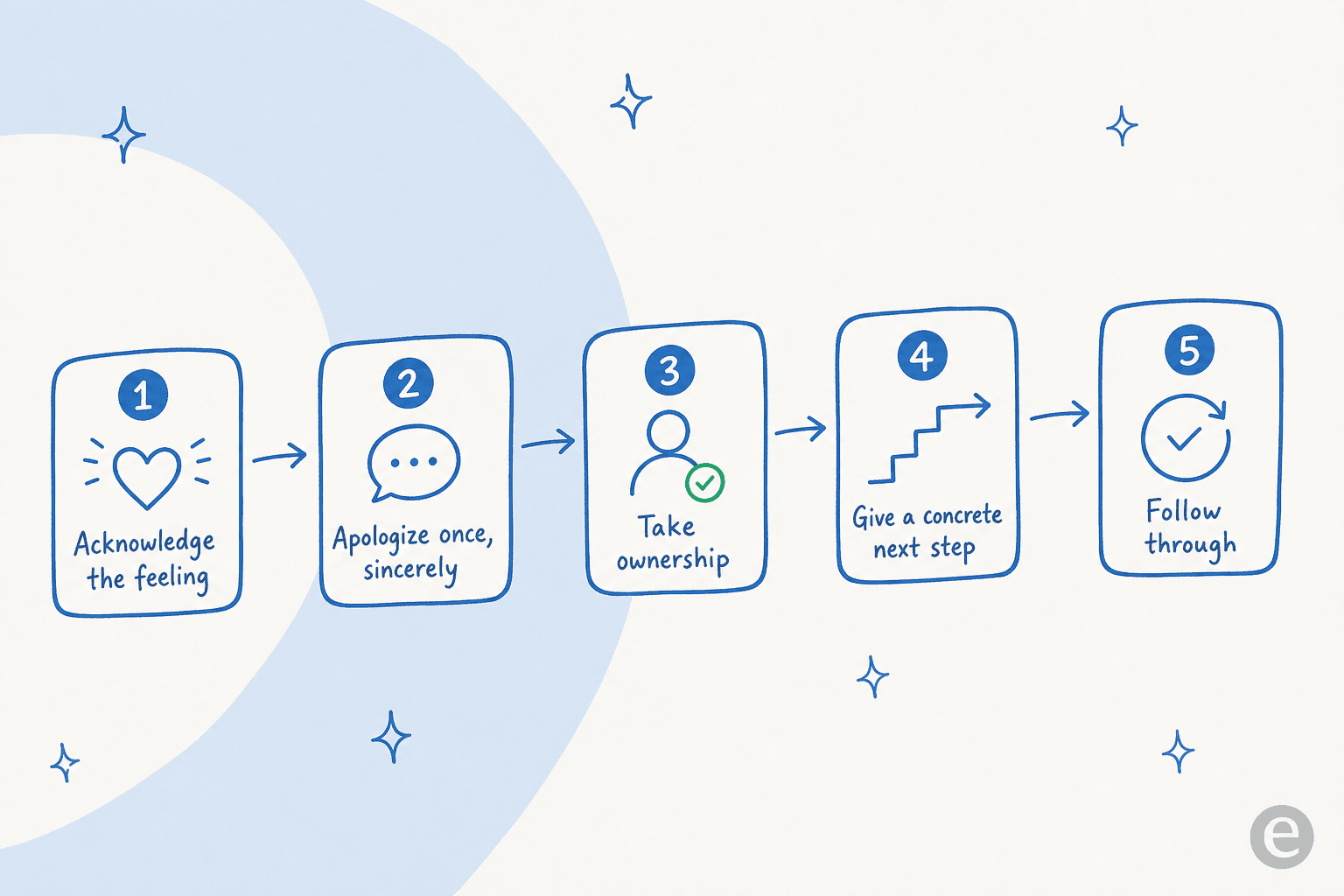
Angry customers are rarely angry about the thing they're writing in about. They're angry about waiting, about being passed around, or about feeling like the rules matter more than they do. So the fix is a repeatable move, not charisma: acknowledge the feeling, apologize once, take ownership, give one concrete next step, then follow through. Emotion first, solution second, always in that order.
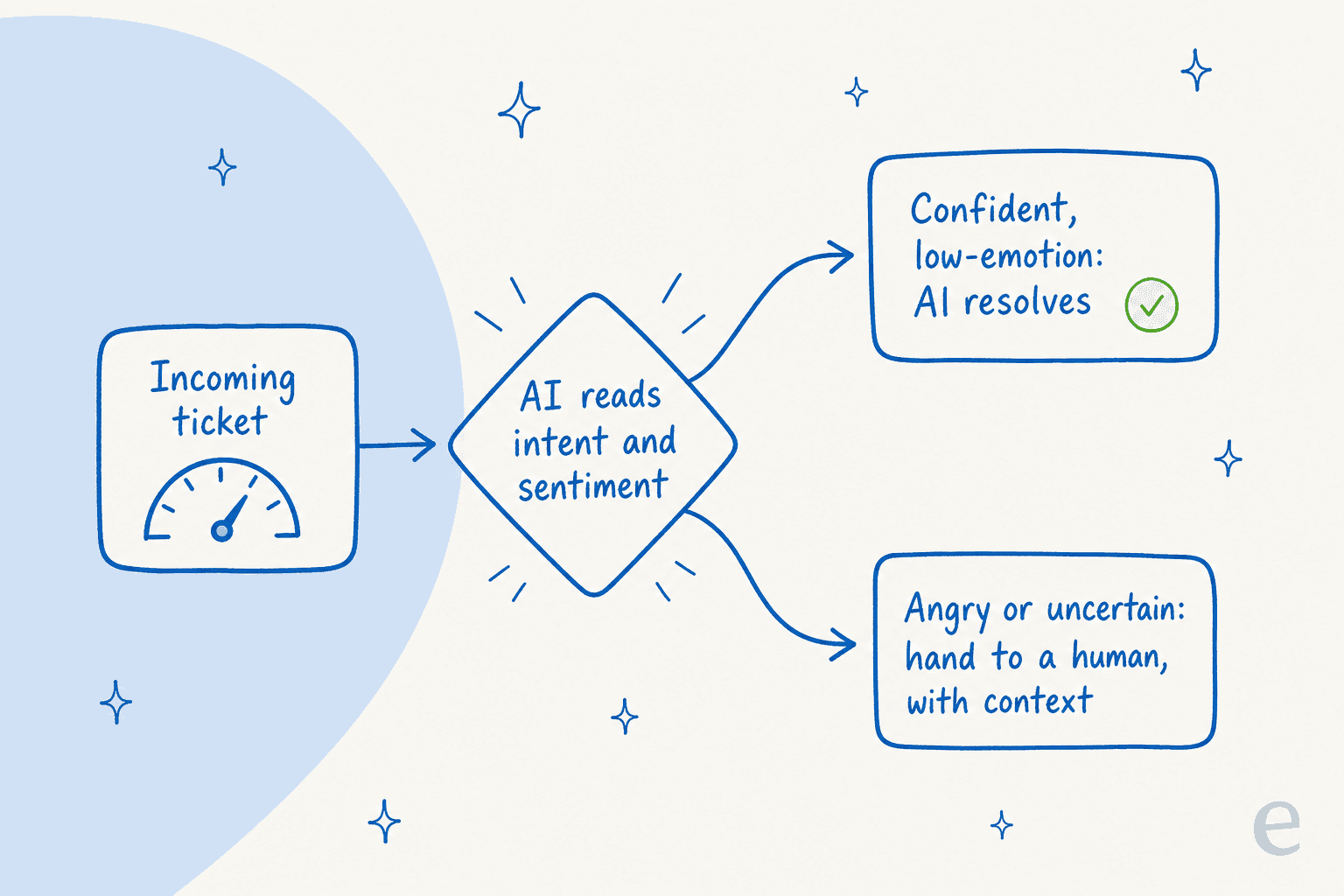
The AI angle is not "let a bot handle the angry ones." I'd never ship that, and after years of putting AI on live support queues I've watched confident bots make a bad moment worse. The move that actually works is the opposite: let AI resolve the calm, repetitive volume it's sure about so your humans have the bandwidth and the low blood pressure to handle the person who's genuinely upset. AI reads sentiment, routes the hot ticket to a person with full context, and drafts a first-pass reply the agent can edit instead of writing from scratch at 4pm on a Friday.
Why customers are angry (it's usually not the reason they gave)
I work the support queue, so this is the part I'd push back on before we talk tactics. The refund, the bug, the late order: those are the trigger, but the anger is almost always about something around it. They already emailed twice. They waited 40 minutes and got told to "reach out to a different team." They read a help doc that was written for someone who already knew the answer. By the time the message lands in your queue, the product problem and the emotional problem are two different tickets wearing one subject line.
That matters because it tells you where to spend effort. You can solve the refund perfectly and still lose the customer if you never acknowledged the 40 minutes. This is why a great de-escalation is 80% emotional and 20% logistical, and why scripts that jump straight to "here is the resolution" so often backfire. Handling customer complaints well starts with reading which of the two problems is actually driving the message.
The five-step script I actually use
Every good de-escalation I've seen follows roughly the same shape. It's not a magic incantation, it's just the order that keeps you from making it worse.
- Acknowledge the feeling first. Name it before you touch the facts. "That's really frustrating, and I'm sorry you've had to chase this twice." You're not admitting fault yet, you're proving you read the message. Skip this and everything after it reads as defensive.
- Apologize once, and mean it. One clean apology lands. Five sprinkled through the reply reads as nervous and stops meaning anything. A single sincere "I'm sorry this happened" beats a paragraph of hedged regret.
- Take ownership, not policy cover. "Per our policy" is the fastest way to tell someone the rules outrank them. Even when the policy is right, phrase it as what you're doing: "Here's what I can do for you" instead of "Unfortunately our policy states."
- Give one concrete next step with a deadline. Vague reassurance ("we'll look into it") is worse than nothing to someone already angry. Say exactly what happens next and when: "I'm issuing the refund now, you'll see it in 3 to 5 business days, and I'll email you the moment it's processed."
- Follow through, visibly. The follow-up email you send before they have to ask is the single most trust-rebuilding thing in support. It converts an angry customer into a weirdly loyal one more often than any discount code.
If you want the exact wording for step one, we wrote a whole piece on empathy statements that don't sound scripted. The trap there is using an empathy line as decoration on a reply that still says no. The acknowledgement has to be attached to a real fix, or it reads as a customer-service mad-lib.
The phrases that quietly escalate
Half of de-escalation is just not reaching for the words that make it worse. Under pressure, agents fall back on defensive phrasing without noticing, and every one of these tells the customer that the process matters more than they do.
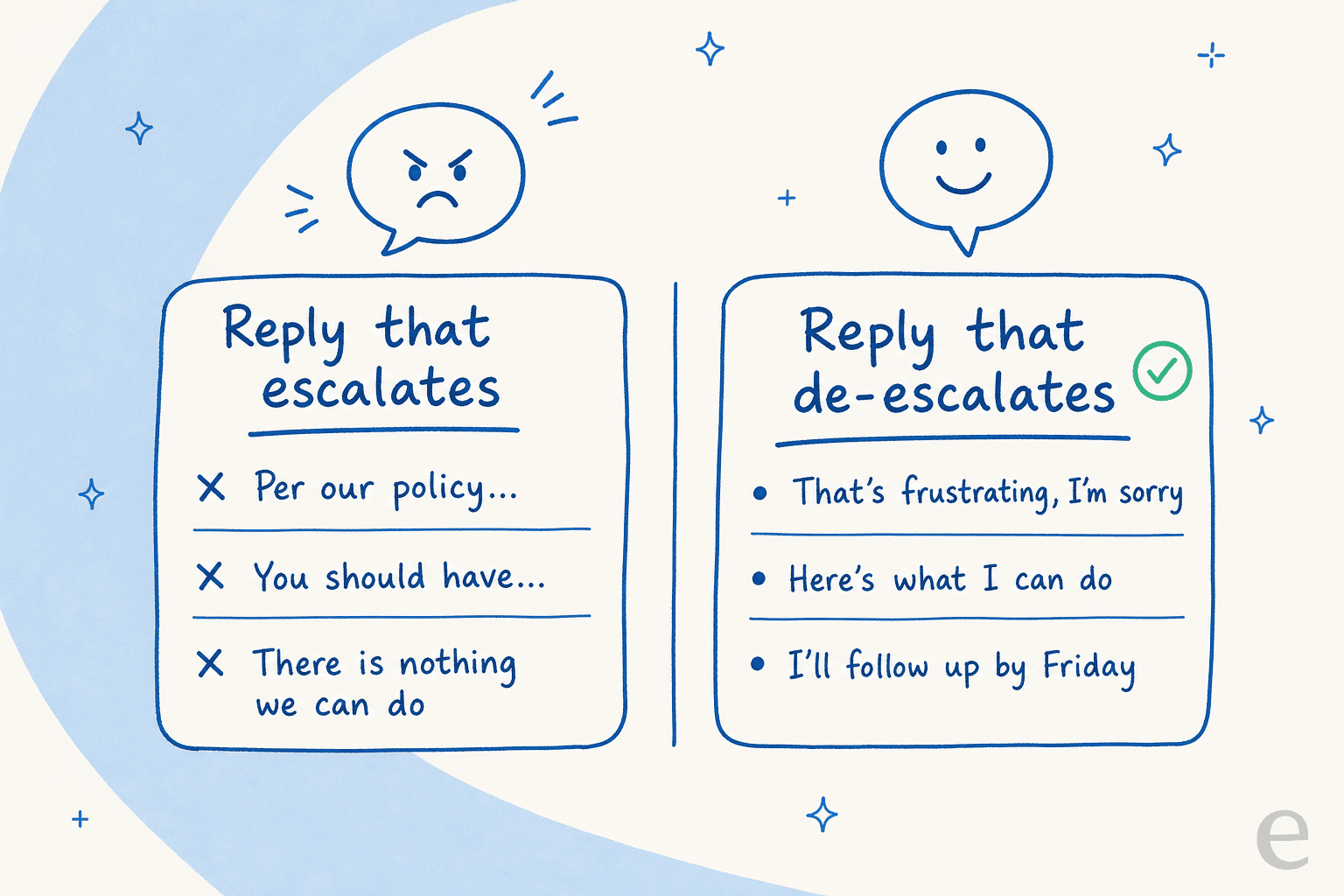
"Calm down" has never once calmed a person down. "You should have" relitigates a fight you can't win. "There's nothing we can do" is almost never literally true, and the customer knows it. The rewrite is always the same reflex: swap the wall for a door. Instead of what you can't do, lead with the smallest real thing you can do, even if it's just "let me get this to someone who can authorize it, today." This is one of the places AI drafting genuinely helps, because you can tune a draft to skip the defensive vocabulary that a stressed human reaches for automatically.
Where AI actually fits (and where it really doesn't)
Here's the part everyone gets backwards. The instinct is "AI is good at scale, angry customers are hard, so let AI take the easy ones and escalate the hard ones to me." That's directionally right but it undersells what's happening. The reason AI helps with angry customers is mostly that it never touches them.
Most anger is manufactured by the queue itself. People wait because tier-1 volume, the "where's my order" and "how do I reset my password" tickets, clogs the pipe so the genuinely stuck customer sits for hours and arrives furious. Point AI at that repetitive volume and the queue drains. One gig-economy driver-analytics team on Zendesk told us that in the first month, eesel was resolving 73% of their tier-1 requests. That's 73% of the queue that a human no longer has to wade through before reaching the person who actually needs them.
So the real AI playbook for angry customers has three moves, and none of them is "let the bot argue with a mad person."
1. Sentiment routing keeps the bot away from the hot tickets
The whole thing hinges on the AI knowing what it should not answer. A DTC supplements CX lead running about 7,000 tickets a month put the requirement better than I could:
"The AI will never be able to answer 100% of the questions... I need an AI who is only handling the tickets that it's confident to handle and all the other ones, leave them alone."
That's the ballgame. Good sentiment analysis plus confidence-based routing means an angry or uncertain ticket gets flagged and handed to a person, while the calm, answerable ones get resolved automatically. The failure mode I've seen kill trust fastest is a bot that confidently answers something it shouldn't have, so the guardrail here is not optional.
2. Clean handoff, with the context attached
An escalation that dumps the customer into a fresh queue to re-explain everything is how you turn "annoyed" into "done with you." The point of a good human handoff is that the agent picks up mid-conversation with the full history, the sentiment flag, and a summary already written. There's real craft to designing these handoff flows so the seam is invisible to the customer, and it's the difference between AI that helps and AI that adds a step.
3. Draft the reply, don't send it
For the tickets a human should own, AI still earns its keep by writing the first draft. The agent opens the ticket to a reply that already acknowledges the frustration, pulls the right order details, and follows the five-step shape above, then edits and sends. In one real-traffic trial we ran for a German jewelry retailer, the AI hit 93% triage accuracy and produced useful draft replies on 93.8% of returns-and-refunds tickets, the exact category where customers arrive hot. The agent stays in control; the blank-box paralysis at the end of a long shift disappears. This copilot-not-autopilot split is the honest answer to AI versus human support: it's not a versus.
The setup mistake that undoes all of it
One warning from watching a lot of rollouts. The most common way teams break this is turning AI loose on every ticket type on day one, angry ones included, because it demos well. It doesn't survive contact with a real queue. The buyers who get it right are the ones who insisted on excluding ticket types and routing by confidence from the start, exactly like the CX lead above. Before you trust AI on live angry customers, simulate it against your own historical tickets and watch where it would have overstepped. We build that simulation step into every rollout for exactly this reason, because "looks confident in the demo" and "safe on your actual furious-customer tickets" are not the same test.
The other quiet mistake is measuring the wrong thing. A high deflection rate is great until it's hiding a pile of people who gave up rather than got helped. Watch CSAT on escalated tickets specifically, not just overall volume, because that's where the angry-customer experience actually lives.
Try eesel for the calm tickets, so your team owns the hard ones
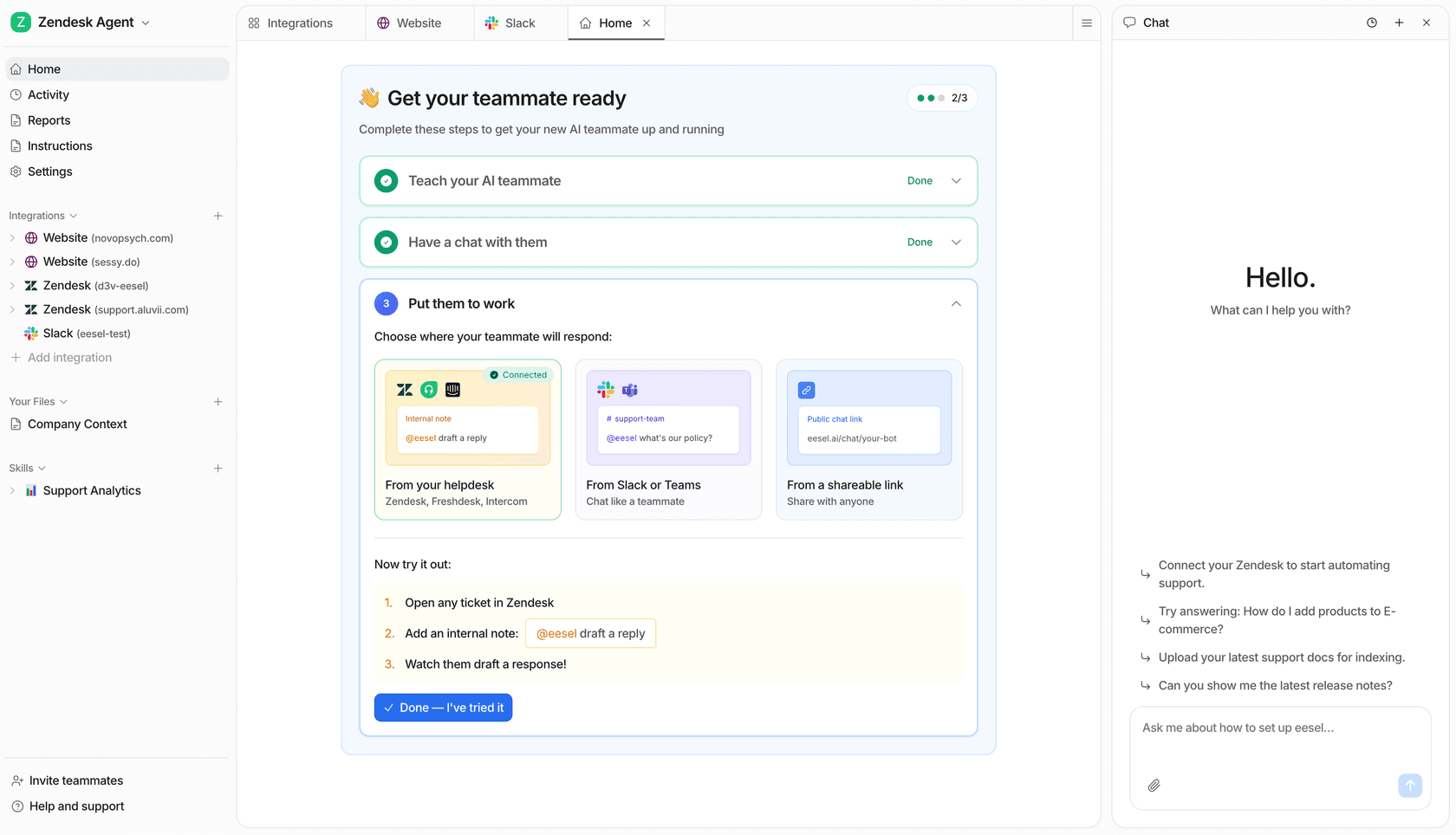
If your team is drowning in tier-1 volume and the genuinely upset customers are the ones paying for it in wait time, that's the exact problem eesel is built for. It plugs into your existing helpdesk (Zendesk, Freshdesk, Gorgias, Help Scout and more), trains on your past tickets and help docs, and resolves the repetitive questions it's confident about while routing the emotional ones to a human with full context. You set the confidence threshold and exclude the ticket types you never want automated, so the bot stays away from the hard conversations by design. You can simulate the whole thing against your historical tickets before it ever touches a live customer, and it's free to try.
Angry customers are part of the job and always will be. The goal isn't to automate them away, it's to make sure that when one lands, a calm, un-buried human with the full story is the one who picks it up. Get the AI doing the volume and the humans doing the hard part, and the whole queue gets less angry.