


It feels like every tool we touch is getting an AI-powered sidekick, and the Atlassian suite is no different. With all the buzz around AI automation, tools like Jira and Confluence are getting pressure to work smarter, and Atlassian Rovo is their big answer.
On the surface, it promises to add intelligent, automated "teammates" to your projects. But for a lot of teams, it's still fuzzy what Rovo Agent Automations can actually do. Digging through the official docs can feel a bit like trying to assemble furniture with instructions written in another language, making it tough to separate what's genuinely useful from what's just clever marketing.
This guide is here to cut through the noise. We’ll walk through what Rovo Agent Automations are, how they’re put together, where they really shine, and, more importantly, where they trip up. We'll also look at a more flexible, self-serve alternative for teams that need powerful automation without the headaches.
What are Rovo Agent Automations?
Before we get into the automations, let's clear up the names, because Atlassian has a few different pieces that fit together.
Atlassian Rovo is the big-picture name for their AI work assistant. Think of it as a smart layer that stretches across your Atlassian tools. It’s made of three main parts:
-
Rovo Search: A single search bar that can pull information from your Atlassian products and a few connected third-party apps.
-
Rovo Chat: A chat interface where you can ask questions and get answers based on your company's knowledge.
-
Rovo Agents: These are the "AI teammates" built to handle specific tasks. Some are ready to go out of the box (like an Issue Organizer or Readiness Checker), while others can be custom-built for your team’s specific needs.
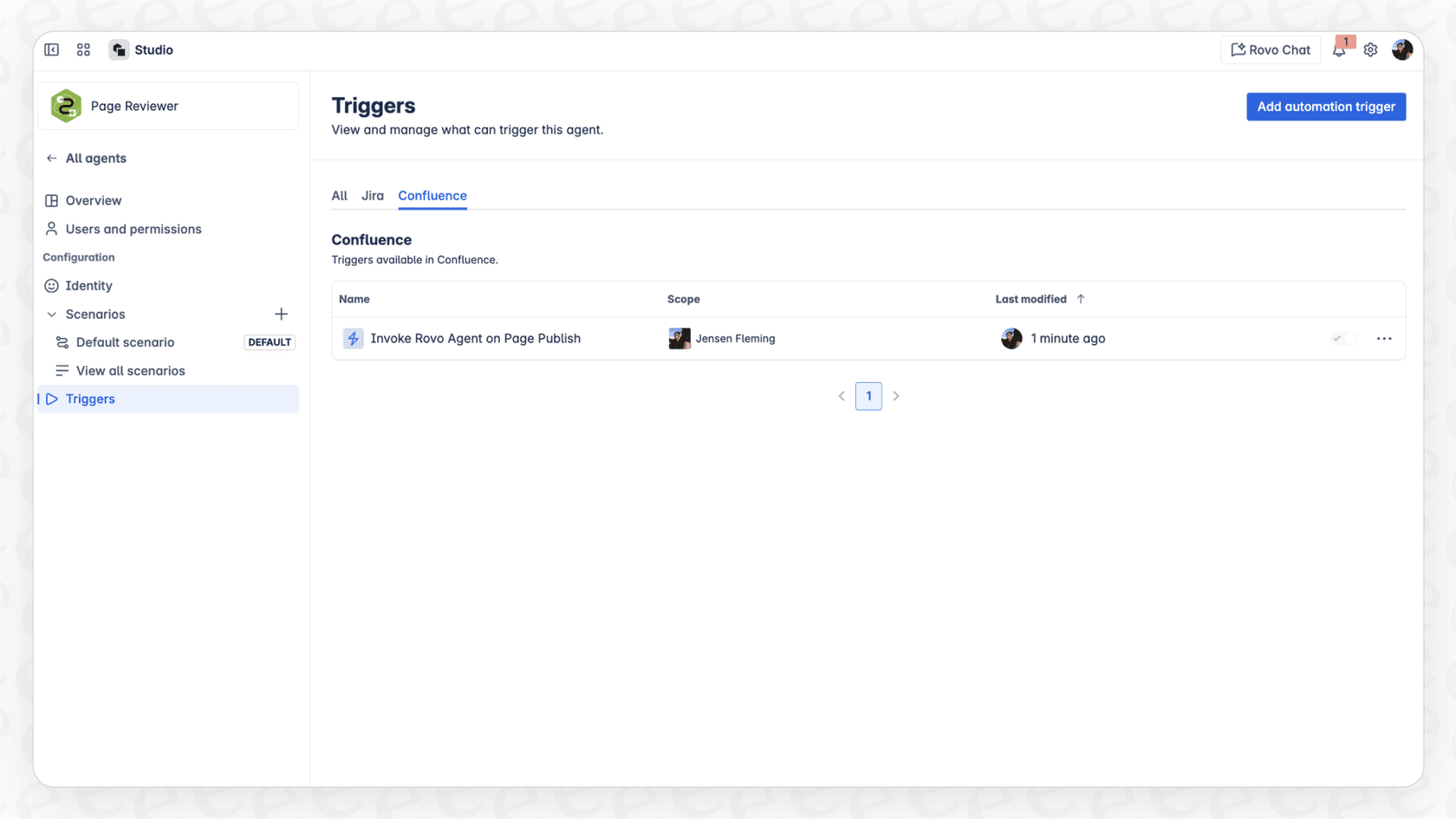
So, where do automations fit in? Rovo Agent Automations aren't a standalone product. The name just refers to the act of using a Rovo Agent as a step within a standard Atlassian Automation rule. You pick a trigger, like "When a Jira issue is created," and instead of a basic action like "add a label," you tell a Rovo Agent to do something intelligent.
How Rovo Agent Automations work: Capabilities and setup
Getting a handle on how these automations are built is the key to understanding both their potential and their limits. It’s not exactly a one-click setup, and the workflow has some quirks you should know about.
The automation workflow
Building a Rovo Agent Automation in Jira or Confluence is a bit more involved than you might guess. Here's a look at the process.
-
The Trigger: Everything starts with a normal automation trigger. This is just an event that kicks off the process, like a new page being published in Confluence or a comment being added to a Jira issue.
-
The "Use Rovo agent" Action: Next, you add the "Use Rovo agent" action into your rule. This is the part where the AI steps in.
-
The Prompt: Here’s where you have to tell the agent what to do. You need to write a clear instruction, and to make it do anything useful, you have to use Atlassian’s "Smart Values" to give it context. For example, you might write, "Summarize the key action items from the page "{{page.url}}."" Getting these smart values right is a common snag for people just starting out.
-
The Output: The agent takes your prompt, does its analysis, and spits out a text response. But this response isn't immediately visible or usable. It gets tucked away in another smart value called "{{agentResponse}}".
-
The Follow-Up Action: This is the slightly clunky part. To actually do anything with the agent's output, you have to add another action to your rule. For example, you’d add an "Add comment" action and then drop the "{{agentResponse}}" smart value into the comment box.
This chain of steps means that even a simple task like summarizing an issue requires you to string several pieces together. It works, but it doesn't quite feel like the seamless AI experience most people are hoping for.
Rovo Agent Automations: No-code vs. custom agents
When it comes to the agents themselves, you have two choices, and there's a pretty wide gulf between them.
-
No-Code Agents: You can build these yourself in the Rovo Studio just by writing instructions in plain English. You tell the agent what to do, connect it to a knowledge source like a Confluence space, and you're off. They're great for straightforward tasks like drafting content or making summaries. The problem is, if you need the agent to follow complex, multi-step logic, they can get a bit flaky since they're just interpreting a text prompt every single time.
-
Custom Agents (Forge): For more muscle and reliability, you can build a custom agent using Atlassian's Forge development platform. This involves writing actual code to connect to other systems and run precise logic. The catch? You need a developer who knows their way around the Forge platform. This puts it out of reach for most non-technical teams who just want to automate a business process without a big project.
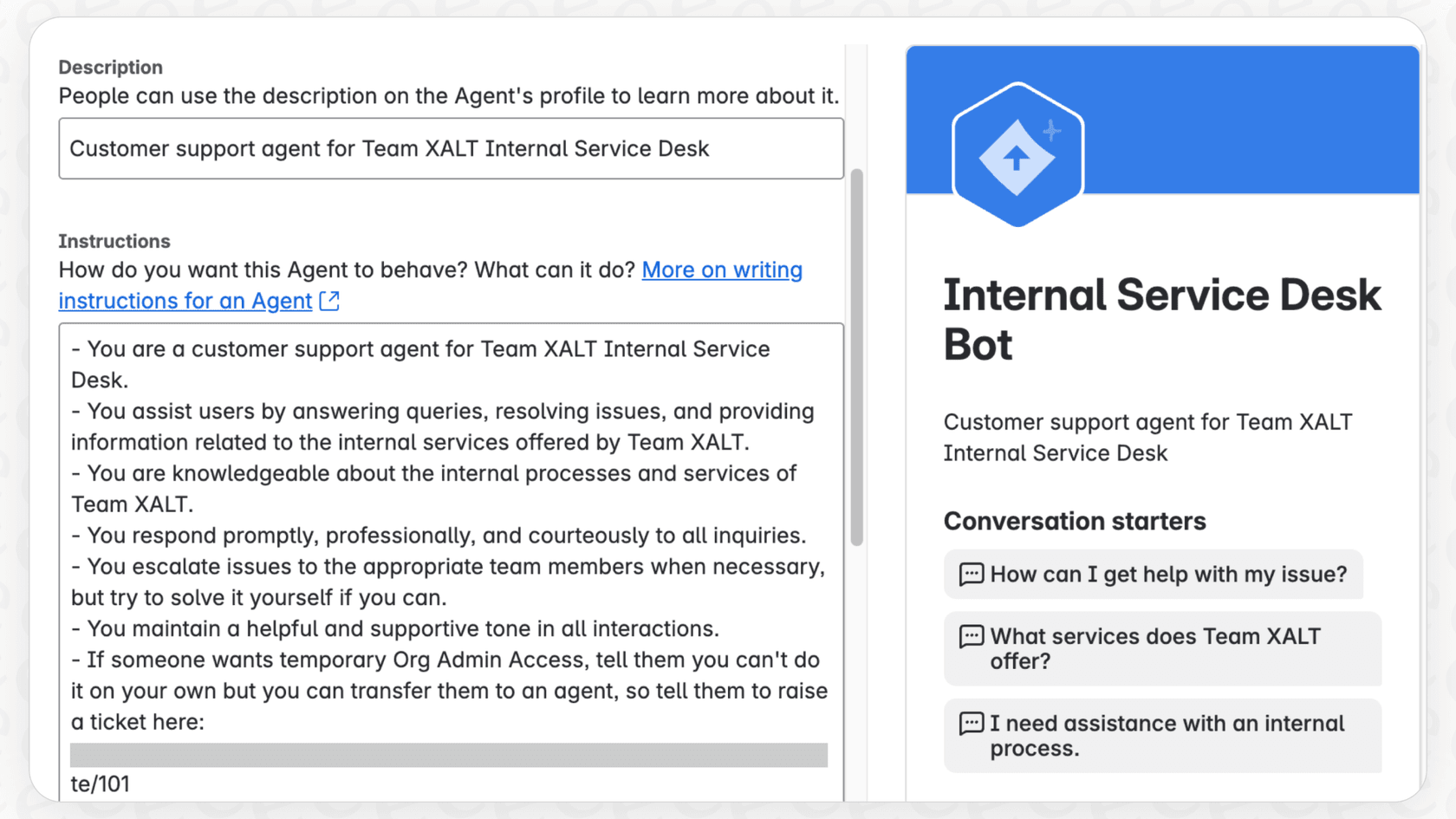
The reality for many teams is that their needs fall right into this gap: too complex for a simple no-code prompt, but not big enough to justify pulling a developer off their projects for a few weeks.
Common use cases and limitations of Rovo Agent Automations
Once you understand its boundaries, Rovo can be a pretty helpful tool. It does a good job in specific situations but hits a wall as soon as your work spills outside the Atlassian ecosystem.
Popular use cases for Rovo Agent Automations
Here are a few things that Rovo Agent Automations can handle quite well:
-
Ticket Triage and Summarization: A new issue pops up in Jira. An automation can trigger a Rovo Agent to read the description, suggest a priority level, and post a quick summary as the first comment for the team to see.
-
Content Review and Feedback: Someone publishes a new project plan on a Confluence page. An agent can automatically scan the page against a simple checklist (e.g., "Does it list an owner? Are deadlines included?") and leave its feedback in the comments.
-
Automated Reporting: You could set up a scheduled rule that runs every morning. It could trigger an agent to analyze all high-priority issues from the last 24 hours and post a summary of what's going on to a Slack channel.
Key limitations to consider
While those use cases sound good, it's really important to know the limitations before you invest a bunch of time setting things up.
- Ecosystem Lock-In: Rovo is, first and foremost, built for the Atlassian universe. Its intelligence is sharpest when it's reading data from Jira and Confluence. While it can connect to some external tools, it has a hard time getting the full picture if your team's knowledge lives in places like Google Docs, Notion, or a dedicated help desk like Zendesk. Good automation needs context, and Rovo often only has a piece of the puzzle.
Having to learn about smart values and chain multiple actions just to post a summary isn't very intuitive. It feels like a tool built by and for technical users, not necessarily for the business teams who could benefit most from it.
-
Limited Custom Actions without Code: Want your agent to check an order status in Shopify or look up a user's subscription in your company database? Without building a custom Forge app, you're pretty much stuck. This means most automations are limited to just generating text or making simple updates to Jira tickets.
-
No Gradual Rollout or Simulation: One of the scariest parts of automation is flipping the switch on something that doesn't work right. Atlassian’s setup doesn't offer a clear, safe way to test your agents on past data or roll them out to a small group of issues first. This "all-or-nothing" approach can be a bit nerve-wracking for teams that manage important workflows.
For teams that need to pull knowledge from their entire tech stack, platforms like eesel AI offer a much more connected approach, linking to help desks, wikis, and chat tools without being trapped in one ecosystem.
Atlassian Rovo pricing: What you'll pay
Trying to figure out how much Rovo costs can be a bit confusing, since it's tied to your existing Atlassian plan and a credit-based usage system.
First off, Rovo is included at no extra cost, but only for customers on Atlassian Cloud Premium or Enterprise plans. If your team is on a Standard or Free plan, you won't have access to it.
Second, how much you can use it is determined by a credit-based usage system. Each user on an eligible plan gets a monthly bucket of "AI credits" that are pooled for the whole company. For example, a Premium user gets 70 credits, while an Enterprise user gets 150. Every time you chat with an agent or an automation runs, it uses up some of those credits.
The biggest thing to keep in mind is that Atlassian has said they plan to introduce usage-based pricing in the future. So, while it's bundled in for now, teams who start to rely on it could face some unpredictable bills down the road.
Here’s a quick look at the credit allowances:
| License Tier | Products | AI Credits per user/month |
|---|---|---|
| Premium | Jira, Confluence, JSM | 70 |
| Enterprise | Jira, Confluence, JSM | 150 |
| Premium | Teamwork Collection | 700 |
| Enterprise | Teamwork Collection | 1,500 |
A more flexible alternative to Rovo Agent Automations: eesel AI
For teams who find Rovo's restrictions a bit too tight, there's a better way. eesel AI was built from the start to be powerful, flexible, and surprisingly easy to use, solving the exact problems Rovo creates.
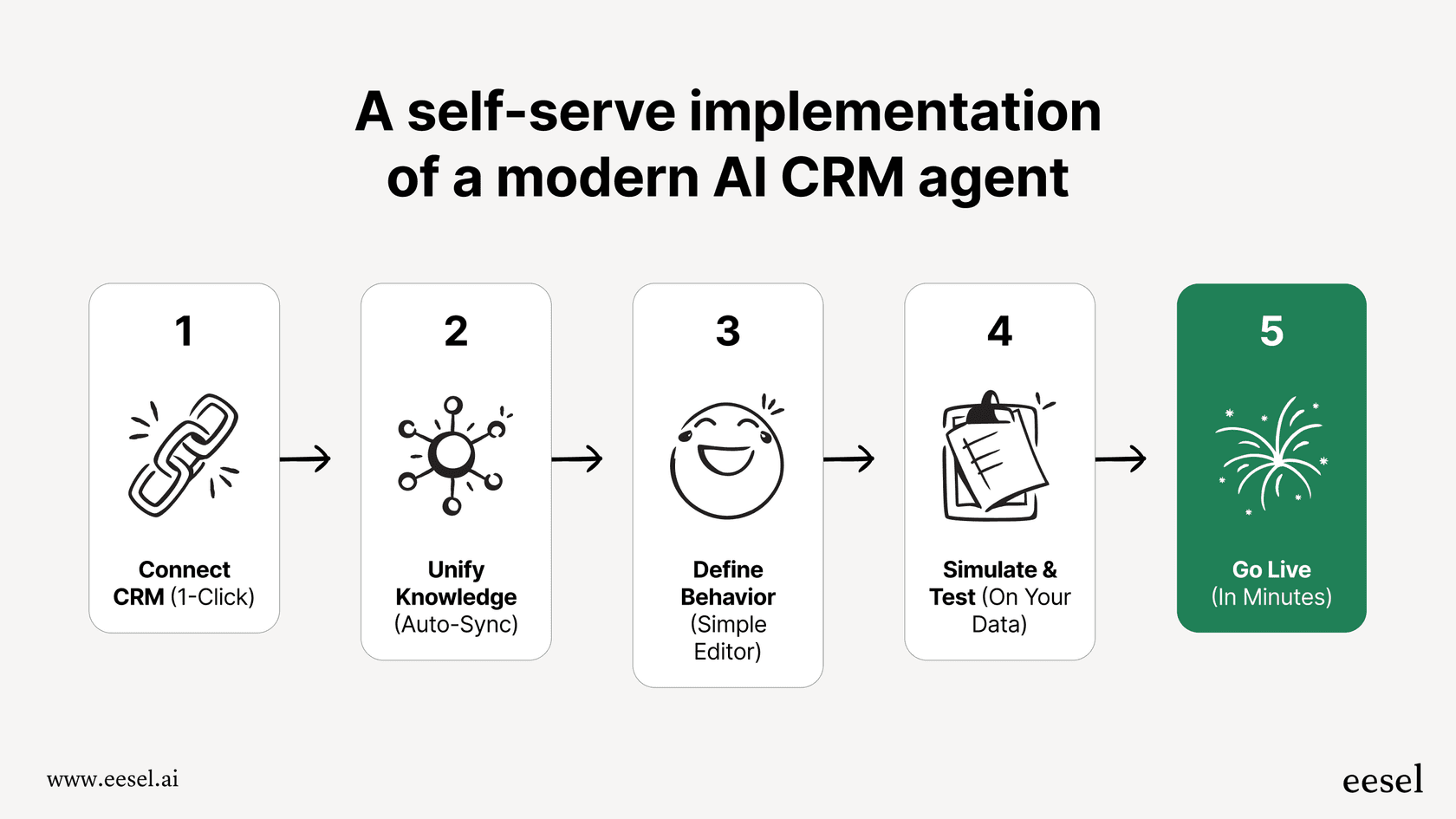
- Go Live in Minutes, Not Months: You can forget about complicated setups and waiting on developers. With eesel AI, the process is designed for you to do it yourself. Connect your help desk and knowledge sources with a few clicks and you can have a working AI agent running the very same day.
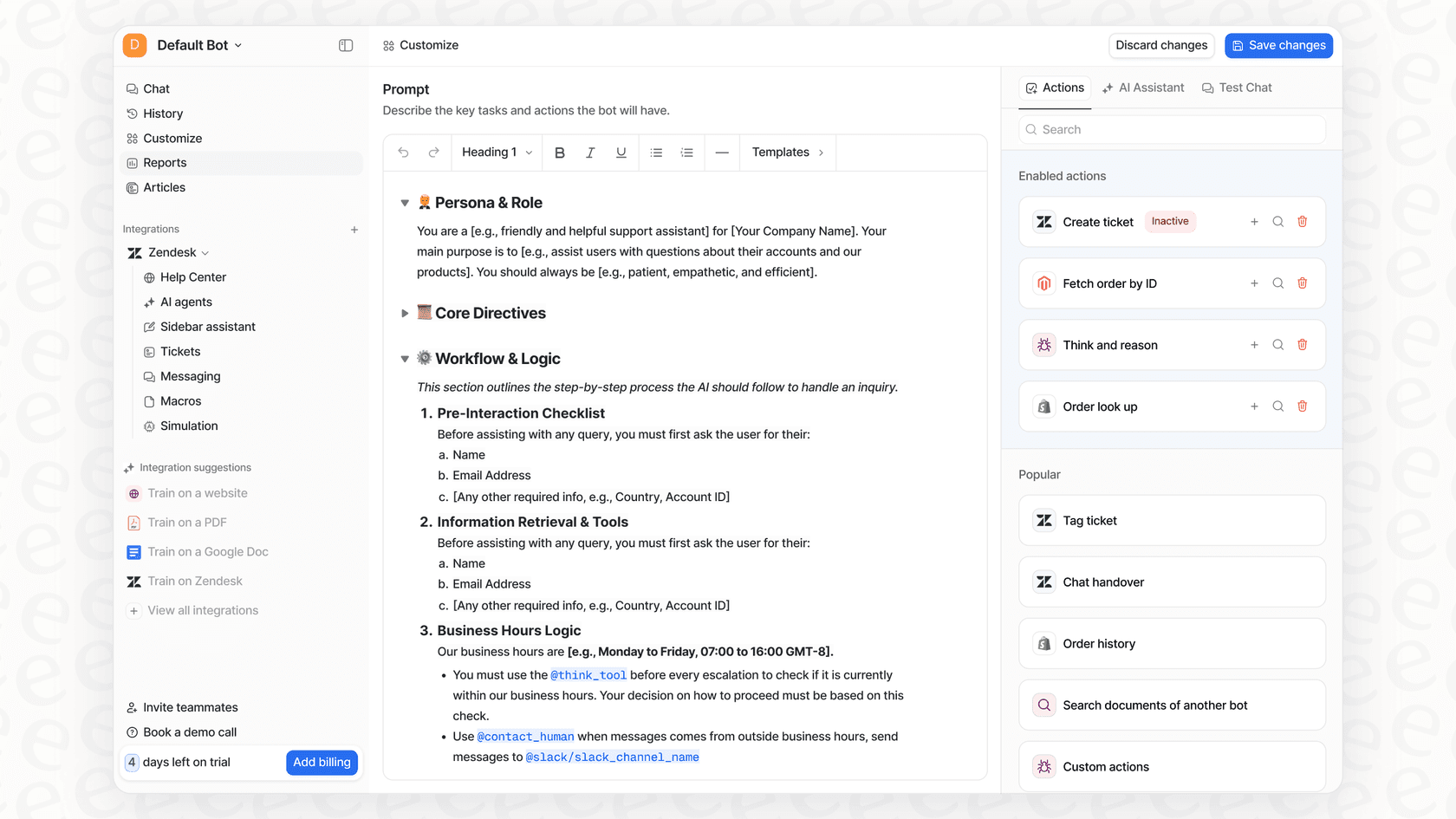
- Total Control with a No-Code Workflow Engine: eesel AI bridges that gap between simple text prompts and full-on custom code. Its visual prompt editor lets you build powerful custom actions, like looking up information in real-time from external systems like Shopify or your own internal tools, all without writing a line of code.
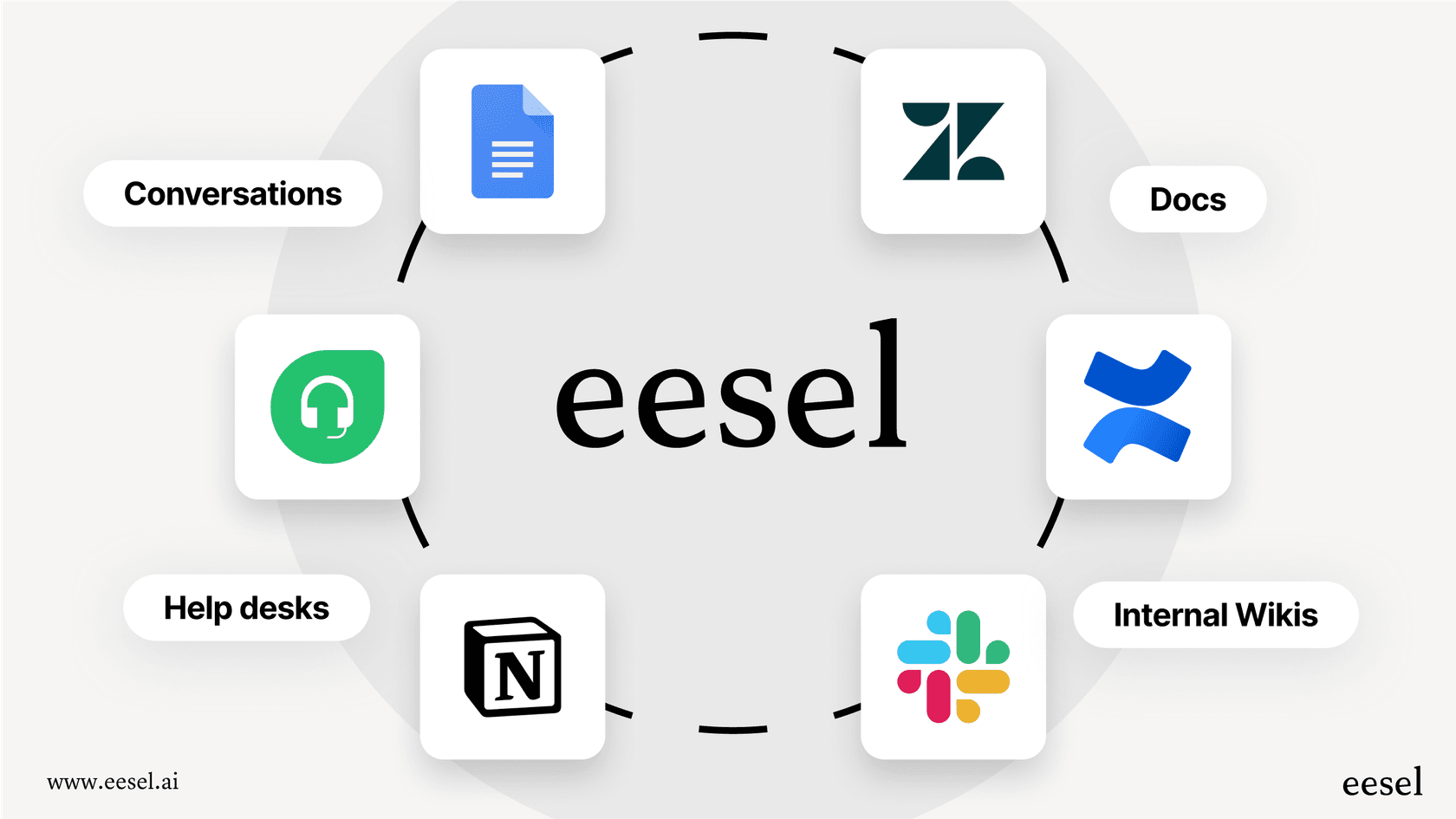
- Unify Your Knowledge, Instantly: Instead of being stuck in the Atlassian world, eesel AI connects to over 100 sources right out of the box. It can learn from past tickets in Zendesk, Freshdesk, and Intercom, plus all your documents in Confluence, Google Docs, and Notion. It sees the whole picture, so its answers are actually useful.
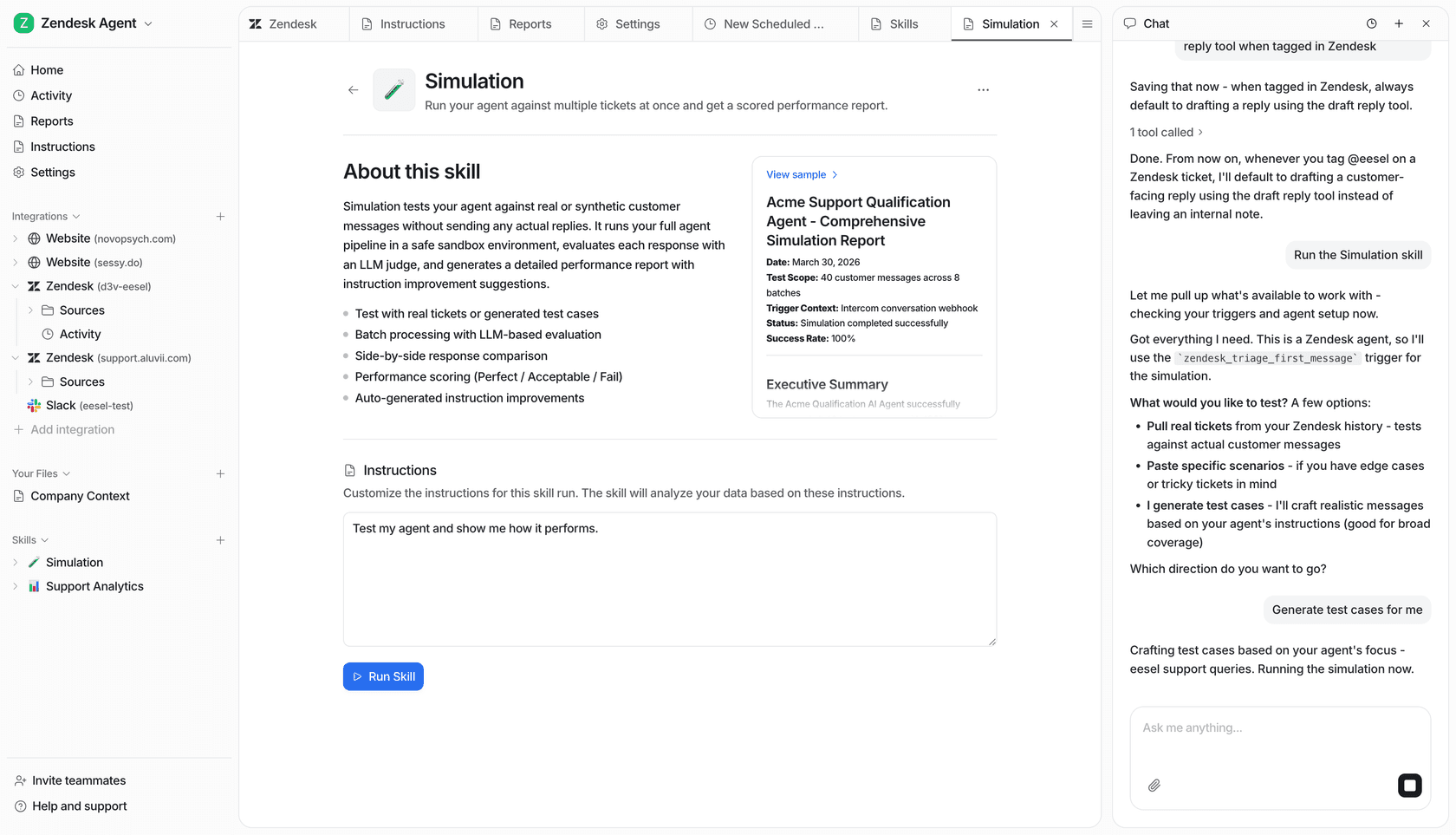
- Test with Confidence: Before you unleash your AI agent on real customers, you can run it in a simulation mode over thousands of your past tickets. This shows you an accurate forecast of its performance, reveals exactly how it will respond in different situations, and lets you tweak its behavior without any risk. It's a must-have feature for any team that cares about quality and control.
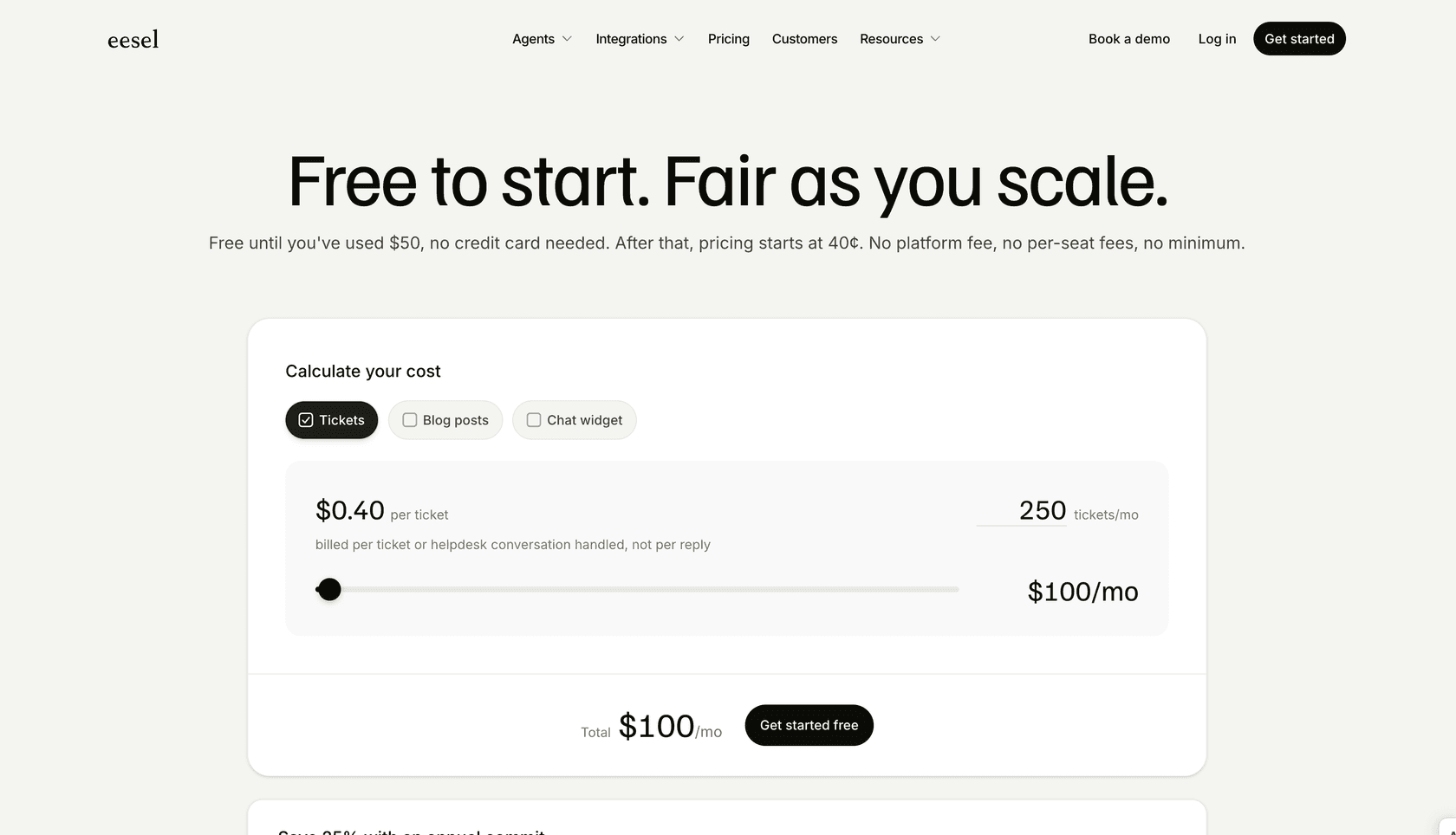
- Transparent and Predictable Pricing: With eesel AI, you get simple, flat pricing. There are no weird per-resolution fees or confusing credit systems, so you won't get a surprise bill after a busy month. You know exactly what you’re paying for.
Moving beyond ecosystem-locked Rovo Agent Automations
Rovo Agent Automations are a decent step forward for teams who live and breathe inside the Atlassian suite. They offer a peek at a smarter, more automated future for Jira and Confluence workflows.
But for most modern teams, work doesn't stay neatly inside one software family. Your knowledge is spread out, your tools are varied, and real automation requires an AI that can connect all those dots.
While Rovo seems to be building a higher wall around its garden, solutions like eesel AI are busy building bridges. They offer a more powerful, flexible, and user-friendly path to AI automation that meets your team right where they are.
Ready to see what truly connected AI automation can do for your team? Start your free trial with eesel AI or book a demo to learn more.
Frequently asked questions
What exactly do Rovo Agent Automations do within the Atlassian suite?
Rovo Agent Automations integrate Rovo Agents as smart steps within your existing Atlassian Automation rules. This allows AI to perform intelligent tasks, like summarizing issues or reviewing content, directly within Jira and Confluence workflows.
How difficult is it to set up and configure Rovo Agent Automations for a specific task?
Setting them up involves multiple steps, including defining a trigger, writing precise prompts using Atlassian's "Smart Values," and chaining follow-up actions to use the agent's output. This process can be less intuitive than expected for non-technical users.
What are the primary limitations of Rovo Agent Automations when integrating with other tools?
A key limitation is ecosystem lock-in; Rovo Agent Automations excel within Atlassian products but struggle to gather comprehensive context from external tools like Google Docs, Notion, or dedicated help desks. This can lead to incomplete automation for teams whose knowledge is dispersed.
Do Rovo Agent Automations require coding knowledge to build custom actions?
While "No-Code Agents" can be built with plain English prompts for simpler tasks, creating robust custom actions that connect to external systems or run complex logic requires development expertise with Atlassian's Forge platform. This can be a barrier for many teams.
What is the pricing model for Rovo Agent Automations, and who can access them?
Rovo Agent Automations are currently included for customers on Atlassian Cloud Premium or Enterprise plans, using a pooled monthly "AI credits" system. Atlassian has indicated plans to introduce usage-based pricing for them in the future.
Can teams safely test new Rovo Agent Automations before they go live across all workflows?
Atlassian's current setup for Rovo Agent Automations does not offer a clear, safe way to test agents on past data or roll them out gradually to a small subset of issues. This "all-or-nothing" approach can be risky for critical workflows.