


You've probably seen the buzz around Atlassian's big push into AI with its Rovo platform. Right at the heart of it is something called Rovo Studio, a tool designed for "builders and creators" that promises to let anyone on your team build custom AI agents, no coding skills required.
The idea is to stop using generic AI tools and start building personalized helpers that actually get how your team works. But how does it stack up in the real world? This guide breaks down what Rovo Studio is, what it does well, and where you might find yourself needing a more flexible tool.
What is Atlassian Rovo Studio?
Atlassian Rovo Studio is basically the control center within the Rovo suite where you can design your own AI-powered tools. Think of it as a workshop for creating virtual teammates (AI agents), setting up automations for tedious tasks, and keeping your company's knowledge organized.
It’s built to work hand-in-glove with Atlassian's own products, especially Jira, Confluence, and Jira Service Management. The whole system runs on what Atlassian calls the "Teamwork Graph." It's a fancy term for a data layer that maps out all the connections between your projects, documents, and teams, giving the AI a deep understanding of your organization's context.
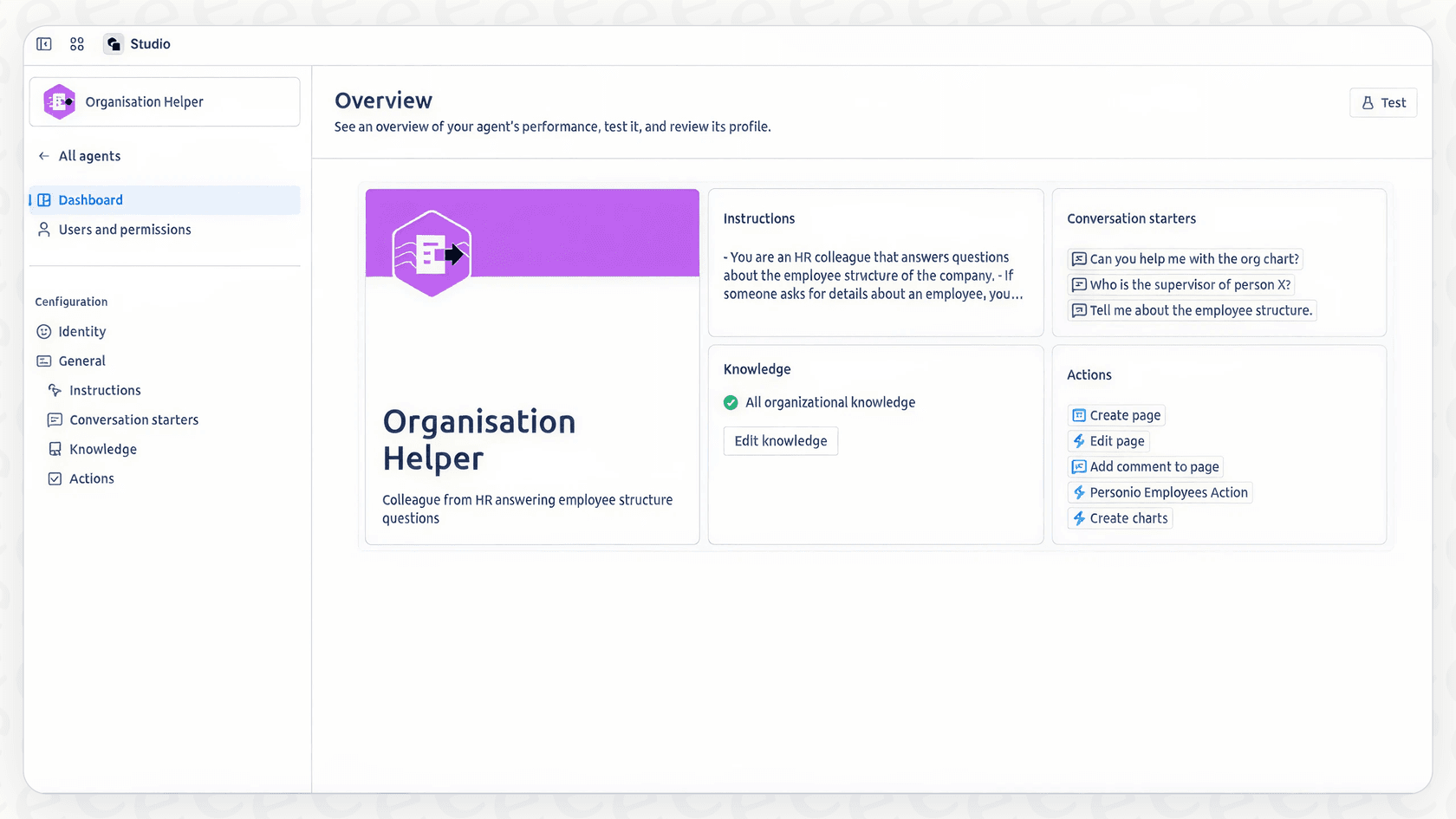
So, instead of a simple chatbot, Rovo Studio gives you the pieces to build an AI that can handle specific jobs, like answering common questions, summarizing project updates, or even managing parts of your service desk. It's Atlassian's answer to the need for customizable AI that does more than just write text.
The core capabilities of Rovo Studio
Rovo Studio isn't just one thing; it's a collection of Atlassian's building and automation features all pulled into one place. Let's dig into what you can actually do with it.
Build custom AI agents in Rovo Studio
The big promise here is the ability to create your own "Rovo agents." These are AI bots that you can train on specific information and give them jobs to do.
-
Virtual teammates: You can create agents with their own personalities and areas of expertise. For instance, you could whip up an "Onboarding Agent" that new hires can ask questions, trained exclusively on your HR docs in Confluence.
-
Task-specific helpers: Some teams are already using it for niche tasks. In a case study with Tempo, Atlassian showed how they built an agent to help users write complex formulas in their Structure app. This freed up their technical team from answering the same questions over and over.
-
Customer support: You can also build agents for Jira Service Management to handle customer support questions automatically, though this is locked specifically to JSM.
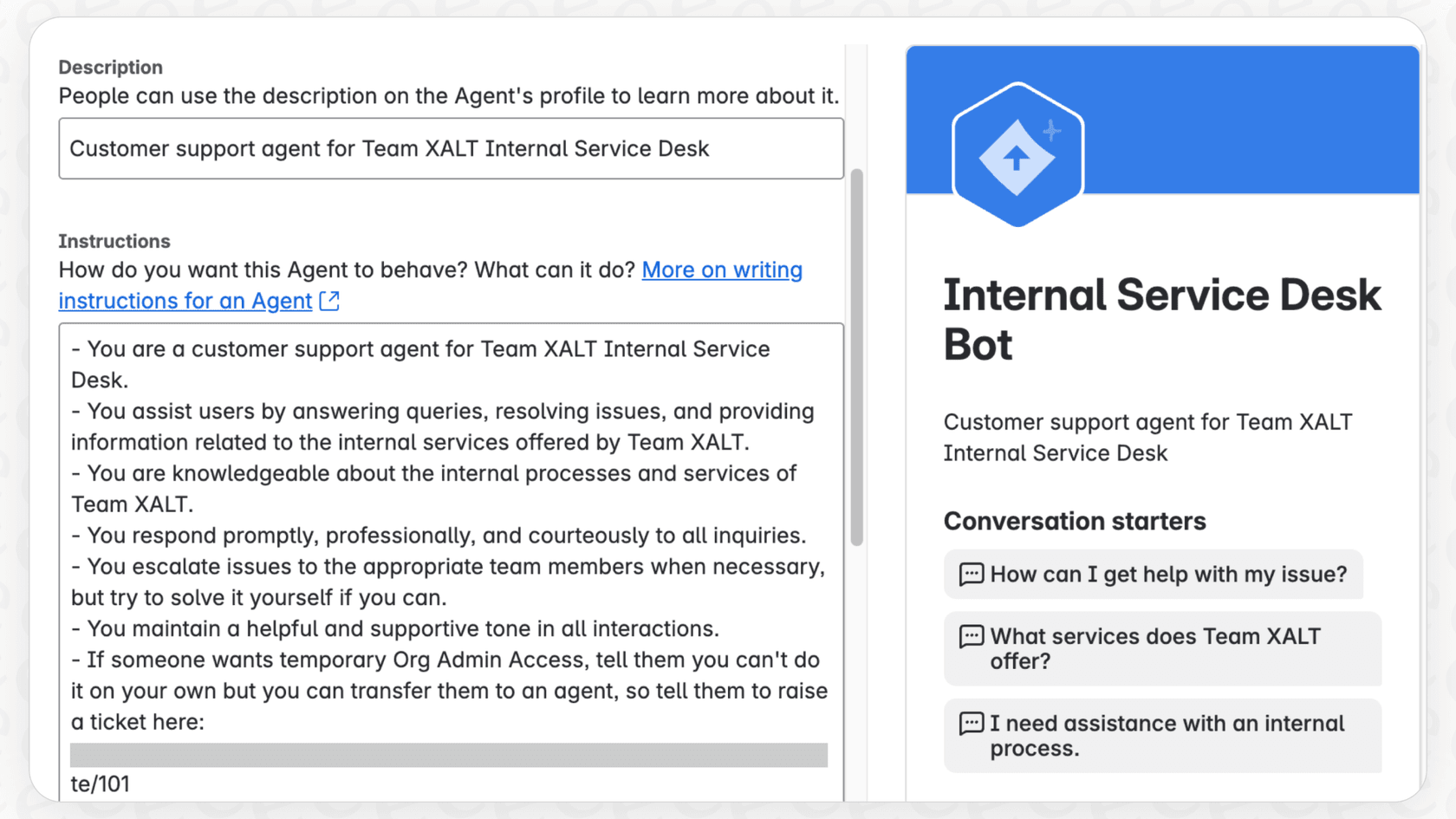
Create and manage automations with Rovo Studio
Atlassian has had automation for a while, but Rovo Studio aims to be the central hub for it all. You can set up triggers and actions to cut down on manual work. For example, you could create a rule that auto-assigns a Jira ticket when a specific keyword pops up, or have an AI agent summarize a long ticket description and post it as a comment. It's all about making sure the routine stuff gets done without someone having to click a button every time.
Manage assets and company hubs in Rovo Studio
Rovo Studio also ties into other Atlassian features to help organize your company’s information:
-
Assets: For IT teams using Jira Service Management, you can manage asset schemas right from the Studio. This is super helpful for keeping track of inventory and understanding how different systems are connected.
-
Company hubs: You can put together "Company Hubs," which are really just curated intranet pages in Confluence that act as a single source of truth for the whole company.
The promise vs. the reality: Key limitations of Rovo Studio
While Rovo Studio sounds great for teams that live and breathe Atlassian, that tight integration has some major downsides. For a lot of teams, particularly in customer support, these limitations can be a real roadblock.
Rovo Studio: A powerful tool locked in the Atlassian ecosystem
Here’s the biggest catch: Rovo Studio is an Atlassian-only club. Its main advantage, the Teamwork Graph, only understands data living inside Jira, Confluence, and their connected apps. If your support team uses a different help desk like Zendesk or Freshdesk, Rovo Studio can't touch those workflows. It’s also a "cloud-only" tool, so anyone on an on-premise setup is out of luck.
This is a problem for any company that picks and chooses the best tools for the job. A genuinely useful AI solution has to meet your team where they already are.
How "agentic" are Rovo Studio AI agents, really?
The term "AI agent" makes you think of an autonomous bot that can make its own decisions. From what we've seen in user tests, Rovo agents are more like very smart, reusable prompts. They're great at doing a specific task when you tell them to, but they don't really act on their own or handle complex, multi-step problems without a human checking in. They are also limited to working with standard Jira fields, often ignoring the custom fields that are essential to how most companies actually operate.
If you're looking for an AI that can triage a ticket, look up an order in an external system, and decide whether to close or escalate it all by itself, Rovo Studio isn't there yet.
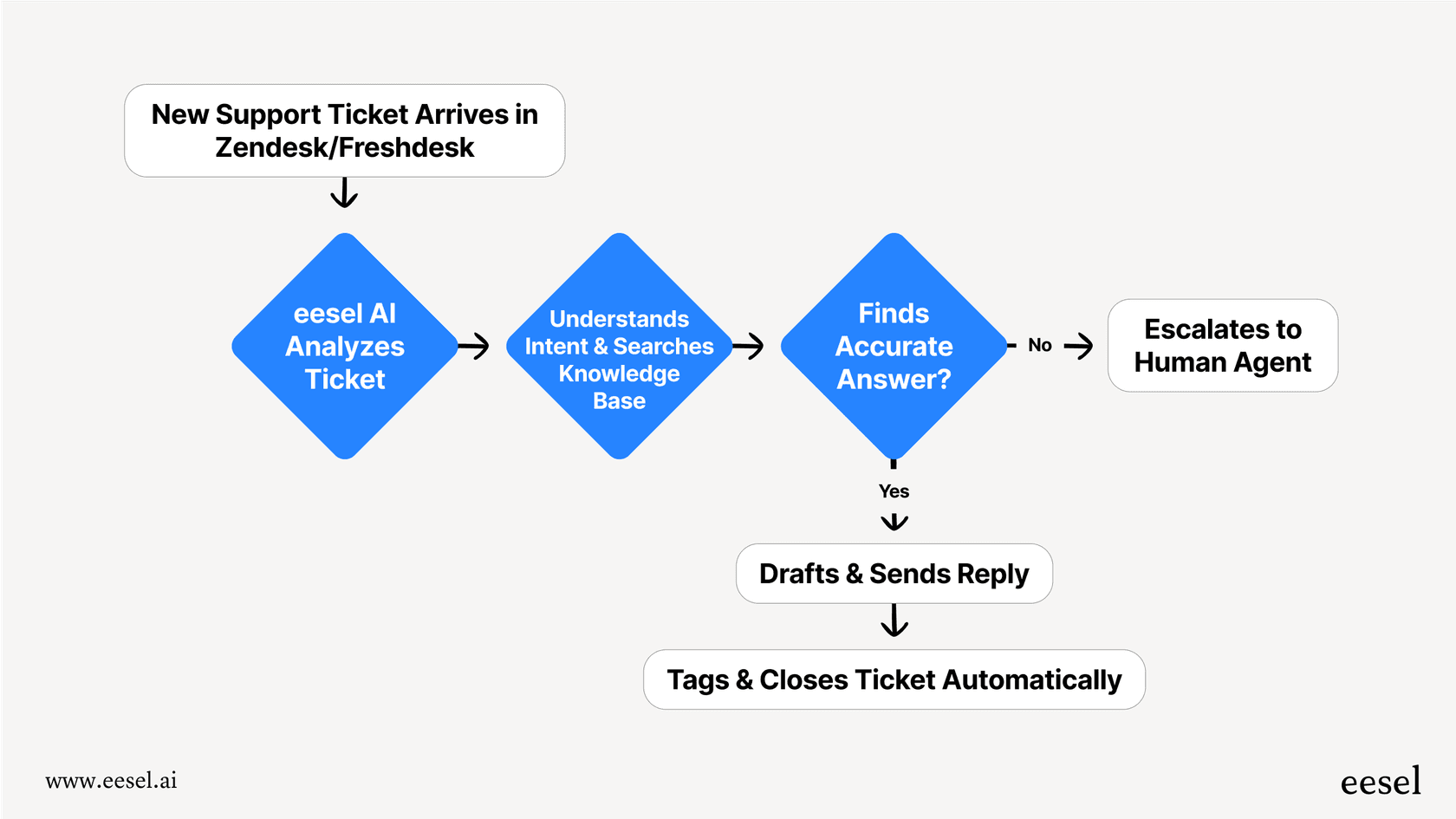
For comparison, a more advanced AI platform has a real workflow engine. The eesel AI Agent, for instance, can be set up with custom actions to check order data in Shopify, verify a subscription in Stripe, update custom ticket fields in Zendesk, and then close the ticket, all in one go without any human intervention.
Data privacy and lack of customization in Rovo Studio
Rovo uses third-party Large Language Models (LLMs) from companies like OpenAI and Google. This means your internal data from Jira and Confluence gets sent outside of Atlassian's cloud to be processed. For companies with strict data privacy rules, that can be an immediate deal-breaker. You also don't get to choose which LLM to use or plug in your own, like Azure OpenAI.
| Feature | Rovo Studio | eesel AI |
|---|---|---|
| Help Desk Integration | Atlassian Cloud only (Jira, JSM) | Zendesk, Freshdesk, Gorgias, & more |
| Agent Autonomy | Limited; acts as a structured prompt | High; executes multi-step custom actions |
| Knowledge Sources | Atlassian tools + some SaaS apps | Help desks, past tickets, Confluence, Google Docs, Notion, & 100+ sources |
| Customization | Limited to standard fields | Full control over prompts, actions, and custom fields |
| Setup | Integrated but requires Atlassian admin | Radically self-serve; go live in minutes |
| Data Privacy | Uses third-party LLMs | EU data residency available; never trains on your data |
Rovo Studio pricing and availability
Atlassian made a splash by announcing that Rovo and Rovo Studio are now included at no extra cost for customers on Premium and Enterprise Cloud plans for Jira, Confluence, and Jira Service Management. It's expected to come to Standard plans later on.
While "no extra cost" sounds free, the price is really just baked into Atlassian's pricier subscription tiers. To get access to Rovo Studio, your whole organization needs to be on one of these more expensive plans. For a small team, that's a huge financial leap just to get your hands on some AI tools.
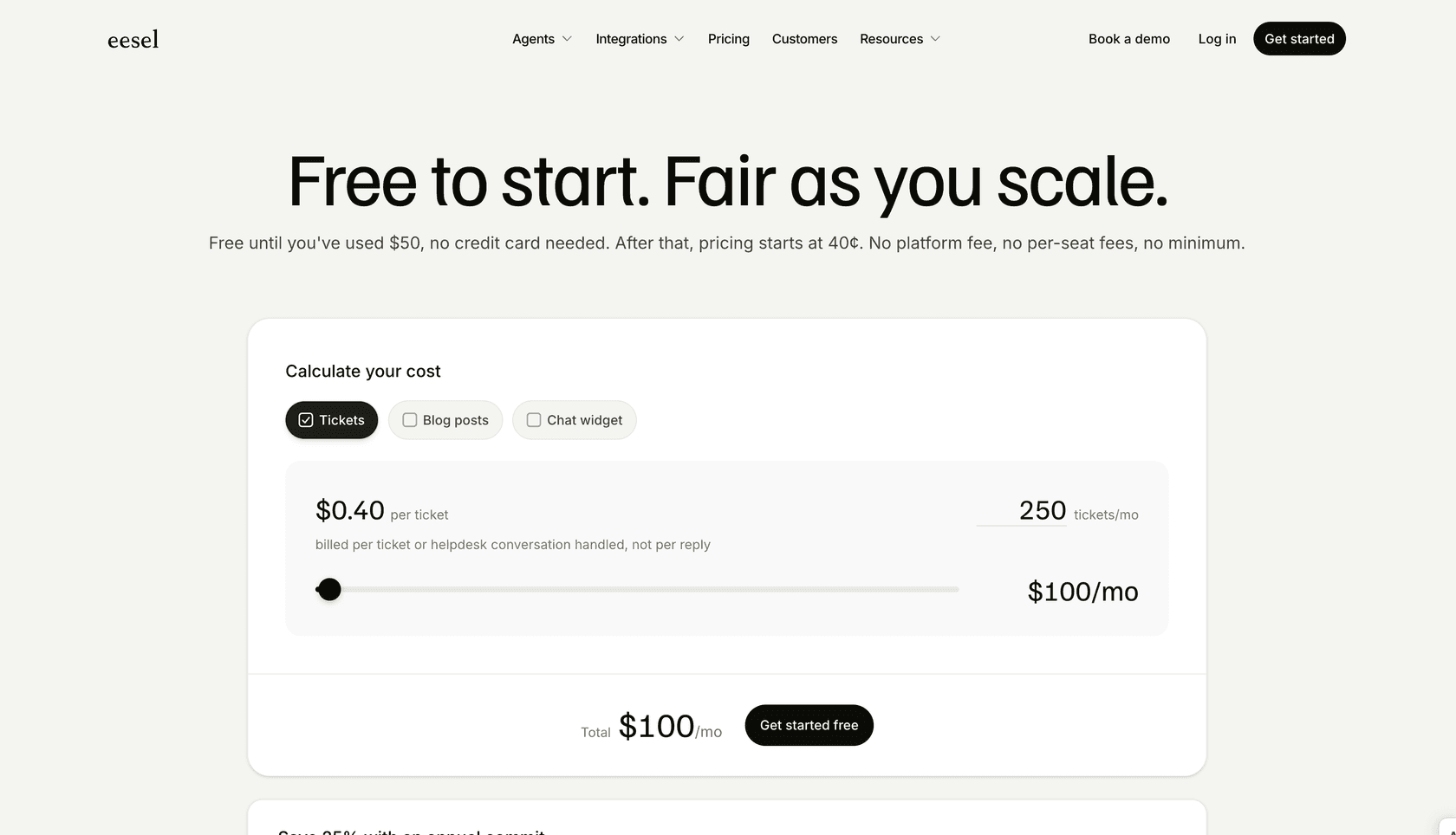
This bundled model is a sharp contrast to platforms that offer clear, fixed pricing. With a tool like eesel AI, you pay one monthly price sized to your volume (from $299/month for 500 credits), with every integration included and no hidden fees, letting you adopt powerful AI without a massive ecosystem upgrade.
Is Rovo Studio right for your team?
So, should you jump on the Rovo Studio bandwagon? It really comes down to one question: how deep are you in the Atlassian world?
If your company is fully committed to the Atlassian Cloud ecosystem and already paying for a Premium or Enterprise plan, then Rovo Studio is a pretty nice perk. It gives you a convenient way to build some simple AI helpers and manage your automations without leaving your familiar tools.
But for most customer support and IT teams, the limitations are hard to ignore. The vendor lock-in, the lack of true agent autonomy, and the data privacy questions make it a tough sell for anyone using external help desks or needing more advanced, independent automation. It feels less like a revolutionary AI agent platform and more like a fancy chatbot for your Atlassian data.
Build flexible, powerful AI agents without the vendor lock-in
If you read through those limitations and found yourself nodding along, you're not alone. Many teams need an AI solution that fits their tools, not the other way around. Your AI should work in your help desk, learn from all your knowledge, and let you automate workflows safely and effectively.
That's where eesel AI comes in. It's a simple, powerful AI platform built for support teams.
-
Go live in minutes, not months: Connect to Zendesk, Freshdesk, Slack, Confluence, and more with just a few clicks.
-
Test with confidence: Use simulation mode to see exactly how the AI will handle thousands of your past tickets before you even turn it on.
-
You're in control: Use the no-code workflow engine to define precisely which tickets the AI handles and what custom actions it can take.
Ready to see what a truly flexible AI agent can do for your support team? Get started with eesel AI for free.
Frequently asked questions
How much does Rovo Studio cost, and is it available to all Atlassian users?
Rovo Studio is included for customers on Premium and Enterprise Cloud plans for Jira, Confluence, and Jira Service Management. While it's presented as "no extra cost" on these plans, it effectively requires an upgrade to a pricier Atlassian subscription tier.
Can Rovo Studio integrate with my existing help desk if it's not an Atlassian product?
Unfortunately, Rovo Studio is deeply integrated into the Atlassian ecosystem and primarily works with Jira, Confluence, and Jira Service Management. It does not support external help desk platforms like Zendesk or Freshdesk.
What level of autonomy can I expect from AI agents built using Rovo Studio?
AI agents in Rovo Studio are described more as intelligent, reusable prompts rather than fully autonomous bots. They excel at specific tasks when directed but may not handle complex, multi-step problems or external system integrations without human oversight.
Does Rovo Studio allow me to use my preferred Large Language Model (LLM) or ensure data residency?
Rovo Studio utilizes third-party LLMs from providers like OpenAI and Google, meaning your internal data is processed outside Atlassian's cloud. It does not offer the option to choose your own LLM or plug in proprietary models.
What are some practical applications or types of AI agents I can create with Rovo Studio?
With Rovo Studio, you can build virtual teammates for onboarding, task-specific helpers for writing formulas, or agents to answer common customer support questions within Jira Service Management. It's designed to automate routine tasks and organize company knowledge.