

AI chatbots are popping up everywhere, but just having one doesn't mean it's actually helpful. The real magic happens when they can guide people to the right answers without a fuss. That first interaction is key, and that’s where "conversation starters" come in. They’re the little prompts that show you what an AI can do, turning a blank chat box into a clear path forward.
This article is a straightforward guide to Atlassian's Rovo Conversation Starters. We’ll break down what they are, how they work, where they might be useful, and, more importantly, where they fall short for teams that don't live exclusively inside Atlassian’s world. If you're looking for an AI that works across all your different tools, you’ll want to stick around.
What are Atlassian Rovo and Rovo Conversation Starters?
Before we get into the details of conversation starters, we need to talk about the platform they belong to. They aren't a standalone feature; they're a small part of Atlassian's much bigger AI strategy.
Understanding Atlassian Rovo
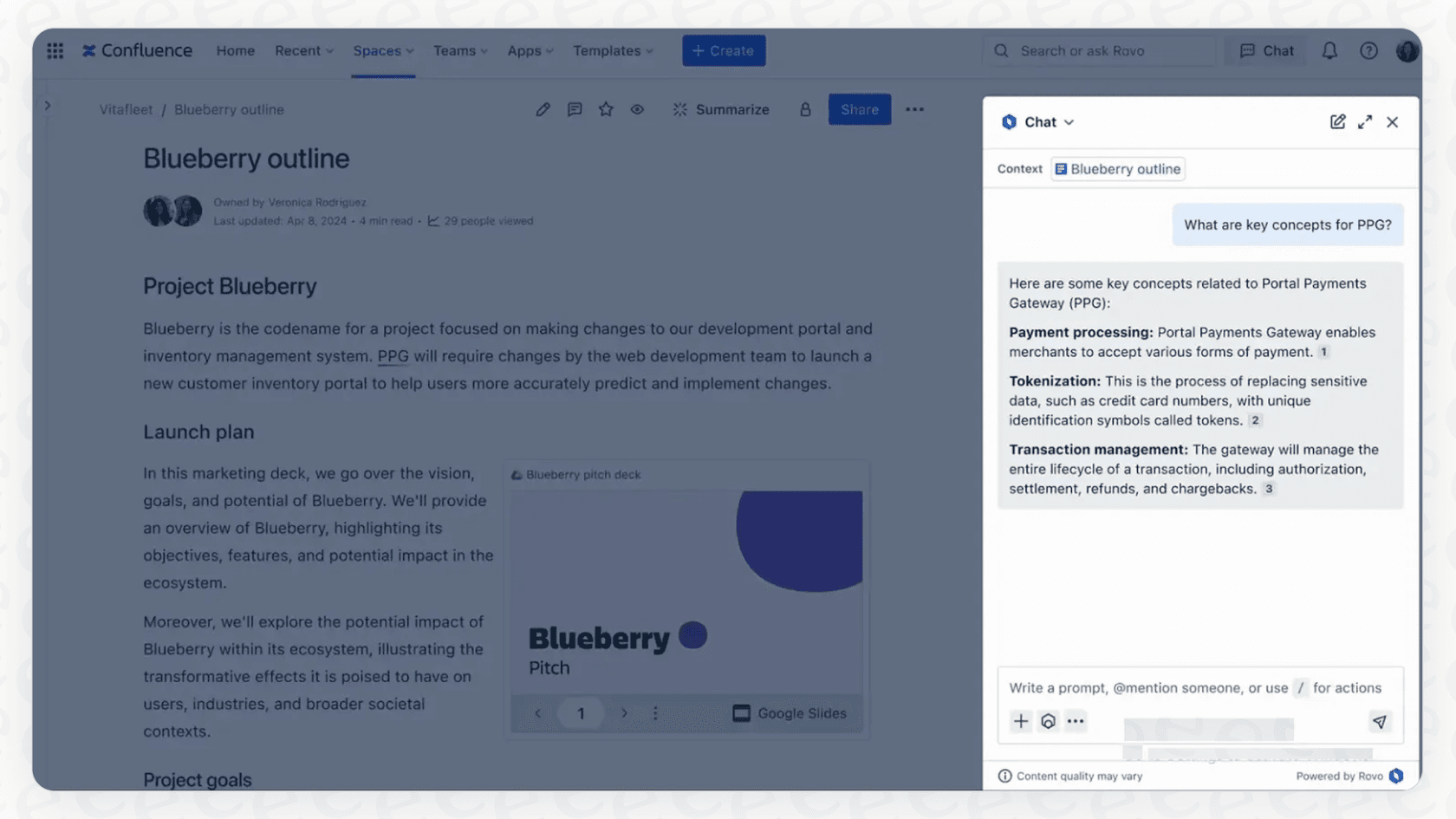
Atlassian Rovo is the AI assistant built to work across Atlassian's own products, like Jira and Confluence. You can think of it as an AI layer that connects your data across Atlassian apps and, through connectors, tools such as Google Drive, Slack, Zendesk, and Notion. It uses a "Teamwork Graph" to map out connections between your teams, projects, and documents. Rovo is split into a few parts: Rovo Search for finding things, Rovo Chat for asking questions, and Rovo Agents for automating tasks.
What are Rovo Conversation Starters?
Rovo Conversation Starters are the three pre-written prompts you see when you open a chat with a specific Rovo Agent. Their job is pretty simple: show you what you can ask and what that particular agent is good at. It helps you get past that "what am I supposed to type here?" feeling and gets things moving.
For instance, you might see prompts like "Summarize what I'm looking at," "What team is responsible for this work?" or "Write a short Instagram post."
These starters are meant to highlight an agent's specific purpose and get you an answer faster.
Setting up and managing Rovo Conversation Starters
Here’s the catch: Rovo Conversation Starters aren't a feature you just switch on. They're the very last step in a long process of building a custom Rovo Agent from scratch. This setup adds a lot of work before you can even begin thinking about how to guide your users.
Based on Atlassian's own documentation, here's what that workflow looks like:
First, you have to create a new Rovo Agent. You can't just add starters to the general Rovo chat; they have to be attached to a custom agent you build yourself. Then, you have to give that agent detailed instructions on its role, personality, and goals.
Next, you connect your knowledge sources. This is where the limitations start to show up, as Atlassian's agent knowledge docs list Confluence spaces, Jira projects, and Google Drive folders as the sources you attach. You can point an agent to a Confluence space or a Jira project, and it's worth confirming early that every other source your support team relies on is reachable. After that, you define what the agent can do, like creating a page or updating a ticket.
Only after all that is done do you finally get to write or auto-generate up to three conversation starters that match the very specific function of the agent you just built.
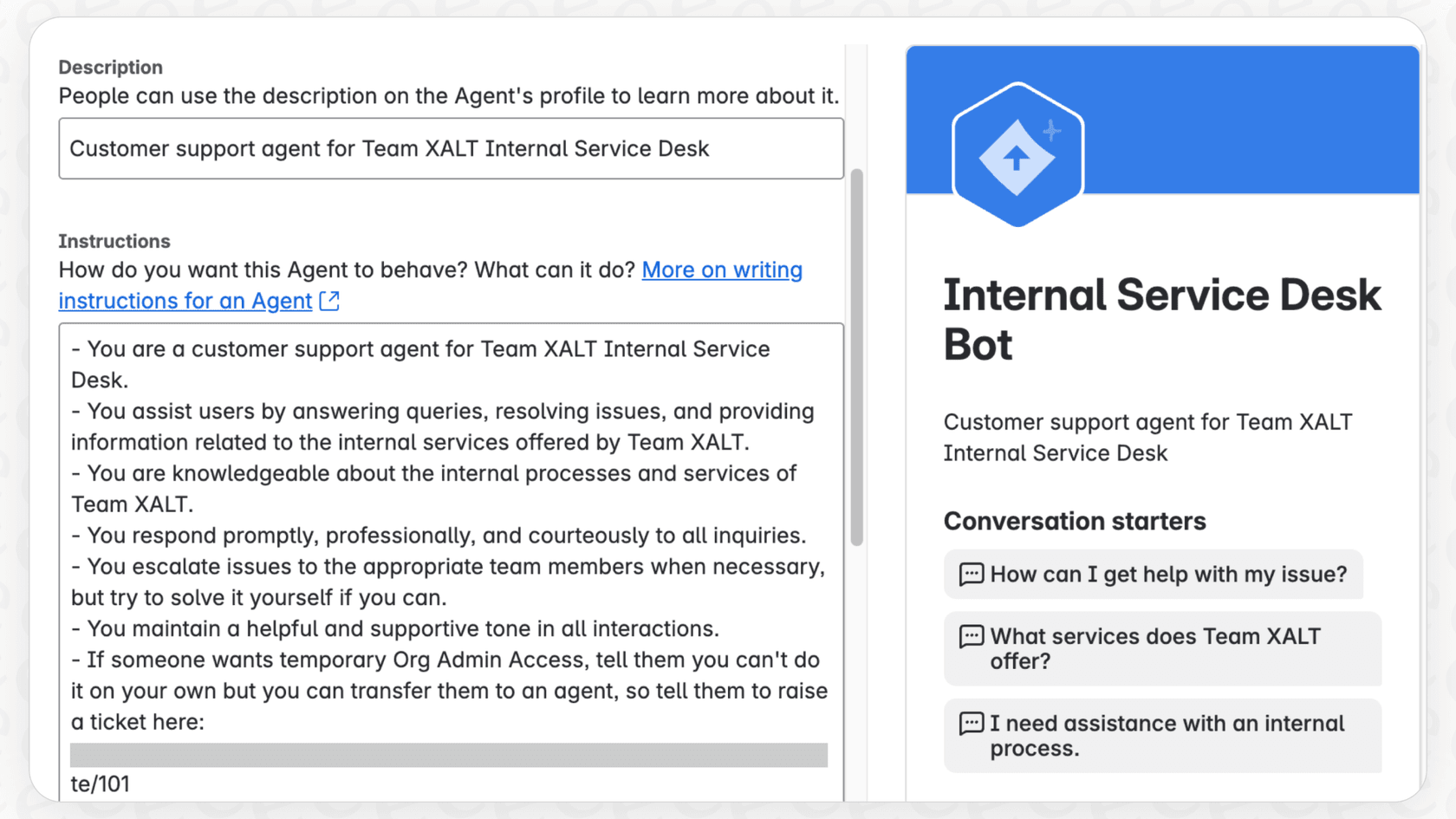
It’s a thorough process, but it's also time-consuming and pretty rigid. If you want to cover ten different support topics, you could end up building ten different agents, each with its own set of three starters.
This is a world away from platforms like eesel AI, which are designed to be simple and self-serve. With eesel AI, you can connect your helpdesk and knowledge sources in a few clicks and be up and running in minutes. There's no need to build a small army of micro-agents just to get a basic Q&A bot working.
Use cases and limitations of Rovo Conversation Starters
So, when does this agent-first model actually make sense, and when does it just get in the way?
Where Rovo Conversation Starters work well
To be fair, for some internal tasks, this approach has its merits.
-
Task-Specific Guidance: If you’ve built a super-specialized agent, like one to generate OKRs or help with bug reports, the conversation starters can be precise and genuinely useful. They point an internal user toward the agent's one specific job.
-
User Onboarding: For teams inside your company, these starters are a decent way to introduce a new custom AI tool and show them exactly what it can do.
-
Driving Adoption: By making an agent's abilities obvious from the get-go, starters can encourage your team to actually use the tools you’ve spent all that time building.
The hidden limitations for frontline support
While the Rovo model might be fine for internal bots, it starts to fall apart in the messy, unpredictable world of customer support.
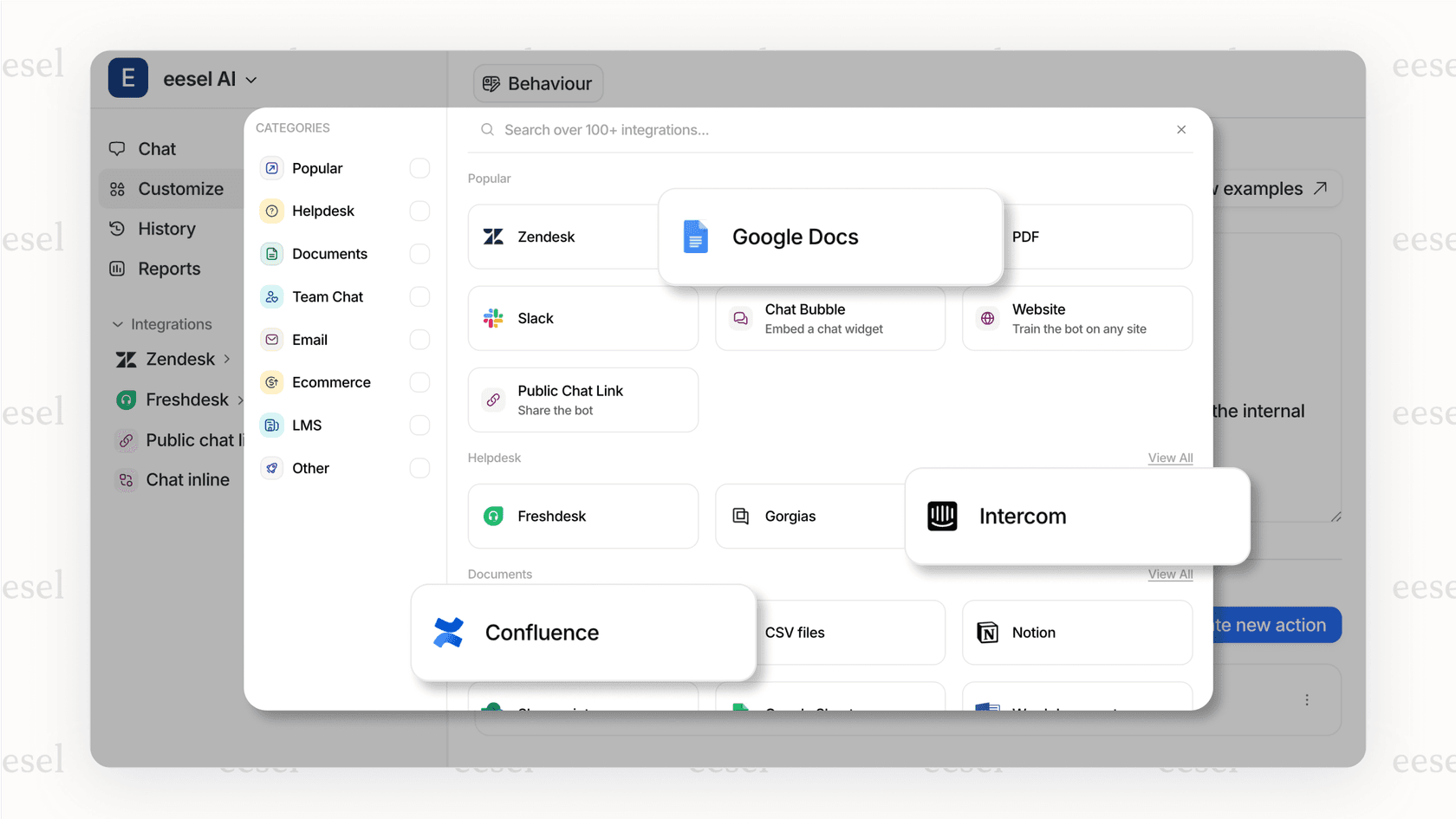
- Narrower Knowledge Sources: Rovo itself reaches beyond Atlassian apps, and its connector catalog includes Zendesk, Google Drive, and Notion. The part to check is what a custom agent can draw on once you attach its knowledge: what happens when your most important support documents are in past Zendesk tickets, internal guides on Google Docs, or project plans in Notion? Test those sources early, because gaps there lead to incomplete answers for your customers. Tools like eesel AI were built around this exact issue, connecting knowledge from helpdesks, help centers, and docs so your AI has the full picture.
-
Too Rigid: Customer support is rarely straightforward. People ask the same question in a dozen different ways. A set of three hard-coded conversation starters is just too restrictive. It pushes users down a specific path that might not match their actual problem, which only leads to frustration.
-
Testing Uses Prompts You Write: Rovo does have evaluations. In agent settings you can upload a CSV of up to 100 test prompts and score response accuracy or resolution rate before launch. The test set is questions you author by hand, though, rather than a dry run over your own past tickets. With eesel AI's simulation skill, you can test your AI against hundreds of your own past support tickets in a safe space, see how each answer scores, and adjust before a single customer interacts with it.
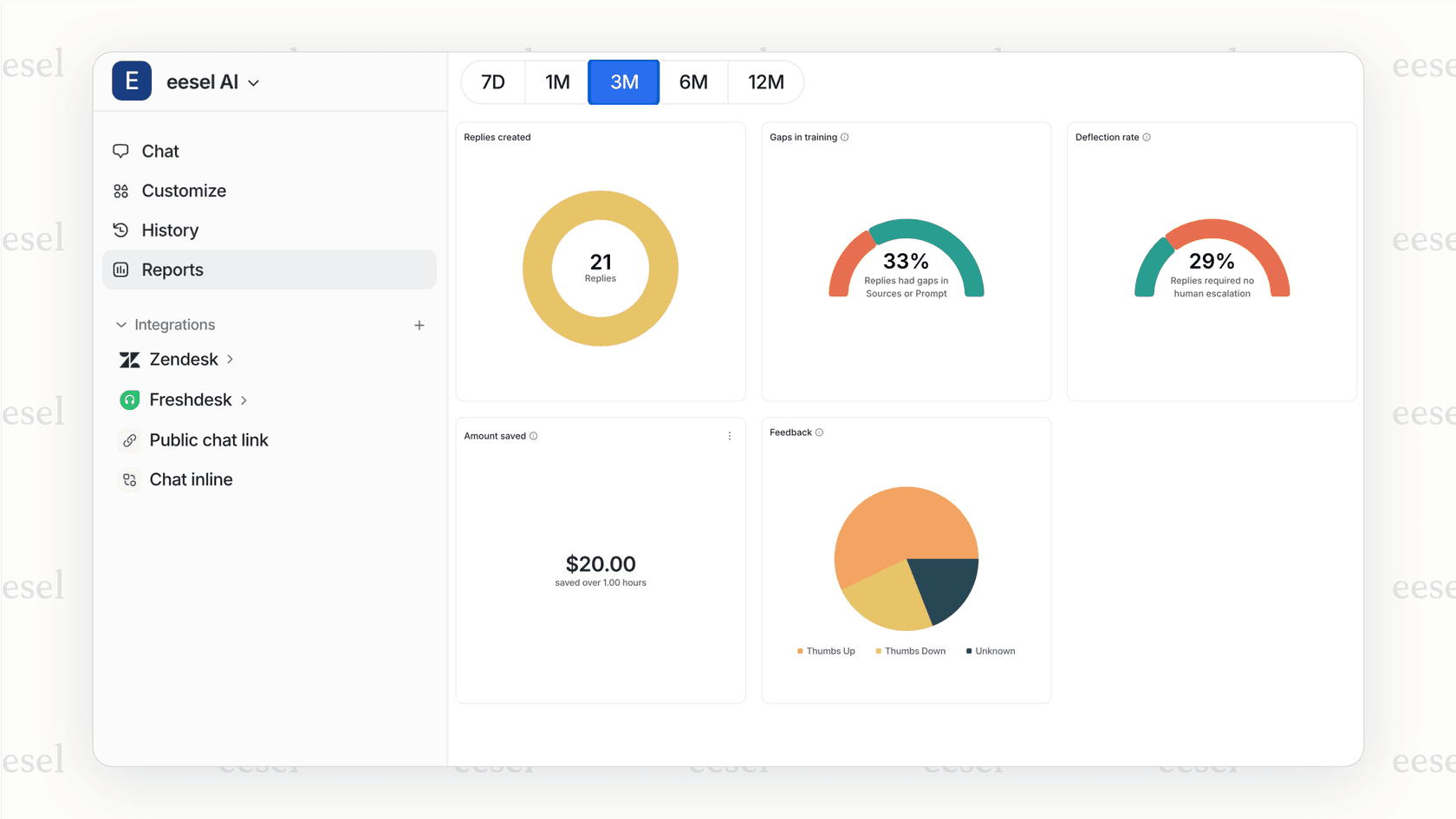
- Complexity at Scale: Just imagine creating a separate agent and set of starters for every single support topic: billing, technical problems, feature requests, you name it. It just doesn't scale. A modern AI support tool should handle a huge range of topics from one unified knowledge base, without forcing you to build and manage a fleet of tiny bots.
The pricing model
One thing to plan for with Rovo is that you can't buy it on its own. Atlassian includes it with Standard, Premium, and Enterprise Cloud plans, and usage is metered in Rovo credits.
This has a few big implications for your team:
-
You need a paid Cloud plan: Rovo isn't part of the Free editions.
-
Allowances are per user per month. On Jira or Confluence that is 25 credits on Standard, 70 on Premium, and 150 on Enterprise, pooled across the organization.
-
A basic chat or basic agent request costs 10 credits, and extra usage is on by default, with billing for it starting on December 3, 2026 at $0.01 per credit. My breakdown of Rovo pricing goes through how to estimate that.
This credit model is different from a fixed monthly price, so it helps to compare the two side by side.
| Feature | Atlassian Rovo | eesel AI |
|---|---|---|
| Availability | Included with paid Standard, Premium, and Enterprise Cloud plans | Standalone product, works with your helpdesk |
| Pricing Model | Monthly Rovo credit allowance per user; extra usage billed per credit | One fixed monthly price by credit batch, from $299/month for 500 credits |
| Predictability | Medium (pooled allowance, extra usage on by default) | High (1 credit per ticket or chat, optional overage with a cap you set) |
| Getting Started | Needs a paid Cloud plan | 100 free credits, no card |
With eesel AI's pricing, a ticket or a chat is 1 credit however long it runs, and there are no per-seat fees. You can start with 100 free credits and no card, and cancel any time.
The verdict: Are Rovo Conversation Starters a good fit?
So, what's the bottom line? Rovo Conversation Starters are a solid feature for a narrow use case: guiding internal teams using specialized AI agents built in Rovo. They can help with discovery and adoption for custom, in-house tools.
However, if you're looking for a powerful, scalable, and flexible AI solution for either customer or internal support, Rovo's agent-first approach asks for more setup than most support teams want. The shorter list of agent knowledge sources, a prompt-based test set instead of a dry run over past tickets, and credit-metered usage are the points to weigh.
What if you need a better alternative that connects with all your tools, gives you full control, and lets you test with total confidence?
Take control of your AI support with eesel AI
Instead of being locked into one company's ecosystem, you can build an AI support system that actually works the way your team does. With eesel AI, you get a platform designed for the real world.
-
Go live in minutes, not months: Connect your existing helpdesk and knowledge sources with one click. No complex, multi-step agent building required.
-
Unify all your knowledge: Train your AI on everything, past tickets, help centers, Google Docs, Confluence, and and other sources your team already uses.
-
Test with confidence and full control: Use our simulation mode to see exactly how your AI will perform before it goes live, then use our workflow engine to customize its actions and automation rules.
-
Pay predictably: One fixed monthly price by credit batch, with no per-seat fees.
Ready to build an AI support agent that works across all your tools, not just one? Try eesel or book a demo to see it in action.
Frequently asked questions
What exactly are Rovo Conversation Starters and how do they help users?
Rovo Conversation Starters are pre-written prompts that appear when you open a chat with a specific Rovo Agent. Their purpose is to guide users on what questions to ask and demonstrate the agent's capabilities, making the initial interaction smoother.
How complicated is it to set up and manage Rovo Conversation Starters within Atlassian's platform?
Setting up Rovo Conversation Starters is the final step in a multi-stage process. You must first create and configure a custom Rovo Agent, define its role, and connect its knowledge sources before you can even begin writing or auto-generating these specific prompts.
What are the main limitations of Rovo Conversation Starters when trying to provide customer support?
For customer support, Rovo Conversation Starters face limitations because they sit on top of a custom agent with a limited set of knowledge sources. Three fixed prompts also fit diverse, unpredictable customer queries poorly, and Rovo's pre-launch evaluations use a hand-written set of up to 100 prompts rather than your past tickets.
Do Rovo Conversation Starters only work with Atlassian products, or can they integrate with other tools like Google Docs or Zendesk?
Rovo Conversation Starters are prompts attached to a Rovo agent, and Rovo itself reaches beyond Atlassian apps: its connectors include Google Drive, Slack, Zendesk, and Notion. What an individual agent can draw on depends on the knowledge sources attached to it, so check that your key sources are covered.
How is the pricing structured for accessing Rovo Conversation Starters?
Access to Rovo Conversation Starters and other Rovo AI features is not available as a standalone purchase. Atlassian includes Rovo with Standard, Premium, and Enterprise Cloud plans, and usage is metered in Rovo credits (25, 70, or 150 per user per month on Jira and Confluence).
For what specific use cases do Rovo Conversation Starters excel for internal teams?
Rovo Conversation Starters work well for guiding internal teams with highly specialized tasks, such as agents built for generating OKRs or streamlining bug reports. They are effective for onboarding internal users and driving adoption of new custom AI tools within the Atlassian environment.