
A usable definition of an autonomous AI agent
The term is still broad. NIST describes agentic AI as systems that function as autonomous agents, independently make decisions, learn from interactions, and adapt to changing environments. In business terms, the important part is simpler: an agent does more than generate text. It can use information and permitted tools to move a job forward.
“Autonomous” is not a binary label. A support agent that drafts an answer for approval has less autonomy than one that can send low-risk answers itself. An agent that can issue a refund has more autonomy and needs stricter controls. The level of authority should match the cost of being wrong.
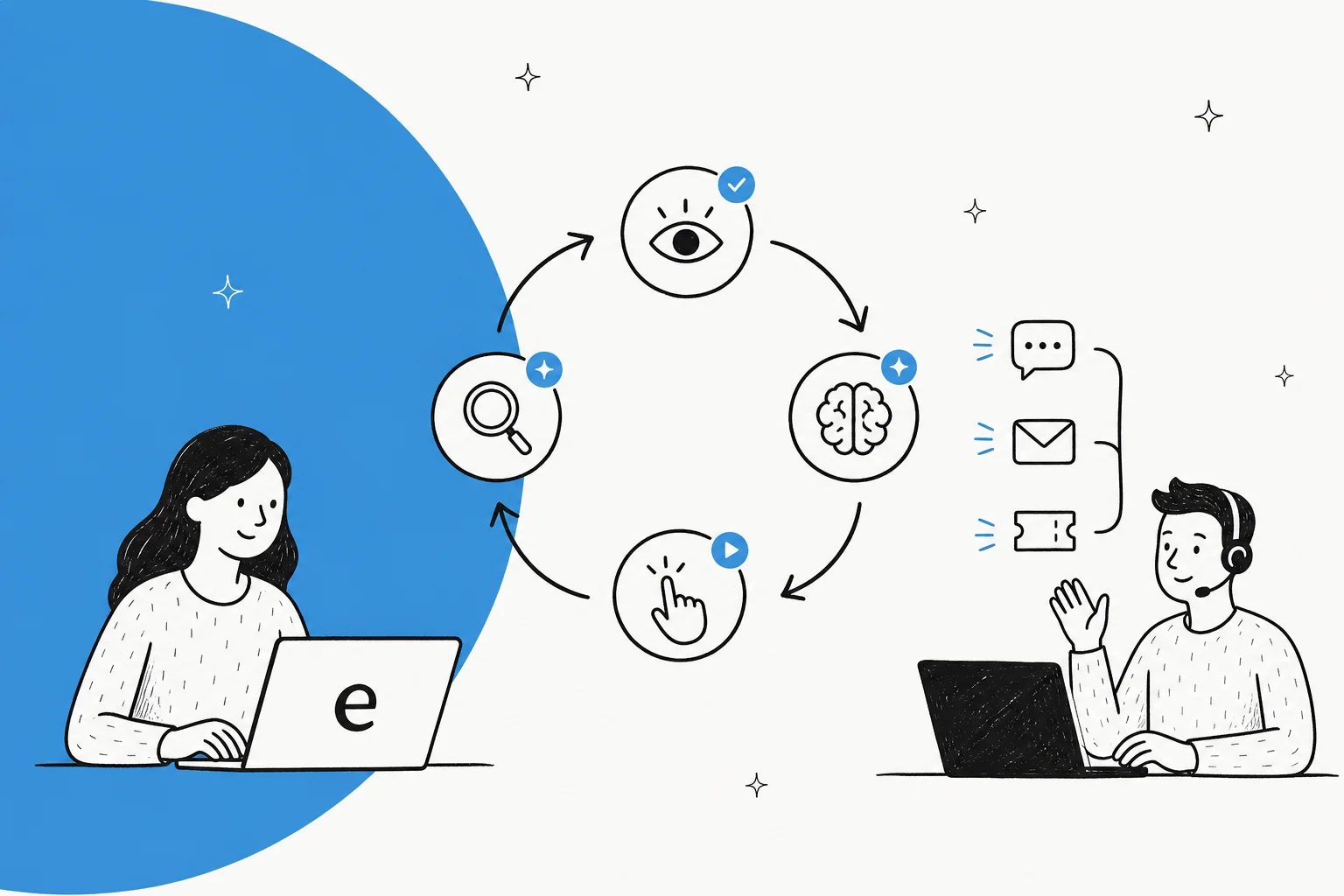
The loop behind an agent
Most autonomous agents repeat four steps:
- Observe. Read the customer request, ticket fields, policies, or results returned by a tool.
- Decide. Work out which allowed path fits the current situation.
- Act. Reply, look up an order, tag a ticket, update a record, or ask a person to take over.
- Check. Read the tool result or the next customer response, then either finish, correct course, or escalate.
The loop only works if the agent has reliable context and bounded tools. A model can sound confident with neither. That is why a good implementation separates what the agent may know, what it may do, and when it must stop.
Autonomous agent, chatbot, and workflow: the difference
| System | What it does well | Where it stops |
|---|---|---|
| Chatbot | Answers a question from a prompt or knowledge base | Usually does not execute a multi-step job |
| Workflow automation | Repeats a known sequence reliably | Breaks when inputs require a judgment it was not designed for |
| Autonomous agent | Chooses among permitted actions using current context | Must stay inside its permissions and escalation rules |
The distinction matters because each needs a different evaluation. A chatbot should be assessed for answer quality. A workflow should be assessed for process reliability. An agent must be assessed for both, plus the decisions it makes and the consequences of its tool use.
Where autonomous AI agents help first
The best early use cases are frequent and well-bounded:
- Support triage: identify intent, collect missing details, add the right tags, and route exceptions.
- Knowledge answers: answer a documented question and hand off when the source does not support an answer.
- Account and order lookups: retrieve information from an approved system and present it in the right support context.
- Internal service requests: guide an employee through a known request path, then submit it for approval.
- Case follow-up: summarise the history and prepare a next step for a human owner.
Avoid starting with irreversible, high-stakes decisions. NIST's AI Agent Standards Initiative explicitly focuses on trustworthy, secure, interoperable agents. That is a useful reminder: connecting an agent to systems is not the finish line. Governance is part of the product.
What a safe rollout looks like
Start with a written job definition: what triggers the agent, which sources it may use, which actions it may take, what counts as success, and what must go to a person. Test it on representative historical work before it faces customers. Review failures by category, not only aggregate resolution rate.
Then set permissions deliberately. Read-only lookup is different from a record update; an update is different from money movement or access changes. Use approvals for actions where a human would normally pause. Keep activity logs, audit samples, and a straightforward way to turn off a workflow.
Operating the same teammate from the dashboard or code
An agent only helps if it fits the team’s existing working style. eesel’s helpdesk teammate can be used in the dashboard, from a terminal, in a script, or through coding agents such as Claude Code, Codex, and Cursor. It is the same teammate and workspace in every surface, so setup in one appears in the other.
The eesel CLI needs Node.js 18.17 or newer. A useful autonomy check is to inspect the automation and held actions for one repeatable task before you allow the teammate to take on more of it:
npx @eesel/cli automations --agent "Helpdesk"
npx @eesel/cli approvals --agent "Helpdesk"
The first command shows the event, scheduled, and webhook automations for that same dashboard teammate. The second shows work deliberately held for a person. Before testing, disable or restrict actions outside the test scope; the list of held actions does not cover actions configured to run automatically. Start with one defined failure, such as a request missing the account evidence needed to answer it. Confirm that the automation leaves the request for clarification or handoff rather than widening its authority. A person, script, Claude Code, Codex, or Cursor can inspect the JSON result. If the test supports a change, run the supported update with --dry-run, review the exact server call, approve it, and repeat the failure test. The eesel CLI guide documents the complete surface.
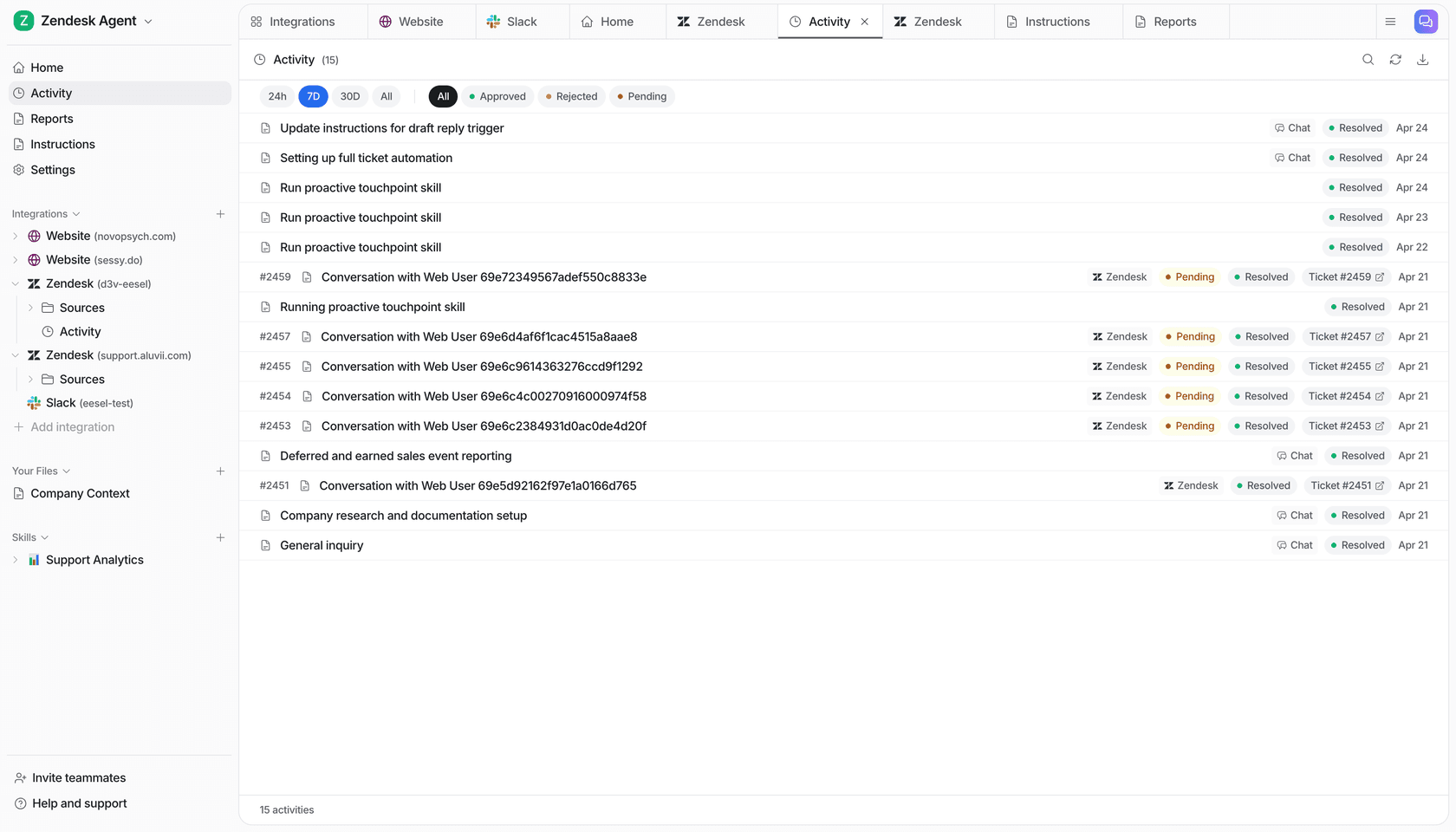
The eesel Activity page lists work with filters for approved, rejected, and pending items.
The practical takeaway
Autonomous AI agents are a way to delegate a defined slice of work, not a reason to remove judgment from a business process. Give the agent enough context to do the job, only the permissions it needs, and a clear route to a human. Measure the result on real work before broadening its authority.
Give your support team an AI teammate
eesel is built for the contained support jobs that make a good first agent deployment: joining the helpdesk, using the company knowledge your team already maintains, and escalating the work it should not decide. You can set it up in the dashboard or operate that same teammate from the CLI with scripts and coding agents. Try eesel to test what that looks like on your own support flow.