


Disclosure: This article is published by eesel AI, a competitor of Atlassian. We encourage you to read Atlassian's own materials for their perspective.
If you're on an IT or ops team, you know the feeling. Your screen is a constant waterfall of notifications, and trying to spot the genuinely critical ones is like finding a needle in a haystack of... well, other needles. This isn't just annoying; it's alert fatigue, and it leads to slower responses and burned-out teams.
Atlassian's answer to this chaos is a feature in Jira Service Management called Atlassian Intelligence Alert Grouping. It's designed to automatically bundle related alerts together to quiet the storm.
But does it actually work as promised? This guide takes a real-world look at what the feature can do, how it operates, where it falls short (and it does fall short), and what it costs. We'll also dig into why many teams are starting to look for more flexible, controllable AI platforms to really get a handle on their incident management.
What is Atlassian Intelligence Alert Grouping?
Atlassian Intelligence Alert Grouping is a feature baked into Jira Service Management that uses AI to automatically find and cluster similar alerts. It's powered by Atlassian's AI engine, Rovo, and the whole point is to cut through the noise. It helps on-call teams focus on the root problem instead of getting swamped by dozens of nearly identical notifications.
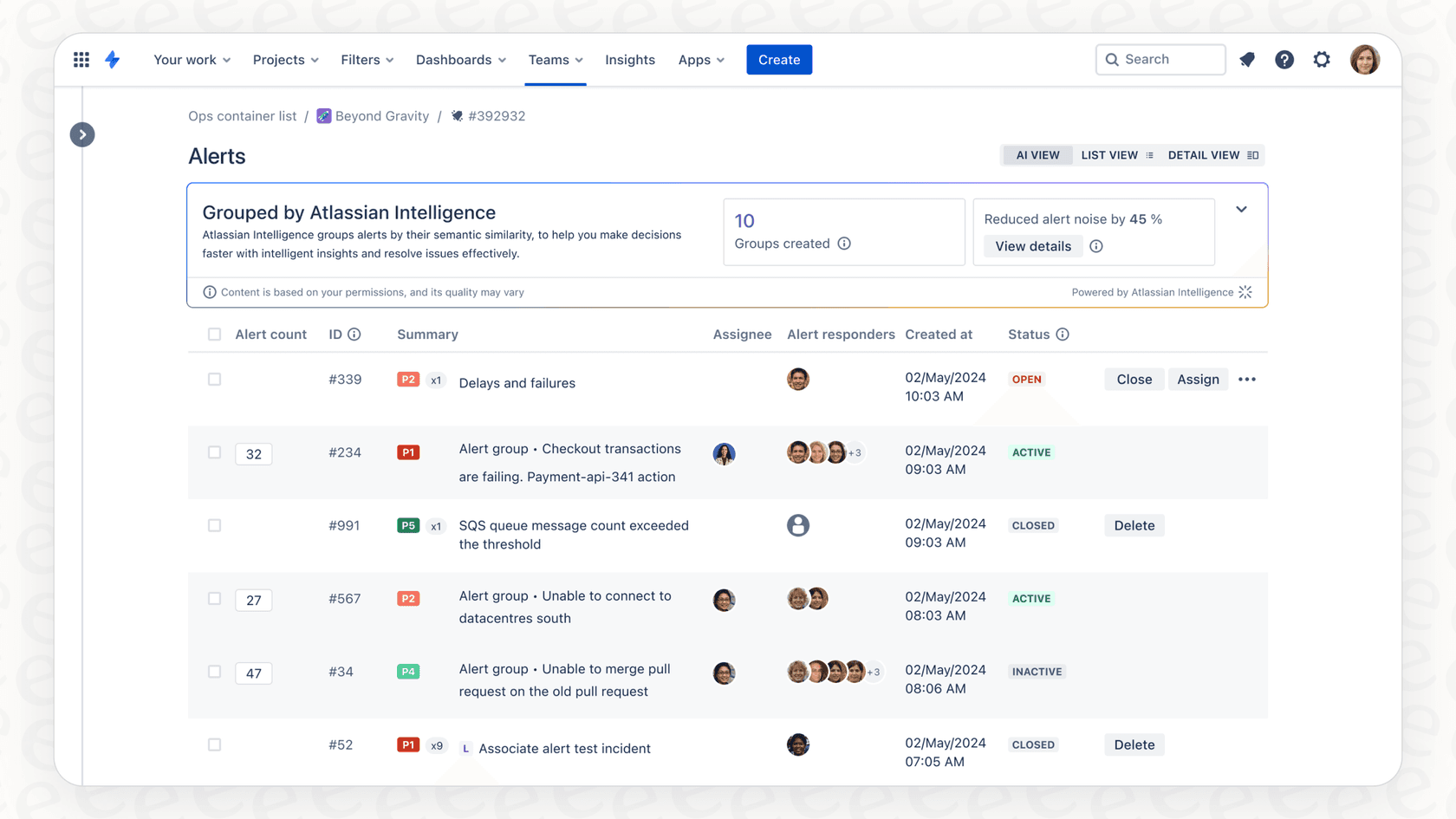
So instead of your team seeing ten separate alerts for "High latency detected," the feature is supposed to group them into a single, tidy package. According to Atlassian's own documentation, the grouping is based on "semantic similarity" found in the alerts' titles, descriptions, and tags. The AI reads the language to figure out if different alerts are talking about the same event, letting your team acknowledge, assign, or escalate them all at once.
How Atlassian Intelligence Alert Grouping works
The feature is turned on by default for Jira Service Management Cloud customers on Standard, Premium, Enterprise, as long as an organization admin has given Rovo the green light. Atlassian's docs also set two conditions: you need to use the alerting built natively into Jira Service Management, and your instance can't be BYOK-encrypted. It isn't available in Atlassian Government organizations either. Once it's running, it starts scanning incoming alerts for patterns.
When Rovo finds a bunch of similar alerts, it creates a group with its own unique ID. This group shows up in your alerts list with an AI-generated title that sums up the problem. You can then click into the group to see all the individual alerts, a quick summary of what's going on, and a few suggestions from the AI.
Key features of Atlassian Intelligence Alert Grouping
-
Semantic Grouping: This is the clever part. The AI tries to understand the meaning of the words in your alerts, not just match specific keywords. For instance, it might group "Deployment 1 failed for Service A" and "Service A deployment 2 unsuccessful" because it understands they're describing the same kind of failure for the same service.
-
AI-Generated Summaries: Each group gets a Rovo-generated description that explains the issue based on the alerts inside. This can help responders get up to speed without having to read every single notification.
-
Responder Suggestions: The AI looks at historical data and can suggest responders before, which might help you route the problem to the right person faster.
-
Intelligent Incident Creation: If you need to escalate an alert group into a full-blown incident, Atlassian Intelligence can help by pre-filling the incident title, description, and priority, saving a few precious seconds when it matters most.
Limitations and challenges of Atlassian Intelligence Alert Grouping
While it all sounds good on paper, the feature comes with some serious drawbacks that can end up creating more challenges for operations teams. A common theme in user feedback is a frustrating lack of control and accuracy that can make alert management even more of a mess.
The opacity problem with Atlassian Intelligence Alert Grouping: Lack of control and customization
The biggest issue with Atlassian's approach is that the AI grouping logic is essentially opaque. You can't set your own rules for how alerts are grouped. The model decides what's related, and if it gets it wrong, you're stuck. As one user on the Atlassian Community forum put it, the feature was "mixing alerts unrelated and makes it very complicated and confusing."
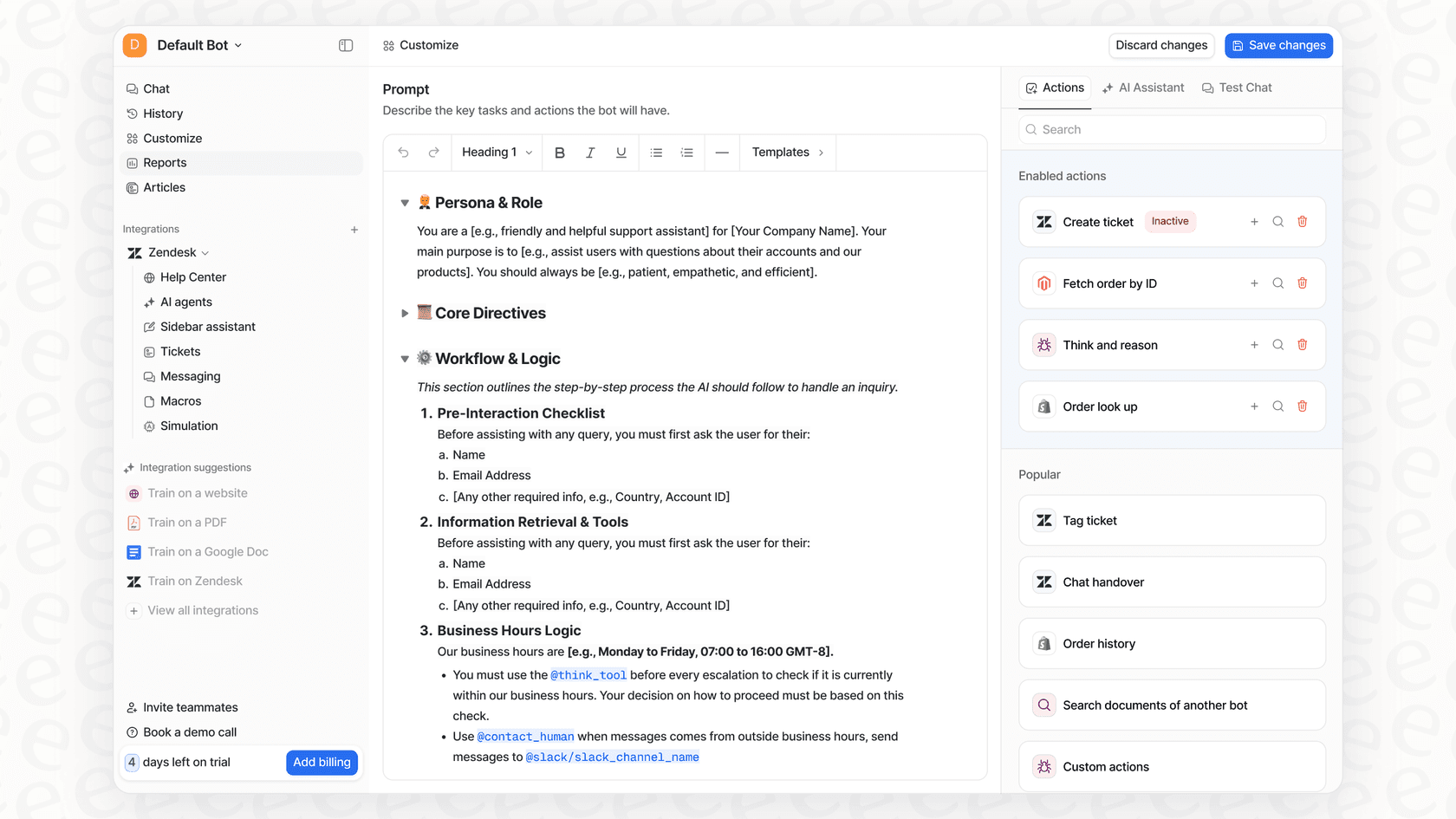
And that's a classic problem with these built-in AI tools. For AI to be truly useful, it needs to adapt to your company's unique logic. This is where the difference between a built-in feature and a dedicated platform really shows. For example, a platform like eesel AI gives you a fully customizable workflow engine, letting you build precise rules based on ticket content, customer data, or any other business logic. This makes sure the AI works for you, not the other way around.
The risk of poor grouping quality with no safety net
Turning on an AI you can't control is a bit of a gamble. What happens if it wrongly groups a critical alert with a low-priority one, causing you to miss it completely? Atlassian's documentation describes no way to test or simulate the alert grouping on your past data before you flip the switch. You activate it and judge the groups on live alerts, using the thumbs-up and thumbs-down icons to tell Atlassian when a grouping looks wrong.
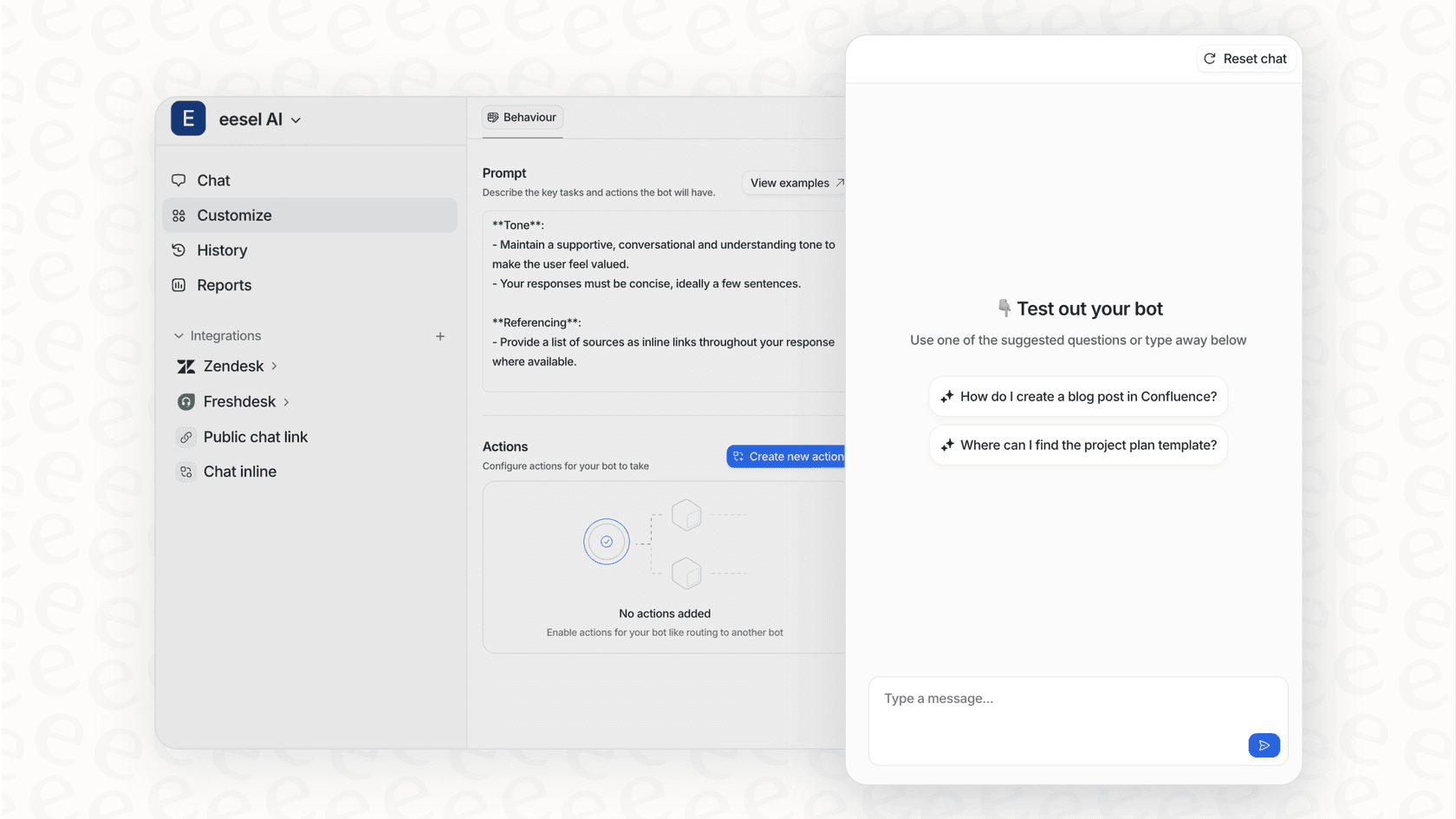
This feels like a huge oversight. In contrast, a tool like eesel AI comes with a powerful simulation mode. It lets you test your AI setup on thousands of your old tickets in a safe environment. You can see exactly how it would have grouped, responded, and triaged issues, giving you solid forecasts on its performance and letting you tweak its behavior before it ever touches a live alert.
A siloed approach to knowledge
Atlassian Intelligence is at its best when it's working with data inside the Atlassian ecosystem, mostly Jira Service Management and Confluence. But think about it: where does the real story behind an alert live? The context you need might be in a Google Doc, a Slack conversation, or even a ticket in a different helpdesk like Zendesk. Rovo can index apps like Slack and Google Drive through its connectors for search, but alert grouping itself works on the alerts in Jira Service Management's native alerting, so that outside context doesn't shape the groups.
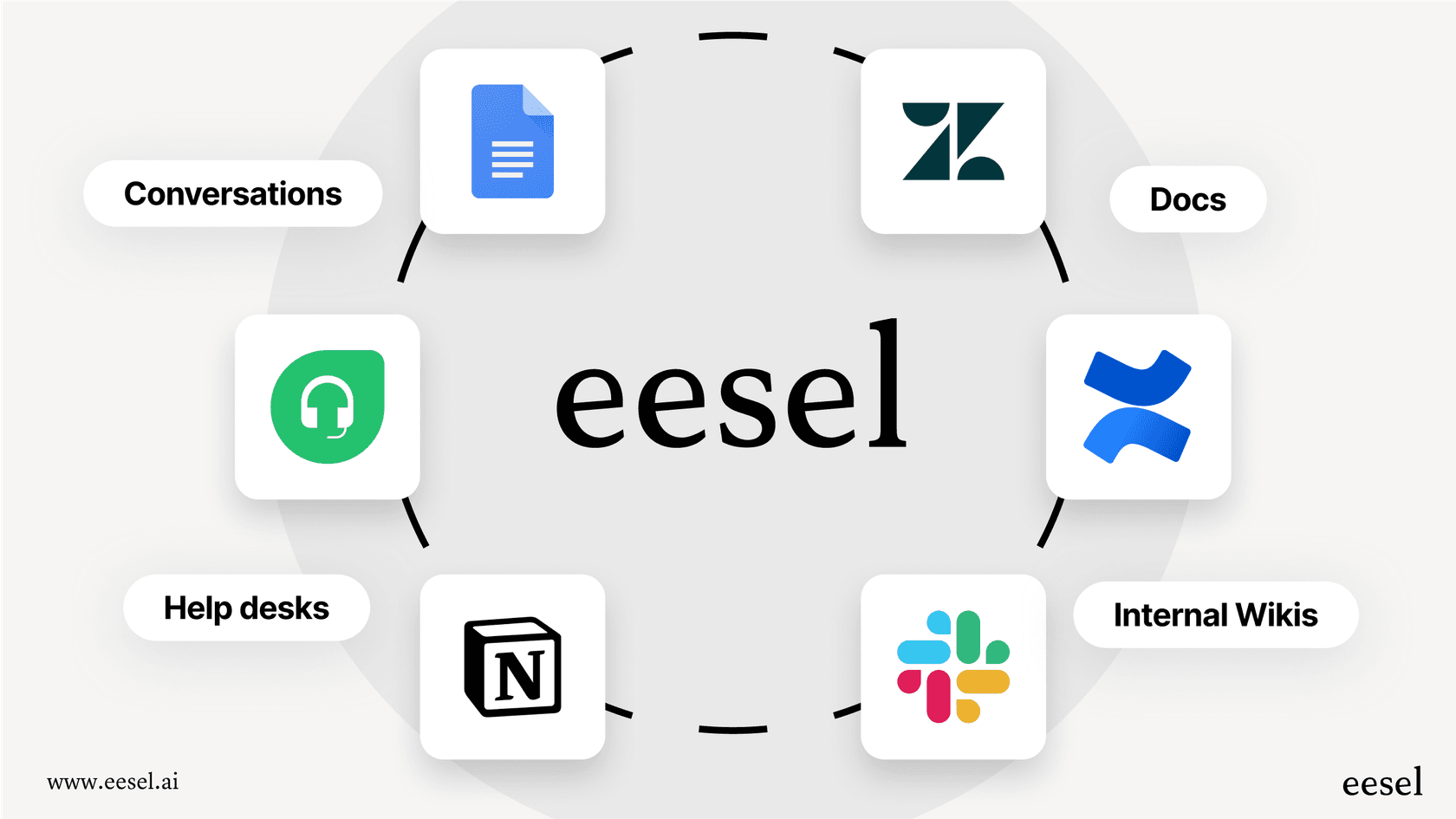
Reliable AI automation needs a complete picture of your company's knowledge. A flexible platform like eesel AI can connect to over 100 different sources, including Jira, Confluence, Slack, and Google Docs. This gives the AI all the context it needs to be accurate and dependable in a way that goes far beyond simple alert grouping.
Atlassian Intelligence Alert Grouping pricing
Atlassian Intelligence Alert Grouping isn't something you buy separately; its availability is tied to your Jira Service Management plan. While it comes with the Standard, Premium, and Enterprise tiers, your usage is measured in Rovo credits (formerly called AI credits), as I explain in this credits breakdown.
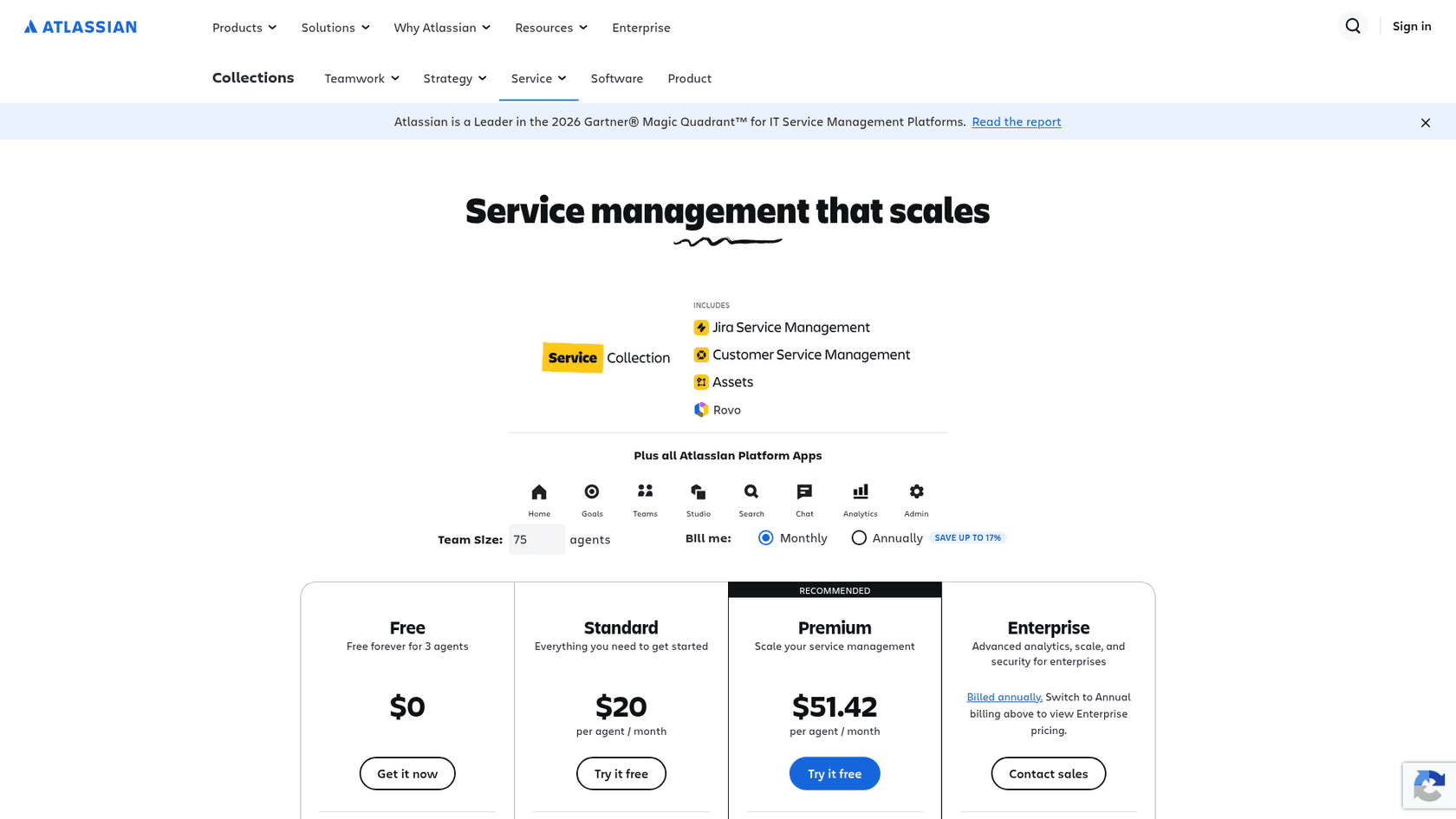
According to Atlassian's Jira Service Management pricing page, this is how the Service Collection plans break down:
| Plan | Price per agent/month | Rovo credits and indexed objects (per user/month) |
|---|---|---|
| Standard | $20 | 250 credits, 1,000 indexed objects |
| Premium | $51.42 | 700 credits, 2,500 indexed objects |
| Enterprise | Contact sales (billed annually) | 1,500 credits, 6,250 indexed objects |
Grouping itself isn't what spends credits. Per Atlassian's docs, credits are used when you act on a group or on selected alerts inside one: close all, acknowledge all, snooze all, delete all, create incident, assign, link incident, or accept a signal or noise classification. Removing an alert from a group, expanding a group and updating signal or noise are free. These allowances apply starting December 3, 2026. If you pass the allowance with extra usage enabled, the overage goes on your next invoice. If extra usage is off, billable actions on groups stop until the allowance resets on the first day of the next month. For reference, the Jira pricing page lists 25, 70 and 150 credits per user for Jira on its own.
This metered model makes cost harder to forecast during a busy incident month, because the actions that burn credits are the ones responders take most when alerts spike.
For comparison, eesel AI's pricing is one fixed monthly price: from $299/month for 500 credits, where 1 credit is one ticket or chat however long it runs, with no per-seat fee. There is also a free plan with 100 credits and no card.
The Atlassian Intelligence Alert Grouping alternative: A controllable and connected AI engine
For teams that have hit a wall with a rigid, built-in feature, a dedicated AI platform offers the control, confidence, and connectivity that Atlassian Intelligence is missing. eesel AI is built to plug right into your existing tools, including Jira Service Management, without making you overhaul your entire workflow.
It lets you go beyond simple alert grouping and build a truly intelligent automation layer across your whole support and operations stack. Instead of being locked into a single vendor's world, you can connect all your knowledge sources and systems to power a smarter, more efficient AI agent.
Here's a quick side-by-side look:
| Feature | Atlassian Intelligence Alert Grouping | eesel AI |
|---|---|---|
| Customization & Control | Low. The AI's grouping logic is opaque with no custom rules. | High. A full workflow engine to define precise automation rules. |
| Simulation & Testing | None. You must activate it on live data and hope for the best. | Robust. Simulate on thousands of past tickets with performance forecasts. |
| Knowledge Sources | Limited to the Atlassian ecosystem (Jira, Confluence). | Extensive. Connects to 100+ sources (Google Docs, Slack, Zendesk, etc.). |
| Pricing Model | Per-agent plans plus Rovo credits; credits apply to alert-group actions from Dec 3, 2026. | One fixed monthly price, from $299 for 500 credits, no per-seat fee. |
| Setup Time | Part of JSM setup, but requires admin configuration. | Radically self-serve. Go live with a basic setup in minutes. |
Moving beyond Atlassian Intelligence Alert Grouping
So, is Atlassian Intelligence Alert Grouping worth it? It can be a decent first step for teams who are all-in on the Atlassian ecosystem and just need a basic way to dial down the alert noise. But its major limitations, the lack of control, no safe way to test, a siloed view of knowledge, and metered pricing, make it a risky and incomplete solution for any serious operations team.
Modern AIOps needs more than just automatic clustering. It needs fine-grained control, the ability to test changes with confidence, and access to all of your company's collective wisdom, no matter where it's stored. For teams that are ready to move past basic features and build a truly intelligent, automated incident management process, a flexible and connected platform is the only way to go.
Ready to see what a truly customizable AI agent can do for your ITSM workflow? Try eesel AI and you can be up and running in minutes, not months.
Frequently asked questions
What is Atlassian Intelligence Alert Grouping designed to do for IT and ops teams?
Atlassian Intelligence Alert Grouping is a feature within Jira Service Management that uses AI to automatically bundle related alerts together. Its primary goal is to cut through alert noise and fatigue, helping on-call teams focus on root problems more efficiently.
What are the significant limitations of Atlassian Intelligence Alert Grouping that teams should be aware of?
Key limitations include its opaque, non-configurable grouping logic, which prevents customization of grouping rules, and the absence of a simulation mode for testing. It also suffers from a knowledge silos problem, limiting its effectiveness to data within the Atlassian ecosystem.
Can I customize the rules or logic behind how Atlassian Intelligence Alert Grouping clusters my alerts?
No, a major drawback of Atlassian Intelligence Alert Grouping is its lack of control and customization. The AI model makes the grouping decisions, and users are unable to set their own specific rules or adjust the underlying grouping logic. Platforms like eesel AI offer a fully configurable workflow engine as an alternative.
How is Atlassian Intelligence Alert Grouping priced, and what should teams know about the AI credits system?
It is included with Standard, Premium, and Enterprise Jira Service Management plans, but actions on alert groups draw on Rovo credits starting December 3, 2026. During a major incident, heavy use can exhaust the allowance, and then either extra usage is invoiced or billable actions pause until the monthly reset.
What knowledge sources does Atlassian Intelligence Alert Grouping leverage for its clustering?
Atlassian Intelligence Alert Grouping primarily relies on data within the Atlassian ecosystem, specifically from Jira Service Management and Confluence. This often means it's unable to access or utilize critical context stored in external tools like Google Docs, Slack, or other helpdesk platforms.