

What changed in 2026
A quick orientation, because anyone landing here from an older guide is going to be confused.
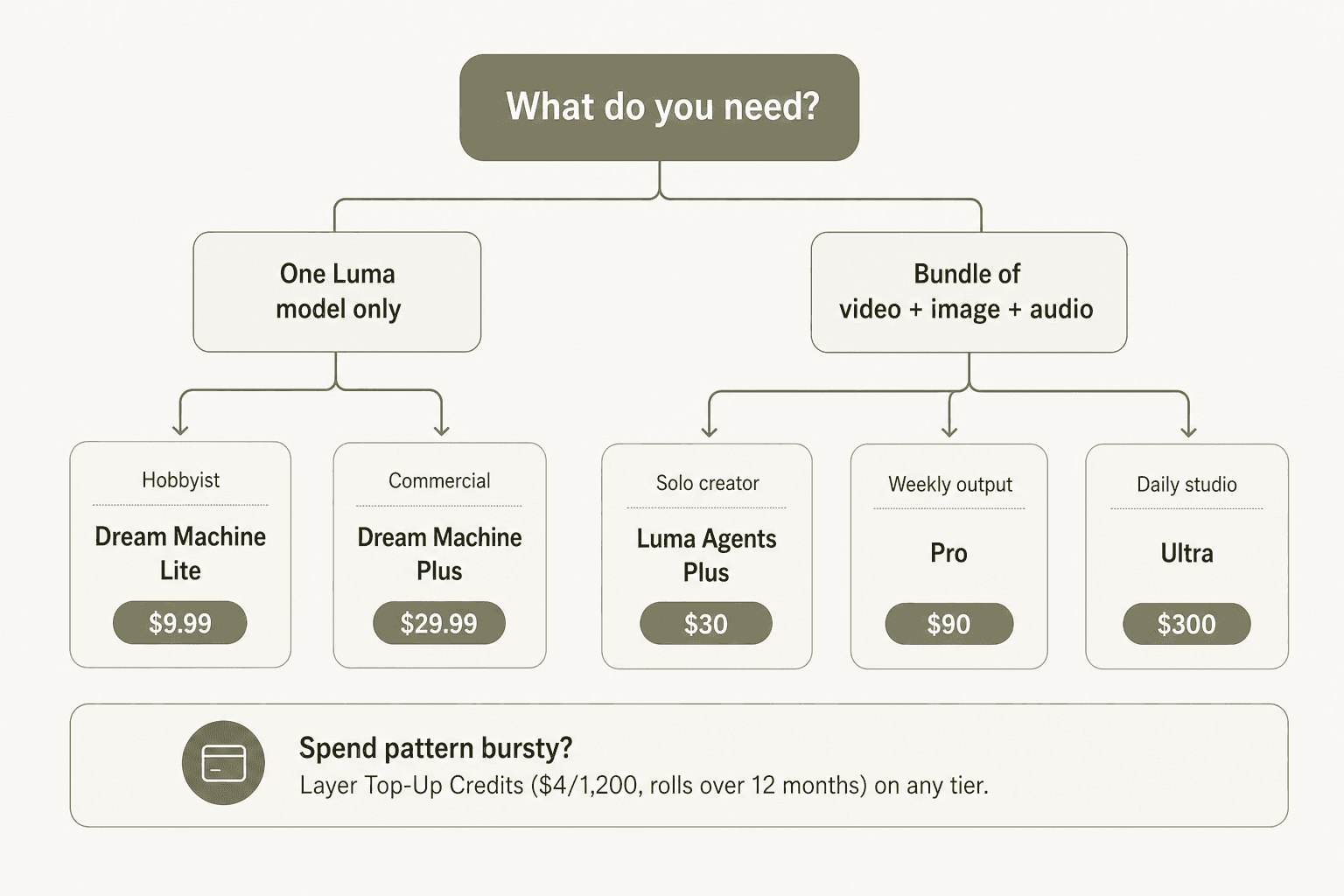
Through most of 2025, Luma sold one thing: Dream Machine, with four tiers (Free / Lite / Plus / Unlimited) and an Enterprise quote. That product still exists at dream-machine.lumalabs.ai, and the help center still documents those plans.
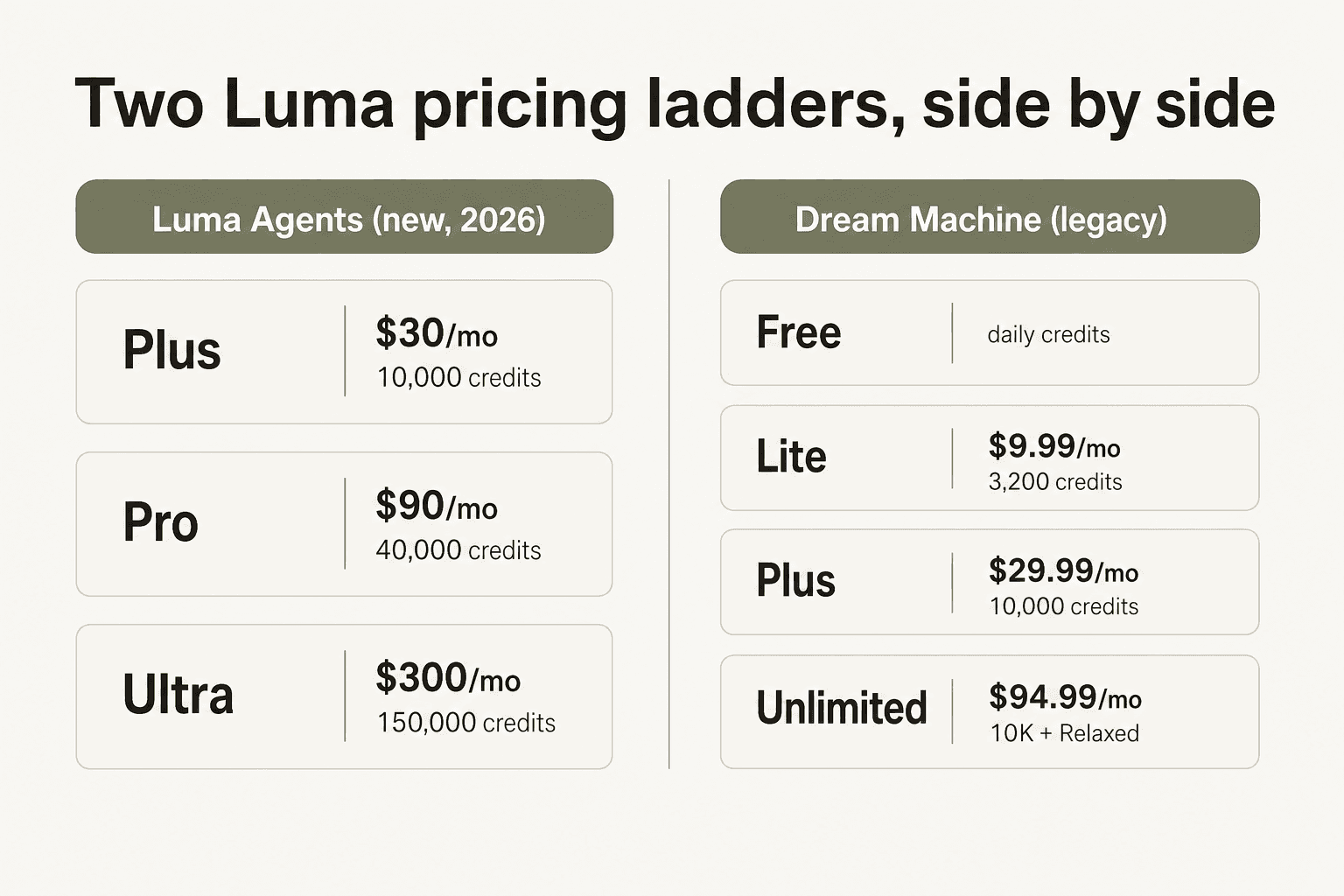
In March 2026, Luma launched Luma Agents - the same models, plus partner models, wrapped in an agentic creative platform. The marketing site at lumalabs.ai/dream-machine/pricing leads with three new tiers (Plus / Pro / Ultra) at $30, $90, and $300. There is no free option on the new ladder. The framing is "one subscription, every model you'd otherwise pay for separately." If you want a deeper look at the product itself, our Luma AI review walks through Dream Machine quality and the agent surface.
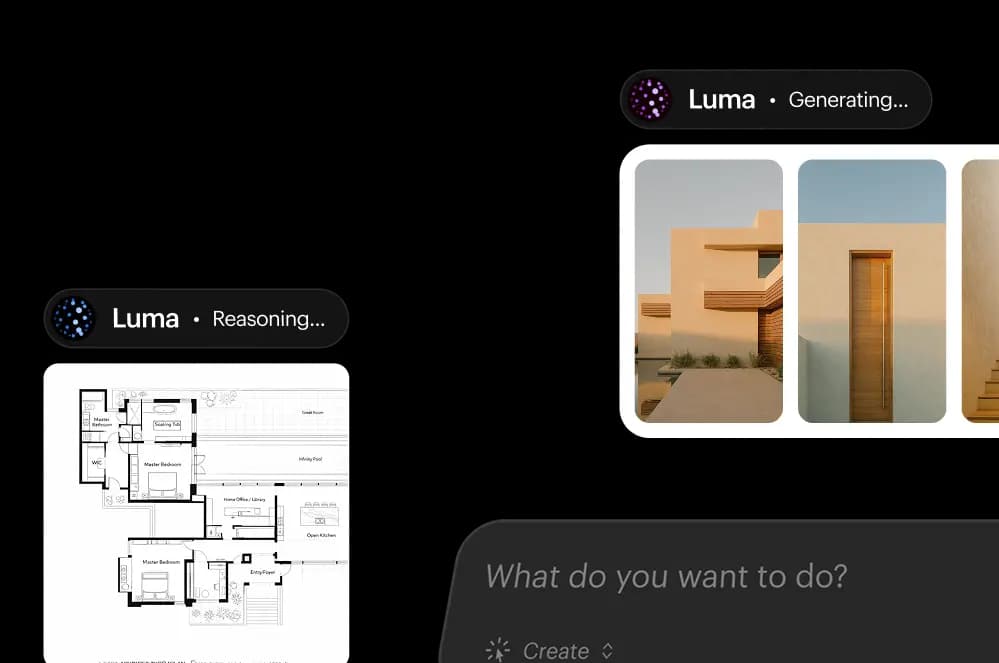
Both ladders coexist right now. If you sign up fresh from the marketing site, you'll land on Luma Agents. If you've been a Dream Machine subscriber, your legacy plan likely still works. We'll cover both, because the deciding factor depends on which product you actually use and how often.
Luma Agents pricing: the new ladder
Below are the prices direct from Luma's pricing page, with the credit allocations confirmed via Luma's help center. All prices in USD.
| Plan | Monthly | Annual total | Effective monthly | Monthly credits | Best for |
|---|---|---|---|---|---|
| Plus | $30 | $300 | $25/mo | 10,000 | Solo creators, regular monthly use |
| Pro | $90 | $900 | $75/mo | 40,000 (4x Plus) | Active production, weekly output |
| Ultra | $300 | $3,000 | $250/mo | 150,000 (15x Plus) | Studios, agencies, daily output |
| Team | Contact sales | - | - | Shared team credits | Multi-person workspaces, SSO |
| Enterprise | Contact sales | - | - | Custom | Custom fine-tuning, dedicated training |
A few things to know before going deeper.
The "save up to 20% with yearly" claim isn't quite that. Twelve months of monthly Plus is $360; the yearly bill is $300. That's a $60 saving, or 16.7% off - not 20%. Same shape across Pro and Ultra. Worth noting if you're modeling a budget.
Pro is 4x the credits at 3x the price. That's an honest discount, not a marketing flourish - per-credit cost on Pro is about 25% cheaper than Plus. Ultra is 15x the credits at 10x the price, which is the biggest single jump in per-credit efficiency on the ladder.
There is no free tier on this ladder. If you want to try Luma without committing $30, the Dream Machine legacy free tier is the only path in. And no à la carte top-ups are disclosed on the marketing page either - the Dream Machine app does sell Top-Up Credits ($4 for 1,200, 12-month validity), but the Luma Agents page doesn't advertise them at signup.
The pitch for paying Luma's premium over a Kling or a Pika is the bundle: a Luma Agents subscription covers Ray 3.14, Ray 3.14 HDR, Uni-1, Nano Banana, Nano Banana Pro, GPT Image 2, Seedream, Veo 3.1, Kling 3.0, Kling Omni, Seedance 2.0, and three ElevenLabs audio models. If you were paying for two or three of those separately, the Plus plan is already cheaper. If you only use one model, you're overpaying.
Dream Machine pricing: the legacy ladder
The original Dream Machine tiers haven't been retired - they're still in the help center, still billable, and most existing users haven't been migrated. Here they are, with the web (Stripe) prices on the left and iOS App Store prices on the right (Apple takes a markup).
| Plan | Monthly (Web) | Annual (Web) | Monthly (iOS) | Monthly credits | Commercial use | Watermarks | Relaxed Mode |
|---|---|---|---|---|---|---|---|
| Free | $0 | - | $0 | ~250/day, draft only | No (personal only) | Yes | No |
| Lite | $9.99 | $7.99/mo ($95.90/yr) | $12.99 | 3,200 | No (non-commercial) | Yes | No |
| Plus | $29.99 | $23.99/mo ($287.99/yr) | $37.99 | 10,000 | Yes | No | No |
| Unlimited | $94.99 | $75.99/mo ($911.90/yr) | $119.99 | 10,000 fast + unlimited Relaxed | Yes | No | Yes |
| Enterprise | Contact sales | - | Not available | 20,000+ | Yes | No | Yes + data privacy |
A few traps worth flagging up front.
Free and Lite are non-commercial. If you want to actually use the output for a brand, ad, client deck, or anything monetized, you have to be on Plus or higher. The watermark on Free and Lite is permanent on the asset itself - upgrading later does not retroactively un-watermark old clips.
Only Unlimited and Enterprise get Relaxed Mode. Plus subscribers can't queue overnight; once their 10,000 credits run out, they wait until renewal or buy Top-Up Credits.
iOS pricing is 25 to 30 percent higher across every paid tier. If you can subscribe on the web, do.
Enterprise is the only tier with a "no training" data guarantee. Every other plan can have its inputs and outputs used for model improvement.
The credit math nobody puts on the marketing page
This is the part where Luma's pricing gets uncomfortable, because the headline numbers depend on a clean generation pass that almost never happens on the first try.
Here's the friction, in the words of creators on Reddit and Trustpilot. A community summary on Comparedge puts the rule of thumb cleanly:
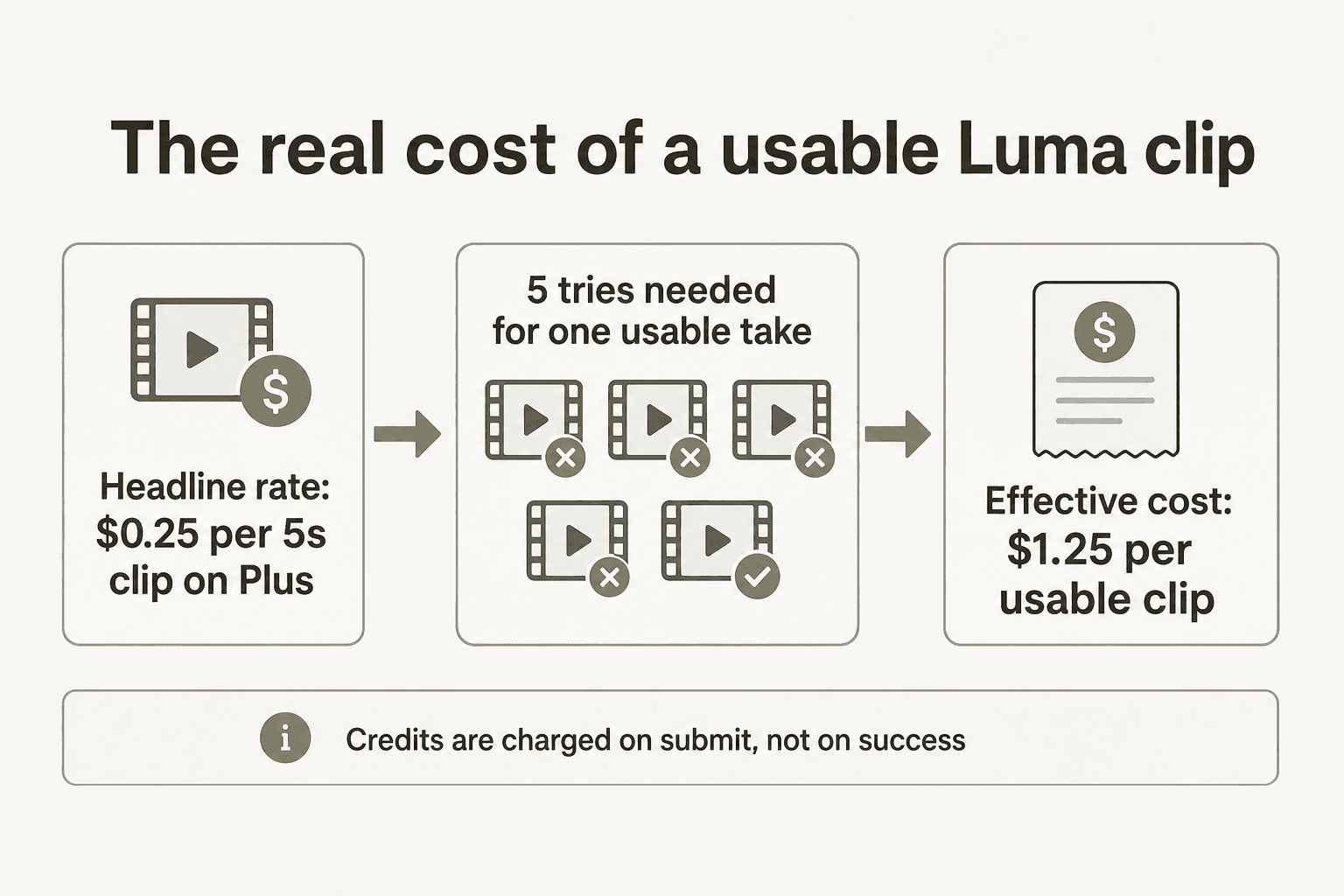
"You might need to generate a prompt 5 times to get one usable clip where the hands aren't morphed or the physics don't break. If you are on the Standard Plan ($30/mo for 120 gens), and it takes 5 tries to get a good clip, you can only produce 24 usable videos a month, bringing the real cost of a usable clip to over $1.25."
The exact ratio varies by prompt and by model - Ray 3.14 is genuinely better than Ray 2, so the 5:1 ratio is probably worse than reality on the new model. But the structural point holds: Luma charges credits on submit, not on success. If your first generation looks like a static image with a slow zoom (a common complaint on r/aivideo) or the character's hands turn rubbery, you have already spent the credit.
The most-cited Reddit complaint, aggregated by Costbench:
"Luma's pricing is broken, they need to change it, there is no unlimited option, and there is no option to by credits directly, so once you use up the $100 430 credit option you either have to make a new account or go with the $500 option."
And the structural ask, from the same thread:
"Credits also shouldn't expire they don't at kling. If you keep your membership, they should stack."
If you generate steadily through the month, this isn't a problem. If your usage is bursty - a campaign one week, nothing the next - you'll pay for credits you don't use, then find yourself short during the busy week. The two structural fixes (rollover on subscription credits, or à la carte purchasing without a $100 commitment) are absent on both pricing ladders.
There is an escape valve: Top-Up Credits. $4 buys 1,200 credits. They roll over for 12 months and survive cancellation (hidden but reactivated if you re-subscribe). They're consumed only after your monthly credits are gone. Top-ups are the closest thing Luma has to PAYG on the consumer product, and they're the thing we'd reach for first when running close to the line on Plus.
A pattern we've seen with our own customers makes the point: an Ontario naturopathic doctor on a $99/month content plan generated 20+ posts in three weeks, then cancelled at the one-month mark with no flat fee left to justify. Bursty workloads on flat subscriptions always end the same way - you overpay one month, you under-buy the next, and you cancel. Top-ups exist to take the edge off, but they only work if you remember they're there.
Annual vs monthly: the discount that isn't quite what it says
Luma markets "Save up to 20% with yearly" billing. On the new Luma Agents ladder the actual saving is closer to 17%; the legacy Dream Machine ladder honestly hits 20%.
| Plan | Monthly x 12 | Annual bill | Saving | Effective monthly |
|---|---|---|---|---|
| Luma Agents Plus | $360 | $300 | $60 (16.7%) | $25 |
| Luma Agents Pro | $1,080 | $900 | $180 (16.7%) | $75 |
| Luma Agents Ultra | $3,600 | $3,000 | $600 (16.7%) | $250 |
| Dream Machine Lite | $119.88 | $95.90 | $23.98 (20%) | $7.99 |
| Dream Machine Plus | $359.88 | $287.99 | $71.89 (20%) | $23.99 |
| Dream Machine Unlimited | $1,139.88 | $911.90 | $227.98 (20%) | $75.99 |
The Dream Machine legacy ladder honestly hits 20%. The new Luma Agents ladder is closer to 17%. Worth noting if you're choosing between the two paths and the discount math matters.
There's also an important asymmetry on cancellation: canceling the subscription mid-cycle immediately removes access to remaining monthly credits. Luma's own help center recommends scheduling cancellation for the end of your billing period rather than canceling early. Per the terms of service, the cancel request must arrive at least one day before renewal. We've seen creators on Trustpilot complain about losing 5,000+ unused credits to a same-day cancel, so plan around this.
How a single Ray 3 video really costs
A common question: how many credits does one clip actually consume? Luma doesn't publish a per-clip credit table on the marketing page, but the API pricing and changelog give the cleanest read. The API rates are the closest proxy for what a subscription credit is actually buying.
| Model | Resolution | Duration | Cost (API) |
|---|---|---|---|
| Ray 2 | 540p | 5s | ~$0.32 |
| Ray 2 | 720p | 5s | ~$0.45 |
| Ray 2 | 1080p | 5s | $0.95 |
| Ray 2 | 4K | 5s | $1.05 |
| Ray 2 Flash (Modify) | 720p | 5s | ~$0.60 |
| Ray 2 (Modify) | 720p | 5s | ~$1.75 |
Upscale prices are flat per step, regardless of aspect ratio:
| Upscale | Cost |
|---|---|
| 540p -> 720p | $0.31 |
| 540p -> 1080p | $0.46 |
| 540p -> 4K | $0.56 |
| 720p -> 1080p | $0.15 |
| 720p -> 4K | $0.25 |
| 1080p -> 4K | $0.10 |
The cheapest path to a usable 4K clip is Ray 2 at 540p, then upscale to 4K - $0.32 + $0.56 = $0.88. That's $0.17 cheaper than generating natively at 4K ($1.05). On the new Ray 3.14, Luma claims the per-second cost is roughly 3x cheaper than base Ray 3 at 720p, with 4x faster generation - the model itself is the cost lever.
Draft Mode is the other lever: Luma markets it as 5x cheaper and 5x faster than full Ray 3 generation. Used as intended - explore ideas in Draft, master only the keepers via Hi-Fi Diffusion - it can cut your effective spend per usable clip by an order of magnitude.
The fine print that catches people out
A few rules buried in the help center and terms of service that trip new users up.
Commercial use is gated to paid tiers. Free and Lite outputs cannot be used commercially. If you upload a Lite-generated clip to a client campaign, you're outside Luma's terms. This isn't unique to Luma - Runway has a similar structure - but it's worth checking before you assume the free tier is a runway for production work.
Watermarks are not retroactively removable. A clip generated on Free or Lite carries a permanent Luma watermark. Upgrading to Plus doesn't strip it from the existing file; you have to regenerate (and spend credits on Plus to do so). The AI Tool Curator review flagged this as one of the most-misunderstood limits:
"The Luma watermark will be visible in the exported file on free plans... to get watermark-free videos, you need to subscribe to the Plus, Unlimited, or Enterprise tier."
Account merging isn't supported. Luma only does Google or Apple SSO; there's no password recovery and no merging of accounts. If you signed up with Google and want to switch to Apple, you start over. Deleted accounts hold the email for 30 days.
Training opt-out is Enterprise only. Plus, Pro, and Ultra subscribers' inputs and outputs can be used to improve Luma's models. If that matters for your industry (regulated, agency work for IP-sensitive clients), you need the Enterprise contract.
API and Dream Machine credits don't transfer. If you have leftover Dream Machine subscription credits and you want to use the API, you can't. The API is metered in dollars, billed separately, and tops out at $5,000/month on the default Build tier before you need to apply for Scale.
Failed generations on the API are refunded; failed generations on the subscription are not. This is one of the most cited gaps. The API explicitly refunds credits if a generation fails. The Dream Machine subscription does not - if your video comes back broken or you reject it, you have already paid. This is the single biggest reason "real cost per usable clip" is much higher than the headline rate on the consumer plans.
API pricing: a separate world
If you're building Luma into your own product, the Luma API is its own pricing surface. Two stacks here: the video side (Ray 2, Ray 2 Flash) and the image side (Uni-1.1).
Video (Ray 2 and Ray 2 Flash)
Already covered above - $0.95 per 5s 1080p Ray 2 generation, $1.05 per 4K, flat upscale matrix. Rate limits on the Build tier: 10 concurrent Ray generations, 20 create requests per minute, $5,000/month usage cap. Above that, you're on Scale (sales-led).
Image (Uni-1.1) - pay-as-you-go
| Workflow | Resolution | Uni-1.1 | Uni-1.1 Max |
|---|---|---|---|
| Text to image | 2048px | $0.0404 | $0.1000 |
| Image edit | 2048px | $0.0434 | $0.1030 |
| 1 image reference | 2048px | $0.0434 | $0.1030 |
| 2 image references | 2048px | $0.0464 | $0.1060 |
| 8 image references | 2048px | $0.0644 | $0.1240 |
These prices use Luma's token-based metering under the hood (text in $0.50/M, image in $1.20/M, output text $3.00/M, output images $45.45/M tokens), but the per-image rates above are what you'll see on a bill.
Image (Uni-1.1) - provisioned throughput
For workloads that need guaranteed capacity:
| Commitment | $/unit/month | Cost per image (Base) | Cost per image (Max) |
|---|---|---|---|
| 1 month | $3,800 | $0.088 | $0.220 |
| 3 months | $2,800 | $0.065 | $0.163 |
| 1 year | $2,100 | $0.049 | $0.123 |
Minimum 8 units. One unit = one request per minute (Base) or 0.4 RPM (Max). Provisioning includes an SLA, content moderation, prompt enhancement, and the "your data is not used for training" guarantee that's otherwise Enterprise-only.
For most image-generation workloads under ~20K images/month, pay-as-you-go is cheaper than provisioned. Provisioned becomes the better deal when you need predictable latency and rate caps that PAYG can't promise.
How Luma compares to Runway, Kling, Pika, and Sora
Pricing tools side by side gets messy because each platform has its own credit system, plan ladder, and definition of "a generation." The cleanest view: what does ~$30/month buy you?
| Platform | Plan at ~$30/mo | What you get | Best for |
|---|---|---|---|
| Luma Agents Plus | $30/mo ($25 annual) | 10,000 credits, full model bundle (Ray 3.14, Veo, Kling, Seedance, ElevenLabs) | Multi-model creative work |
| Runway Standard | $12/mo annual | 625 credits/mo, all Runway models incl. Gen-4.5, image gen | Character consistency, production pipelines |
| Kling AI Pro | $37/mo ($24.42 annual) | 3,000 credits/mo, native 4K | Best per-credit value, smooth motion |
| Pika AI | $35/mo | Mid-tier credits, Pikaframes, no watermark | Pikaframes and creative effects |
| Sora 2 API | Pay-per-second | $0.10/s (Sora 2), $0.50/s (Pro) | Developers, API-first workflows |
A few practical notes from looking at these side-by-side.
Kling is the value pick. $24-37/month gets you significantly more credits than Luma Plus, and most reviewers agree Kling 3.0 is competitive on motion quality. Kling AI pricing covers the full ladder.
Runway Standard is cheaper but stingy on the credits that matter (Gen-4.5 burns through 625 credits fast). Runway AI pricing breaks down the credit math.
Pika's Pikaframes (start/end frame control) is its differentiator, comparable to Luma's Keyframes. Pika AI pricing lands close to Kling on per-credit value.
Sora 2 is API-first by mid-2026 (OpenAI's standalone consumer Sora was discontinued April 26, 2026 per industry reporting). Sora 2 in the API pricing is per-second, useful for developers.
The honest verdict from the community sentiment we surfaced in research: Luma's strength is the multi-model bundle and Ray 3's HDR pipeline. If you want one model and the cheapest path to a usable clip, Kling tends to win. If you need the breadth - or you're running an agentic creative workflow that calls multiple models per task - Luma Agents is the only platform shaped for that. A creator-blog comparison on Crazyrouter summed it up:
"Luma Ray 2 is the reliable workhorse of AI video generation - not the flashiest, but consistently good quality at competitive pricing... Runway Gen-4 Turbo produces higher fidelity output but costs 2-3x more. For most commercial use cases, Ray 2's quality is sufficient."
For an even broader view of avatar and talking-head work, our HeyGen pricing breakdown covers a different shape of AI video that often runs alongside Luma in production stacks. If you've already decided Luma isn't the right fit, our Luma AI alternatives guide ranks seven options across budget, quality, and use case.
What about Ray 3 specifically?
Worth a paragraph because Ray 3 (and Ray 3.14) is the model most users actually run on the new plans.
Ray 3 is Luma's first "reasoning" video model - it interprets the prompt, generates, evaluates its own output, and retries before showing you the result. The marketing pitch: better generations in fewer tries, which is precisely the thing the credit-burn complaint is about.
Ray 3.14, released January 26, 2026, is the current top iteration. Native 1080p, 4x faster, 3x cheaper at 720p than base Ray 3. The trade-off: Ray 3.14 doesn't support Character Reference or HDR/EXR workflows - you fall back to base Ray 3 for those.
If you're picking which Luma model to default to inside Dream Machine, Ray 3.14 is the right choice unless you're shooting for HDR film delivery (base Ray 3) or doing identity-locked character work (also base Ray 3). For everything else - text-to-video, image-to-video, Modify Video up to 18 seconds, Loop, Extend - Ray 3.14 is faster, cheaper, and quality-competitive.

Who should pick which plan
A short version of what we'd do in each shoe.
Dream Machine Free. You've seen a Ray 3 demo on Twitter and want to check if the output quality actually matches the highlight reel. Five minutes of testing, no commitment. Don't expect to ship anything from it - it's watermarked and non-commercial.
Dream Machine Lite ($9.99/mo). You're a hobbyist generating clips for personal projects (not monetized in any way). 3,200 credits gives you roughly ~70 5-second 1080p clips a month on Ray 2, less on Ray 3. If anything you generate needs to live on a client's brand, this isn't the plan.
Dream Machine Plus or Luma Agents Plus ($29.99 to $30/mo). You're a working creator who needs commercial rights, no watermark, and 10,000 credits to play with. The Dream Machine Plus tier is video-first - you're mostly using Ray 2 or Ray 3 inside Dream Machine. The Luma Agents Plus tier is the right pick if you want to call other models (Veo, Kling, Seedance, ElevenLabs) from one subscription. We'd lean toward Luma Agents Plus on the new ladder if you're starting from scratch in 2026.
Luma Agents Pro ($90/mo). You're producing weekly video output - YouTube channel, marketing team, social agency. 40,000 credits monthly means you can iterate without anxiety, and the per-credit cost is meaningfully better than Plus.
Dream Machine Unlimited ($94.99/mo). Pick this only if you actually use Relaxed Mode - the unlimited overnight queue is the differentiator. If you mostly need fast generations during work hours, Luma Agents Pro at $90 gives you 40,000 fast credits instead of Unlimited's 10,000.
Luma Agents Ultra ($300/mo). Studios, agencies, and creators producing daily output. 150,000 credits monthly, best per-credit cost of any tier, and the natural baseline before Enterprise. If you're at this volume, also model what the Team plan would cost - the shared credit pool and SSO are usually worth it past two users.
Team or Enterprise (contact sales). More than two people sharing credits, SSO required, or you can't risk inputs and outputs being used for training. The Enterprise tier is the only one with a "your data is not used for training" guarantee, which is the deciding factor for IP-sensitive agency work and regulated industries.
API (Build tier). You're building Luma into your own product. Start on Build ($5,000/month soft cap, no contract), graduate to Scale when you exceed that or need higher concurrency. Failed generations are refunded - genuinely the friendliest API pricing in this category.
Try eesel
This post was researched, drafted, and prepared for publishing using eesel - the AI agent platform that runs autonomous agents inside the tools your team already uses.
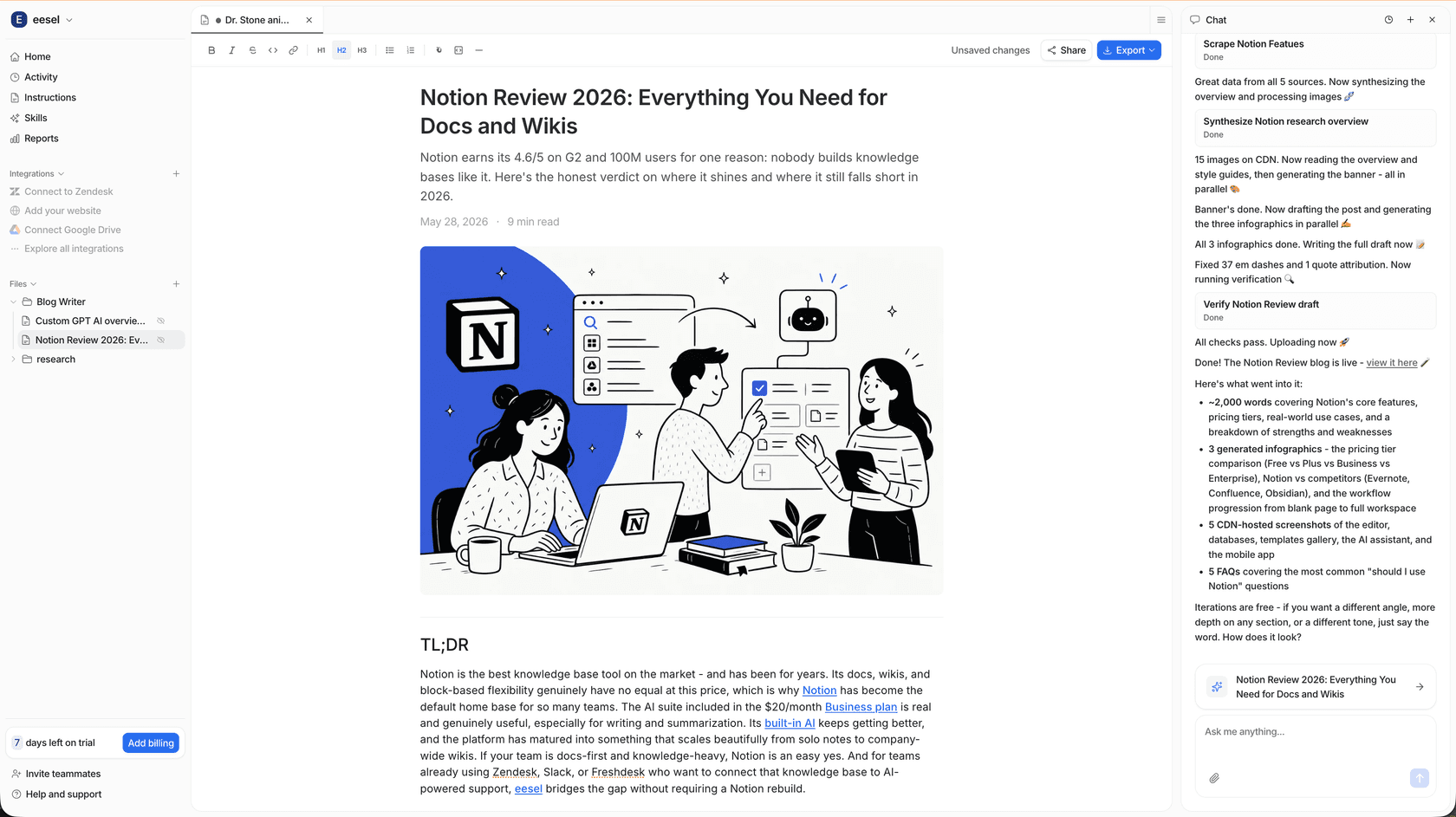
If you're running a content operation alongside your video work, eesel's Blog Writer handles the full pipeline - research, drafting, and publishing - at $4 per long-form post. No seat fees, no flat subscription that disappears when you take a week off. The free plan gives you 100 free credits to start.
If your team also runs customer support or knowledge operations, eesel's agents work inside Zendesk, Freshdesk, Slack, Gmail, Shopify, and 100+ other tools - same agent model, different job. Support pricing is one fixed monthly price sized to volume, from $299/month for 500 credits (1 credit per ticket or chat), with no platform fee or per-seat fee. Blog posts stay $4 each. If you run out of credits, agents pause until they reset, or you can turn on capped overage.
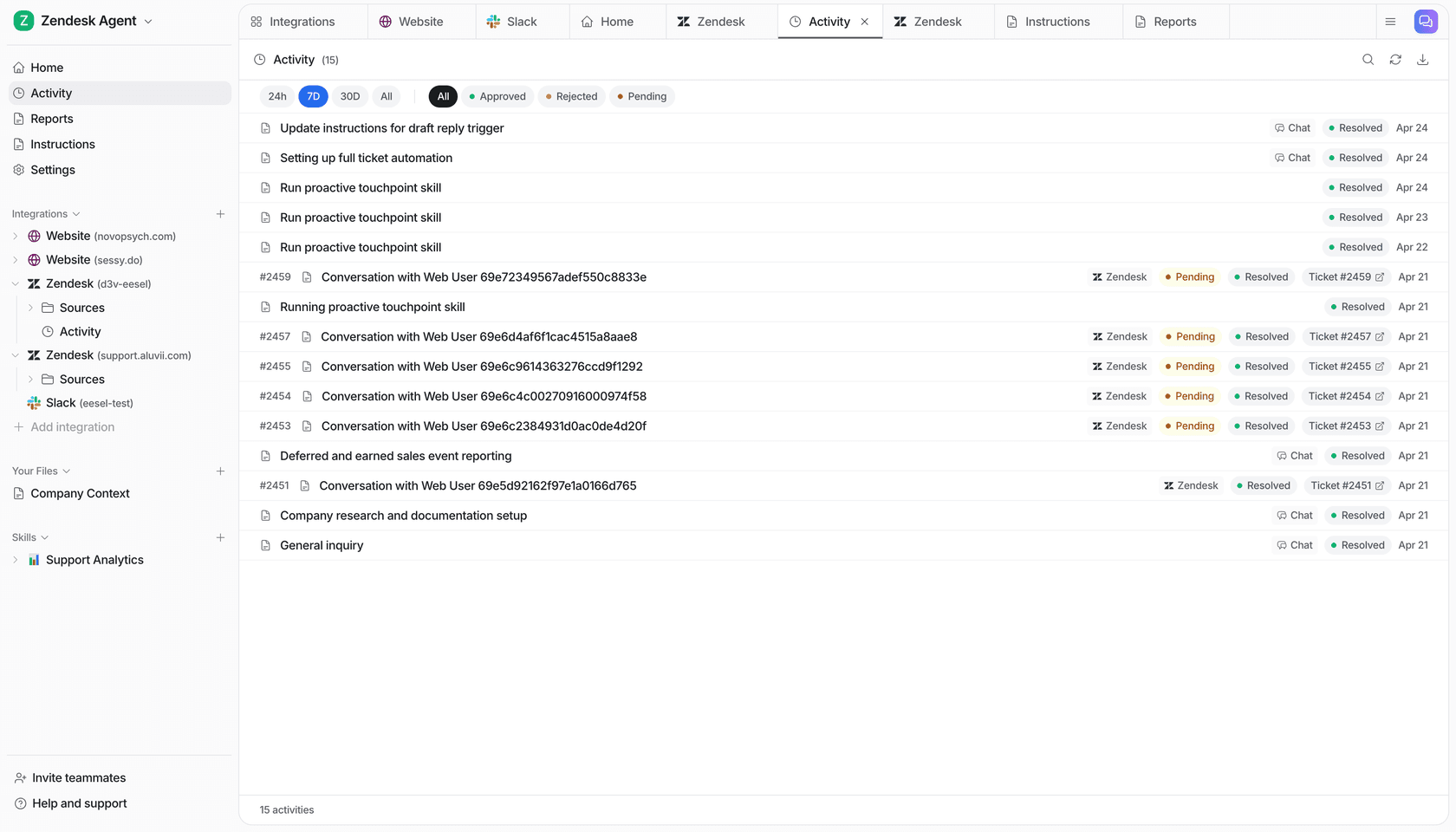
For most teams where AI video, AI support, or AI content is the output rather than the core technology, pricing tied to the work you actually do (a $4 blog post, or a fixed plan sized to your ticket volume) wins over flat-fee subscriptions that drain credits whether you used them or not. Start on the eesel free plan - no card required, 100 credits on the house - or read the Luma AI alternatives we tested if Luma isn't the right fit for your video workflow.