

What AI ticket deflection actually means (and why the rate alone lies)
The concept of ticket deflection has existed since the days of static FAQ pages. What has changed is what happens when a customer actually arrives with a problem.
Traditional deflection meant surfacing a help article and hoping the customer read it and left. Most didn't. The "deflected ticket" was often a frustrated customer who came back by phone an hour later.
AI deflection is fundamentally different. The system reads the customer's intent in natural language, searches the knowledge base semantically, generates a response in your brand's tone, executes backend actions if integrations allow (check order status, process a return, reset a password), and confirms resolution before closing. It is less a deflection and more an actual resolution that happens to not need a human.
The metric hierarchy that actually matters
Before fixating on deflection rate, it helps to understand why that single number only tells half the story:
| Metric | What it measures | Why it matters |
|---|---|---|
| Deflection rate | Tickets that never reach a human | Easy to inflate; a bot that closes sessions aggressively counts the same |
| Successful containment rate | Issues resolved to the customer's satisfaction | The real reference number |
| Re-contact rate (<72h) | Customers returning with the same issue | Shows whether "resolved" was genuine |
| Cost per resolution | True blended cost, not cost per ticket | What finance wants to see |
A team claiming 70% deflection might have a 40% successful containment rate if the bot closes sessions aggressively. The difference between well-built support ticket automation and bad practice lives right there.
The guide to ticket triage and AI ticket classification covers how the best teams measure this accurately.
How AI-powered ticketing works: the 6 stages
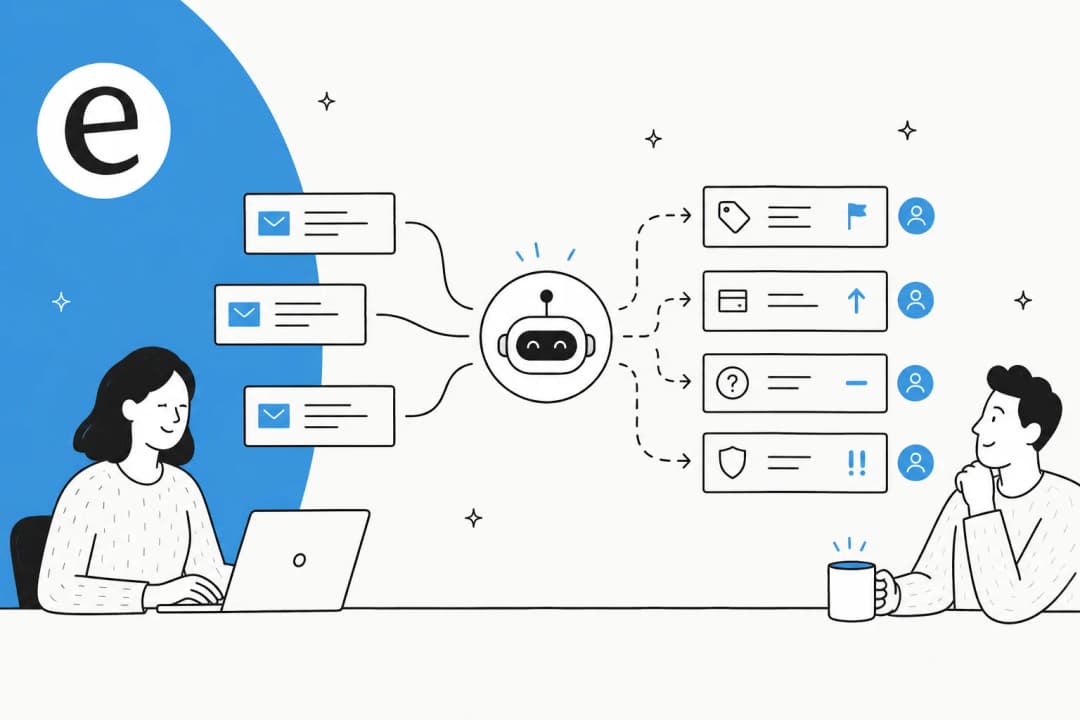
A modern AI ticketing system routes every inbound contact through six stages. Understanding them is key to knowing where deeper integration investment actually pays off.

Stage 1: Multichannel ingestion. Every inbound contact (email, chat, Slack, customer portal, voice) lands in a unified queue regardless of channel. No manual pre-sorting required.
Stage 2: NLP intent and sentiment analysis. Natural language processing extracts intent (what the customer needs), sentiment (frustration, urgency, neutrality), and language for routing. A message like "my account is locked and I need access urgently for a presentation in 30 minutes" resolves to: locked account + high urgency -- not just a keyword hit, an actual reading of meaning.
Stage 3: ML classification and routing. Machine learning trained on historical ticket data categorizes the request and predicts the routing destination based on past patterns, not manually-written rules for every scenario. This is where the value of AI for ticket automation compounds over time.
Stage 4: Automatic resolution. For well-defined intents, the system searches the KB semantically, generates a response in your brand's voice, and executes actions if integrations allow. An AI agent connected to Shopify can pull live order status; one connected only to a KB cannot.
Stage 5: Confidence-based escalation. When confidence drops below the configured threshold, the ticket routes to the human queue with the full conversation history attached and the top three suggested responses already drafted. According to routing data from Zendesk's ticket routing guide, 39% of escalations come from low confidence, 28% from explicit customer request, 17% from sentiment drops, and 16% from regulated topic detection.
Stage 6: Continuous learning. Escalated tickets and agent corrections become training data. Agents shift to AI coaches. Knowledge gaps surface as auto-drafted article suggestions. See Zendesk Intelligent Triage resources for how the feedback loop works in practice.
Why integration depth beats model choice
The finding that contradicts most vendor pitches: the number of systems the AI has live access to predicts performance better than which model it runs.
- KB only: ~28% deflection ceiling
- KB + CRM: ~38%
- KB + CRM + order/billing system: 50%+
Teams stuck at 20-28% deflection are almost always running a KB-only setup. Connecting order data alone can add 10+ percentage points on any team with significant WISMO volume.
Where AI wins (and where it loses): deflection rates by intent
Not all tickets are equal. Knowing which types to automate first saves weeks of wasted effort.

Source: Digital Applied, compiled from Zendesk CX Trends 2026 and Salesforce State of Service 2026.
The pattern holds across every dataset: the more transactional and less emotional the query, the higher the achievable deflection. A password reset is 100% transactional -- the customer just wants access back. A billing dispute carries emotional weight and often needs someone who can make a policy exception on the spot.
Vertical benchmarks worth knowing
| Vertical | Median deflection | AI CSAT |
|---|---|---|
| E-commerce | 51% | 4.21/5 |
| SaaS | 47% | 4.18/5 |
| Telco | 43% | 3.97/5 |
| Banking | 38% | 4.04/5 |
| Travel | 36% | 3.92/5 |
| Healthcare | 27% | 3.79/5 |
Source: Digital Applied, 2026.
For e-commerce helpdesks, that 51% median at 4.21/5 CSAT is a combination many small teams never achieve even with 100% human handling. WISMO volume is so repetitive that AI handles it better than a human agent on their fifth shift of the day.
The response time case that cuts through any budget meeting
- AI agent: 1.9 minutes average resolution; 4-second first response in chat
- Human agent: 11.4 minutes average; 9 minutes 12 seconds first response in chat
- SLA breach rate: 4.1% AI vs. 17.6% human
If you have contractual SLAs with enterprise customers, that last number alone justifies the business case. Full breakdown in the Zendesk AI agent metrics guide.
What to look for in an AI ticketing system
Not all AI helpdesk agents are built the same. These capabilities separate systems that reach 50%+ deflection from ones stuck at 20%.
1. Configurable confidence-based routing
The most important safety mechanism on this list. When the AI is not confident, the ticket goes to the human queue with full context -- not an attempted low-quality answer. The threshold needs to be configurable: too strict and agents get buried in tickets the AI could have handled; too loose and customers receive wrong answers.
"The AI will never be able to answer 100% of the questions... I need an AI who is only handling the tickets that it's confident to handle and all the other ones, leave them alone."
A CX lead at a DTC supplements brand (~7,000 tickets/month on Zendesk)
This is the principle that separates real AI support from a fancy auto-responder. If a vendor can't show you exactly how to tune this threshold, that's a signal. See also: why your AI chatbot isn't answering correctly.
2. Clean human handoff with full context
When a customer asks for a human, the right answer is: escalate immediately, no retries, no bot loops. The handoff must pass the full conversation history, customer account context, sentiment signal, and top suggested responses -- so the agent doesn't fly blind and the customer doesn't repeat themselves. Zendesk bot-to-agent handoff best practices documents exactly what that looks like.
A clunky handoff is the single most common cause of low CSAT in AI programs that are otherwise performing well.
3. Multi-source knowledge access
The AI resolves only what it knows. The most effective systems pull from:
- Help center articles and macros
- Historical resolved tickets (one of the richest signal sources)
- Internal documents (Notion, Google Docs, Confluence)
- Live backend data (Shopify, Stripe, CRM)
"We chose eesel AI because it offers multi-channel data input options... By linking our CSVs, Zendesk, and Google Docs as sources, we can make the most of our vast documentation, even if it's scattered."
Wesley Wang, CTO, Ecosa (D2C mattress brand, eesel case study)
AI helpdesk tools that pull from all these sources hit 50%+ deflection. KB-only setups plateau at 20-28%.
4. Native multi-language support
For teams serving customers in more than one language, auto-detection and auto-response without separate bots per locale is a baseline requirement. This matters for European teams and global companies running support with a small headcount. The best AI helpdesk for small teams roundup notes which platforms handle this natively.
5. Knowledge gap diagnostics
The system should report which questions it couldn't answer, which intents escalate most, and which KB articles see the most traffic. That output is the input for continuous improvement. A helpdesk copilot that converts gaps into article drafts automatically tightens the loop further.
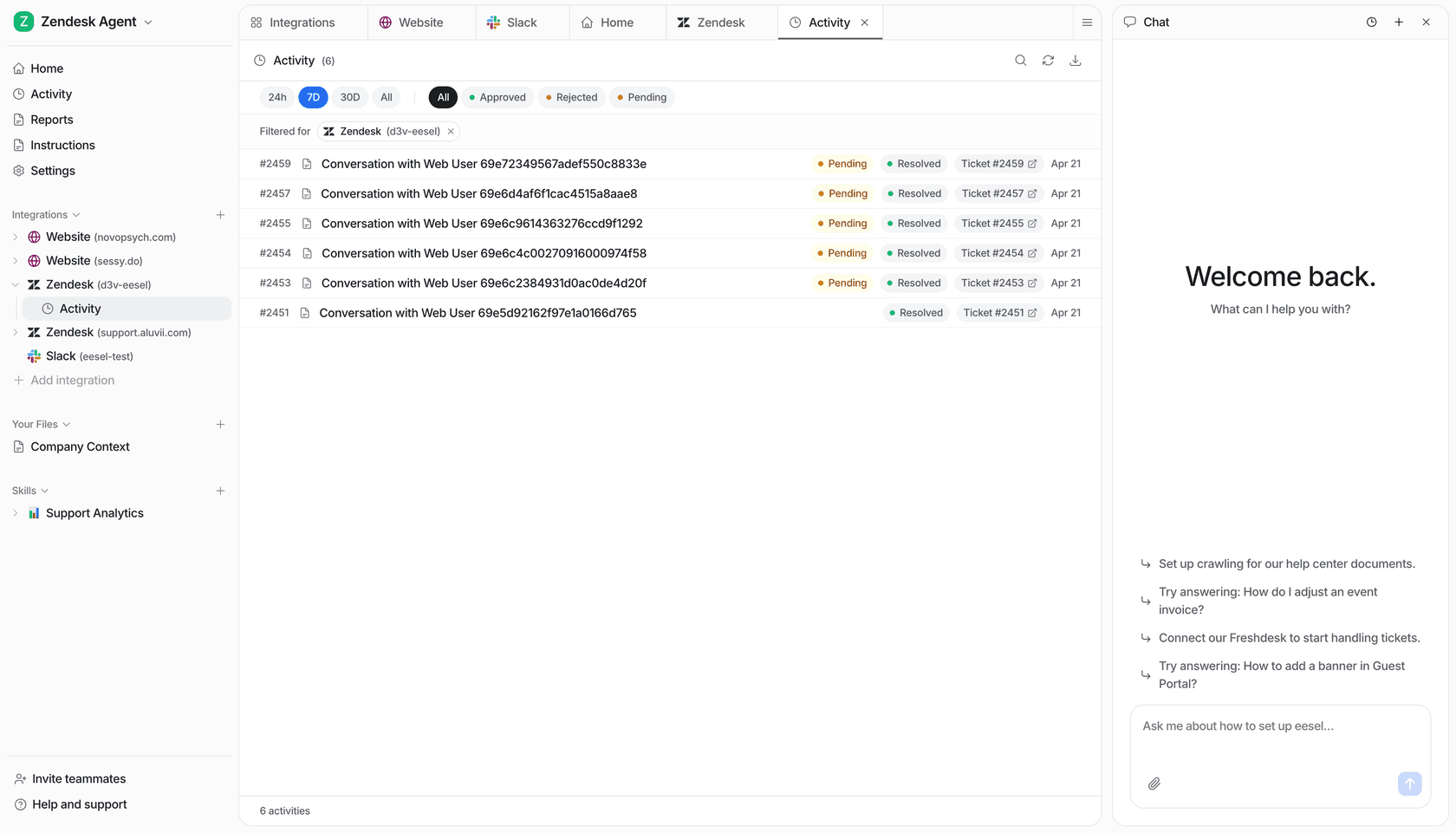
eesel AI activity panel showing automatic resolutions on a connected Zendesk account.
How to implement AI ticket deflection step by step
Most programs that stall for 12+ months in pilot skip the first two steps. This sequence cuts that risk considerably.
Step 1: Ticket audit (2-3 days)
Export the last 6 months of tickets and group by intent. Find the top 10 types by volume, which of those have a standard response (deflection candidates), and which always need human judgment (scope those out for now).
In most companies, 20% of ticket types represent 80% of volume. Starting there is what makes pilots see results in weeks rather than months. The Freshservice ticket automation guide shows how this plays out in an IT support context.
Step 2: KB cleanup (1 week)
The AI cannot resolve well what your KB does not explain well. Before going live, review the articles covering your top 10 ticket types. Fix outdated content, fill gaps, and remove contradictory guidance. Stale KB content is the most common cause of incorrect AI responses in new deployments -- and it's invisible until the AI starts giving wrong answers to real customers.
Step 3: Scoped launch (weeks 2-3)
Start with one channel (typically chat) and 3-5 of the highest-volume, most standardized intents. Set the confidence threshold conservatively so the AI escalates more than it resolves at first. The goal is validating response quality -- not maximizing deflection. Compare AI chatbot platforms to see which ones offer this control at the launch stage.
Step 4: Expand integrations (month 2)
Once quality is validated, connect additional systems: CRM, order platform, historical ticket archive. Each new integration expands the intents the AI can resolve without escalating.
Step 5: Multichannel rollout (month 3+)
With quality proven and core integrations live, expand to email, Slack, customer portal, and other channels. The best helpdesk software for enterprise and small business guides cover which platforms support this without rebuilding configuration per channel.
What results to actually expect
Industry benchmarks give you a reference. Here is what the numbers look like on real deployments.

Source: McKinsey AI in Customer Service 2026.
"In the first month, eesel is resolving 73% of our tier 1 requests. eesel offers easy Zendesk implementation and setup. Our team implemented and achieved results quickly during our 7-day trial."
Kim Simpson, Gridwise (G2 review, gig-economy driver analytics on Zendesk)

73% tier-1 resolution in month one from a standing start. Gridwise got there because they had a clean KB and started with the right intent types -- nothing unusual about the setup itself.
Other concrete examples:
- Hubbub (UK): 56 tasks resolved from just 9 synced Zendesk macros; stayed in daily use 38+ days after trial expiry with zero support contact.
- InDebted (Jira Service Management, internal IT): 15% deflection on launch, with a 55% target at 6 months. Full case study.
- Global Pay: Up to 80% time savings on finding answers to support questions.
"In a business where transactions need to be processed as quickly as possible, every second counts. With eesel, we can find specific answers to questions extremely fast. We can onboard new employees very quickly and have seen up to 80% time savings."
Alex Capurro, Chief Innovation Officer, Global Pay (eesel case study)
On cost: $0.62 per AI resolution versus $7.40 for a human agent. At 10,000 tickets a month, that's a $68,000 monthly gap. Hybrid programs cut total cost-per-resolution by 71% against an all-human baseline, with only a 0.05-point CSAT difference.
First-month benchmarks to hold your deployment to
| Metric | Realistic range | Warning sign |
|---|---|---|
| Automatic deflection | 20-40% | >70% without containment validation |
| Chat first response time | Under 10 seconds | No change vs. before |
| Re-contact rate (<72h) | Under 15% | >20% (bot is closing sessions, not resolving them) |
| AI-handled CSAT | 3.9-4.2/5 | Under 3.5 (KB quality issues) |
For more comparisons, see best AI tools for customer support automation and top AI tools to automate customer support. Before making the business case internally, the AI vs human agent cost breakdown and the AI customer support cost savings guide are both worth reading first.
Try eesel for AI-powered ticket deflection
eesel is an AI agent that works inside the platforms you already use -- no new interface to learn, no rebuilding your helpdesk. It connects to Zendesk, Freshdesk, Jira Service Management, Slack, and 100+ other systems in minutes and starts resolving tickets from day one using the knowledge you already have: help articles, historical tickets, internal docs, live order data.
What separates it from most tools in practice: the control model. You define exactly which ticket types the AI handles autonomously and which always go to a human agent. It works within the guardrails you set.
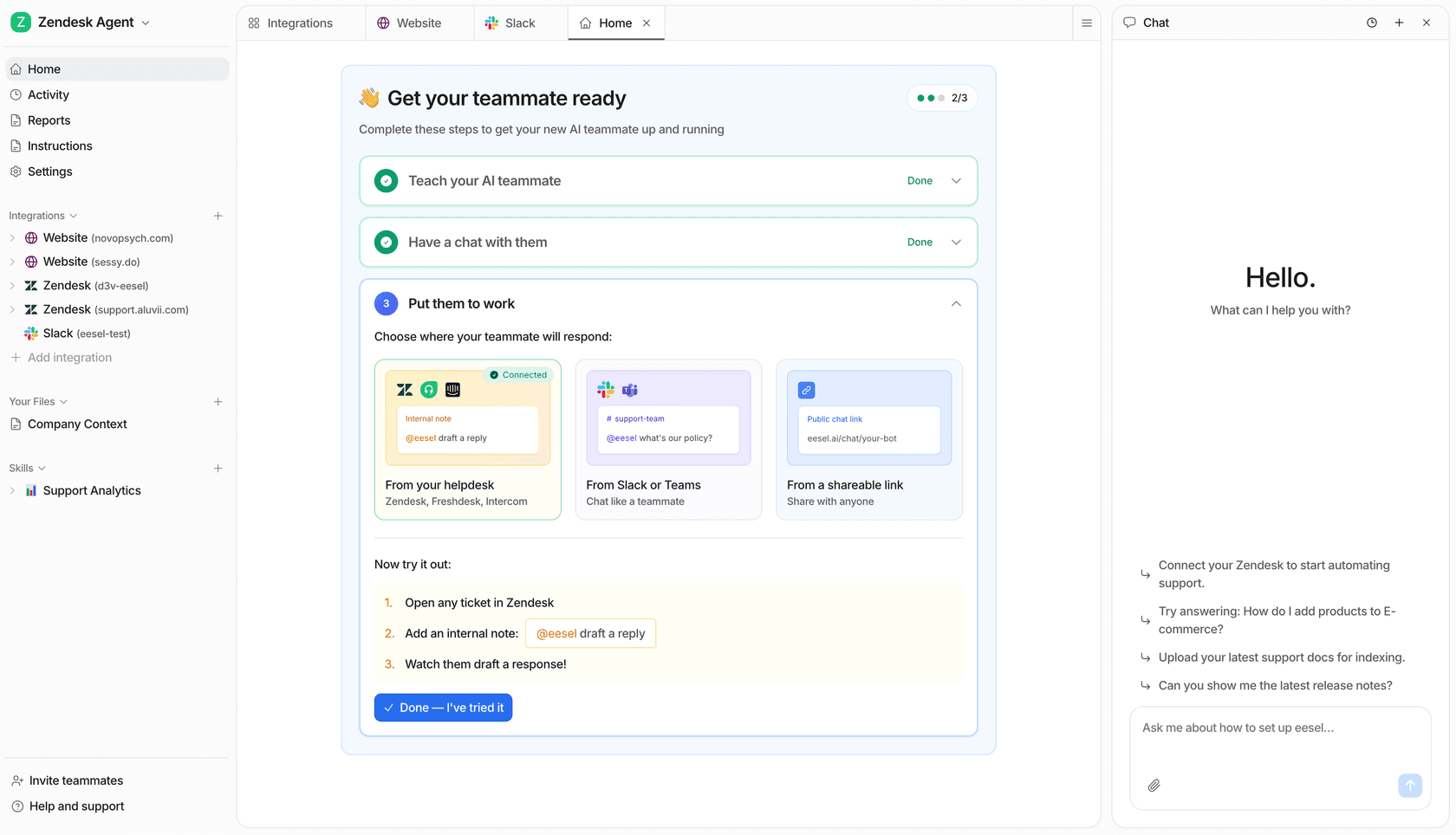
eesel AI on Zendesk -- resolving tier-1 tickets autonomously while routing edge cases to the right human.
"Connecting eesel to zendesk helcenter and messaging is ridiculously simple and we managed to get a chatbot and AI assistant that does some pretty complex actions with relative ease."
Richard Westerhof, Cloud86 (web hosting, Zendesk App Marketplace review)
Teams can start with 100 free credits, no card required and see real deflection in the first week. Paid plans start at $299/month for 500 credits (1 credit per ticket or chat), and for volumes above 5,000 credits you can talk to the eesel team. Add-ons include priority support from $299/month and EU or US data residency at $500/month.
To compare eesel against the full field, the cheapest AI apps for helpdesk in 2026 guide and the best AI customer support chatbot roundup are both solid starting points.
Frequently asked questions
What is AI ticket deflection?
What deflection rate can AI realistically achieve?
How does the AI know when to escalate to a human?
How much can AI ticket deflection save?
Does AI ticket deflection hurt CSAT?
How long does AI ticketing implementation take?
What's the difference between a chatbot and an AI agent for tickets?


Article by
Kira
Kira is a writer at eesel AI with a Computer Science background and over a year of hands-on experience evaluating AI-powered customer service tools. She focuses on breaking down how helpdesk platforms and AI agents actually work so that support teams can make better buying decisions.