

What it really means to automate customer support
The phrase covers a lot of ground. To a buyer in 2026, "automate customer support" usually means one of three things - and the gap between them matters more than most posts admit.
The first interpretation is the rule-based one: macros, triggers, auto-responders, round-robin routing. This is what most helpdesks have shipped for a decade. It's fine, but it's brittle - every new intent needs a new rule, and rule libraries metastasise into thousands of overlapping conditions nobody on the team understands. The second is the chatbot interpretation: a decision tree on the website that catches common questions before they become tickets. Those have a real role, but a decision-tree bot is a self-service FAQ with extra steps.
The third - and the one this guide is mostly about - is agentic automation: software that reads each incoming ticket, decides what to do, and either drafts a reply for a human to approve, takes the action itself, or escalates. Modern systems use large language models (GPT-4, Claude, Gemini) as the reasoning backbone instead of older intent-classification pipelines alone, which means they can understand paraphrase, ambiguity, and multi-step questions that would break keyword-based systems (ClarityArc, 2026).
When we say "automate customer support" in this post, we mean the third interpretation - but the practical truth is that most production deployments are a stack of all three, with the rules handling the deterministic stuff and the LLM handling the judgement.

Why teams are doing this now
Three numbers tell the whole story.
First: cost. A human-handled support ticket costs the industry $8 to $12 on average, with B2B SaaS at $25 to $35 (SaaS Capital 2024 B2B Support Spending Report, via theStacc); McKinsey's sample average sits at $7.40 (McKinsey AI in Customer Service 2026). An AI-handled ticket runs $0.20 to $0.40 for basic FAQ deflection, $0.80 to $1.50 for account-aware agents, with McKinsey's sample averaging $0.62 (Gartner, 2025). That's the gap that's making every CFO in support reach for a vendor demo.
For a detailed breakdown across tools, see Dclouds' customer support automation guide, which compares pricing models and per-ticket charges across top platforms.

Second: outcomes. Companies that deployed AI in customer service in 2025 cut support costs by 30% on average, with the top quartile reporting 53% reductions (IBM, 2025, via theStacc). Payback runs 6 to 9 months (Deloitte, 2025), and the average ROI lands at $3.50 per $1 invested, with Year 1 ROI averaging 41% (Lorikeet CX benchmarks). The Gartner forecast for total global savings from AI customer service is $80 billion by 2027 (Gartner, 2024).
Third - and this one's the more interesting human signal - the volume problem isn't getting better. Teams are drowning in repetitive tickets, and the people who write to us about it sound exactly like this:
As a fast-growing startup with a small team, our customers far outnumber our employees. It's crucial that we have robust self-service solutions as well as tools to supercharge the efficiency of our client-facing teams.
- Jon Miron, Director of Support & Operations, Yellowdig
The cost math is what gets the budget approved. The volume reality is what makes the project actually ship.
The six layers of the customer support automation stack
When buyers picture "automating support", they tend to picture the most dramatic version - an AI that reads tickets and writes back without a human in the loop. That's the top of the stack. Everything below it is doing real work too, and in most teams it's where the safest, fastest wins live.
Layer 1 - Auto-tagging and sentiment
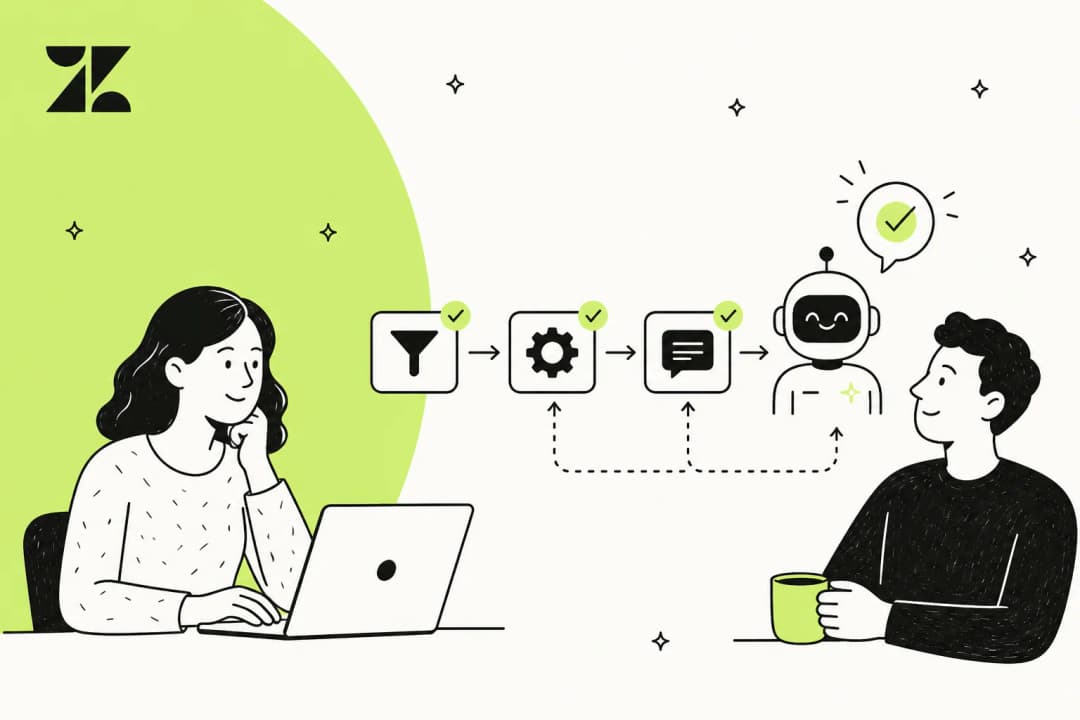
The smallest, lowest-risk piece. The system reads each incoming ticket, classifies it (intent, priority, sentiment, product area), and writes those tags into the helpdesk before a human ever opens it. The downstream payoffs are immediate: routing rules become accurate, reporting becomes meaningful, and your team stops re-tagging tickets by hand. Practical playbook: working with ticket tags and AI ticket classification.
Layer 2 - Routing and assignment
Once tags exist, routing follows. The AI assigns each ticket to the right queue, agent, or skill group based on intent, language, customer tier, or SLA. Done right, this kills the "ticket bouncing around the team" pattern that adds hours to first-response time without solving anything. The Zendesk ticket routing guide is the canonical playbook here, and the same logic ports cleanly to Freshdesk and Jira Service Management.
Layer 3 - Knowledge-base retrieval
This is the layer most posts skip past, and it's the one that secretly determines whether the rest of the stack works. AI ticket deflection is, at root, a knowledge retrieval system with a conversational interface - its quality ceiling is the quality of the knowledge base it retrieves from. Pylon's analysis found that well-structured documentation increases genuine resolution by 15 to 25%, and EBI.ai reported 96% success rates on in-scope queries when the docs were thorough (SupportBench).
If your knowledge base is patchy, fix it before you turn anything else on. A retrieval-augmented LLM trained on bad docs will confidently invent answers - and a customer who got a wrong, confident reply churns harder than a customer who got "let me check with the team."
Layer 4 - Draft replies in the agent inbox
The "copilot" layer. The AI reads the ticket, retrieves the relevant docs, and writes a complete suggested reply as an internal note (or a draft in the reply window) for a human agent to review, edit, and send. This is the highest-leverage starting point for most teams: agents move faster, the human is still on the hook for tone and correctness, and the team builds confidence in the model's accuracy before anything goes autonomous.
The classic playbook is to set the AI as a "first responder" - fires on incoming tickets, leaves a suggested reply, sometimes does a doc search across PDFs and KB articles before drafting:
We use it to be the first responder to our Helpdesk tickets in Jira. It essentially acts just like an agent would.
- Jason Loyola, Head of IT, InDebted case study
That team is using the draft-replies layer to push deflection from 15% toward 55% on an internal IT desk on Jira Service Management. Same pattern works on customer-facing desks: draft replies in Zendesk, Gorgias automations, and Freshdesk automation all support this pattern natively or via a vendor on top.
Layer 5 - Autonomous resolution with actions
The dramatic layer. The AI reads the ticket, decides on an action, takes it (refund, subscription change, address update, order status lookup), and writes back to the customer - no human in the loop. This is where the eye-catching numbers come from: Klarna's AI handles two-thirds of all customer service - the equivalent of 700 full-time agents (SaaStr). Bilt Rewards handles 70% of 60,000 monthly tickets autonomously (SaaStr citing Decagon). Grammarly's deployment hit 87% deflection within 10 days with CSAT at 4.2/5 (Forethought case study).
The catch is that this layer only works if the previous four are solid. Trying to skip straight to autonomous resolution without doing the KB cleanup and the draft-reply phase first is how teams end up with the failure mode in the next section.
Layer 6 - Confidence-based escalation
The escape hatch, and arguably the most important layer of the lot. The AI generates a candidate reply, scores its own confidence (using retrieval coverage, historical success on the intent, and uncertainty signals in the generated response), and only sends autonomously when the score clears a threshold. Below the threshold, it escalates with full context to a human.
The confidence threshold is one of the most critical design decisions in any deflection system - and must be calibrated through testing, not assumed (ClarityArc, 2026). Don't trust raw LLM confidence scores either: they measure token probability, not factual accuracy. A model can be 95% "confident" about a hallucinated answer (DEV Community). Pair confidence scores with knowledge-base coverage signals and topic scope rules.
The deflection trap - and why "resolution" is the better metric
Here's where most teams go wrong, and it's the single thing we'd push back on hardest if a friend asked us about their rollout plan.
Deflection rate is the most common metric for support automation - and it's a cursed one. Optimising for deflection means optimising for fewer tickets, not better outcomes. The KPI improves; the customer experience deteriorates. Two failure modes, both well documented:
Failure mode one - the bot as bouncer. The deflection rate hits 75%, the dashboard glows green, the best customers quietly leave. From Corebee.ai's analysis of 50+ support team discussions:
One SaaS founder described this exactly: "Optimizing for ticket deflection with AI almost ruined our churn rate. Stop using bots as bouncers." Their deflection rate hit 75%. Their high-LTV customers churned because they felt blocked from reaching a human.
Failure mode two - the confidently wrong reply. The bot answers when it shouldn't have. The customer trusts it. The simple question becomes a trust crisis. Corebee found this pattern in seven separate discussion threads, and the root cause is consistent: bots optimised for deflection rate will attempt to answer queries they should escalate.
The fix is twofold. First, change the metric. Optimise for resolution rate - the share of tickets the AI closed where the customer didn't re-contact within 48 hours, didn't drop CSAT, didn't escalate to a manager. Gartner found AI deflects more than 45% of customer queries overall, yet only around 14% reach full self-service resolution (Gartner via Fini Labs) - that 31-point quality gap is exactly the false-deflection trap.
Second, build confidence-based routing in from day one. The clearest statement of this we have on file is from a CX lead at a DTC supplements brand running ~7,000 Gorgias tickets/month:
The AI will never be able to answer 100% of the questions. I need an AI who is only handling the tickets that it's confident to handle and all the other ones, leave them alone.
- anonymized as a CX lead at a DTC supplements brand on Gorgias + Shopify (~7K tickets/month), from eesel customer interviews
That sentence is the whole thesis. Don't aim for an AI that answers every ticket; aim for one that knows which ones it shouldn't touch.
How real teams are using it
The use cases below are where we see the most ROI from real eesel customers - but the patterns generalise to any modern support-automation vendor.
First-line cover, with clean handover. The AI handles front-line questions when humans aren't around, and steps aside the moment the issue needs judgement. From a permissioned customer quote:
eesel acts as our front-line support until a human touch is needed - answering quick questions when the team is unavailable and letting us handle the issues that only we can.
- Kellen Brown, Textla (permissioned G2 review, eesel on G2)
Triage with internal-note drafting. The agent fires on every incoming ticket, classifies it, runs doc searches across the KB (and product PDFs where needed), and leaves a complete suggested reply as an internal note. The human reviews and either sends or rewrites. We've seen this work on Romanian payment-gateway questions, on engineering-grade EtherCAT troubleshooting at industrial automation vendors, and on spam recognition (the agent matches incoming "sales pitch tickets" against past examples and drafts a polite decline). The pattern is the same; the inputs vary wildly.
Tag, route, and keep warm. Beyond drafts, the AI auto-tags, fills custom fields, and routes to the right queue. Some teams use this same automation layer to keep escalated tickets "warm" with reassurance messages while the team waits on third-party payout partners - no KB needed, just instructions. (From an anonymized fintech customer interview on file, ~7,000 escalated tickets/month.)
Capturing tribal knowledge before it walks out. This is the use case we hear most often from older support orgs: senior agents with deep product knowledge are leaving, and the team wants their answers "in the AI" before they go. One French B2B IT services firm supporting public-sector ERP troubleshooting (~3,000 tickets/month on Freshdesk) framed it that way explicitly - the AI's job wasn't to replace the senior agents, it was to keep their answers available after they left.
The point is that "automate customer support" doesn't have to mean autonomous resolution to be a win. Layers 1 through 4 (tagging, routing, KB retrieval, draft replies) usually generate more total ROI than layer 5 ever does, and they ship in weeks rather than quarters.
A practical 5-step rollout
Most failed support-automation projects we hear about skipped a step in here. The order matters.

Step 1 - Audit your top intents
Pull the last 30 days of tickets and bucket them by intent. You're looking for the top 10 buckets that account for 70 to 80% of total volume. These are the targets - automation pays back fastest on high-frequency, low-complexity intents. Sentiment-heavy or dispute-style intents rarely exceed 25% deflection even in best deployments (ClarityArc 2026), so leave those out of the initial scope.
Concrete framing: if password resets, billing questions, and order status make up 60% of your volume, those three buckets are your first phase. Don't try to "do everything" in v1.
Step 2 - Clean the knowledge base
For each of the top intents, find the article that should answer it. If it doesn't exist, write it. If it exists but is out of date or in the wrong voice, rewrite it. This is the unglamorous step that determines whether the rest of the rollout works. The AI knowledge base chatbot guide goes deeper on what "good" looks like - short answers up top, structured headings, examples, no hedging.
A useful gut check: read the article and ask, "if a new hire read only this, could they answer the question correctly?" If not, the AI can't either.
Step 3 - Pilot on simulated tickets, not on customers
Before any customer sees the AI's output, run it against the last 90 days of real tickets in a simulation mode. Compare the AI's drafts against what the human agent actually sent. Where do they diverge? Where would the AI have escalated? Where did the AI write a confident answer that turned out to be wrong? This is the only honest way to set expectations with the team before go-live, and it's where you'll find the failure modes that aren't in any vendor demo.
Look for teams whose vendor offers this simulation capability natively - it's a sharp filter between vendors that have shipped in production and vendors that haven't.
Step 4 - Set a confidence threshold (and a forbidden list)
Before turning anything on for real customers, two decisions:
- The confidence threshold for autonomous reply. Most teams start conservative (high threshold, low volume of autonomous replies, high accuracy) and loosen over time. Starting permissive and tightening is much harder because the team's trust gets burned on day one.
- The forbidden list. Ticket types the AI will never auto-resolve - things like cancellations, refunds above a dollar threshold, anything tagged "legal" or "billing dispute", anything from a VIP customer tier. From a real customer quote: "There are certain tickets I don't want to go through AI."
Step 5 - Go live, measure resolution (not deflection)
Turn it on for one channel, one intent cluster. Watch resolution rate, CSAT delta, re-contact rate inside 48 hours, and escalation accuracy. Don't watch deflection rate alone - it'll tell you the bot is doing great when the customer experience is collapsing under it.
A useful KPI cocktail to put in front of leadership:
| Metric | What it tells you |
|---|---|
| Resolution rate | % of tickets closed without re-contact within 48h |
| CSAT delta vs human-only baseline | Whether the AI's tickets land softer than human ones |
| Escalation accuracy | % of escalated tickets that were genuinely the right call |
| First response time (median) | The drop here is usually the biggest visible win |
| Cost per resolution | The economic ROI lever |
That cocktail rewards "answers fewer tickets but answers them right" over "answers everything badly." Run it monthly; tighten the threshold based on what it shows.
The pitfalls worth budgeting around
Six failure modes worth pre-mortem'ing before launch, all of them documented in production deployments:
- The confident-wrong answer. LLM confidence scores measure token probability, not factual accuracy (DEV Community). Pair confidence with KB coverage signals.
- Re-contact masquerading as deflection. Customers re-contact through other channels (phone, email, social). The platform dashboard shows 80% deflection; real deflection adjusted for 48h re-contact is closer to 55-65% (ClarityArc 2026).
- Optimising the KPI, not the outcome. Make deflection the KPI and the team will make it harder to open tickets - the bot loops, the contact button gets buried, CSAT drops. Switch to resolution rate.
- The 47% flat-cost trap. Companies that didn't redesign workflows around AI: 47% reported flat or rising costs (theStacc 2026). Bolt-on AI without process redesign just adds licence cost on top of existing payroll.
- AI bias toward attempting answers. A 100,050-interaction study found AI bots are 37% more likely to move issues away from resolution than humans when configured to optimise for deflection (study cited by Corebee). Forbid intents the AI shouldn't touch.
- Skipping the pilot. "We'll just turn it on and tune it live" is how vendors lose customers in week two.
What to look for in a vendor
After watching dozens of these rollouts, the features that actually matter (and most vendors don't talk enough about) are:
- Native integration with the existing helpdesk. Don't migrate. The AI should sit inside Zendesk, Freshdesk, Gorgias, or wherever the team already lives. A rip-and-replace doubles the project risk for no upside.
- Simulation mode against past tickets. See above. This is the sharpest vendor filter.
- Confidence-based routing as a first-class feature, not a bolt-on. Granular: per-intent, per-ticket-type, per-customer-tier.
- Ticket-type exclusion lists. "There are certain tickets I don't want to go through AI" - that's a real customer quote, and the right answer is a UI control, not a Slack message to the vendor's CSM.
- Volume-based pricing, not per-seat. Per-seat pricing penalises you for adding humans to the support team - which is exactly what you'll want to do as ticket volume grows in absolute terms (it tends to, even as the AI share rises). eesel's pricing starts at $299/month for 500 credits (1 credit per ticket or chat) with no seat fees, as a worked example.
- Multilingual handling without prompt babysitting. If your customer base spans more than one language, this matters more than the demo will let you appreciate.
- An honest measure of resolution, not just deflection, surfaced in the dashboard. Bonus if it shows you the tickets the AI got wrong, not just the ones it got right.
For a head-to-head look at the actual options, our best AI for customer support automation roundup and top AI tools to automate customer support cover the field; best AI for Shopify customer support and best AI chatbot for customer service zoom in on specific niches.
What good rollouts actually achieve
A grounded picture of what the numbers tend to land at, drawn from real production data rather than vendor pitch decks:
| Outcome | Range seen in production | Source |
|---|---|---|
| Tier-1 deflection (median) | 41% | ClarityArc 2026 |
| Tier-1 deflection (top quartile) | 58.7% | ClarityArc 2026 |
| Best-in-class agentic deflection | 70-92% on routine intents | Forrester Wave 2025 |
| Cost reduction (avg first year) | 30% | IBM 2025 |
| Cost reduction (top quartile) | 53% | IBM 2025 |
| First response time improvement | 37% faster | G2 AI in Customer Service |
| Resolution time improvement | 52% faster | G2 AI in Customer Service |
| AI-augmented agent throughput | 13.8% more inquiries/hour | G2 AI in Customer Service |
| Payback period | 6-9 months | Deloitte 2025 |
| Average ROI | $3.50 per $1 invested | Lorikeet CX |
A few real production examples to anchor those ranges in named teams: Klarna's AI handles two-thirds of customer service (equivalent of 700 FTE); Bilt Rewards handles 70% of 60,000 monthly tickets; Grammarly hit 87% deflection within 10 days, with CSAT at 4.2/5 and a further 5-10% boost from system integrations; Forma (13,800 users on Forethought Solve) moved from 30% to 39% deflection between October 2024 and March 2025 through continuous tuning; retail teams on Freshworks Freddy resolve 53% of incoming queries with AI, per the Freshworks Customer Benchmark Report 2025. SaaStr's roundup is the cleanest single source for those numbers.
On our own side, we've seen up to 80% time savings on fast answers and onboarding from Global Pay's Confluence-backed deployment (see Confluence AI use cases), and Gridwise's CX lead reporting "73% of our tier 1 requests... results quickly during our 7-day trial." Both are permissioned customer testimonials.
Try eesel
eesel is the support-automation layer we'd reach for if you're already on Zendesk, Freshdesk, Gorgias, Jira Service Management, or Slack - and you don't want to migrate to make automation work. The agent reads each incoming ticket, runs doc searches across your KB and historical tickets, drafts the reply (or sends it autonomously when it's confident), and escalates the rest with full context. Confidence routing, ticket-type exclusion, simulation mode against past tickets, and per-intent guardrails are all first-class features, not roadmap items.
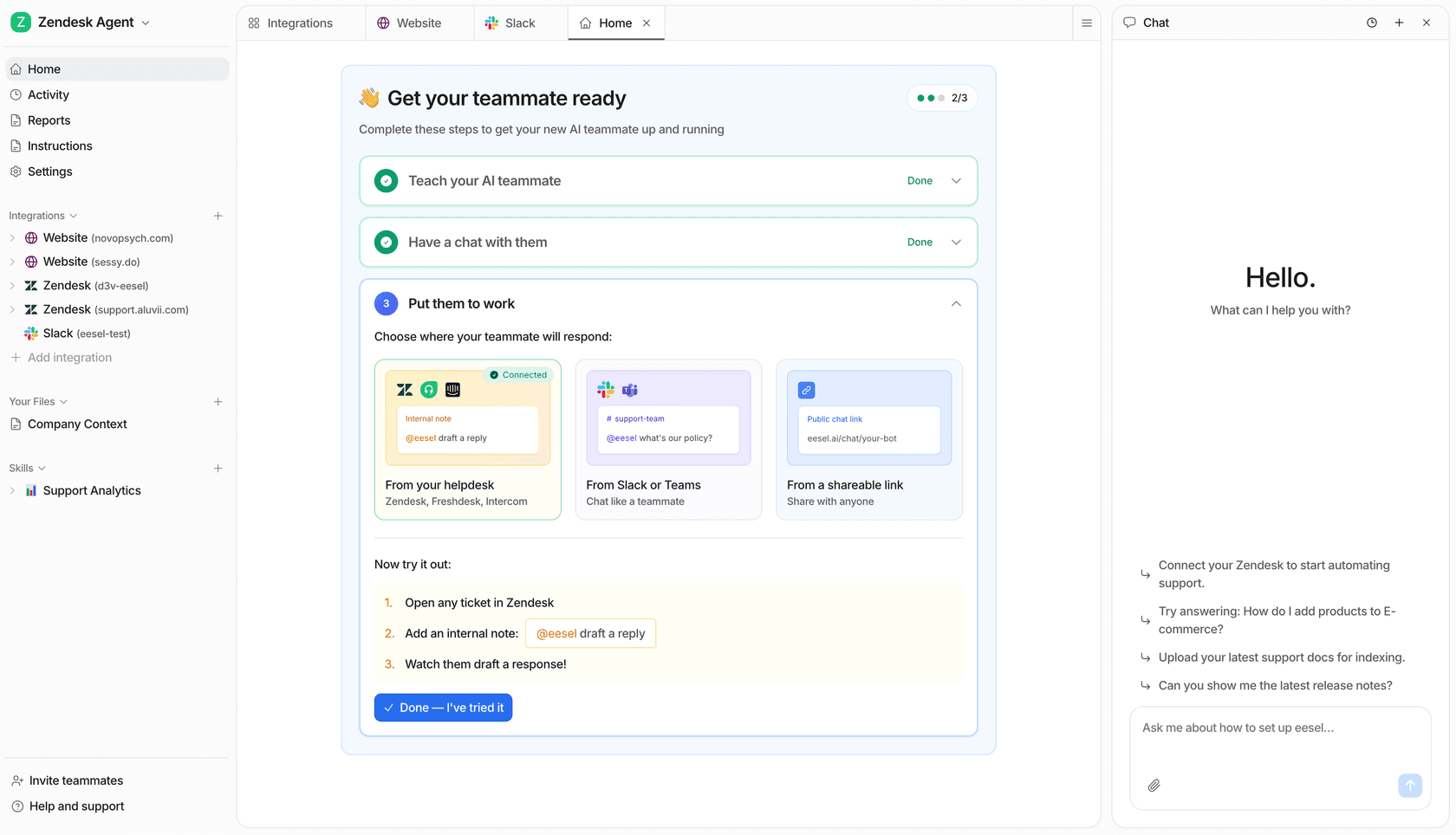
Pricing is one fixed monthly price from $299/month for 500 credits (1 credit per ticket or chat), no seat fees, no platform fee, and a free plan of 100 credits with no card. The full breakdown lives on the pricing page, and the best AI for customer support automation roundup puts it in head-to-head context with the rest of the field. Try eesel if any of the above sounded like the rollout you've been trying to plan.
Frequently Asked Questions
What does it actually mean to automate customer support?
To automate customer support is to hand off pieces of the support workflow - tagging, routing, knowledge-base retrieval, draft replies, autonomous resolution, escalation - to software that runs on every incoming ticket. It's not one switch; it's a stack of jobs, each of which can be automated independently. The right mix depends on ticket volume, knowledge-base maturity, and how much risk your team is willing to carry on autonomous replies.
How much does it cost to automate customer support?
Per-ticket economics are the headline. Human-handled tickets run $8 to $12 on average, and up to $25 to $35 for B2B SaaS, while AI-handled tickets land between $0.20 and $1.50 depending on whether the agent only reads docs or also reads account data (Gartner & Forrester via theStacc, 2026). Platform pricing varies wildly - volume-sized plans like eesel from $299/month for 500 credits (1 credit per ticket) sit at one end, per-seat enterprise contracts at the other. The full picture is in our cost-savings breakdown.
What's a realistic deflection rate when you automate customer support?
Industry medians sit at ~41% tier-1 deflection, with a top quartile around 58.7% (ClarityArc, 2026). Agentic systems with backend integrations push that to 70 to 92% on routine intents. But deflection isn't the same as resolution - Gartner found only ~14% of deflected queries reach genuine self-service resolution, a 31-point quality gap. Optimise for resolution, not deflection.
Will AI replace human support agents?
No, and the teams that frame it that way tend to burn customers. Klarna's AI assistant handles the equivalent of 700 full-time agents, but humans still own the hard cases. The data also shows agents augmented by AI handle 13.8% more inquiries per hour. The right model is AI on volume, humans on judgement - not one or the other.
Where should I start if my knowledge base is a mess?
Start there. Pylon's analysis found that well-structured documentation increases genuine resolution by 15 to 25%, and ClarityArc puts it bluntly: "a ticket deflection agent is a knowledge retrieval system with a conversational interface." Audit your top 10 ticket intents, write or rewrite the docs that answer them, and only then turn the agent on. An AI knowledge-base chatbot built on a thin KB will hallucinate; built on a thorough one, EBI.ai reports 96% success on in-scope queries.
What's the fastest way to automate customer support on Zendesk, Freshdesk, or Gorgias?
Sit the automation layer on top of your existing helpdesk rather than ripping it out. Most teams move first on draft replies in the agent inbox (low risk, high savings), then turn on auto-tagging and routing, then graduate to autonomous resolution for the highest-confidence intents. Practical playbooks per platform: automate Zendesk tickets, automate Freshdesk, and the Gorgias playbook for ecommerce teams.


Article by
Rama Adi
Rama is a software engineer at eesel AI with two years of experience writing about B2B SaaS, AI tools, and customer support technology. Based in Bali, Indonesia, he brings a developer's perspective to product comparisons — cutting through marketing copy to what the integrations and APIs actually do.